Screen Mirroring: Cast to TV
ダウンロード: App Store

このページはアプリまたはその開発者の公式ページではなく、情報提供および論評を目的として作成された独立した編集出版物です。明示的に別段の記載がない限り、アプリおよびその開発者は、MWM、Apple、Google Play、アプリのパブリッシャー、またはアプリの開発者と提携、承認、後援、認可、またはその他の公式的な関係はなく、このページのいかなる内容も、アプリがMWMのサービスを使用して開発されたことを意味するものではありません。すべての商標、ロゴ、スクリーンショット、その他のコンテンツはそれぞれの所有者の財産です。

ロゴ: Screen Mirroring: Cast to TV
ダウンロード: App Store

Screen Mirroring: Cast to TV

お使いのiOSデバイスとあらゆるスマートテレビをつなぐ究極のブリッジ。アプリのミラーリング、ウェブ動画のストリーミング、電話をユニバーサルリモコンとして使用—追加のハードウェアは不要です。

主要数値

ダウンロード

405K+

ユーザー評価

2.9/5

評価数

100

開発元

Constantin Hanganu

カテゴリ

Reference

対応言語

1

最新バージョン

1.5

サイズ

62.6 MB

リリース日

2021年2月10日
機能

テレビの可能性を最大限に引き出す

Samsung、LG、Rokuなどに向けた、シームレスで高品質なスクリーンミラーリングとスマートコントロールを、このパワフルなアプリから体験してください。

インスタントスクリーンミラーリング

iPhoneまたはiPadの画面をリアルタイムで共有します。家族の写真を見せたり、モバイルゲームをプレイしたり、ケーブルの煩わしさなしにグループにプレゼンテーションしたりするのに最適です。

ウェブ動画と映画をストリーミング

オンラインで動画やライブスポーツストリームを見つけましたか?タップするだけでスマートテレビに直接キャストできます。お気に入りのウェブコンテンツを高画質で大画面で楽しめます。

以下のスクリーンショットと説明は、アプリの公式ストアリスティングから直接取得されたものであり、アプリ開発者の所有物です。

アプリストア

スクリーンショット
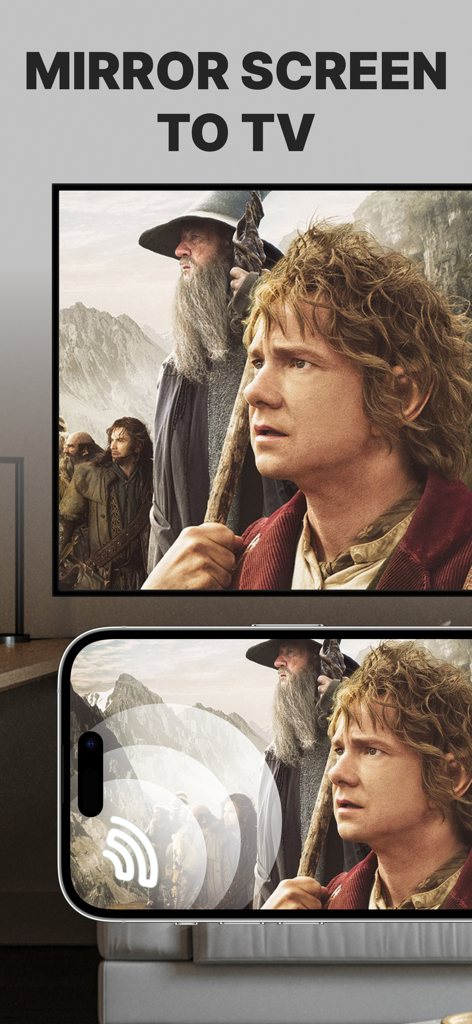
Screen Mirroring: Cast to TV - 大画面スマートテレビに映画をミラーリングしているiPhone画面

大画面スマートテレビに映画をミラーリングしているiPhone画面

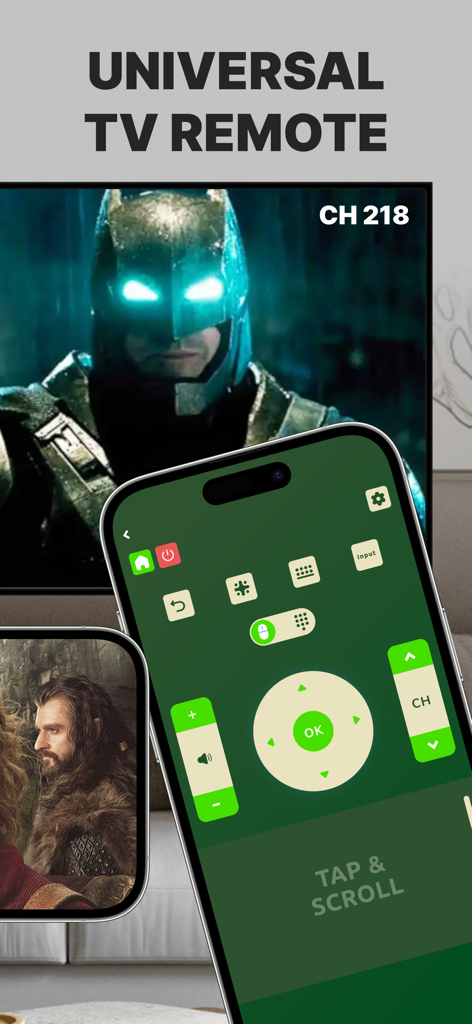
Screen Mirroring: Cast to TV - スマートテレビの隣にあるiPhone画面上のユニバーサルTVリモートコントロールインターフェース
スマートテレビの隣にあるiPhone画面上のユニバーサルTVリモートコントロールインターフェース

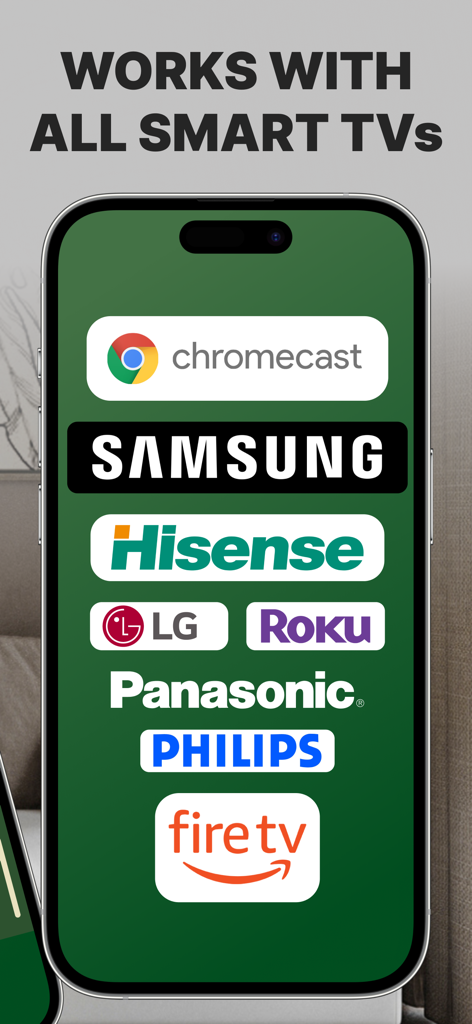
Screen Mirroring: Cast to TV - Samsung Roku LG Fire TVなどの互換性のあるスマートTVブランドのロゴを表示するスマートフォンの画面

Samsung Roku LG Fire TVなどの互換性のあるスマートTVブランドのロゴを表示するスマートフォンの画面

説明

Introducing Screen Mirroring: Cast to TV, the ultimate app for seamlessly mirroring your iPhone or iPad screen on your Smart TV. Our app is compatible with a wide range of TV models, including popular brands like LG, Samsung, and Roku. With Screen Mirroring: Cast to TV, you can easily connect your device and your Smart TV through the same Wi-Fi network and enjoy wirelessly mirroring any app, game, video, or photo from your iPhone or iPad on your TV. Our app also features a built-in universal TV remote control, making it easier than ever to control your TV and navigate between channels. In addition to mirroring your screen, our app also lets you stream or cast photos, videos, and music from your iPhone or iPad to your TV. You can even cast any web video to your Smart TV with just a few taps. And with support for multiple versions and models of Smart TVs, including popular brands like Sony, Vizio, and Toshiba, you can trust that Screen Mirroring: Cast to TV will work perfectly with your TV. Here are just a few of the TV models that Screen Mirroring: Cast to TV works flawlessly with: - Samsung Smart TVs - LG Smart TVs - Sony Smart TVs - Vizio Smart TVs - Toshiba Smart TVs - Sharp Smart TVs - Philips Smart TVs - Panasonic Smart TVs - Hisense Smart TVs - TCL Smart TVs - Insignia Smart TVs - JVC Smart TVs - RCA Smart TVs - Hitachi Smart TVs With our app, you can enjoy secure connections that protect your data, files, and applications, making it the perfect choice for anyone who values their privacy. Plus, our app is incredibly easy to use, so you can start enjoying all your favorite content on the big screen in no time. So why wait? Download Screen Mirroring: Cast to TV today and experience the ultimate in mirroring and casting technology! Note: Make sure your iPhone/iPad and your Smart TV, smartphone, tablet, Mac, PC, or other device that you want to use, are all connected to the same Wi-Fi network. Screen Mirroring: Cast to TV offers a premium subscription. The subscription plan renews automatically, but you can cancel it at any time. * Screen Mirroring Premium - the duration of the plan is one week (which comes with a 3-day free trial) and the price is 3.99 USD per week. There is also a monthly subscription, but it is available for users who subscribed from the last versions. We didn't delete it to give the possibility to restore it if needed. * Subscription payments will be charged to your iTunes account at confirmation of your purchase and upon commencement of each renewal term. Subscription with a free trial period will automatically renew to a paid subscription. You can cancel your subscription or free trial in the iTunes settings at least 24-hours before the end of the free trial period. The cancellation will take effect the day after the last day of the current subscription period and you will be downgraded to the free service. Account will be charged for renewal within 24-hours prior to the end of the current period, and identify the cost of the renewal. Subscriptions may be managed by the user and auto-renewal may be turned off by going to the user's Account Settings after purchase. You can cancel your subscription via this url: https://support.apple.com/en-us/HT202039 * Any unused portion of a free trial period (if offered) will be forfeited when you purchase a premium subscription during the free trial period. Before using Screen Mirroring: Cast to TV, please read and accept our Privacy Policy and Terms of Service. You can access them from within the app or from our website using the links below: Privacy Policy: https://screencast.dartcomitlabs.com/privacy.html Terms of Service: https://screencast.dartcomitlabs.com/terms.html

Download

ダウンロード: App Store

このページはアプリまたはその開発者の公式ページではなく、情報提供および論評を目的として作成された独立した編集出版物です。明示的に別段の記載がない限り、アプリおよびその開発者は、MWM、Apple、Google Play、アプリのパブリッシャー、またはアプリの開発者と提携、承認、後援、認可、またはその他の公式的な関係はなく、このページのいかなる内容も、アプリがMWMのサービスを使用して開発されたことを意味するものではありません。すべての商標、ロゴ、スクリーンショット、その他のコンテンツはそれぞれの所有者の財産です。