Screen Recorder + Capturer

Screen Recorder + Capturer

ダウンロード: App Store
ロゴ: Screen Recorder + Capturer

スクリーンレコーダー+キャプチャ:高画質録画が簡単に

壮大なゲームのハイライト、プロフェッショナルなチュートリアル、重要な会議を驚異的なHD画質でキャプチャ。サインアップ不要、ローカルストレージで100%プライベート。ワンタップで録画を開始できます。

ダウンロード: App Store

開発元

美慧 朱

カテゴリ

Utilities

ダウンロード

14K+

ユーザー評価

4.8/5

評価数

500

対応言語

3

すべてのフレームに鮮明さ

このインターフェースを利用する 14K+ 人のユーザー.

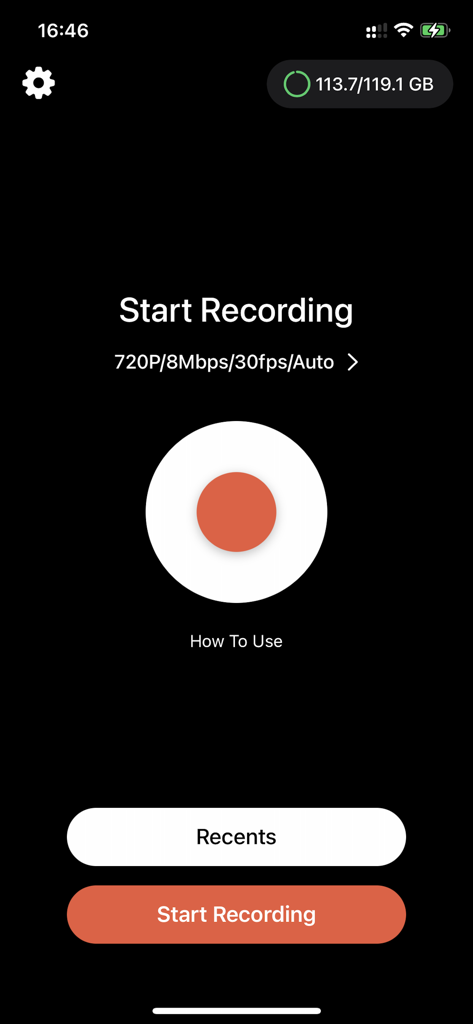
スクリーンレコーダーアプリのメインインターフェイス。大きな赤い録画ボタンと720p設定が表示されています。
スクリーンレコーダーアプリのメインインターフェイス。大きな赤い録画ボタンと720p設定が表示されています。

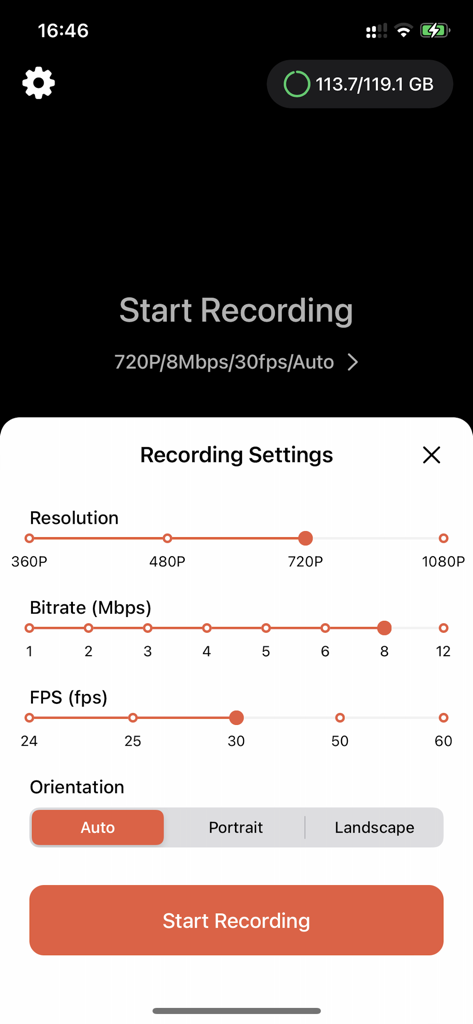
スクリーンレコーダーアプリのインターフェイス。ビデオ解像度、ビットレート、FPS、および向きの調整可能な設定が表示されています。
スクリーンレコーダーアプリのインターフェイス。ビデオ解像度、ビットレート、FPS、および向きの調整可能な設定が表示されています。

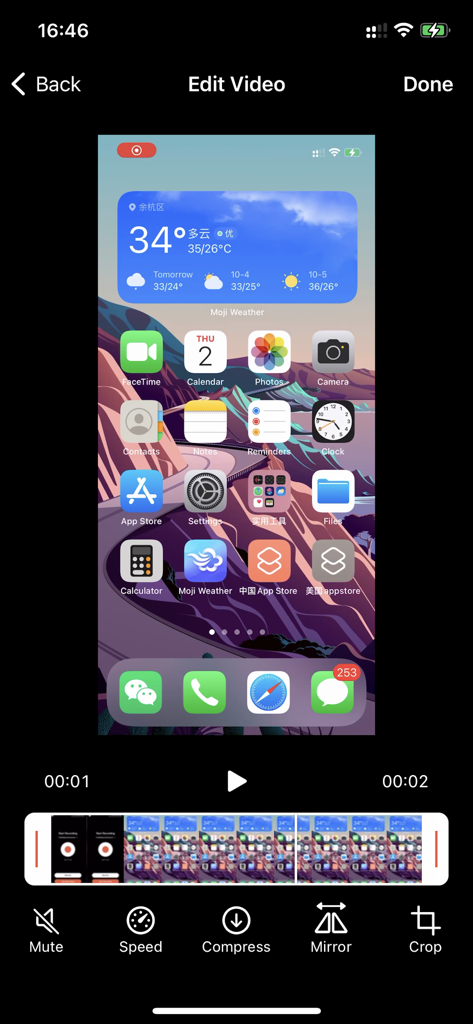
スクリーンレコーダーアプリの編集インターフェイス。スピード圧縮とクロッピングのためのツールが特徴です。

スクリーンレコーダーアプリの編集インターフェイス。スピード圧縮とクロッピングのためのツールが特徴です。

数秒でキャプチャ、作成、共有

このアプリを際立たせるツール、 14K+ 人のユーザーが選択.

🚀

手間のかからない録画

サインアップは不要です。ワンタップで、壮大なゲームのハイライトやチュートリアルを瞬時にキャプチャし始めましょう。

🔒

あなたのコンテンツ、あなたの管理

すべてがiPhoneのローカルに保存されます。プライベートな会議や機密性の高いバグも、安心して録画できます。

💎

クリアなHD品質

ぼやけたクリップで妥協しないでください。プロフェッショナルなデモやソーシャルコンテンツのために、すべてのピクセルを高画質でキャプチャしましょう。

アプリについて

について知っておくべきこと Screen Recorder + Capturer.

説明

A simple and intuitive iOS screen recording tool that makes it easy to capture and share your best moments. Screen Recorder is a powerful yet easy-to-use screen recording tool. Whether you’re capturing epic gaming highlights, creating instructional tutorials, or documenting technical issues, it gets the job done effortlessly. Key Features: • One-Tap Recording – Start recording instantly with a simple and user-friendly interface • High-Definition Quality – Record in high resolution to capture every detail clearly • Instant Preview – Review, edit, and share your recordings right after you’re done • Easy File Management – Automatically sorted by time for quick and easy access • Ready to Use – No sign-up or login required — just open the app and start recording • Privacy First – All recordings are stored locally to ensure your data stays private Perfect For: • Capturing exciting gaming moments • Creating how-to tutorials and demo videos • Showing issues during remote tech support • Recording important video meetings • Sharing screen tips and tricks Download Screen Recorder and preserve every moment worth capturing! Note: Recording system audio requires iOS 14.0 or later. This app includes an optional auto-renewable subscription (ImgConv Pro): ImgConv Pro beings with a free trial period, then an auto-renewable monthly subscription when trial ends. Payment will be charged to your Apple account at confirmation of purchase and will automatically renew (at the duration/price selected) unless auto-renew is turned off at least 24 hrs before the end of the current period. Account will be charged for renewal within 24-hours prior to the end of the current period. Current subscription may not be cancelled during the active subscription period; however, you can manage your subscription and/or turn off auto-renewal by visiting your Apple Account Settings after purchase. Any unused portion of the free initial period will be forfeited when you purchase a subscription. Terms of Service:https://cdnzonestatic.enjoy-mobi.com/privacy/privacy_policy_ios_vrecorder.html Privacy Policy:https://cdnzonestatic.enjoy-mobi.com/privacy/privacy_policy_ios_vrecorder.html EULA:https://www.apple.com/legal/internet-services/itunes/dev/stdeula/ Contact us:support_screen_recoder@gmail.com

最新バージョン

4.0

サイズ

16.0 MB

リリース日

2025年5月23日

次のビッグモーメントをキャプチャする準備はできましたか?

アカウントやクラウドストレージの手間なく、高画質で録画する14,000人以上のユーザーに加わりましょう。プライバシーとスピードを最優先するiOSスクリーンレコーダーを入手して、今すぐワンタップで録画を開始してください。

ダウンロード: App Store

App information, icons, screenshots, and descriptions displayed on this page are sourced from the Apple App Store and are the property of their respective developers. Download estimates and rankings are based on MWM's proprietary models and may not reflect actual figures. This page is provided for informational and analytical purposes only.

Believe this page infringes your intellectual property? File a dispute