
このページはアプリまたはその開発者の公式ページではなく、情報提供および論評を目的として作成された独立した編集出版物です。明示的に別段の記載がない限り、アプリおよびその開発者は、MWM、Apple、Google Play、アプリのパブリッシャー、またはアプリの開発者と提携、承認、後援、認可、またはその他の公式的な関係はなく、このページのいかなる内容も、アプリがMWMのサービスを使用して開発されたことを意味するものではありません。すべての商標、ロゴ、スクリーンショット、その他のコンテンツはそれぞれの所有者の財産です。


Screen Recorder with Audio
Facecamのリアクションとクリアな解説で、高品質なゲームプレイをキャプチャ。プロ品質のモバイルチュートリアルやバイラルコンテンツを数秒でトリミングして共有しましょう。
ダウンロード
327K+ユーザー評価
評価数
11K+開発元
カテゴリ
Utilities対応言語
1最新バージョン
1.2.1サイズ
224.1 MBリリース日
2022年2月14日コンテンツ作成をレベルアップ
クリエイター向けに設計された、リアクション機能、クリアな音声、インスタント編集ツールを使って、基本的な画面キャプチャをプロ品質のビデオに変えましょう。
統合Facecamリアクション
プレイ中や教え中に、リサイズ可能なカメラオーバーレイであなたの個性をビデオに加え、リアルタイムでリアクションを録画できます。
プロフェッショナル音声解説
クリアな指示やエンターテイニングな実況解説を提供するために、内部音声とボイスオーバーを同時に高品質で録音します。
よくある質問
について知っておくべきこと Screen Recorder with Audio
Screen Recorder with Audioとは何ですか?
Screen Recorder with Audioは、ユーザーがお気に入りのアプリ、ゲーム、ビデオチュートリアル、トレーニングビデオなどをデバイスで録画できるアプリケーションです。ワンタップで画面上のすべてをキャプチャします。
Screen Recorder with Audioでゲームを録画できますか?
はい、Screen Recorder with Audioでゲームを録画できます。ユーザーはチュートリアル、デモンストレーション、または共有のためにゲームプレイをキャプチャできます。
Screen Recorder with AudioにはFaceCam機能が含まれていますか?
はい、Screen Recorder with AudioにはFaceCam機能が含まれています。これにより、ユーザーは録画に自分のリアクションを追加でき、位置とサイズを調整できます。
Screen Recorder with Audioで画面録画に音声解説を追加できますか?
はい、Screen Recorder with Audioを使用すると、ユーザーはビデオの音声のみの解説を録音できます。この機能により、詳細な説明やリアクションが可能になります。
Screen Recorder with Audio内でビデオを編集できますか?
はい、Screen Recorder with Audioではビデオのトリミングが可能です。この機能により、長い録画から重要な部分だけを残すことができます。
Screen Recorder with Audioのサブスクリプション料金はいくらですか?
Screen Recorder with Audioには、月額6.99ドルのBasicプランと、3日間の無料トライアルが含まれる月額9.99ドルのPremiumプランがあります。
Screen Recorder with Audioのサブスクリプションを管理またはキャンセルするにはどうすればよいですか?
Screen Recorder with Audioのサブスクリプションの管理または解約は、携帯電話のシステム設定内にあるiTunes & App Storeのアカウント管理で行えます。
Screen Recorder with Audioは無料トライアルを提供していますか?
はい、Screen Recorder with AudioはPremiumサブスクリプションプランで3日間の無料トライアルを提供しています。このトライアルは自動的にプレミアムバージョンに更新されます。
Screen Recorder with Audioで無料トライアルが終了する前にPremiumに登録するとどうなりますか?
Screen Recorder with Audioのプレミアムバージョンへの登録を、トライアル期間が終了する前に支払って行う場合、現在の無料トライアルは自動的に終了します。
Screen Recorder with Audioにカメラロールからビデオをインポートできますか?
はい、Screen Recorder with Audioは、デバイスのカメラロール(写真)から直接ビデオをインポートすることをサポートしています。これにより、さらなる編集や統合が可能になります。
以下のスクリーンショットと説明は、アプリの公式ストアリスティングから直接取得されたものであり、アプリ開発者の所有物です。
アプリストア
スクリーンショット
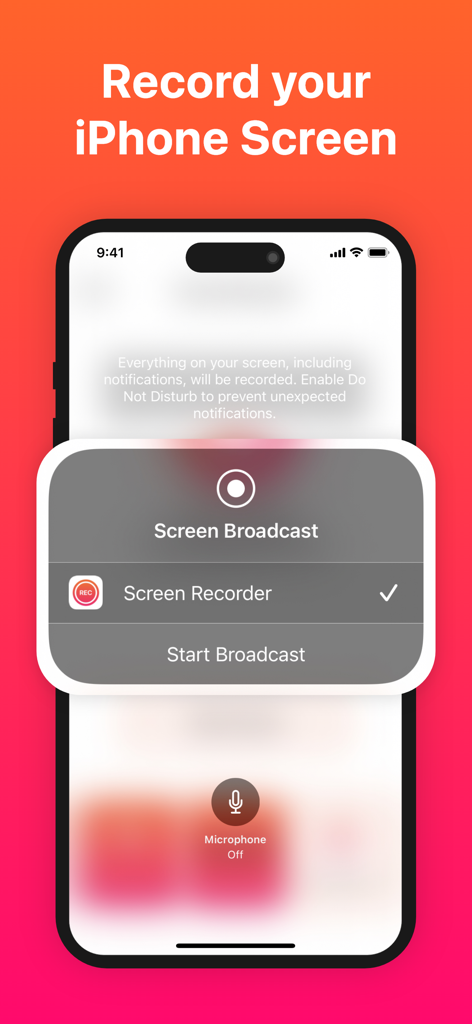
iPhone画面にコンテンツ録画用の画面ブロードキャストメニューが表示されている
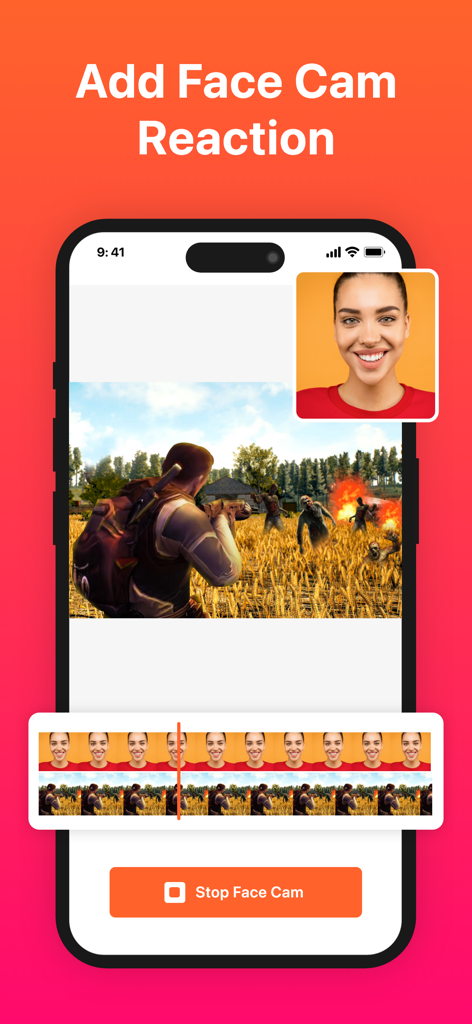
Facecamオーバーレイとビデオ編集タイムライン付きのゾンビゲームの画面録画が表示されたiPhone
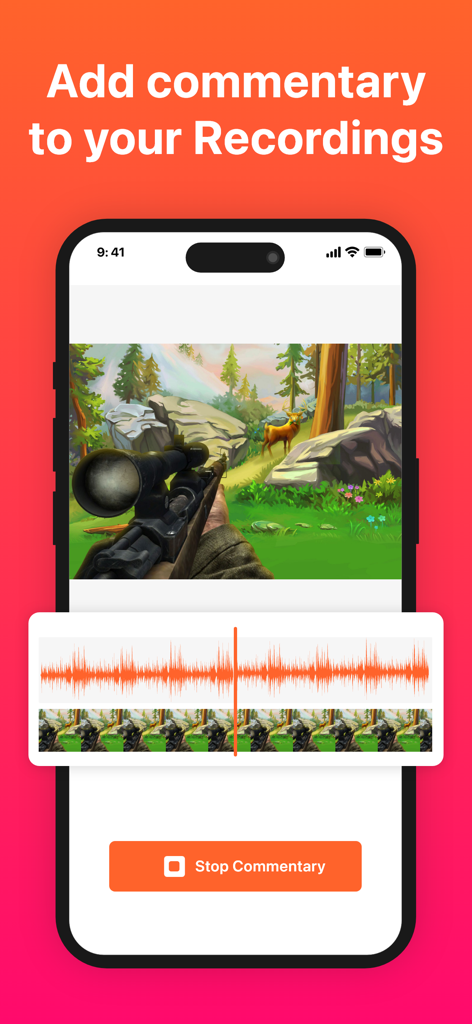
録画されたモバイルゲームビデオ上に音声解説機能が表示されている画面録画アプリのインターフェース
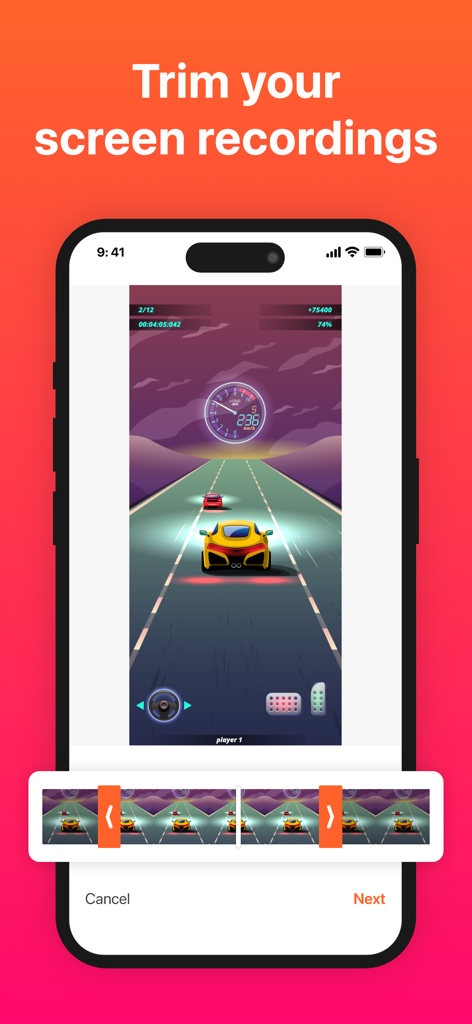
車のレースゲームの画面録画を編集するために使用されているビデオトリマーツールが表示されたモバイルアプリのインターフェース
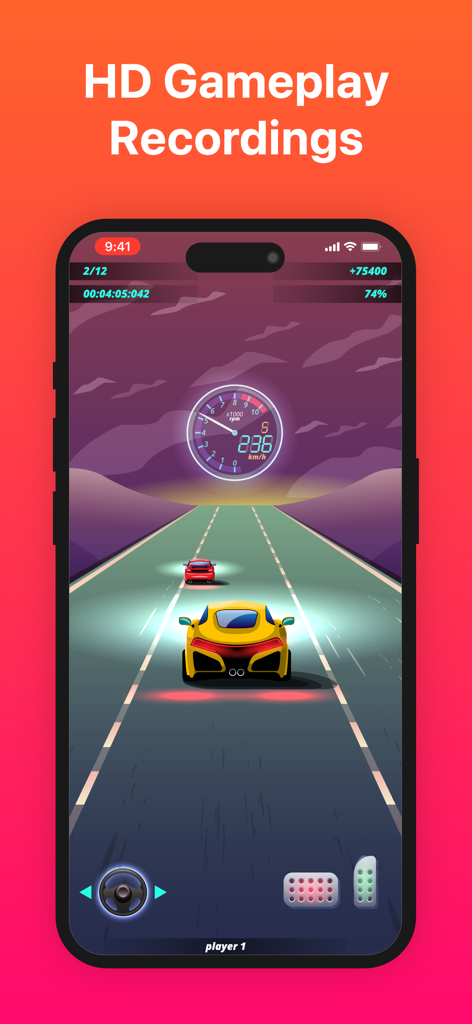
高解像度で録画されているレースゲームを表示するスマートフォン画面。
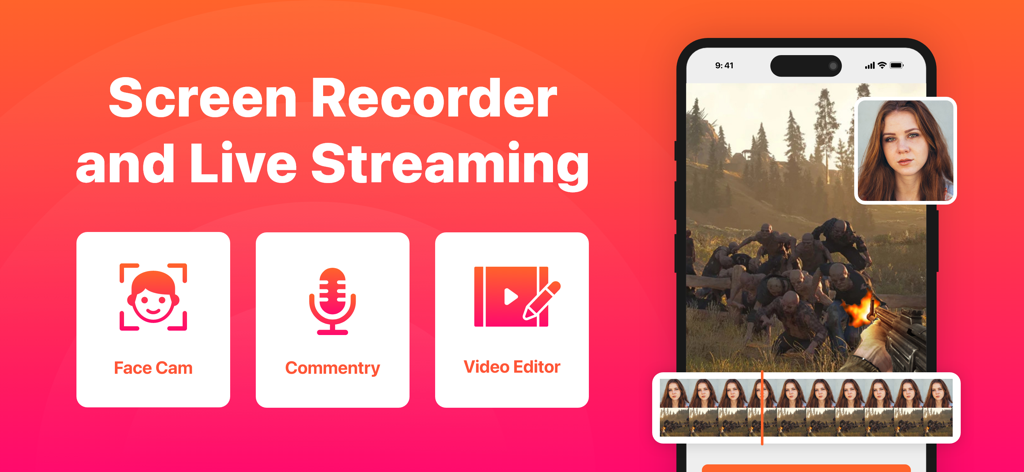
Facecamとビデオ編集機能が表示された画面録画アプリのインターフェース
説明
Download



このページはアプリまたはその開発者の公式ページではなく、情報提供および論評を目的として作成された独立した編集出版物です。明示的に別段の記載がない限り、アプリおよびその開発者は、MWM、Apple、Google Play、アプリのパブリッシャー、またはアプリの開発者と提携、承認、後援、認可、またはその他の公式的な関係はなく、このページのいかなる内容も、アプリがMWMのサービスを使用して開発されたことを意味するものではありません。すべての商標、ロゴ、スクリーンショット、その他のコンテンツはそれぞれの所有者の財産です。