Screen Recorder - Dual Cam

Screen Recorder - Dual Cam

ダウンロード: App Store
ロゴ: Screen Recorder - Dual Cam

スクリーンレコーダー - デュアルカム:プロレベルのコンテンツのためのオールインワンスタジオ

複数のフェイスカムと解説付きで高解像度のスクリーン録画をキャプチャ。TikTokやYouTube向けにリサイズし、リアクションを即座に共有—すべてiPhoneから。

開発元

Mohammad Mahmudul Hasan

カテゴリ

Utilities

ダウンロード

5K+

ユーザー評価

3.9/5

評価数

200

対応言語

17

あなたのスタジオが動作中

このインターフェースを利用する 5K+ 人のユーザー.

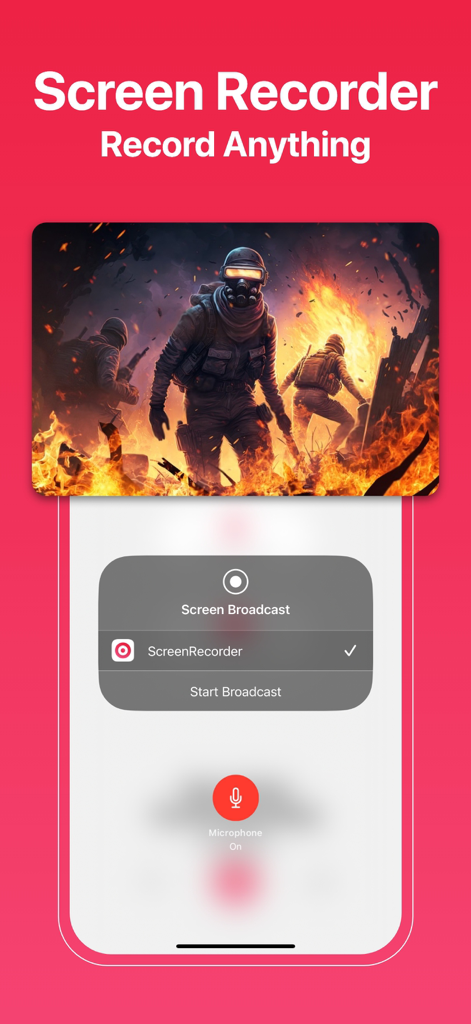
モバイルゲーム録画とブロードキャスト開始メニューが表示されているスクリーンレコーダーアプリのインターフェース。
モバイルゲーム録画とブロードキャスト開始メニューが表示されているスクリーンレコーダーアプリのインターフェース。

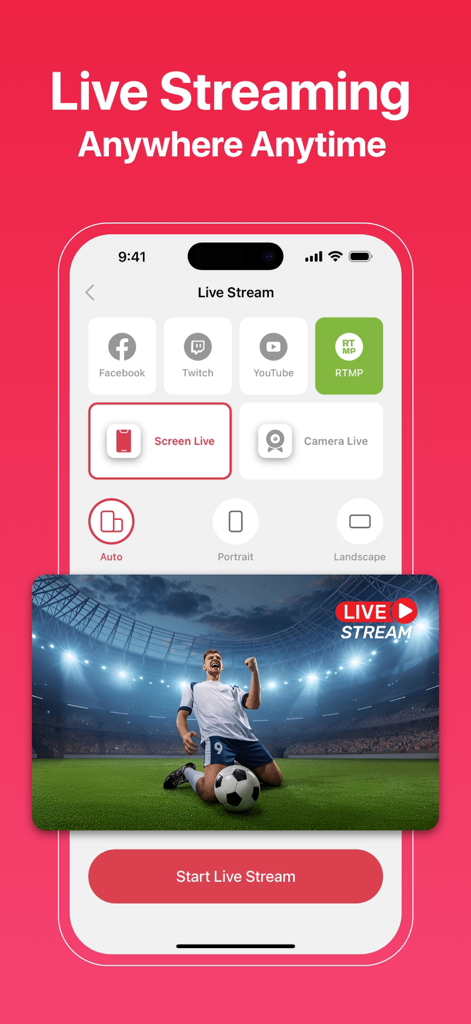
Facebook、Twitch、YouTubeへのライブストリーミングオプションとスクリーン録画機能を示すモバイルアプリのインターフェース
Facebook、Twitch、YouTubeへのライブストリーミングオプションとスクリーン録画機能を示すモバイルアプリのインターフェース

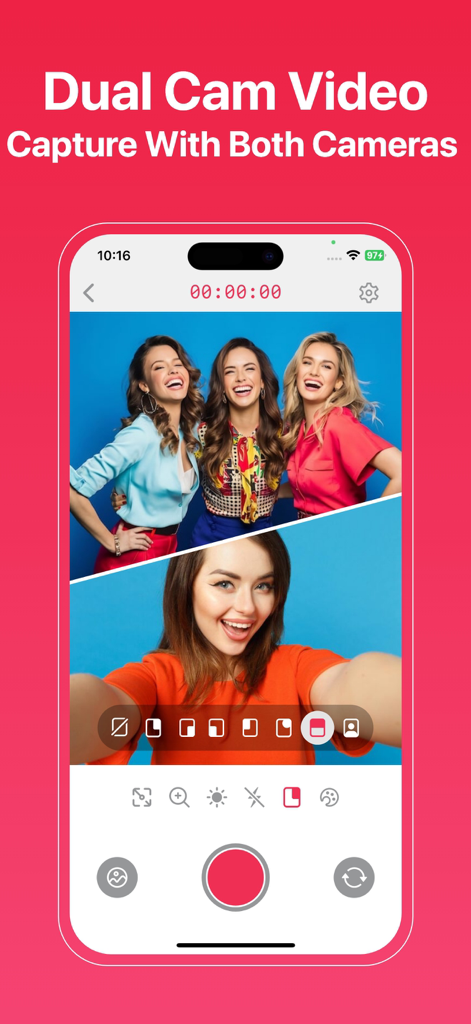
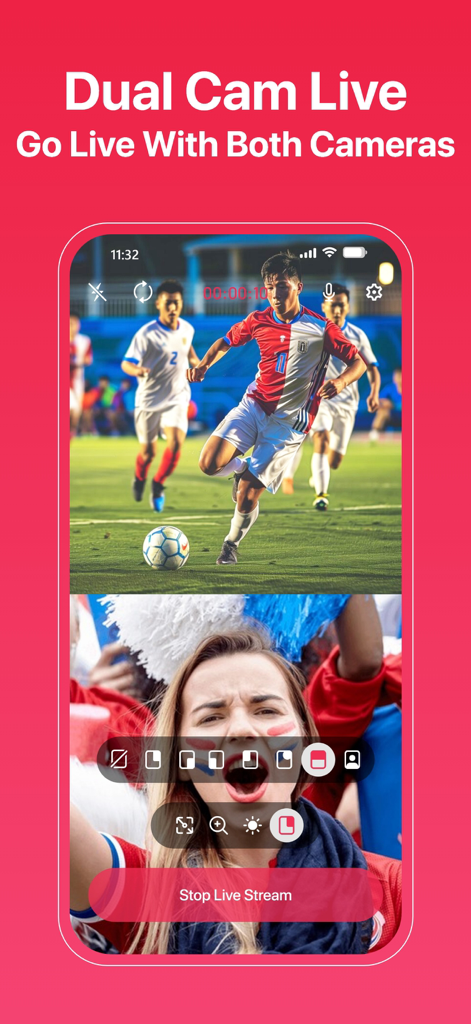
フロントカメラとリアカメラをスプリットスクリーンビューで同時に録画しているデュアルカム機能を示すスクリーンレコーダーアプリのインターフェース
フロントカメラとリアカメラをスプリットスクリーンビューで同時に録画しているデュアルカム機能を示すスクリーンレコーダーアプリのインターフェース

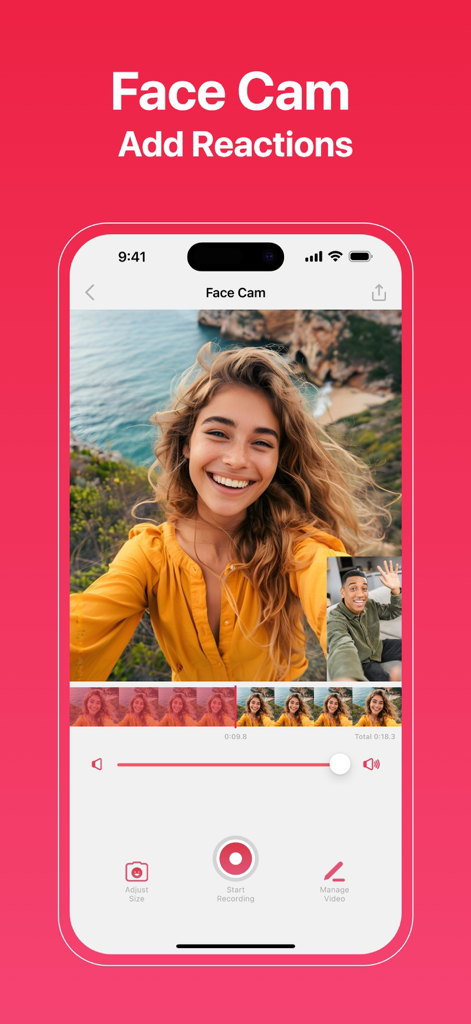
iPhoneでフェイスカムとリアクションビデオ機能を示しているスクリーンレコーダーアプリのインターフェース
iPhoneでフェイスカムとリアクションビデオ機能を示しているスクリーンレコーダーアプリのインターフェース

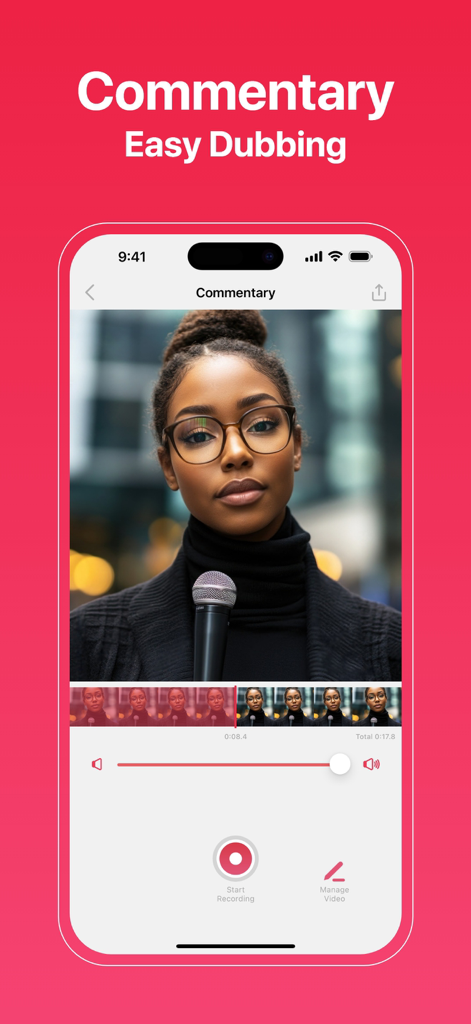
ビデオ編集ツールによる解説と簡単なダビング機能を示すモバイルスクリーンレコーダーアプリのインターフェース
ビデオ編集ツールによる解説と簡単なダビング機能を示すモバイルスクリーンレコーダーアプリのインターフェース

サッカーの試合とリアクションフェイスカムでデュアルカメラライブ録画を示すiPhoneアプリの画面
サッカーの試合とリアクションフェイスカムでデュアルカメラライブ録画を示すiPhoneアプリの画面

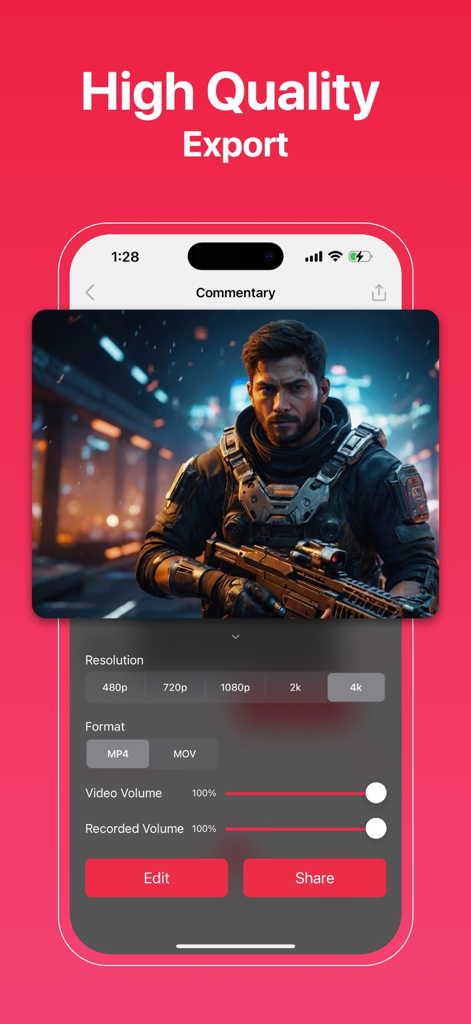
4K高解像度エクスポート設定と共有オプションを示すスクリーンレコーダーアプリのインターフェース
4K高解像度エクスポート設定と共有オプションを示すスクリーンレコーダーアプリのインターフェース

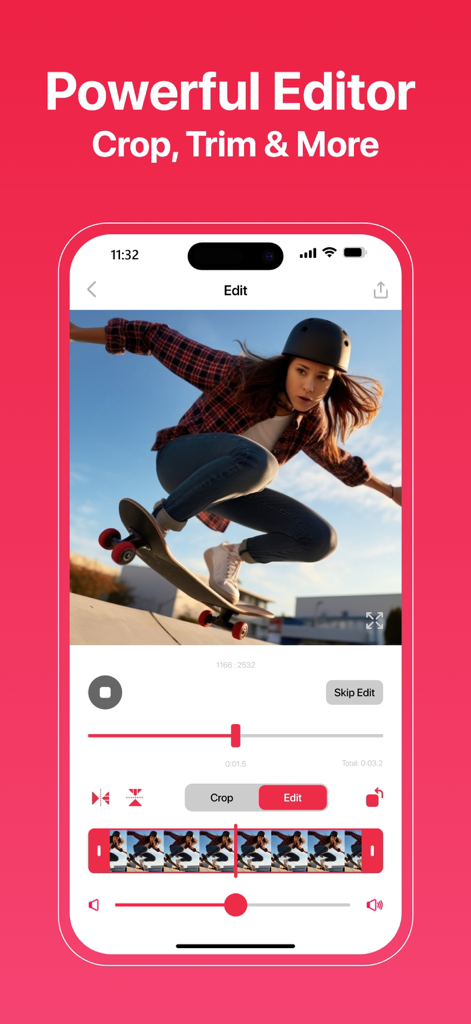
クリエイター向けのクロップおよびトリムツールを備えた強力なモバイルビデオエディターを示すiPhone画面
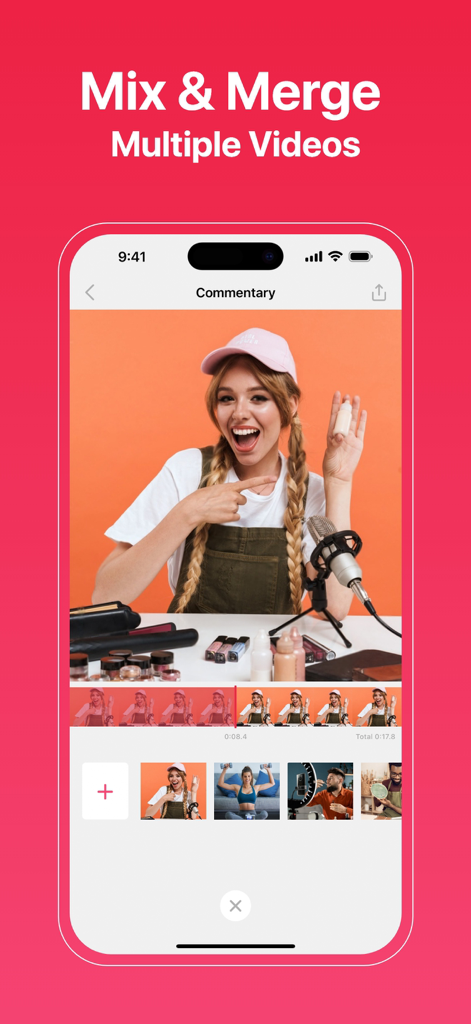
クリエイター向けのクロップおよびトリムツールを備えた強力なモバイルビデオエディターを示すiPhone画面

解説機能付きの複数のビデオクリップをミックスおよびマージするためのスクリーンレコーダーアプリのインターフェースを表示するiPhone画面。
解説機能付きの複数のビデオクリップをミックスおよびマージするためのスクリーンレコーダーアプリのインターフェースを表示するiPhone画面。

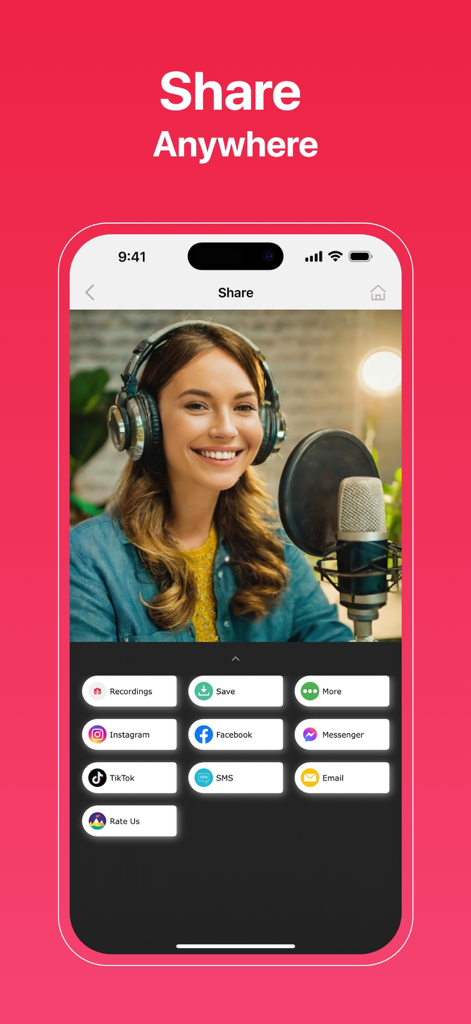
キャプチャしたビデオのTikTokやInstagramなどの複数のソーシャルメディア共有オプションを表示するスクリーンレコーダーアプリのモバイルインターフェース

キャプチャしたビデオのTikTokやInstagramなどの複数のソーシャルメディア共有オプションを表示するスクリーンレコーダーアプリのモバイルインターフェース

コンテンツ作成をレベルアップ

このアプリを際立たせるツール、 5K+ 人のユーザーが選択.

🎭

マルチカムリアクション

複数のフェイスカムオーバーレイとシームレスな解説で、すべての動画に個性を加え、視聴者とのより深い繋がりを築きましょう。

📱

デュアルカムの汎用性

フロントカメラとリアカメラを使用して、スクリーンと周囲を同時に録画—開封動画やモバイルゲームに最適なツール。

プラットフォーム対応編集

アプリを離れることなく、TikTok、Reels、またはYouTubeに合わせてキャンバスを即座にリサイズし、鮮明な4K解像度でエクスポート。

アプリについて

について知っておくべきこと Screen Recorder - Dual Cam.

説明

The All-in-One Solution for Flawless Screen Recording: Screen Recorder! With our app, you can record, edit, and share screen recordings more easily than ever before. Whether you’re a content creator, educator, gamer, or just capturing priceless moments, Screen Recorder is here to meet your needs. Key Features: Record Screen Capture seamless, high-resolution screen recordings. Perfect for tutorials, lectures, gameplay, and more. My Recordings (Drafts) Store and manage your recordings effortlessly with Drafts. Keep them accessible and well-organized for future editing and sharing. Face-cam Add more than one face-cam video to your recordings. Customize the size and placement of each face-cam for an engaging and interactive experience. Commentary Include multiple commentary videos to enhance your recordings. Ideal for lessons, reactions, or presentations, this feature helps you provide detailed explanations and insights. Video Crop Focus on the most important parts by cutting out unwanted sections of your video. Video Rotate Adjust your video orientation effortlessly. Whether flipping or turning it upside down, ensure perfect alignment every time. Video Trim Remove unnecessary portions to create concise and impactful content. Video Volume Fine-tune audio levels for a professional-quality recording. Ensure your voice and background sounds are perfectly balanced. Video Flip Flip videos vertically or horizontally to achieve the desired perspective. Dual-Cam Stream your screen and yourself simultaneously with front- and rear-camera functionality. Canvas Resize the canvas to fit any platform or requirement. Create content for presentations, social media, or personal projects with ease. User-Friendly Interface Navigate and utilize all features effortlessly with our intuitive design. High-Quality Output Enjoy professional editing tools and high-resolution recordings, including HD and 4K, to ensure your videos look and sound fantastic. Seamless Sharing Share your video recordings directly to Facebook, Instagram, Messenger, and more. Why Choose a Screen Recorder? Screen Recorder is designed to be user-friendly and versatile, catering to a broad range of users. Whether you’re a professional creating presentations, a teacher crafting educational materials, a gamer sharing achievements, or a content creator producing high-quality videos, this app has everything you need. Screen Recorder Subscription: * Using a subscription you have access to keep backup using dropbox or google drive, unlimited recordings and more. Watermarks and advertisements will be removed automatically. * Screen Recorder subscription is billed weekly, monthly or annually at the rate corresponding to the selected plan. * Payment will be charged to iTunes Account at confirmation of purchase. * Subscription automatically renews unless auto-renew is turned off at least 24-hours before the end of the current period. * Account will be charged for renewal within 24-hours prior to the end of the current period, and identify the cost of the renewal. * Subscriptions may be managed by the user and auto-renewal may be turned off by going to the user's Account Settings after purchase. * Any unused portion of a free trial period, if offered, will be forfeited when the user purchases a subscription to that publication, where applicable. - Terms & Conditions: https://app.matrixsolution.xyz/documents/Terms&Conditions.html - Privacy Policy: https://app.matrixsolution.xyz/documents/PrivacyPolicy_ScreenRecorder.html Got questions or feedback? Reach out to our dedicated support team at support@matrixsolution.xyz Follow us on social media: Facebook: @matrixsolution16

最新バージョン

2.0

サイズ

36.2 MB

リリース日

2024年12月11日

バイラルヒットへの旅を始めよう

次世代クリエイターに参加しよう。4Kゲームプレイをキャプチャし、デュアルカムのリアクションを録画し、プロのように編集—すべてiPhoneから。あなたの視聴者は待っています。

ダウンロード: App Store
FAQ

よくある質問

について知っておくべきこと Screen Recorder - Dual Cam

Screen Recorder - Dual Camとは何ですか?

Screen Recorder - Dual Camは、画面録画、編集、動画共有のためのオールインワンソリューションです。コンテンツクリエーター、教育者、ゲーマー向けに、デュアルカメラ、フェイスカム、解説などの機能を提供します。

Screen Recorder - Dual Camで画面を録画できますか?

はい、Screen Recorder - Dual Camは、シームレスで高解像度の画面録画をキャプチャします。チュートリアル、講義、ゲームプレイ、その他のさまざまなビデオコンテンツの作成に適しています。

Screen Recorder - Dual Camはデュアルカメラ録画をサポートしていますか?

はい、Screen Recorder - Dual Camはデュアルカメラ録画をサポートしています。これにより、ユーザーは前面カメラと背面カメラの両方を使用して、画面と自分自身を同時にストリーミングできます。

Screen Recorder - Dual Camで録画に自分の顔を追加するにはどうすればよいですか?

Screen Recorder - Dual Camにはフェイスカム機能が搭載されています。ユーザーは複数のフェイスカム動画を追加し、サイズと配置をカスタマイズして、魅力的でインタラクティブな録画体験を実現できます。

Screen Recorder - Dual Camで利用できる編集機能は何ですか?

Screen Recorder - Dual Camは、動画のクロップ、回転、トリミング、音量調整、反転などの強力な編集ツールを提供します。キャンバスのリサイズも可能で、高品質のエクスポートをサポートしています。

Screen Recorder - Dual Camはエクスポートでどの解像度をサポートしていますか?

Screen Recorder - Dual Camは、HDや4Kを含む高品質の出力解像度をサポートしています。ユーザーはMP4やMOVなどの形式で動画をエクスポートできます。

Screen Recorder - Dual Camから動画を直接ソーシャルメディアに共有できますか?

はい、Screen Recorder - Dual Camはシームレスな共有を提供します。ユーザーは、Facebook、Instagram、Messenger、TikTokなどのソーシャルメディアプラットフォームに動画録画を直接共有できます。

Screen Recorder - Dual Camのサブスクリプションはどのように機能しますか?

Screen Recorder - Dual Camのサブスクリプションは、週単位、月単位、または年単位で請求されます。無制限の録画、クラウドサービスへのバックアップを提供し、ウォーターマークと広告を自動的に削除します。

Screen Recorder - Dual Camはウォーターマークを削除しますか?

はい、Screen Recorder - Dual Camのサブスクリプションを購入すると、すべての録画からウォーターマークと広告が自動的に削除されます。

Screen Recorder - Dual Camのプライバシーポリシーはどこで見つけられますか?

Screen Recorder - Dual Camのプライバシーポリシーは、https://app.matrixsolution.xyz/documents/PrivacyPolicy_ScreenRecorder.html でご覧いただけます。

Screen Recorder - Dual Camでライブストリーミングはできますか?

はい、Screen Recorder - Dual Camは、いつでもどこでもライブストリーミングを可能にします。Facebook、Twitch、YouTube、RTMPなどのプラットフォームへのストリーミングをサポートしています。

Screen Recorder - Dual Camで録画を管理するにはどうすればよいですか?

Screen Recorder - Dual Camには、「マイレコーディング(下書き)」機能が搭載されています。これにより、ユーザーは録画を簡単に保存および管理でき、将来の編集や共有のために整理しておくことができます。

Screen Recorder - Dual Camは複数の解説動画を含めることができますか?

はい、Screen Recorder - Dual Camでは、複数の解説動画を含めることができます。これにより、詳細な説明や洞察を提供することで録画を強化でき、レッスンやプレゼンテーションに最適です。

App information, icons, screenshots, and descriptions displayed on this page are sourced from the Apple App Store and are the property of their respective developers. Download estimates and rankings are based on MWM's proprietary models and may not reflect actual figures. This page is provided for informational and analytical purposes only.

Believe this page infringes your intellectual property? File a dispute