Screen Recorder,Screen Capture
ダウンロード: App Store

このページはアプリまたはその開発者の公式ページではなく、情報提供および論評を目的として作成された独立した編集出版物です。明示的に別段の記載がない限り、アプリおよびその開発者は、MWM、Apple、Google Play、アプリのパブリッシャー、またはアプリの開発者と提携、承認、後援、認可、またはその他の公式的な関係はなく、このページのいかなる内容も、アプリがMWMのサービスを使用して開発されたことを意味するものではありません。すべての商標、ロゴ、スクリーンショット、その他のコンテンツはそれぞれの所有者の財産です。

ロゴ: Screen Recorder,Screen Capture
ダウンロード: App Store

Screen Recorder,Screen Capture

高画質ゲームプレイを録画し、Twitchでライブ配信し、プロツールでコンテンツを数秒で編集。広告や制限なし、次世代クリエイターのためのシームレスな録画と共有。

主要数値

ダウンロード

111K+

ユーザー評価

4.4/5

評価数

3K+

開発元

Maryam Derakhshesh

カテゴリ

Utilities

対応言語

17

最新バージョン

2.5

サイズ

19.3 MB

リリース日

2019年4月9日
機能

プロのようにキャプチャ、編集、共有

次世代クリエイターのために設計された、オールインワンの広告なしスタジオ。中断なく、画面録画を高画質コンテンツに変換します。

プログレードのゲームキャプチャ

ワンタップで、最高のクラッチモーメントを高解像度で録画。広告なし、時間制限なし、オプションのマイク音声で完璧な解説を追加できます。

内蔵クリエイティブスタジオ

追加アプリは不要。クリップをトリミング、クロップ、スピードアップしたり、カスタムテキストやステッカーを追加して、TikTokやInstagramでバイラルを狙える動画にしましょう。

以下のスクリーンショットと説明は、アプリの公式ストアリスティングから直接取得されたものであり、アプリ開発者の所有物です。

アプリストア

スクリーンショット
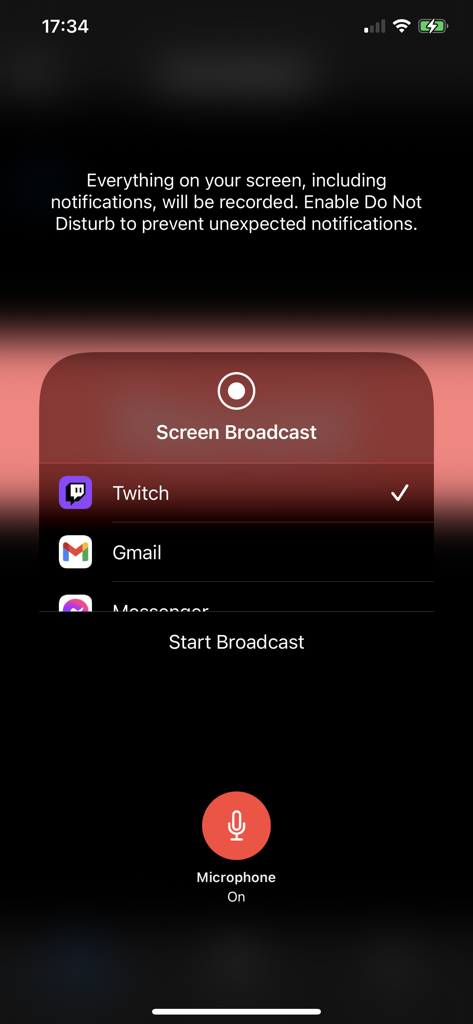
Screen Recorder,Screen Capture - iOS画面録画アプリのインターフェース。Twitch向けのブロードキャストオプションとマイクのトグルが表示されています。
iOS画面録画アプリのインターフェース。Twitch向けのブロードキャストオプションとマイクのトグルが表示されています。

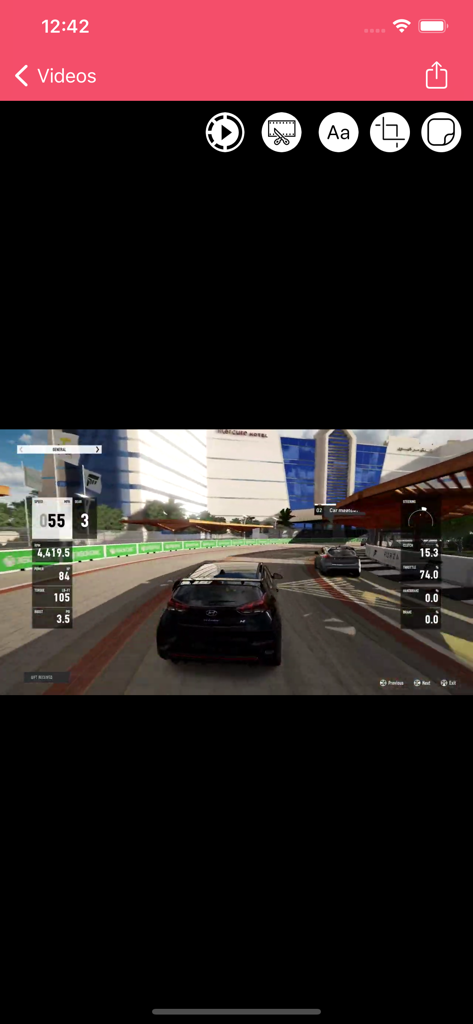
Screen Recorder,Screen Capture - 画面録画アプリのインターフェース。レーシングゲームの動画と、トリム、テキスト、クロップなどの編集ツールが表示されています。
画面録画アプリのインターフェース。レーシングゲームの動画と、トリム、テキスト、クロップなどの編集ツールが表示されています。

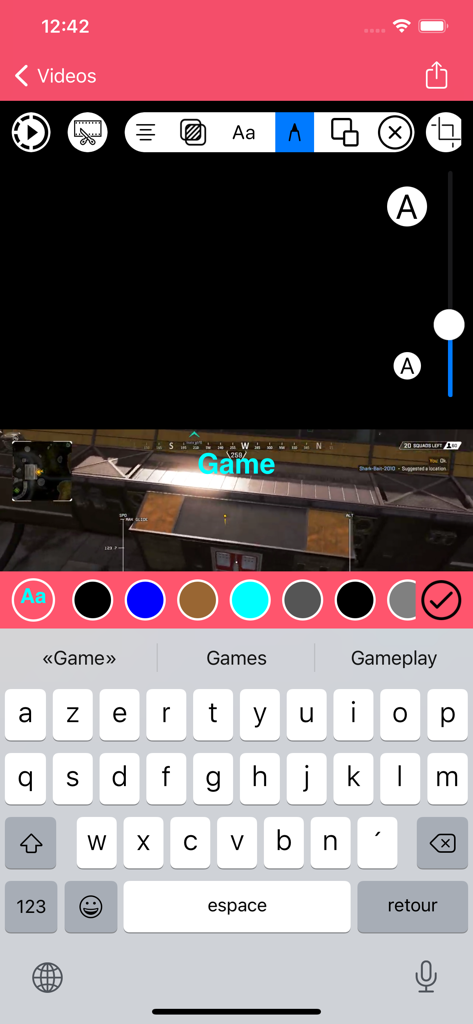
Screen Recorder,Screen Capture - 画面録画アプリのインターフェース。モバイルゲーム録画にカスタムテキストオーバーレイを追加して動画を編集しています。
画面録画アプリのインターフェース。モバイルゲーム録画にカスタムテキストオーバーレイを追加して動画を編集しています。

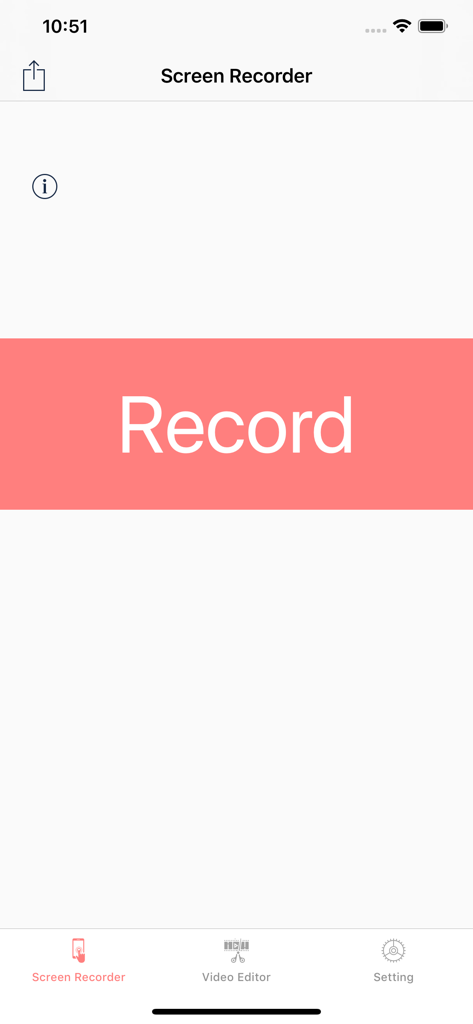
Screen Recorder,Screen Capture - 画面録画アプリのメインユーザーインターフェース。目立つ録画ボタンと、動画編集および設定のメニューオプションが表示されています。
画面録画アプリのメインユーザーインターフェース。目立つ録画ボタンと、動画編集および設定のメニューオプションが表示されています。

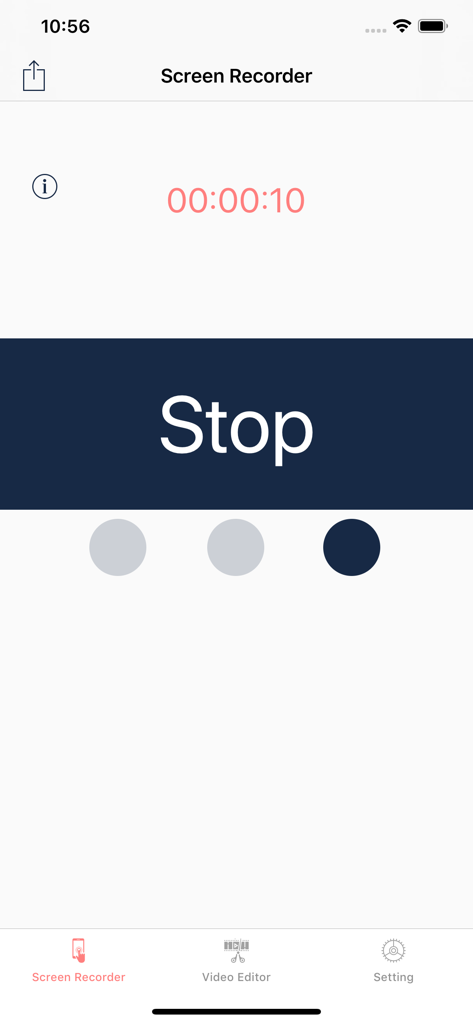
Screen Recorder,Screen Capture - 画面録画アプリのインターフェース。アクティブな録画タイマーと大きな停止ボタンが表示されています。
画面録画アプリのインターフェース。アクティブな録画タイマーと大きな停止ボタンが表示されています。

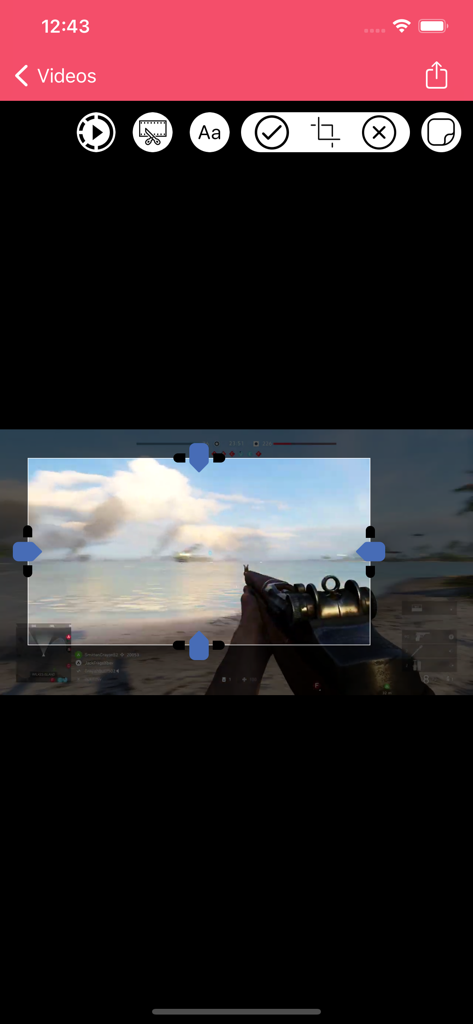
Screen Recorder,Screen Capture - モバイル画面録画アプリのインターフェース。ゲーム映像のクロップ用です。

モバイル画面録画アプリのインターフェース。ゲーム映像のクロップ用です。
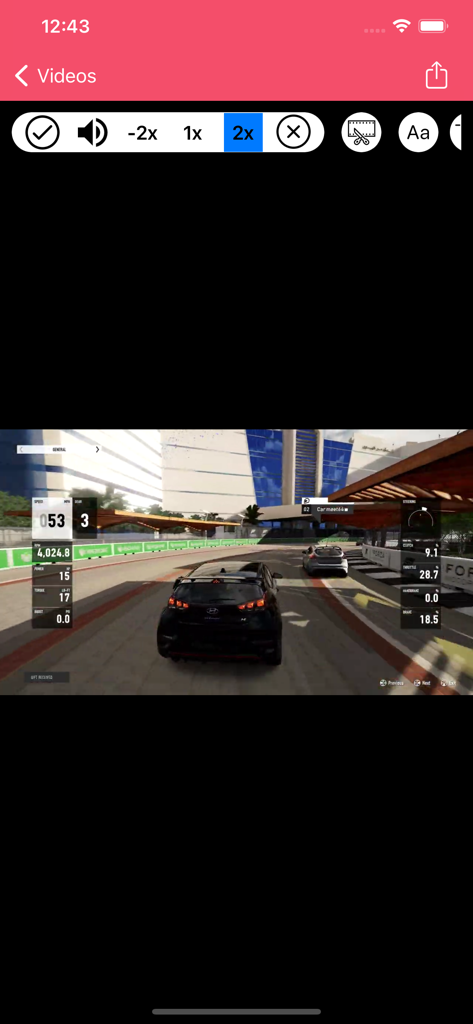
Screen Recorder,Screen Capture - 画面録画アプリのインターフェース。スピードコントロールを使用して、車のレースゲームを編集しています。
画面録画アプリのインターフェース。スピードコントロールを使用して、車のレースゲームを編集しています。

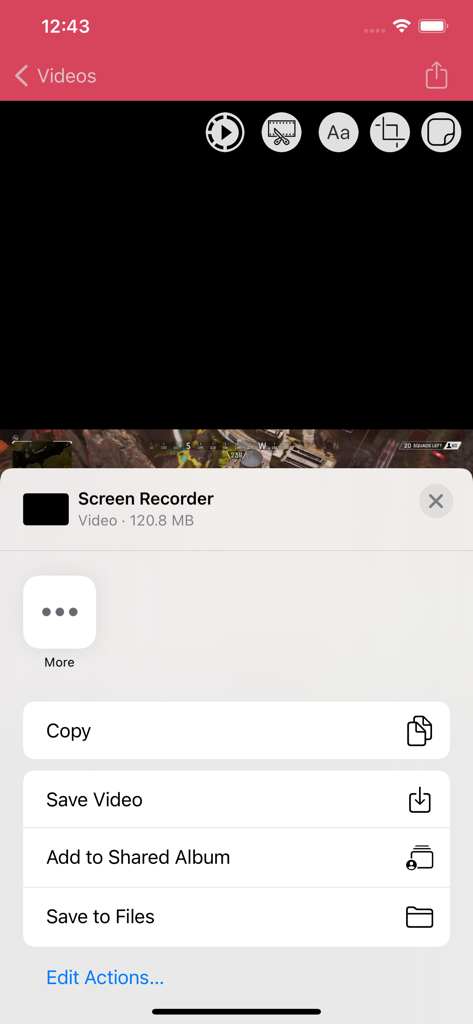
Screen Recorder,Screen Capture - 画面録画アプリのiOS共有メニュー。動画の保存またはファイルコピーのオプションが表示されています。
画面録画アプリのiOS共有メニュー。動画の保存またはファイルコピーのオプションが表示されています。

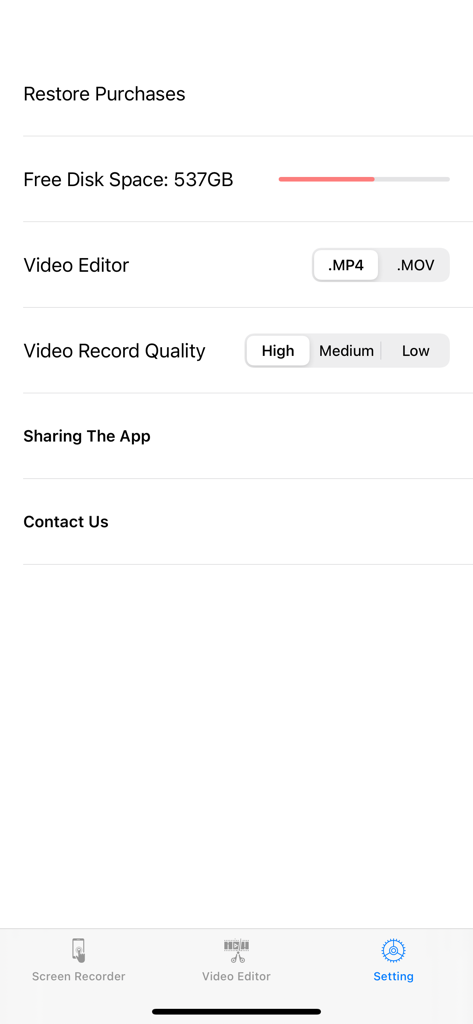
Screen Recorder,Screen Capture - 画面録画アプリの設定ページ。動画品質とファイル形式のオプションが表示されています。

画面録画アプリの設定ページ。動画品質とファイル形式のオプションが表示されています。

説明

+Screen Recorder App .Game Recorder
 .App to record devices screen
 .One tap to start full screen recording of your device
 .One tap to stop screen recording .Unlimited recording
 .Screen recorder gives you an accurate timer
 .Friendly user interface .It is easy to share recorded video .No matter what your device is busy with. this app records everything
.From your screen (game , video, instagram ,...) .No Ads included .Screen Recorder ( Screen capture ) includes Setting Part .Screen Recorder ( Screen capture ) includes Help Part .Universal App (iPhone & iPad )
 .Recording in the background AirPlay®
 .Auto File Naming
.Displays File Sizes
 .You can give it access to camera roll for editing and playing your videos +Microphone .It is optional to let it adding microphone sound to your recording (Turn microphone sound ON or OFF)
. +3D Touch .it supports 3D Touch for easy navigation .Video Format .Add video recording
 .Save recorded HQ Video with .MP4 and .MOV format .Share button gives you the chance to share recorded videos with iMessage email ,iCloud & almost every social media you can Archive recorded videos in iCloud
 +Add Texts On Videos
 .Change Font Style .Change Font Colour
 .Change Alignment .Change Background Colour
 .Change Text Transparency

 +Add Stickers On Videos

 +VIDEO EDITOR 
 .Trim your video (Change the length of videos)
 .Crop recorded videos (Change the scene) 
 .Change Speed Video Fast & slow (Slow motion)
 .Share edited video is easy
Save Edited Video with .MP4 and .MOV format in Camera roll +Live Stream and Recorder Screen 
 .Live stream : from Skype , Messenger and Twitch , Mobcrush , Periscope .Record Screen from Skype , Messenger and Twitch , Mobcrush , Periscope
 Subscription pricing and terms: ALL ACCESS $7.49 per 3 months (Billed 3 Months after 3-day Free trial is over) ---- ALL ACCESS $20.99 per year (Billed yearly after 3-day Free trial is over) In 12 month subscription priced at $1.62 Save 54% This price is for United States customers. Pricing in other countries may vary, actual charges may be converted to your local currency depending on the country of residence. https://vidiaweb.com/privacy_screenrecordervideoeditor.htmlYour subscription automatically renews unless auto-renew is turned off at least 24-hours before the end of the current period. Your credit card will be charged through your iTunes account. You can turn off auto-renew at any time from your iTunes Account Settings but refunds will not be provided for any unused portion of the term. Alternatively, there is a "Manage Subscription" menu option in the App Settings menu. Payment will be charged to iTunes Account at confirmation of purchase. Any unused portion of a free trial period will be forfeited when you purchase a subscription. https://vidiaweb.com/privacy_screenrecordervideoeditor.html https://vidiaweb.com/terms_screenrecordervideoeditor.html


Download

ダウンロード: App Store

このページはアプリまたはその開発者の公式ページではなく、情報提供および論評を目的として作成された独立した編集出版物です。明示的に別段の記載がない限り、アプリおよびその開発者は、MWM、Apple、Google Play、アプリのパブリッシャー、またはアプリの開発者と提携、承認、後援、認可、またはその他の公式的な関係はなく、このページのいかなる内容も、アプリがMWMのサービスを使用して開発されたことを意味するものではありません。すべての商標、ロゴ、スクリーンショット、その他のコンテンツはそれぞれの所有者の財産です。








