Screenshot Studio
Screenshot Studio
ダウンロード: App Store

このページはアプリまたはその開発者の公式ページではなく、情報提供および論評を目的として作成された独立した編集出版物です。明示的に別段の記載がない限り、アプリおよびその開発者は、MWM、Apple、Google Play、アプリのパブリッシャー、またはアプリの開発者と提携、承認、後援、認可、またはその他の公式的な関係はなく、このページのいかなる内容も、アプリがMWMのサービスを使用して開発されたことを意味するものではありません。すべての商標、ロゴ、スクリーンショット、その他のコンテンツはそれぞれの所有者の財産です。

ロゴ: Screenshot Studio
ダウンロード: App Store

Screenshot Studio

インディー開発者向けの究極のデザインショートカット。プロのレイアウト、グラスモーフィズムテーマ、すべてのデバイスファミリーに対応したワンタップバッチエクスポートで、UIをコンバージョン率の高いストア対応アセットに変えましょう。

主要数値

ダウンロード

0

ユーザー評価

1.0/5

評価数

0

開発元

CLARITY SPACE GROUP PTY LTD

カテゴリ

Developer Tools

対応言語

1

最新バージョン

1.0.1

サイズ

4.0 MB

リリース日

2025年11月6日
機能

50人規模のスタジオのようにリリース

退屈なデザイン作業に何時間も無駄にするのはやめましょう。生のスクリーンショットを数分でプレミアムなコンバージョン率の高いApp Storeアセットに変えましょう。

ワンタップバッチエクスポート

iPhoneとiPadに必要なすべてのサイズを即座に生成します。手動でのリサイズの手間なく、提出の「最後のマイル」を自動化します。

プロレベルのビジュアルテンプレート

グラスモーフィズム、洗練されたグラデーション、スマートデバイスフレームを即座に適用します。FigmaやPhotoshopを開かなくても、トップレベルの美的感覚を実現します。

以下のスクリーンショットと説明は、アプリの公式ストアリスティングから直接取得されたものであり、アプリ開発者の所有物です。

アプリストア

スクリーンショット
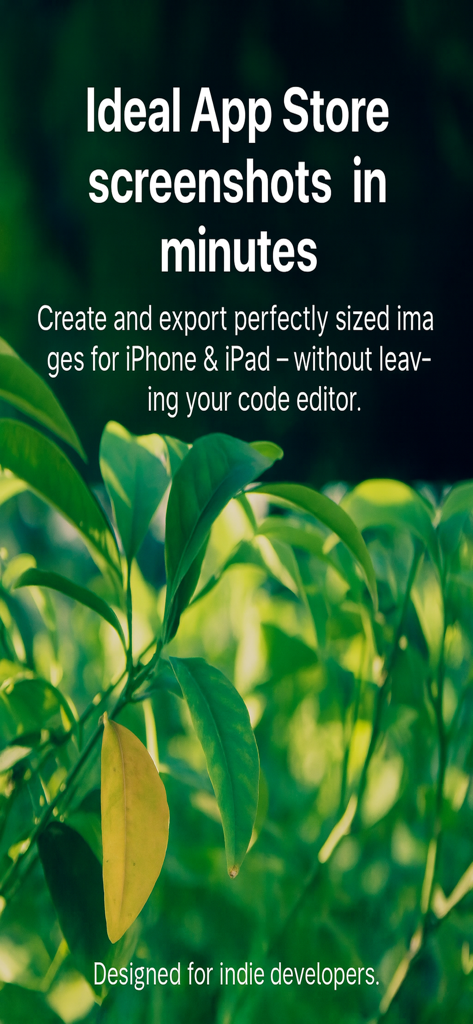
Screenshot Studio - Screenshot Studioのマーケティング画面。インディー開発者向けのApp Storeスクリーンショット作成に関するテキストが、緑の葉の背景に表示されています。
Screenshot Studioのマーケティング画面。インディー開発者向けのApp Storeスクリーンショット作成に関するテキストが、緑の葉の背景に表示されています。

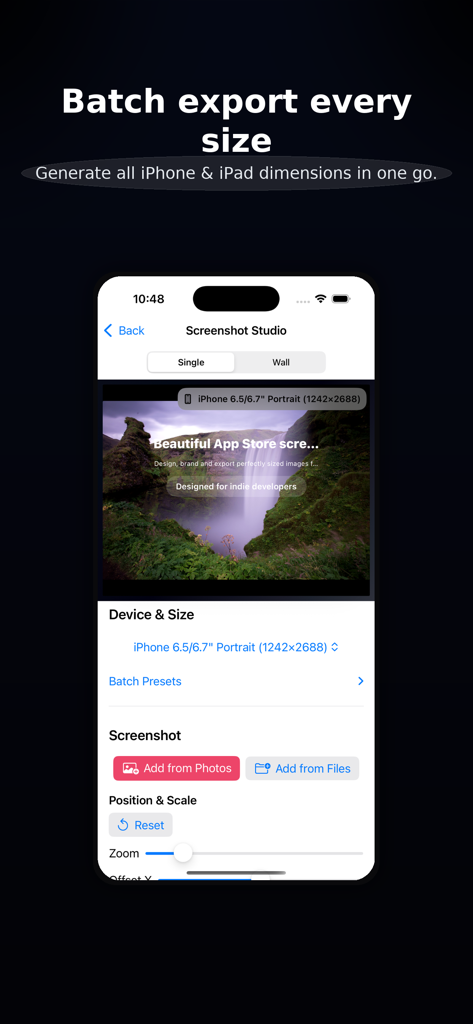
Screenshot Studio - Screenshot Studioのインターフェース。さまざまなiPhoneおよびiPadの画面サイズに対応したバッチエクスポートオプションが表示されています。
Screenshot Studioのインターフェース。さまざまなiPhoneおよびiPadの画面サイズに対応したバッチエクスポートオプションが表示されています。

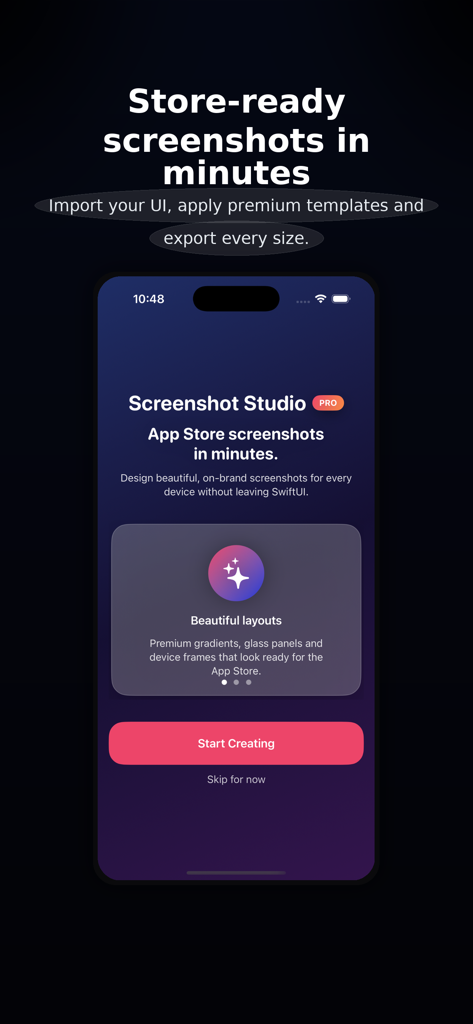
Screenshot Studio - Screenshot Studioアプリのホーム画面。「数分でストア対応のスクリーンショット」というキャッチフレーズと「作成を開始」ボタンが表示されています。
Screenshot Studioアプリのホーム画面。「数分でストア対応のスクリーンショット」というキャッチフレーズと「作成を開始」ボタンが表示されています。

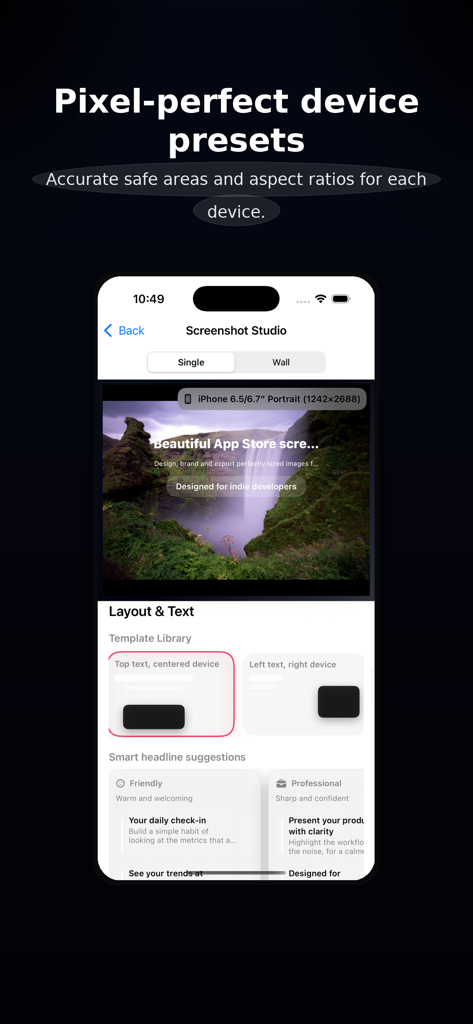
Screenshot Studio - Screenshot Studioのインターフェース。App Storeスクリーンショット作成のためのデバイスプリセットとレイアウトオプションが表示されています。
Screenshot Studioのインターフェース。App Storeスクリーンショット作成のためのデバイスプリセットとレイアウトオプションが表示されています。

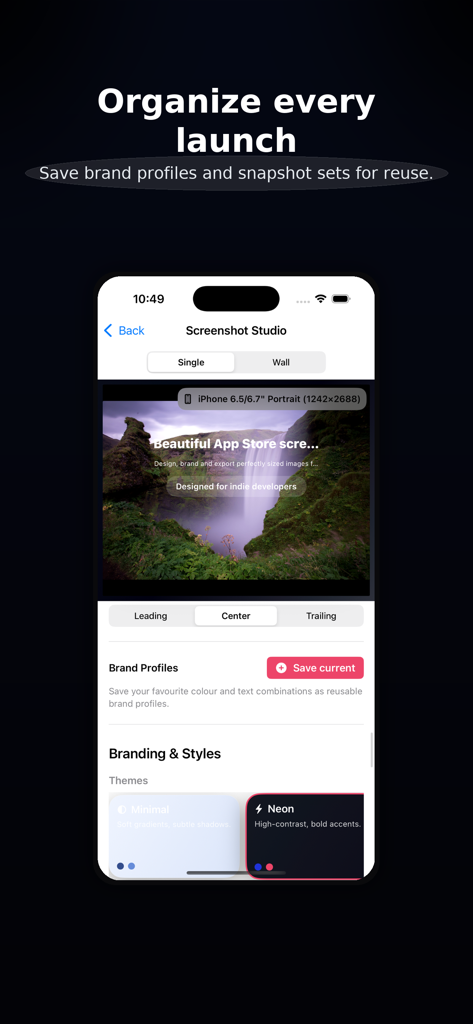
Screenshot Studio - Screenshot Studioアプリのインターフェース。App Store画像用のブランドプロファイルとテーマ選択が表示されています。
Screenshot Studioアプリのインターフェース。App Store画像用のブランドプロファイルとテーマ選択が表示されています。

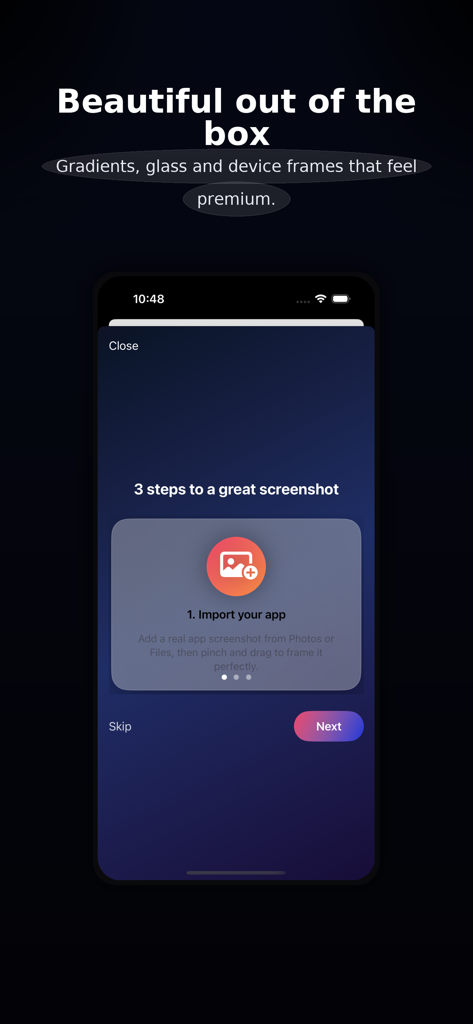
Screenshot Studio - モバイルアプリのインターフェース。プレミアムデザイン用にApp Storeスクリーンショットをインポートする最初の手順が表示されています。
モバイルアプリのインターフェース。プレミアムデザイン用にApp Storeスクリーンショットをインポートする最初の手順が表示されています。

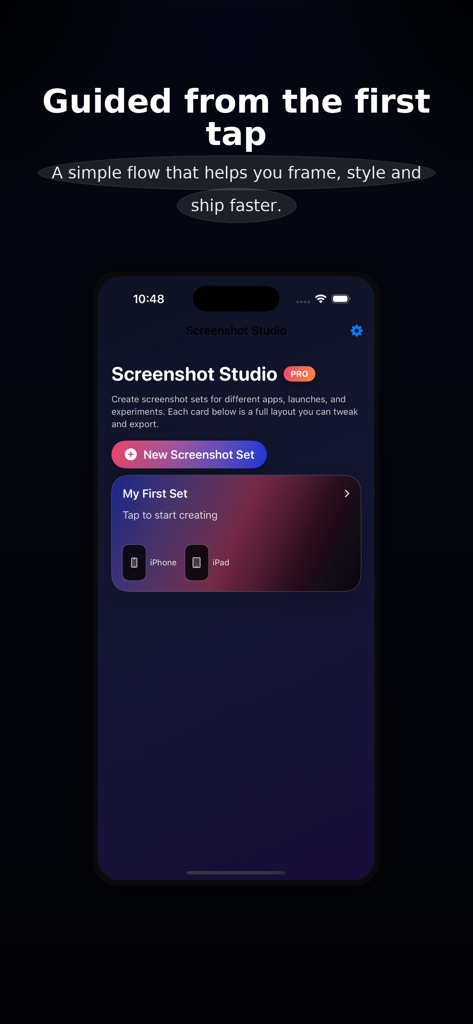
Screenshot Studio - Screenshot Studioモバイルアプリのホーム画面。新しいスクリーンショットセットボタンと、iPhoneおよびiPadアセットのガイド付きセットアップフローが表示されています。

Screenshot Studioモバイルアプリのホーム画面。新しいスクリーンショットセットボタンと、iPhoneおよびiPadアセットのガイド付きセットアップフローが表示されています。

説明

Screenshot Studio helps you create beautiful, on-brand, store-ready screenshots in minutes—without opening a traditional design tool. Bring in a real screenshot from your app, choose a layout, pick a theme, and export perfectly sized images for every required iPhone and iPad device. The interface is tuned for premium results: bold typography, thoughtful spacing, refined gradients, glass panels, and clean device framing. A focused, “wizard-like” flow Quick Start steps guide you from choosing devices to importing your first screenshot and picking a layout. Smart Fit auto-centers and scales your screenshot so key UI isn’t cropped. Preset groups (e.g., “Standard iPhone Set”, “Full Storefront”) toggle multiple sizes in one tap. Context-aware tips suggest best practices for titles, colors, contrast, and export. Layouts & copy that sell your app Template Library with visual cards: top-text hero, side-by-side, overlapping devices, full-bleed strip, and more. Smart headline suggestions grouped by tone (Friendly, Professional, Results-focused). Flexible copy controls for title, subtitle, and badge with alignment and sizing tuned for legibility. Branding that feels pro Themes like Minimal, Neon, and Editorial instantly restyle background, glass, and shadows. Brand Profiles let you save full branding presets (colors + text) and reapply them in one tap. Accent randomization (within theme palettes) offers quick inspiration while staying on-brand. Optional “Lock colors, change vibe” keeps your brand colors while adjusting glass/shadow/typography feel. Powerful preview & export Single-device preview for precise framing. “Wall” preview shows multiple device sizes in a staggered, poster-like layout—great for marketing shots. Export Center summarizes enabled sizes (name, resolution, icon), shows progress, and lists recent renders. Batch export generates every enabled size in one go. Destination clarity: screenshots are saved to Photos and presented in the system share sheet for Files, AirDrop, Messages, and more. Test export (low-res) quickly previews layout before generating full PNGs. Accessibility & comfort Respects Dynamic Type more in controls (canvas text remains layout-managed). Accessibility mode increases control text size, tap targets, and vertical padding. VoiceOver labels on template and theme cards (“Top text hero with centered device”, “Neon theme with high contrast”). Performance & smoothness Equatable subviews for stable previews and lists. Debounced heavy updates; animations focus on interactions, not configuration churn. Designed for indie developers and small teams, Screenshot Studio keeps you in flow: no layers to wrangle, no complex timelines—just your app’s UI, clear copy, and premium presentation. Privacy Policy: https://clarityspace.store/privacy Terms of Service: https://clarityspace.store/terms

Download

ダウンロード: App Store

このページはアプリまたはその開発者の公式ページではなく、情報提供および論評を目的として作成された独立した編集出版物です。明示的に別段の記載がない限り、アプリおよびその開発者は、MWM、Apple、Google Play、アプリのパブリッシャー、またはアプリの開発者と提携、承認、後援、認可、またはその他の公式的な関係はなく、このページのいかなる内容も、アプリがMWMのサービスを使用して開発されたことを意味するものではありません。すべての商標、ロゴ、スクリーンショット、その他のコンテンツはそれぞれの所有者の財産です。








