
このページはアプリまたはその開発者の公式ページではなく、情報提供および論評を目的として作成された独立した編集出版物です。明示的に別段の記載がない限り、アプリおよびその開発者は、MWM、Apple、Google Play、アプリのパブリッシャー、またはアプリの開発者と提携、承認、後援、認可、またはその他の公式的な関係はなく、このページのいかなる内容も、アプリがMWMのサービスを使用して開発されたことを意味するものではありません。すべての商標、ロゴ、スクリーンショット、その他のコンテンツはそれぞれの所有者の財産です。

Secret Safe Lock Vault Manager
あなたのプライベートなデジタル資産に、触れることのできない障壁を築きます。これは単なる保管庫ではなく、あなたのデジタル世界における不可侵の領域です。
ダウンロード
750k+ユーザー評価
評価数
23.6K開発元
カテゴリ
Business対応言語
2最新バージョン
2.9.2サイズ
46.6 MBリリース日
2014年11月25日デジタルプライバシーとセキュリティを重視するユーザーに向けた主要機能の評価
アプリケーション分析レポート: Secret Safe Lock Vault Manager
セキュアなクラウドバックアップと同期
ユーザーは、最大5000枚の写真や動画を完全に暗号化されたプライベートクラウドに安全にバックアップし、複数のデバイス間で同期およびアクセスすることができます。これにより、データの損失から保護し、どこからでもプライベートコンテンツにアクセスできる安心感を提供します。
多様なアプリ起動セキュリティオプション
本アプリは、PINロック、指紋認証、ドットロックパターンといった多様な認証方法を提供し、ユーザーの個人情報が不正アクセスから厳重に保護されることを保証します。これにより、ユーザーは自身のセキュリティニーズに合わせて最も適切な方法を選択できます。
アルバムとアカウントの個別保護
ユーザーは、個々の写真アルバムやパスワードアカウントに対し、パスワードまたは指紋認証による保護を設定できます。これにより、アプリ内でも特定の機密情報をさらに隔離し、プライバシーの層を強化することが可能です。
不正侵入検出とレポート
本アプリは、不正なアクセス試行を検出し、そのレポートを生成する機能を提供します。これにより、ユーザーは自身のプライベートコンテンツへの侵入が試みられた際に即座に警告を受け、セキュリティ侵害の可能性を把握することができます。
デコイモード(偽装金庫)
ユーザーは、おとりパスワードを設定することで、緊急時や不本意な開示を求められた際に、本物のプライベートコンテンツとは異なる偽の金庫を表示させることができます。これにより、真の機密情報を隠蔽し、安全を確保することが可能です。
総合的なメディアとパスワード管理
ユーザーは、アプリ内で直接写真アルバムを作成したり、外部からメディアをインポート・エクスポートしたり、強力なパスワードを生成・管理することができます。これにより、プライベートなメディアと重要なアカウント情報を一元的に整理し、安全に保管する効率的な手段が提供されます。
安全で制御された共有機能
本アプリは、ユーザーがプライベートなメディアを特定の友人と安全に共有できるよう、有効期限の設定や共有範囲の細やかな制御機能を提供します。これにより、共有後の情報流出リスクを低減し、安心してコンテンツを共有できます。
直感的なメディア閲覧体験
このアプリは、ネイティブの写真アプリのような直感的なインターフェースで画像ギャラリーやスライドショー機能を提供します。これにより、ユーザーは保護されたメディアを快適かつ容易に閲覧することができます。
よくある質問
について知っておくべきこと Secret Safe Lock Vault Manager
How does Secret Safe Lock Vault Manager protect my photos and videos?
Secret Safe Lock Vault Manager protects photos and videos using Pin Lock, Fingerprint Identification, Dot Lock Pattern, and password-protected albums. It also provides a Decoy Password and illegal person break-in reports.
Can I share private content with friends using Secret Safe Lock Vault Manager?
Yes, Secret Safe Lock Vault Manager enables safe sharing of private content with close friends. Users can set an effective time for sharing and control access to their secret posts.
Does Secret Safe Lock Vault Manager offer cloud storage?
Yes, Secret Safe Lock Vault Manager offers a Private Cloud Service. Users can register an account, upload and download media across devices, and backup up to 5000 encrypted photos and videos.
What types of app entry locks does Secret Safe Lock Vault Manager support?
Secret Safe Lock Vault Manager supports multiple app entry locks including Pin Lock, Fingerprint Identification, and Dot Lock Pattern. The app also supports Face ID for enhanced security.
What are the subscription options for Secret Safe Lock Vault Manager's CloudStorage Plus?
CloudStorage Plus subscriptions for Secret Safe Lock Vault Manager are available weekly for $1.99 USD, monthly for $5.99 USD, and annually for $19.99 USD. These subscriptions provide additional cloud storage space and features.
How can I manage my CloudStorage Plus subscription for Secret Safe Lock Vault Manager?
You can manage your Secret Safe Lock Vault Manager CloudStorage Plus subscription and turn off auto-renewal by accessing your iTunes Account Settings after the purchase.
Can I cancel my Secret Safe Lock Vault Manager subscription during the active period?
No, cancellation of the current Secret Safe Lock Vault Manager subscription is not permitted during its active period. However, you can turn off auto-renewal through your iTunes Account Settings.
Does Secret Safe Lock Vault Manager provide backup and recovery features?
Yes, Secret Safe Lock Vault Manager offers backup and recovery features. Users can initiate a backup and restore cloud-saved content directly within the app's Cloud Setting.
How can I import photos and videos into Secret Safe Lock Vault Manager?
Secret Safe Lock Vault Manager allows easy and fast importation of photos and videos from your device's Photo&Video App or Camera Roll directly into the app.
What is the 'Decoy Password' feature in Secret Safe Lock Vault Manager?
Secret Safe Lock Vault Manager includes a "Decoy Password" feature. This security mechanism provides an additional layer of protection for private content within the application.
以下のスクリーンショットと説明は、アプリの公式ストアリスティングから直接取得されたものであり、アプリ開発者の所有物です。
アプリストア
スクリーンショット
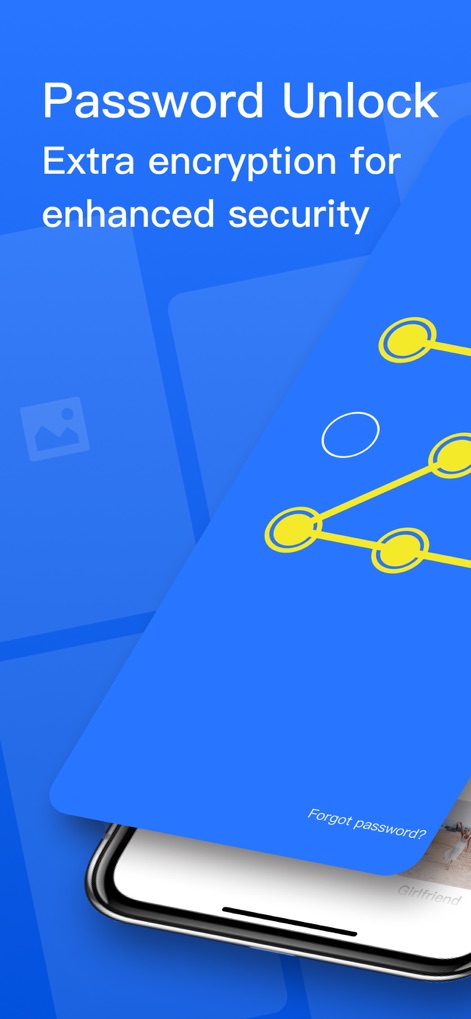
このアプリは、パスワード入力とパターンロックという二重のセキュリティ機能で、ユーザーのプライベートな情報を守ります。
厳重なアクセス保護
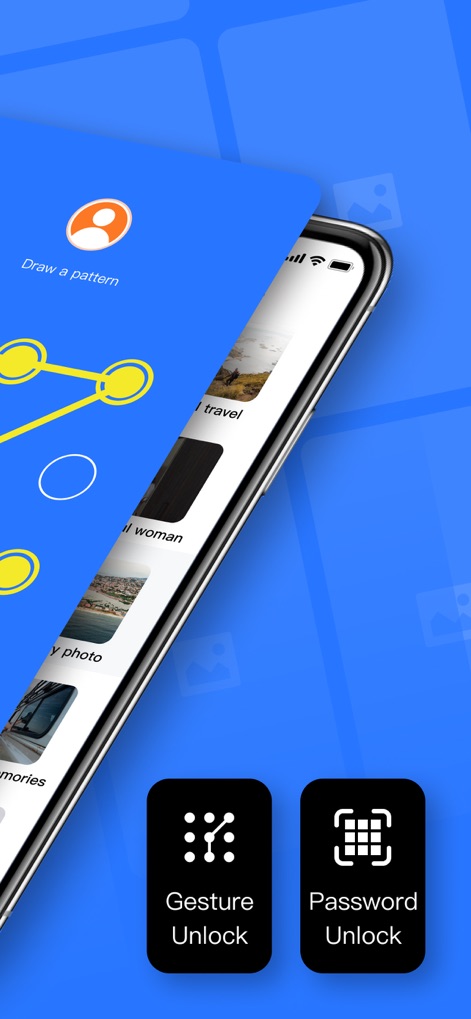
ユーザーは、ジェスチャー解除またはパスワード解除を選択でき、手軽かつ安全に秘匿データへアクセスすることが可能です。
多彩な解除方法
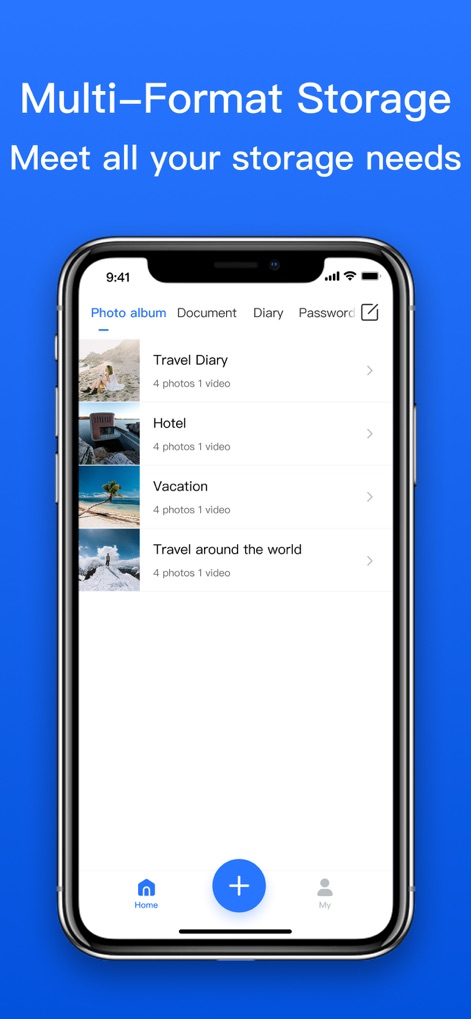
本アプリは、マルチフォーマットのストレージ管理に対応し、写真アルバムやドキュメントをアルバム形式で整理できます。
多機能コンテンツ管理
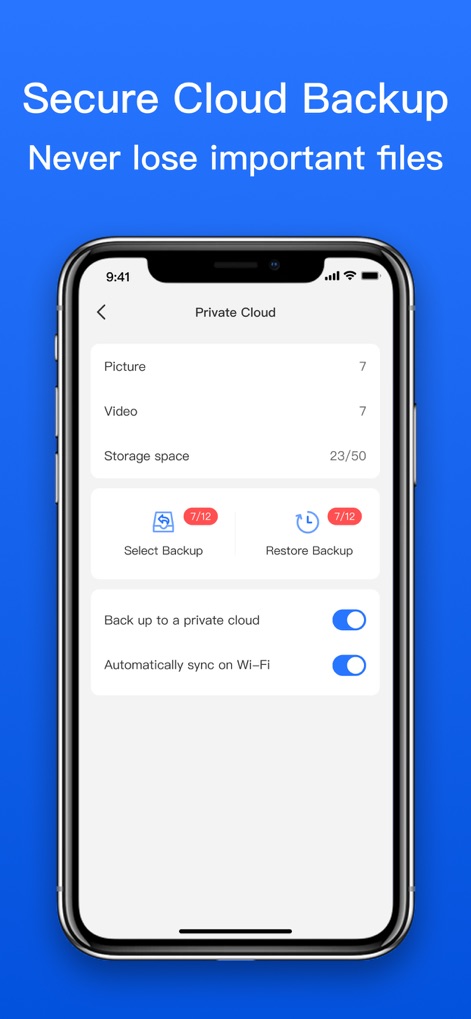
ユーザーは、プライベートクラウドへのバックアップ機能を利用し、Wi-Fiでの自動同期設定で大切なデータを確実に保護できます。
安全なクラウド連携
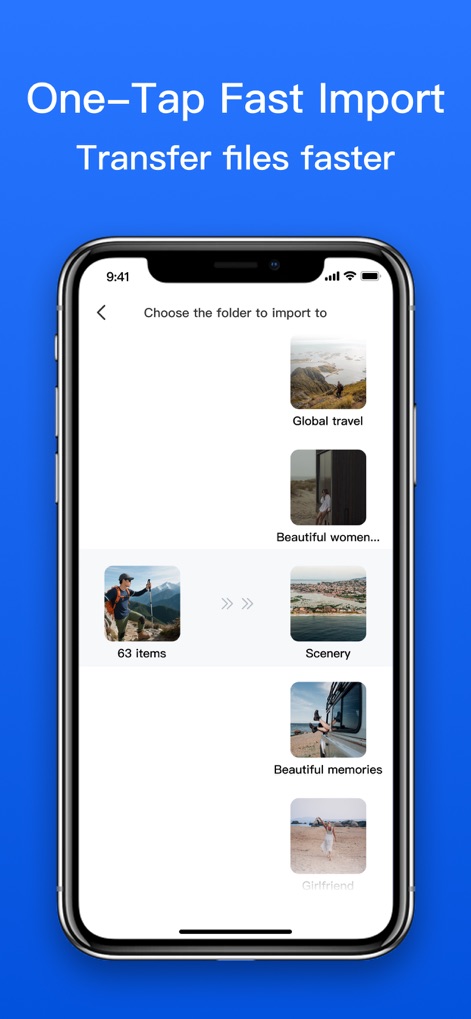
このツールは、ワンタップでの高速インポートに対応しており、フォルダ選択による整理でメディアファイルを効率的に管理できます。
スピーディなデータ移行
説明
Download
類似アプリ
同じカテゴリのトップランクアプリ

Microsoft Teams
Microsoft Corporation

Zoom Workplace
Zoom Communications, Inc.

WhatsApp Business
WhatsApp Inc.

Indeed Job Search
Indeed Inc.

LinkedIn: Network & Job Finder
LinkedIn Corporation

Adobe Acrobat Reader: Sign PDF
Adobe Inc.

WeCom-Work Communication&Tools
Tencent Technology (Shenzhen) Company Limited

BOSS直聘-招聘求职找工作神器
Beijing China Product Bo Farce Network Technology Co., Ltd.

DingDing - Redefine Work in AI
DingTalk Technology Co., Ltd.
このページはアプリまたはその開発者の公式ページではなく、情報提供および論評を目的として作成された独立した編集出版物です。明示的に別段の記載がない限り、アプリおよびその開発者は、MWM、Apple、Google Play、アプリのパブリッシャー、またはアプリの開発者と提携、承認、後援、認可、またはその他の公式的な関係はなく、このページのいかなる内容も、アプリがMWMのサービスを使用して開発されたことを意味するものではありません。すべての商標、ロゴ、スクリーンショット、その他のコンテンツはそれぞれの所有者の財産です。