Secure Calculator Vault
ダウンロード: App Store

このページはアプリまたはその開発者の公式ページではなく、情報提供および論評を目的として作成された独立した編集出版物です。明示的に別段の記載がない限り、アプリおよびその開発者は、MWM、Apple、Google Play、アプリのパブリッシャー、またはアプリの開発者と提携、承認、後援、認可、またはその他の公式的な関係はなく、このページのいかなる内容も、アプリがMWMのサービスを使用して開発されたことを意味するものではありません。すべての商標、ロゴ、スクリーンショット、その他のコンテンツはそれぞれの所有者の財産です。


ロゴ: Secure Calculator Vault
ダウンロード: App Store

Secure Calculator Vault

写真、ビデオ、閲覧履歴を隠すための究極のステルス空間。機能的な計算機の背後に最も機密性の高いデータを保護し、のぞき見や不意のデータ漏洩を防ぎます。

主要数値

ダウンロード

8K+

ユーザー評価

2.2/5

評価数

0

開発元

Dignaben Sakariya

カテゴリ

Utilities

対応言語

1

最新バージョン

1.1

サイズ

13.1 MB

リリース日

2019年2月24日
機能

完全に偽装された、あなたのプライベートライフ

一見普通の計算機に擬態し、スマホの中で他人に見られたくないすべてのもののための安全なスペースを提供する、オールインワンのデジタル保管庫。

ステルスセキュリティアイコン

完全に機能する計算機として完璧に擬態。「隠すことによるセキュリティ」を提供し、保管庫の存在すら誰にも気づかせません。

追跡不可能なメディア保管庫

メインのカメラロールを介さず、ローカルの暗号化されたギャラリーに写真やビデオをロック。プライベートな思い出をオフラインで安全に保管します。

以下のスクリーンショットと説明は、アプリの公式ストアリスティングから直接取得されたものであり、アプリ開発者の所有物です。

アプリストア

スクリーンショット
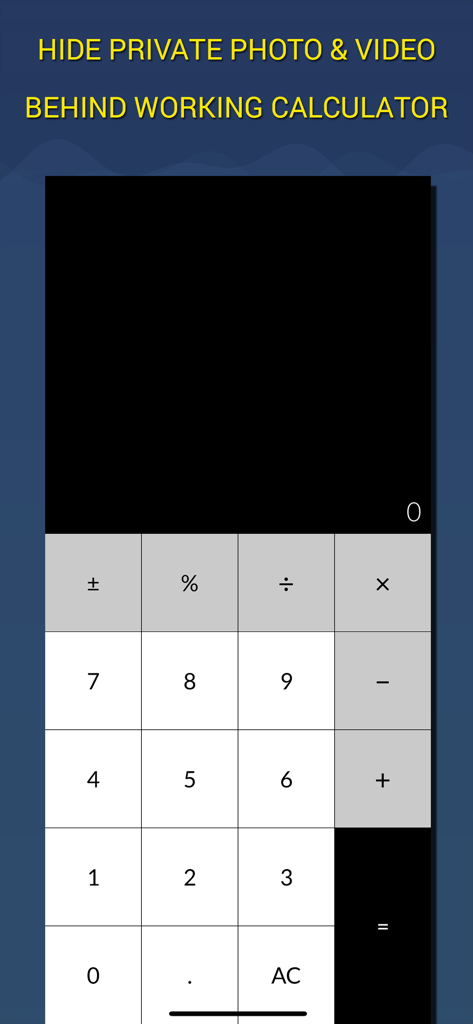
Secure Calculator Vault - 秘密の保管庫にあるプライベートな写真やビデオを隠すために使用される、動作可能な計算機インターフェース
秘密の保管庫にあるプライベートな写真やビデオを隠すために使用される、動作可能な計算機インターフェース

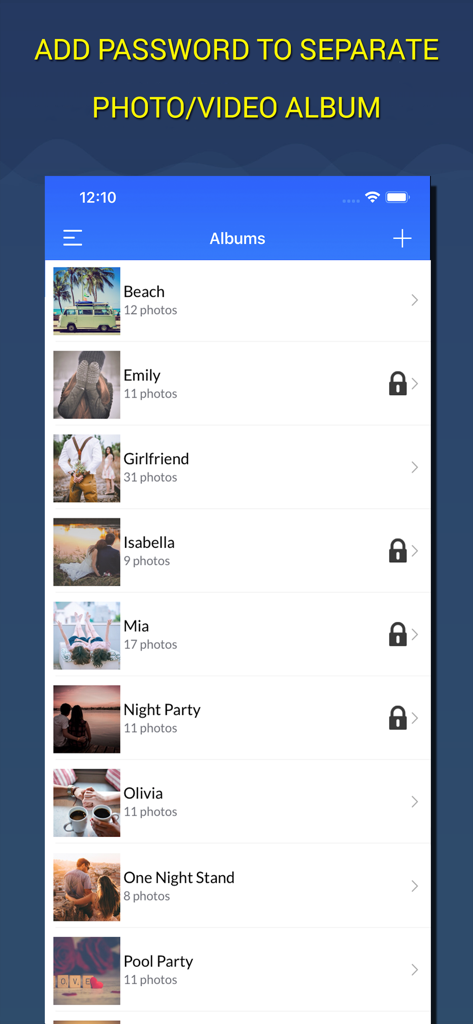
Secure Calculator Vault - 安全な計算機保管庫アプリ内の、ロックされたフォルダーが表示されているプライベートな写真およびビデオアルバムのリスト

安全な計算機保管庫アプリ内の、ロックされたフォルダーが表示されているプライベートな写真およびビデオアルバムのリスト

Secure Calculator Vault - プライベートフォルダー内の隠し写真がグリッド表示されている、安全な計算機保管庫アプリのスクリーンショット
プライベートフォルダー内の隠し写真がグリッド表示されている、安全な計算機保管庫アプリのスクリーンショット

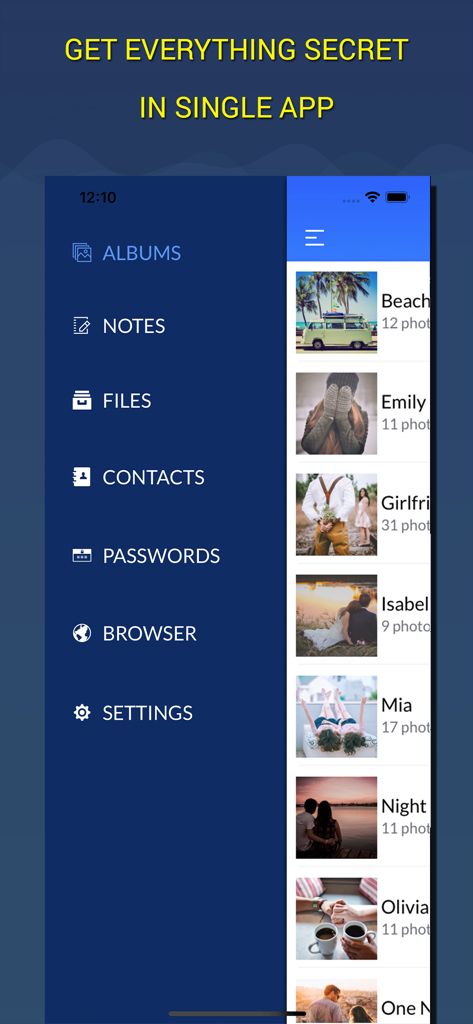
Secure Calculator Vault - プライベートな写真アルバムと安全なブラウザ機能を備えた、秘密のアプリメニュー
プライベートな写真アルバムと安全なブラウザ機能を備えた、秘密のアプリメニュー

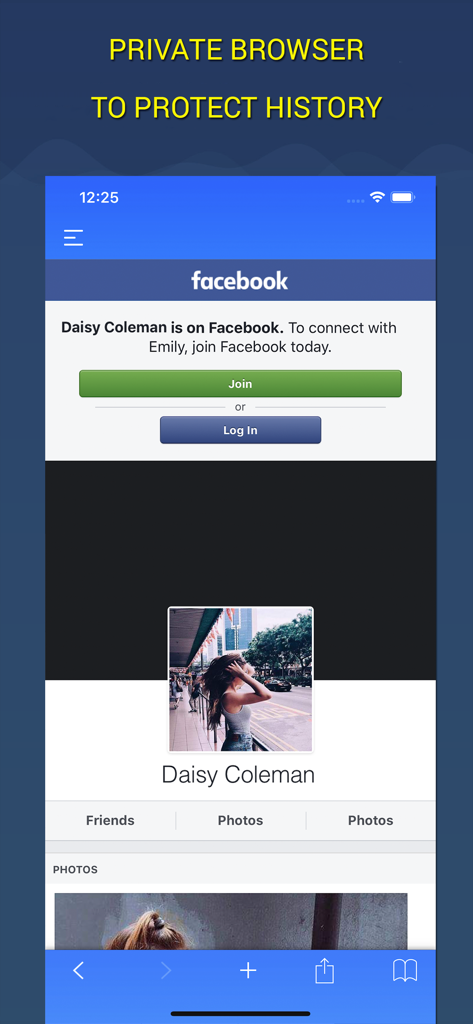
Secure Calculator Vault - 保護されたウェブセッションを表示している、安全な計算機保管庫のプライベートブラウザインターフェース
保護されたウェブセッションを表示している、安全な計算機保管庫のプライベートブラウザインターフェース

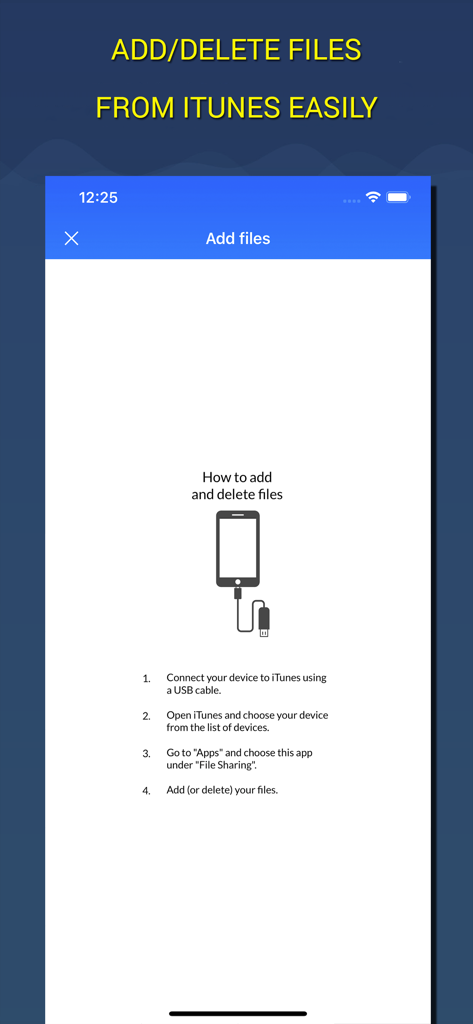
Secure Calculator Vault - 保管庫アプリのためにiTunesファイル共有を使用してファイルを追加および削除するための、ステップバイステップの指示が表示されたモバイル画面
保管庫アプリのためにiTunesファイル共有を使用してファイルを追加および削除するための、ステップバイステップの指示が表示されたモバイル画面

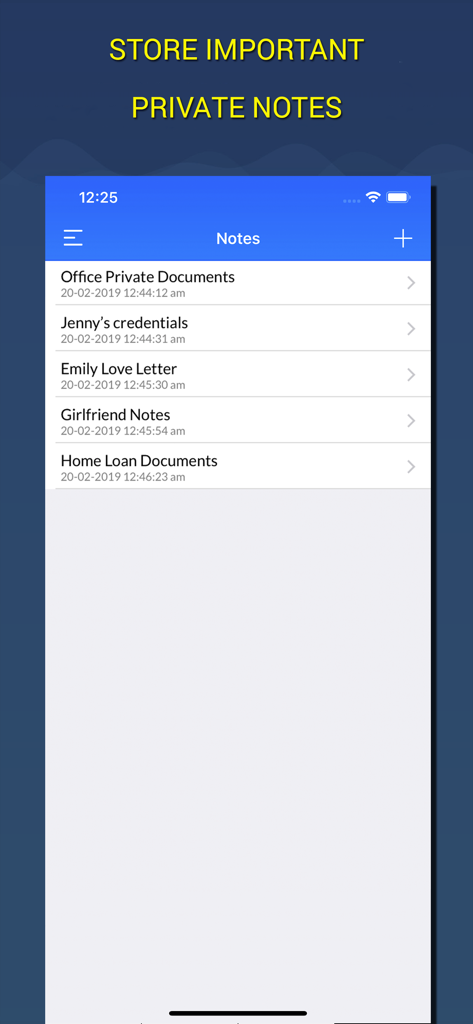
Secure Calculator Vault - 暗号化されたプライベートノートとドキュメントのリストを表示している、安全な計算機保管庫アプリのインターフェース

暗号化されたプライベートノートとドキュメントのリストを表示している、安全な計算機保管庫アプリのインターフェース

説明

Hide your private pictures and videos in your personal secret photo vault. Secure Calculator Vault app which you can protect photos, videos, passwords , contacts. There is Private Browser as well. People can use Secret Folder for: - Preserving special memories - Storing family photos - Protecting copies of driver’s license, ID cards, and credit cards Some of features: - Import Photo/Video from library - Take Photo/Video from Camera Roll - Full functional photo/video viewer - Browse the internet without any trace - Save contacts you don't want in your address book and call them up from the app - Save all your passwords in one place Secure Vault subscription - Subscriptions are from $12.99 USD monthly and $9.99 USD annually* - Payment will be charged to iTunes Account at confirmation of purchase - Subscription automatically renews for the same price and duration period as the original "one month"/"one year" package unless auto-renew is turned off at least 24-hours before the end of the current period - Account will be charged for renewal within 24-hours prior to the end of the current period at the cost of the chosen package (monthly or yearly package) - Subscriptions may be managed by the user and auto-renewal may be turned off by going to the user's iTunes Account Settings after purchase - No cancellation of the current subscription is allowed during active subscription period - You may cancel a subscription during its free trial period via the subscription setting through your iTunes account. This must be done 24 hours before the end of the subscription period to avoid being charged. - You may turn off the auto-renewal of your subscription via your iTunes Account Settings. However, you are not able to cancel the current subscription during its active period Links to our Terms of Service and Privacy Policy can be found below Privacy Policy: http://bit.ly/2DY3tZZ Terms of Use: http://bit.ly/2DY3tZZ

Download

ダウンロード: App Store

このページはアプリまたはその開発者の公式ページではなく、情報提供および論評を目的として作成された独立した編集出版物です。明示的に別段の記載がない限り、アプリおよびその開発者は、MWM、Apple、Google Play、アプリのパブリッシャー、またはアプリの開発者と提携、承認、後援、認可、またはその他の公式的な関係はなく、このページのいかなる内容も、アプリがMWMのサービスを使用して開発されたことを意味するものではありません。すべての商標、ロゴ、スクリーンショット、その他のコンテンツはそれぞれの所有者の財産です。








