
このページはアプリまたはその開発者の公式ページではなく、情報提供および論評を目的として作成された独立した編集出版物です。明示的に別段の記載がない限り、アプリおよびその開発者は、MWM、Apple、Google Play、アプリのパブリッシャー、またはアプリの開発者と提携、承認、後援、認可、またはその他の公式的な関係はなく、このページのいかなる内容も、アプリがMWMのサービスを使用して開発されたことを意味するものではありません。すべての商標、ロゴ、スクリーンショット、その他のコンテンツはそれぞれの所有者の財産です。


Security Camera - Smart Home
このアプリは、スマートホームの複雑な迷宮を解き明かし、ユーザーにネットワークの全権力を与える。見えない脅威をあぶり出し、接続されたすべての機器を指先で操る能力だ。
ダウンロード
100k+ユーザー評価
評価数
987開発元
カテゴリ
Lifestyle対応言語
1最新バージョン
2.1サイズ
82.8 MBリリース日
2024年12月5日テックアナリストによる主要機能と影響スコアの評価
「Security Camera - Smart Home」アプリケーション分析
包括的なネットワークデバイススキャンとリスク評価
このアプリは、ホームネットワーク上のすべてのデバイスを網羅的にスキャンし、各デバイスの詳細なリスク評価を実施します。これにより、ユーザーは潜在的なセキュリティ脆弱性を迅速に特定し、対処することが可能です。
ネットワークセキュリティスキャン
本ツールは、ホームネットワーク環境を詳細に分析する堅牢なセキュリティスキャン機能を提供します。異常や潜在的な脅威が特定された場合、アプリはユーザーに即座に警告を発し、ネットワークの安全性を確保するよう促します。
ネットワークカメラのスキャン
ユーザーは、本アプリを通じてネットワークカメラを自動的にスキャンし、ホームセキュリティシステムの利用と管理を効率化できます。
プリンターデバイスのスキャンと接続
このアプリは、ネットワーク内のプリンターを迅速に識別し、接続します。ユーザーは、複雑な設定なしに簡単な手順でワイヤレス印刷を実行でき、ホームオフィスのタスクを簡素化します。
TVデバイスのスキャン
本ツールを使用すると、ユーザーはホームネットワークに接続されたTVデバイスを迅速に識別できます。これにより、スマートホームエコシステム内のデバイス管理がさらに容易になります。
よくある質問(FAQ)セクション
ユーザーは、デバイス接続やネットワークセキュリティに関する疑問について、詳細な回答を見つけることができる包括的なFAQセクションを利用できます。これにより、使用中に問題が発生した場合に信頼できる参考資料が提供されます。
よくある質問
について知っておくべきこと Security Camera - Smart Home
What is the Security Camera - Smart Home app?
The Security Camera - Smart Home app, also called Camera Finder, is an intelligent tool for home network security and smart device management. It scans for network devices, assesses risks, and helps control smart devices.
Does Security Camera - Smart Home scan for network devices?
Yes, the Security Camera - Smart Home app features robust network security scanning. It automatically detects all devices on your home network and performs detailed risk assessments to safeguard network security.
Can Security Camera - Smart Home find my printers?
Yes, Security Camera - Smart Home quickly identifies and connects to printers within your network. This enables easy wireless printing without complex setup processes, making home office tasks simpler.
How does Security Camera - Smart Home help with security cameras?
Security Camera - Smart Home supports automatic scanning of network cameras. It assists users in managing and utilizing their home security systems effectively, identifying potential vulnerabilities.
What smart devices can Security Camera - Smart Home identify?
Security Camera - Smart Home identifies printers, network cameras, and TV devices connected to your home network. It provides comprehensive management for these smart devices, enhancing your smart living experience.
Does Security Camera - Smart Home offer a free trial?
Yes, Security Camera - Smart Home offers free trials. A year-long subscription includes a 14-day free trial, and monthly subscriptions come with a 7-day free trial.
How do I cancel the Security Camera - Smart Home free trial?
You can cancel the Security Camera - Smart Home free trial without charge within 24 hours before the trial period ends. Ensure cancellation occurs before this deadline to avoid charges.
Can I turn off auto-renewal for my Security Camera - Smart Home subscription?
Yes, auto-renewal for Security Camera - Smart Home subscriptions can be turned off. You must disable it anytime before 24 hours prior to the end of your current subscription period.
Where can I find help for Security Camera - Smart Home app issues?
The Security Camera - Smart Home app includes a comprehensive FAQ section for user assistance regarding connectivity or security. For further support, the store description provides a support link.
Is it possible to cancel an active Security Camera - Smart Home subscription?
No, you cannot cancel your Security Camera - Smart Home subscription during its active period. Subscription management, including turning off auto-renewal, is available via your Account Settings.
以下のスクリーンショットと説明は、アプリの公式ストアリスティングから直接取得されたものであり、アプリ開発者の所有物です。
アプリストア
スクリーンショット
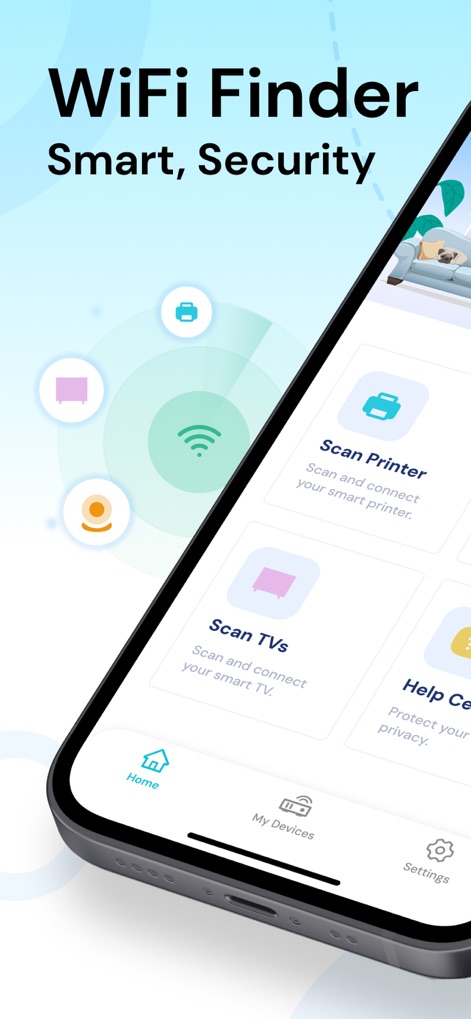
このアプリのホーム画面では、プリンターの検出機能とTVデバイスのスキャン機能を一目で確認でき、スマートホームデバイスを効率的に管理できます。
スマートデバイス管理
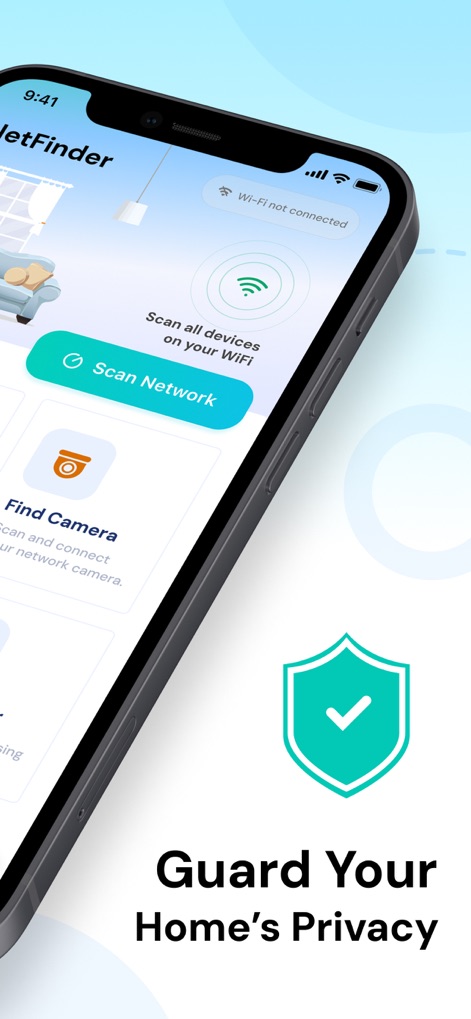
ユーザーは「ネットワークスキャン」機能でホームネットワーク全体を監視し、セキュリティシールドアイコンが示すように、自宅のプライバシー保護を強化できます。
ホームセキュリティ強化
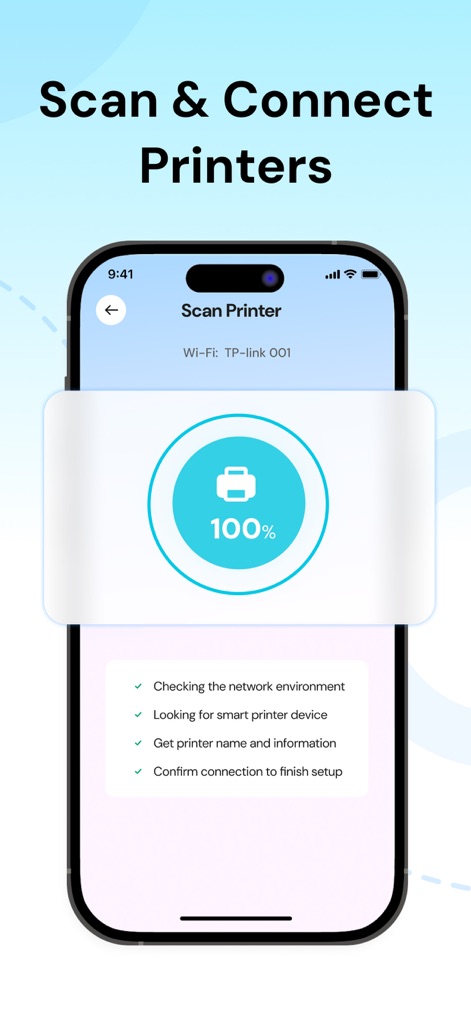
この画面では、プリンター接続の完了を示す100%の進行状況と、ネットワーク環境確認からセットアップ完了までのステップバイステップのガイドが表示され、スムーズな接続をサポートします。
プリンター簡単接続
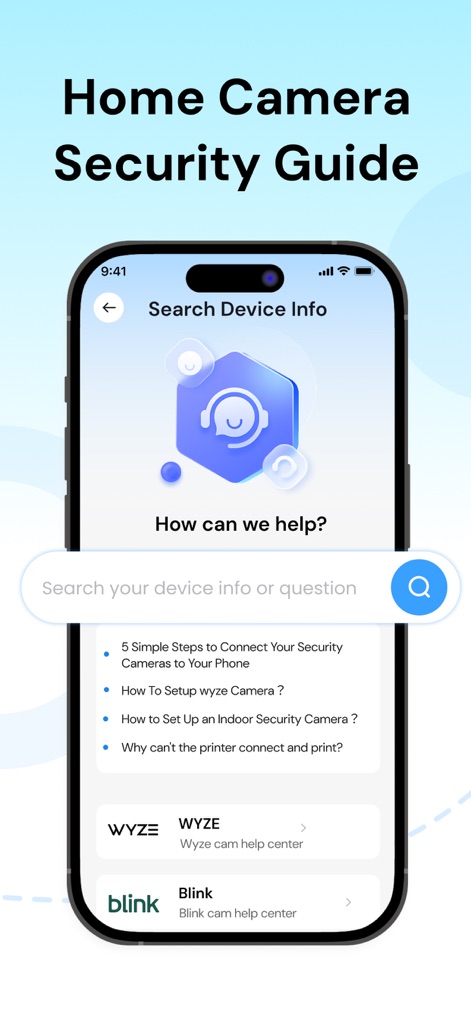
ユーザーは検索バーと具体的なFAQの質問リストを通じて必要な情報を素早く見つけられ、特定のブランド(WYZEやBlink)のヘルプセンターへのリンクも利用して、デバイスに関する疑問を解消できます。
包括的ヘルプセンター
説明
Download




このページはアプリまたはその開発者の公式ページではなく、情報提供および論評を目的として作成された独立した編集出版物です。明示的に別段の記載がない限り、アプリおよびその開発者は、MWM、Apple、Google Play、アプリのパブリッシャー、またはアプリの開発者と提携、承認、後援、認可、またはその他の公式的な関係はなく、このページのいかなる内容も、アプリがMWMのサービスを使用して開発されたことを意味するものではありません。すべての商標、ロゴ、スクリーンショット、その他のコンテンツはそれぞれの所有者の財産です。