
このページはアプリまたはその開発者の公式ページではなく、情報提供および論評を目的として作成された独立した編集出版物です。明示的に別段の記載がない限り、アプリおよびその開発者は、MWM、Apple、Google Play、アプリのパブリッシャー、またはアプリの開発者と提携、承認、後援、認可、またはその他の公式的な関係はなく、このページのいかなる内容も、アプリがMWMのサービスを使用して開発されたことを意味するものではありません。すべての商標、ロゴ、スクリーンショット、その他のコンテンツはそれぞれの所有者の財産です。

ダウンロード
2.5M+ユーザー評価
評価数
96.3K開発元
カテゴリ
Photo & Video対応言語
13最新バージョン
4.2.0サイズ
63.9 MBリリース日
2018年9月3日キヤノンSELPHYプリンターユーザー向けモバイル写真管理・印刷ツールの評価
SELPHY Photo Layout アプリケーション分析
ワイヤレス印刷と高品質出力
スマートフォンやタブレットからSELPHYプリンターへワイヤレスで接続し、高品質な写真印刷を享受できます。
証明写真印刷機能
パスポートや運転免許証などの公式な証明写真を、自撮り写真から簡単に作成し印刷できます。
自由なコラージュ作成と装飾
複数の写真を組み合わせて自由にコラージュを作成し、印刷前にスタンプやテキスト、QRコードなどで装飾できます。
写真メニューからのダイレクト印刷
スマートフォンやタブレットの「写真」メニューから、選んだ画像を簡単に直接印刷できます。
パターンオーバーコート処理
写真の表面にパターンオーバーコート処理を施すことで、仕上がりの質感と耐久性を向上させます。
シャッフルレイアウト印刷
最大20枚の画像を選択すると、アプリが自動的にレイアウトを調整し、1枚の用紙にまとめて印刷できます。
タイル印刷機能
1枚の写真を複数に分割して印刷することで、大きなポスターのような作品を作成できます。
カスタムサイズ印刷
ユーザーのニーズに合わせて、様々なサイズの写真を柔軟に印刷できます。
よくある質問
について知っておくべきこと SELPHY Photo Layout
What is the SELPHY Photo Layout app used for?
The SELPHY Photo Layout app creates and saves image layouts for printing with SELPHY printers directly from your smartphone or tablet.
Which SELPHY printers are compatible with the SELPHY Photo Layout app?
The SELPHY Photo Layout app is compatible with SELPHY CP Series (CP1500, CP1300, CP1200, CP910, CP900) and QX Series (QX20, SQUARE QX10) printers.
What are the system requirements for installing the SELPHY Photo Layout app?
The SELPHY Photo Layout app requires iOS 17/18 or iPadOS 17/18 to operate.
What image formats does the SELPHY Photo Layout app support?
The SELPHY Photo Layout app supports JPEG, PNG, and HEIF image formats for printing.
Can I decorate photos before printing with the SELPHY Photo Layout app?
Yes, the SELPHY Photo Layout app allows you to decorate and layout photos freely using features like stamps, text, borders, backgrounds, and QR codes before printing.
Does SELPHY Photo Layout allow printing of ID photos?
Yes, the SELPHY Photo Layout app supports printing ID photos, such as passport and driver's license pictures, specifically for SELPHY CP Series printers.
How does the SELPHY Photo Layout app connect to SELPHY printers?
The SELPHY Photo Layout app connects wirelessly to SELPHY printers. For some CP models (CP1300, CP1200, CP910, CP900), the "Canon PRINT" app must be installed separately.
What collage features are available in the SELPHY Photo Layout app?
The SELPHY Photo Layout app offers a Collage menu to arrange multiple photos. Decoration features include stamps, frames, text, and embedded QR codes.
Does the SELPHY Photo Layout app have an automatic layout function?
Yes, the SELPHY Photo Layout app includes a 'Shuffle' function, available for CP Series printers, which automatically arranges up to 20 images on one sheet for printing.
Can I reprint previous photos using the SELPHY Photo Layout app?
Yes, the SELPHY Photo Layout app includes a 'Reprint' function that allows users to print additional copies from their previously printed collection for both CP and QX Series.
以下のスクリーンショットと説明は、アプリの公式ストアリスティングから直接取得されたものであり、アプリ開発者の所有物です。
アプリストア
スクリーンショット
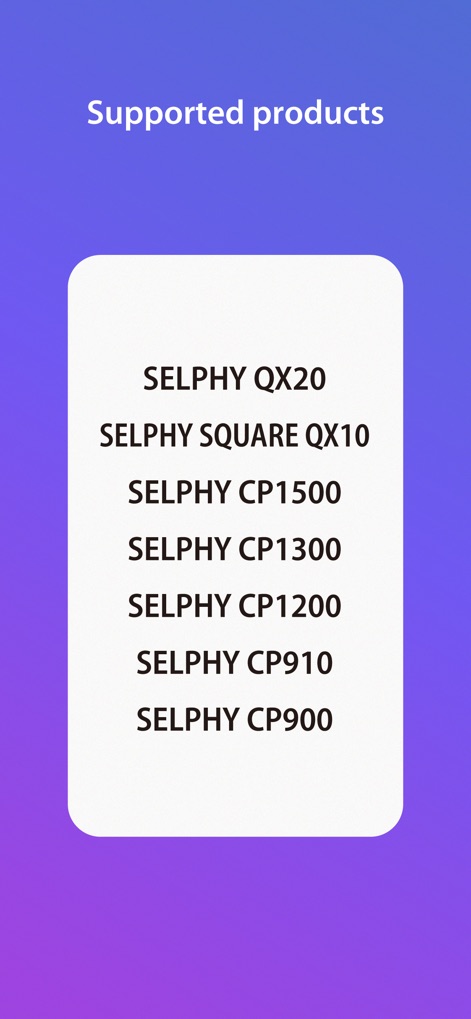
本アプリが対応する様々なSELPHYプリンターモデルを一覧で表示し、CPシリーズとQXシリーズの両方の互換性を示しています。
対応モデル一覧

写真の直接印刷を可能にする「Photos」機能や、複数の画像を創造的に配置する「Collage」機能など、主要なオプションが分かりやすく提示されています。
直感的なメニュー
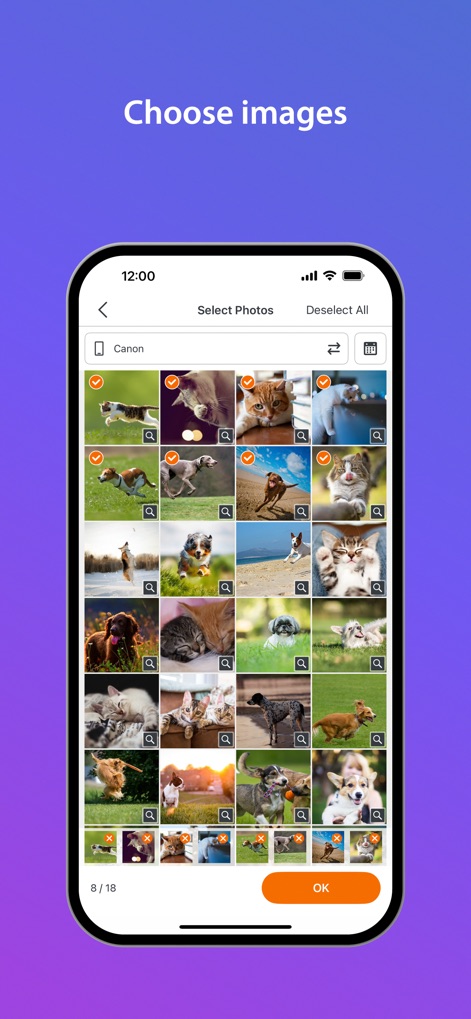
スマートフォンに保存された写真をグリッド形式で表示し、ユーザーが印刷したい複数枚の画像を容易に選べるインターフェースです。
簡単写真選択
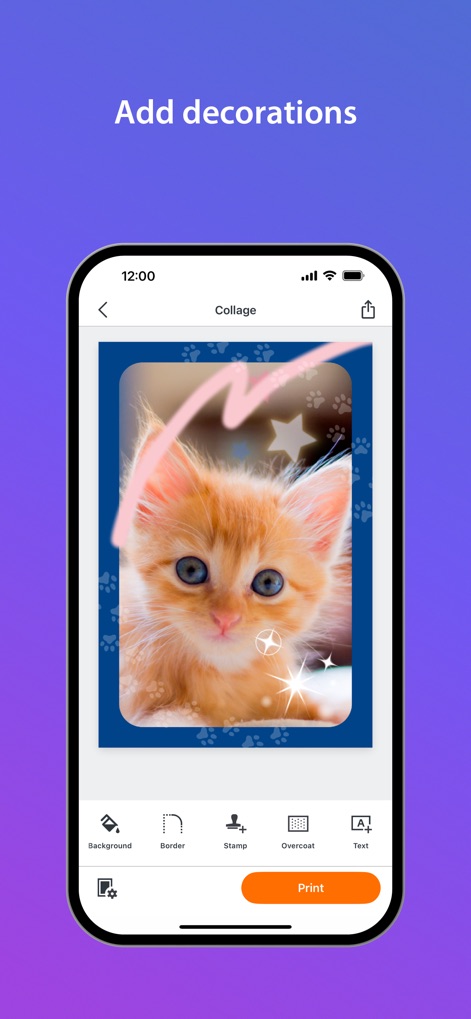
写真にスタンプやテキストを追加したり、背景やオーバーコート加工を施して、ユーザー独自の魅力的なデザインを作成できます。
クリエイティブ装飾
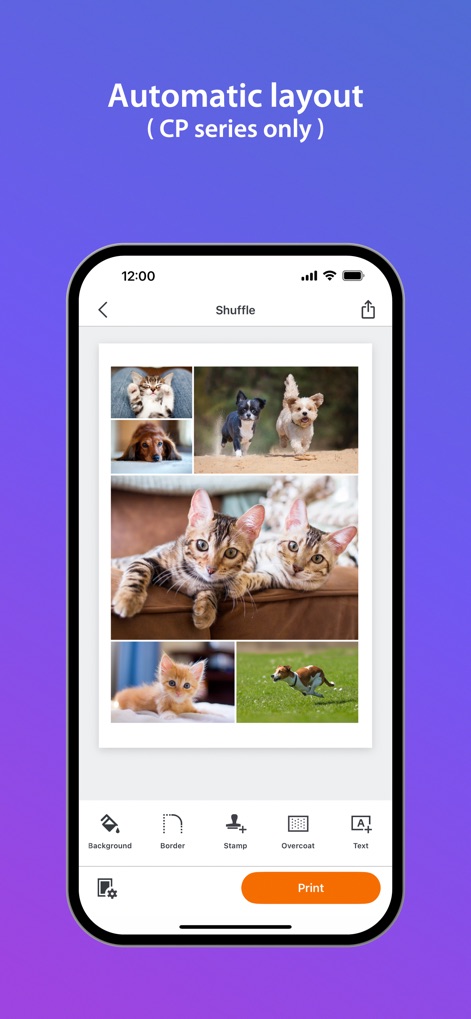
「シャッフル」機能を活用して選択した複数の写真を自動的に一枚に配置し、さらに背景やスタンプで個性を加えることができます。
お任せレイアウト
説明
Download
類似アプリ
似た機能とユーザー体験を持つアプリ

instax mini Link
FUJIFILM Corporation

instax mini Evo
FUJIFILM Corporation

Canon Mini Print
Canon U.S.A., Inc.

Polaroid
Polaroid International B.V.

KODAK Photo Printer
Prinics Co., Ltd

Phomemo
PHOMEMO PTE. LTD.

Epson Creative Print
Seiko Epson Corporation

HP Sprocket
C&A Marketing Inc.
NokoPrint - Mobile Printing
NokoPrint LLC
このページはアプリまたはその開発者の公式ページではなく、情報提供および論評を目的として作成された独立した編集出版物です。明示的に別段の記載がない限り、アプリおよびその開発者は、MWM、Apple、Google Play、アプリのパブリッシャー、またはアプリの開発者と提携、承認、後援、認可、またはその他の公式的な関係はなく、このページのいかなる内容も、アプリがMWMのサービスを使用して開発されたことを意味するものではありません。すべての商標、ロゴ、スクリーンショット、その他のコンテンツはそれぞれの所有者の財産です。