Shopping-List.

Shopping-List.

ダウンロード: App Store
ロゴ: Shopping-List.

Shopping-List. 楽々家事のための完全ビジュアルオーガナイザー

写真ベースのリストと複数店舗のカテゴリ分けで、買い物の間違いをなくしましょう。正確に計画し、単位を瞬時に変換し、PDF、SMS、またはWhatsAppでタスクをスムーズに委任しましょう。

ダウンロード: App Store

開発元

Jessica Tunnicliffe

カテゴリ

Utilities

ダウンロード

100

ユーザー評価

1.0/5

評価数

0

対応言語

1

見える化された整理

このインターフェースを利用する 100 人のユーザー.

Shopping-Listアプリのメインメニュー画面。店舗、カテゴリ、商品、買い物リスト、単位換算を管理するためのカラフルなアイコンが表示されています。
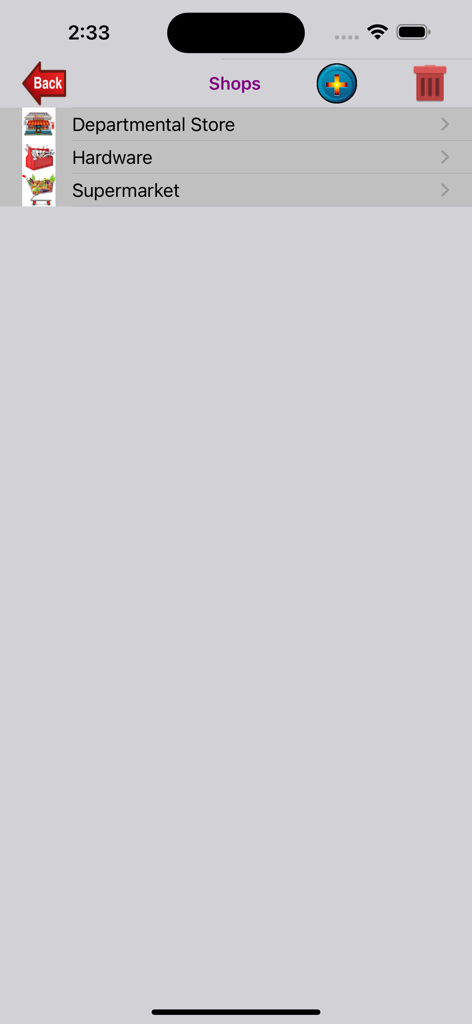
Shopping-Listアプリのメインメニュー画面。店舗、カテゴリ、商品、買い物リスト、単位換算を管理するためのカラフルなアイコンが表示されています。

店舗カテゴリを管理するためのモバイルインターフェース。デパート、金物店、スーパーマーケットが表示されています。
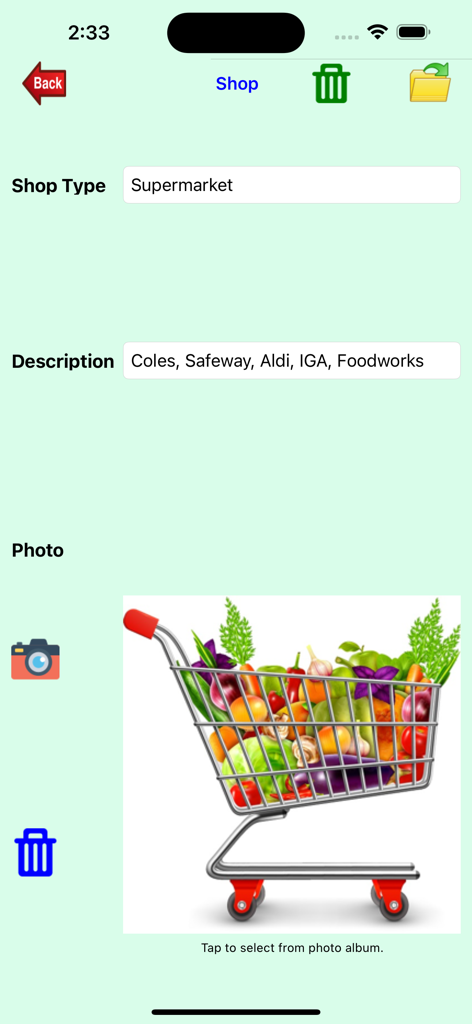
店舗カテゴリを管理するためのモバイルインターフェース。デパート、金物店、スーパーマーケットが表示されています。

Shopping-Listアプリの店舗タイプ管理インターフェース。スーパーマーケットの詳細と食料品カートの画像が含まれています。
Shopping-Listアプリの店舗タイプ管理インターフェース。スーパーマーケットの詳細と食料品カートの画像が含まれています。

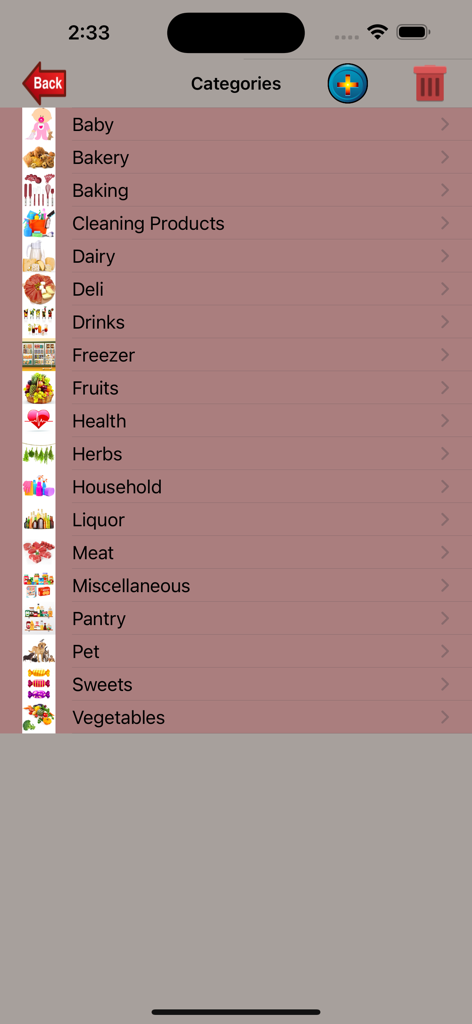
食料品買い物カテゴリのリスト。パン屋、乳製品、家庭用品などのアイコンが付いています。
食料品買い物カテゴリのリスト。パン屋、乳製品、家庭用品などのアイコンが付いています。

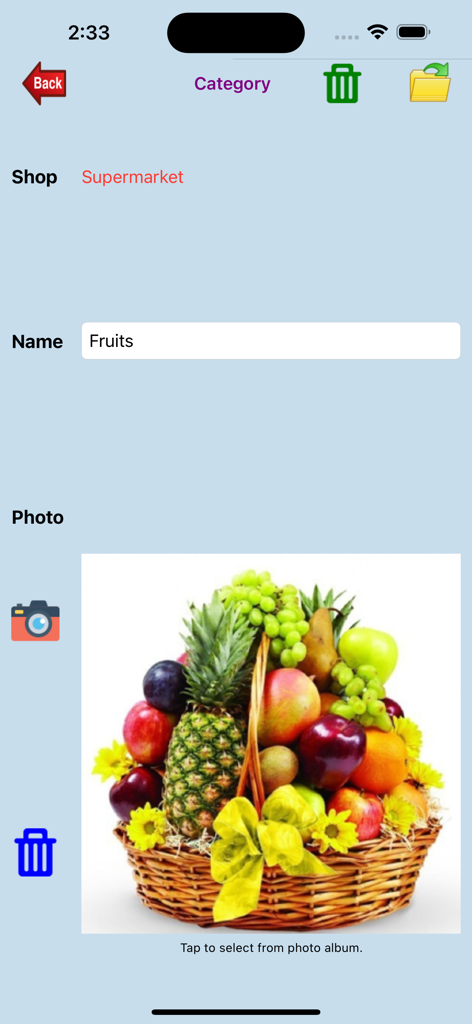
Shopping-Listアプリの果物カテゴリ管理画面。果物のバスケットの写真が表示されています。
Shopping-Listアプリの果物カテゴリ管理画面。果物のバスケットの写真が表示されています。

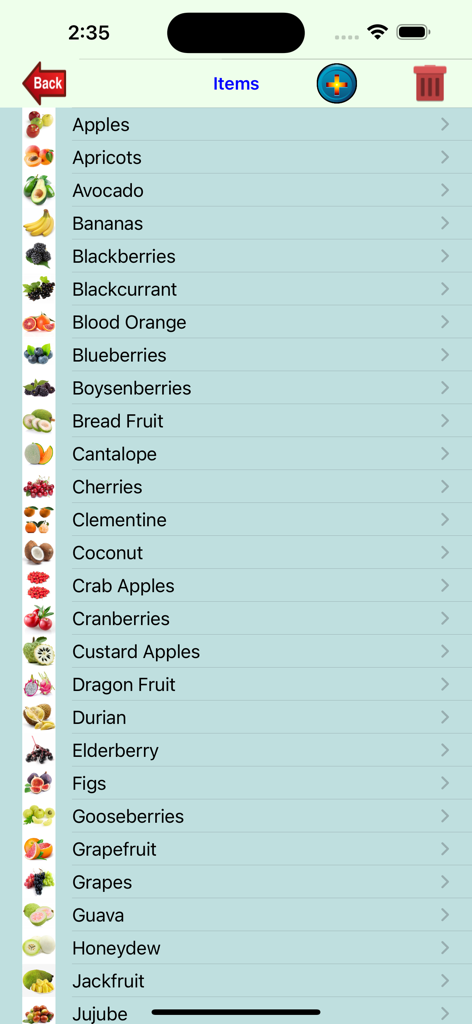
Shopping-Listアプリの果物リスト画面。サムネイル画像と名前が表示されています。
Shopping-Listアプリの果物リスト画面。サムネイル画像と名前が表示されています。

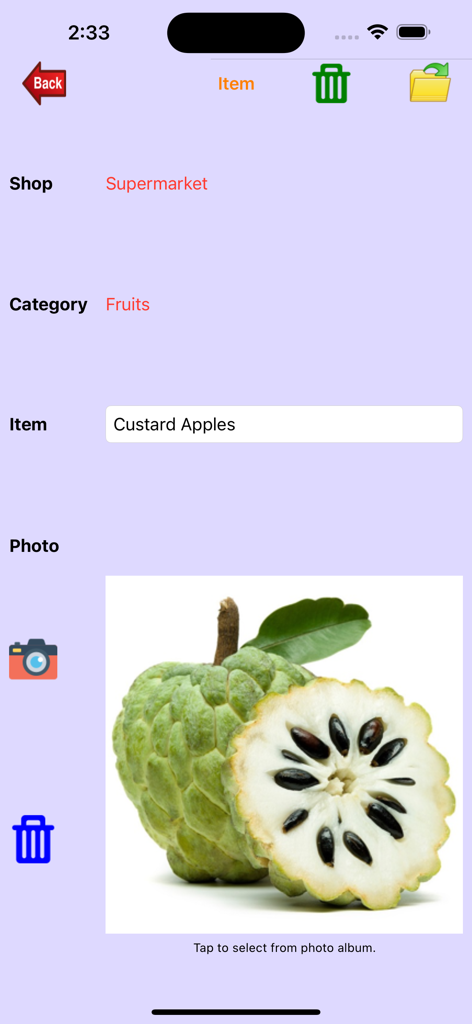
Shopping Listアプリの項目詳細インターフェース。スーパーマーケットカテゴリのチェリモヤの詳細と写真が表示されています。
Shopping Listアプリの項目詳細インターフェース。スーパーマーケットカテゴリのチェリモヤの詳細と写真が表示されています。

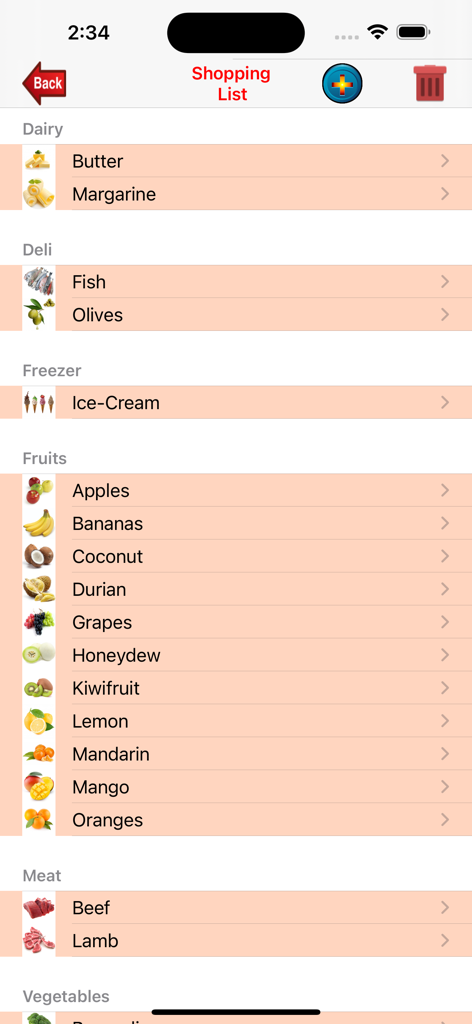
モバイルアプリ画面。乳製品、デリカテッセン、冷凍食品、果物などのカテゴリに整理された食料品買い物リストと、各項目の代表的なアイコンが表示されています。
モバイルアプリ画面。乳製品、デリカテッセン、冷凍食品、果物などのカテゴリに整理された食料品買い物リストと、各項目の代表的なアイコンが表示されています。

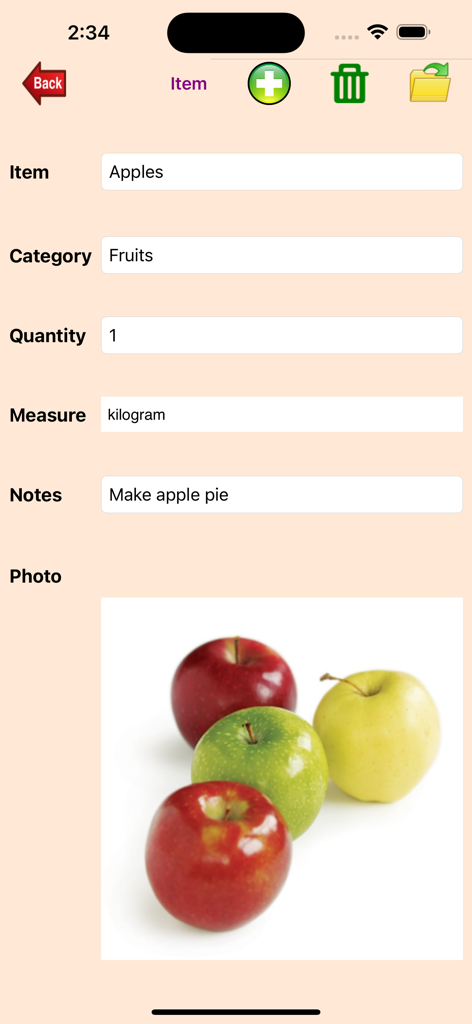
Shopping-Listアプリのリンゴの項目詳細入力画面。写真と数量が表示されています。
Shopping-Listアプリのリンゴの項目詳細入力画面。写真と数量が表示されています。

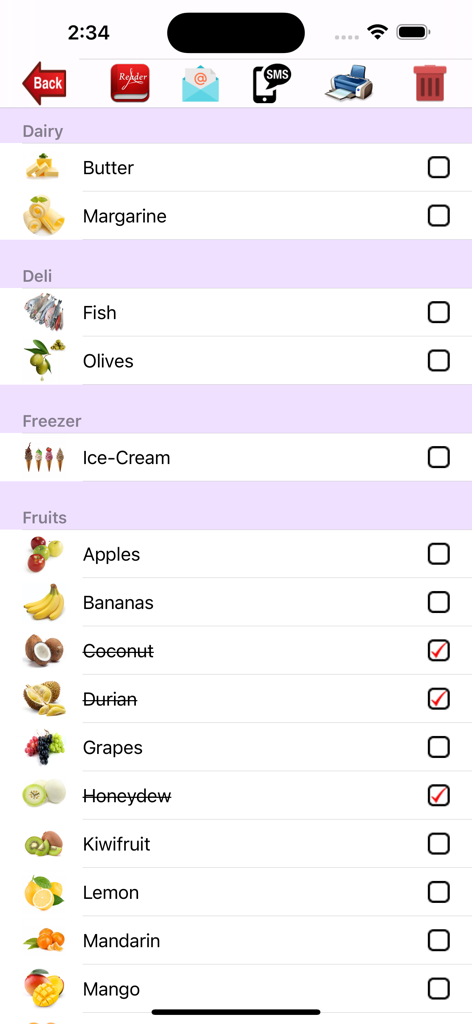
Shopping listアプリ画面。商品画像とチェックマークが付いたカテゴリ別にグループ化された項目が表示されています。

Shopping listアプリ画面。商品画像とチェックマークが付いたカテゴリ別にグループ化された項目が表示されています。

家事を効率化しましょう

このアプリを際立たせるツール、 100 人のユーザーが選択.

📸

ビジュアル確認

特定の商品やブランドに写真を添付して、買い物の間違いをなくし、毎回正しい商品が購入されるようにしましょう。

🗺️

店舗別計画

スーパーマーケットから金物店まで、店舗タイプ別に商品をグループ化して、ルートを最適化し、効率的に買い物を完了しましょう。

📤

プロフェッショナルな委任

カテゴリ分けされたリストをPDF、SMS、またはWhatsApp経由でエクスポートし、家族やアシスタントに明確でビジュアルなロードマップを提供して、完璧な買い物を実現しましょう。

アプリについて

について知っておくべきこと Shopping-List..

説明

My-Shopping-List is created to help you manage all your shopping needs in one spot. The shopping list will be grouped based on the shop types (supermarket, hardware store, departmental store, services, etc) you choose with options to print (single copy, multiple copies, or page range), email or SMS to your friends. There are six functions: Manage Shops - Enter the shop types. Shop type details (supermarket, departmental store, etc) include shop type, description and a photo. You can select the shop photo from your photo album, delete selected photo or take a new photo. To search for a shop type, simply enter the name and the photo will be shown. You can then change the photo if you wish. You can also delete unwanted shop types. Manage Categories - Enter the category details. Category details (bakery, fruits, vegetables, etc) include category name and category photo. You can select the category photo from your photo album, delete selected photo or take a new photo. To search for a category, simply enter the name and the photo will be shown. You can then change the Category photo if you wish. You can also delete unwanted categories. Manage Items - Enter new items. Item details (apple, tomato, cake, etc) include item name and item photo. You can select the item photo from your photo album, delete selected photo or take a new photo. To search for an item, simply enter the name and the photo will be shown. You can then change the item photo if you wish. You can also delete unwanted items. Manage Shopping List - Select items to be included in the shopping list. Shopping Items for each shop type includes item name, quantity, measure (kg, litre, etc - metric or imperial) and notes. When you enter the first character of an item name, a picker will be shown to allow you to pick the items starting with the character you entered. Once you've selected the item, the item category and item photo will be displayed automatically. To search for an item, simply enter the item name and the item details will be displayed. You will also be able to change the details. You can also delete unwanted items. If you can't find an item in the list shown by the picker, you can add new items and category without having to exit. These new items will then be available for selection. Show Shopping List - This option allows you to display your shopping list based on the shop types. The list can be emailed or printed to an iphone supported printer. You can checked off items purchased. You can then delete these checked items if you wish. The email will include a pdf file as an attachment and the shopping list will also be shown in the email body. You can also SMS the shopping list or display the PDF file. The pdf file can also be sent to WhatsApp, Messenger, iBooks, Yahoo Mail, Evernote, Notes, Viber, iCloud Drive, etc. Unit Conversion - A 'Unit Conversion' option is provided that gives you a further three functions for conversion: Ingredient Measurement (Cup, Tablespoon, Teaspoon, Millilitre and Fluid Ounce), Weight (Metric or Imperial) and Temperature (Centigrade, Fahrenheit or Gas Mark). There is also a 'Help' button to guide you in using this app.

最新バージョン

1.1.33

サイズ

105.1 MB

リリース日

2013年8月15日

今日から家事をマスターしましょう

返品や「間違った商品」のフラストレーションに終止符を打ちましょう。Shopping-List.をダウンロードして、ビジュアルの精度とプロレベルの委任ツールで生活を整理しましょう。

ダウンロード: App Store
FAQ

よくある質問

について知っておくべきこと Shopping-List.

My-Shopping-Listアプリとは何ですか?

My-Shopping-Listは、ショッピングのニーズを管理するために設計されたアプリケーションです。店舗タイプ別にショッピングリストを整理し、印刷、メール、SMSでの共有を提供し、店舗、カテゴリ、アイテム、単位変換を管理する機能が含まれています。

Shopping-Listアプリはどのようにショッピングアイテムを整理しますか?

Shopping-Listアプリは、スーパーマーケットや金物店などの選択された店舗タイプに基づいてアイテムをグループ化して整理します。また、これらの店舗内でアイテムをカテゴリ分けすることもできます(例:パン屋、果物、野菜)。

My-Shopping-Listアプリからショッピングリストを共有できますか?

はい、My-Shopping-ListアプリからメールまたはSMSでショッピングリストを共有できます。メールにはPDF添付ファイルが含まれ、アプリはWhatsApp、Messenger、iCloud Driveなどの他のサービスへのPDF共有をサポートしています。

Shopping-Listアプリで利用できる単位変換機能は何ですか?

Shopping-Listアプリには、「単位変換」オプションがあり、3つの機能があります:材料測定(カップ、大さじ、小さじ、ミリリットル、流体オンス)、重量(メートル法またはインペリアル)、温度(摂氏、華氏、ガスマーク)。

My-Shopping-Listアプリではカスタム店舗タイプを追加できますか?

はい、My-Shopping-Listアプリでは、ユーザーがカスタム店舗タイプを管理および入力できます。ユーザーは、説明や写真を含む店舗タイプの詳細を定義し、不要な店舗タイプを削除できます。

My-Shopping-Listアプリでショッピングリストに新しいアイテムを追加するにはどうすればよいですか?

「アイテム管理」セクションで新しいアイテムを追加できます。ショッピングリストを管理しているときに、アイテムが見つからない場合は、終了せずに新しいアイテムやカテゴリを直接追加できるため、選択可能になります。

Shopping-Listでアイテムやカテゴリの写真を撮ることはできますか?

はい、My-Shopping-Listでは、ユーザーはフォトアルバムから店舗タイプ、カテゴリ、アイテムの写真を、または直接新しい写真を撮って選択できます。これにより、アプリ内のエントリがパーソナライズされます。

My-Shopping-Listアプリでどのようなアイテム詳細を指定できますか?

ショッピングリストのアイテムについては、アイテム名、数量、単位(kg、リットルなどのメートル法またはインペリアル)、およびメモを追加できます。アプリには、アイテムのカテゴリと写真も表示されます。

Shopping-Listアプリで購入したアイテムを追跡できますか?

はい、Shopping-Listアプリでは、「ショッピングリストを表示」オプション内で購入したアイテムにチェックを入れることができます。その後、これらのチェックされたアイテムを削除したい場合は削除できます。

Shopping-Listアプリはヘルプガイドを提供していますか?

はい、Shopping-Listアプリには「ヘルプ」ボタンが含まれています。この機能は、ユーザーがアプリケーションのさまざまな機能を効果的に利用できるようにガイドするように設計されています。

App information, icons, screenshots, and descriptions displayed on this page are sourced from the Apple App Store and are the property of their respective developers. Download estimates and rankings are based on MWM's proprietary models and may not reflect actual figures. This page is provided for informational and analytical purposes only.

Believe this page infringes your intellectual property? File a dispute