SidePilot

SidePilot

ダウンロード: App Store
ロゴ: SidePilot

SidePilot:ArduPilotドローン用プロフェッショナル・モバイル地上ステーション

ラップトップはもう不要です。MAVLink機体を完全にコントロールしましょう。複雑なウェイポイントミッションの実行、ライブテレメトリの監視、ADSB安全機能が統合されたiOSデバイスからの直接的なパラメータ管理が可能です。

ダウンロード: App Store

開発元

Tom Brereton

カテゴリ

Utilities

ダウンロード

48K+

ユーザー評価

3.9/5

評価数

100

対応言語

1

ポケットの中のミッションコントロール

このインターフェースを利用する 48K+ 人のユーザー.

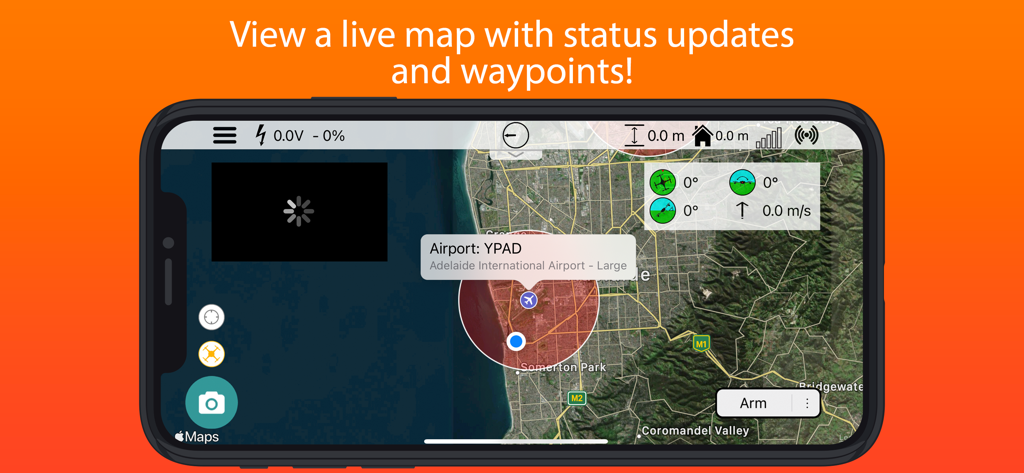
ライブドローンマップとテレメトリデータを表示するSidePilot地上ステーションのインターフェース
ライブドローンマップとテレメトリデータを表示するSidePilot地上ステーションのインターフェース

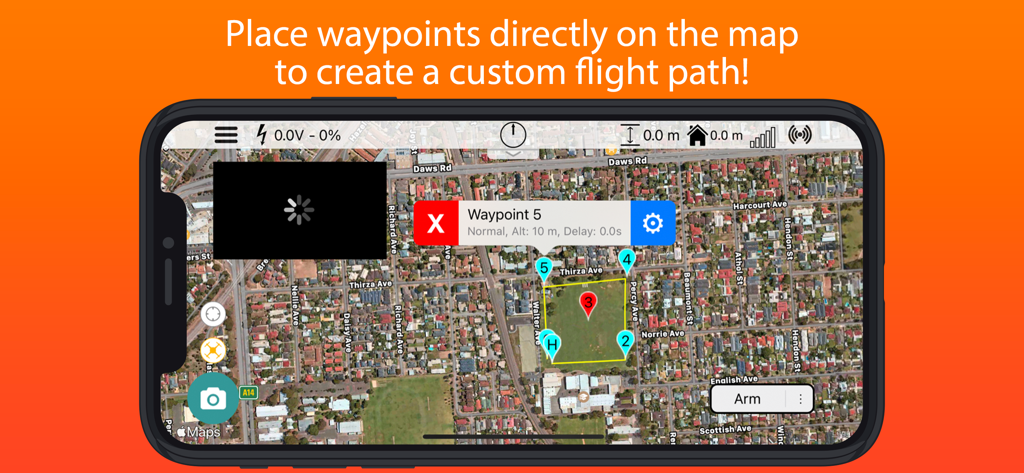
カスタムドローンの飛行経路を計画するための番号付きウェイポイントが表示された衛星マップのSidePilotアプリインターフェース。
カスタムドローンの飛行経路を計画するための番号付きウェイポイントが表示された衛星マップのSidePilotアプリインターフェース。

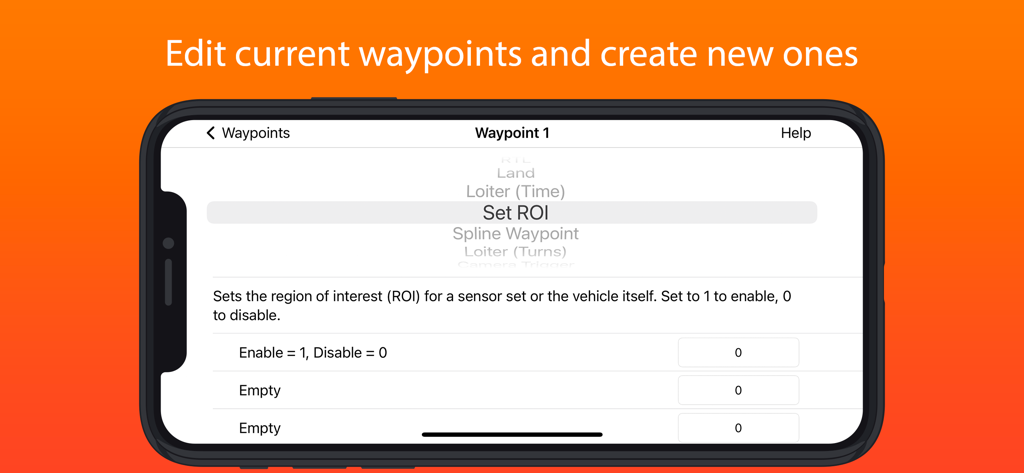
ドローンのウェイポイント設定と関心領域(ROI)設定を表示するSidePilotアプリインターフェース
ドローンのウェイポイント設定と関心領域(ROI)設定を表示するSidePilotアプリインターフェース

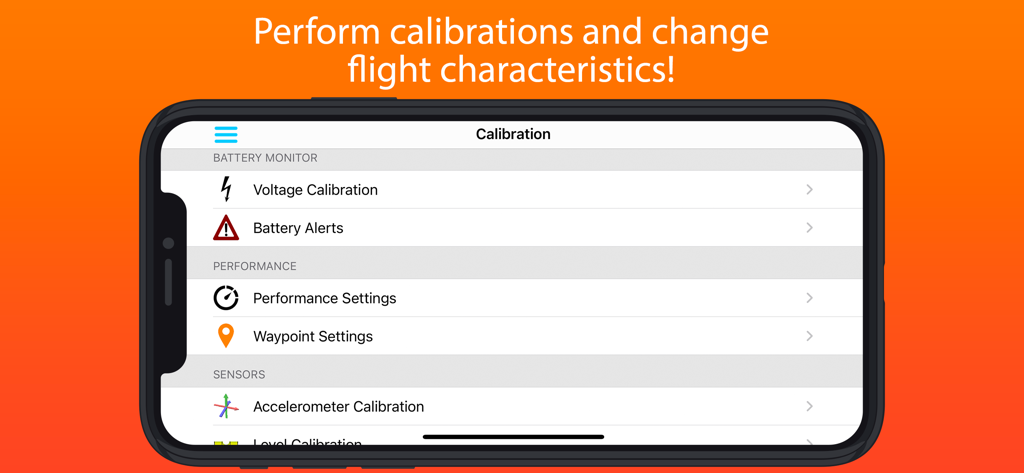
SidePilotドローンのキャリブレーションと飛行設定インターフェース
SidePilotドローンのキャリブレーションと飛行設定インターフェース

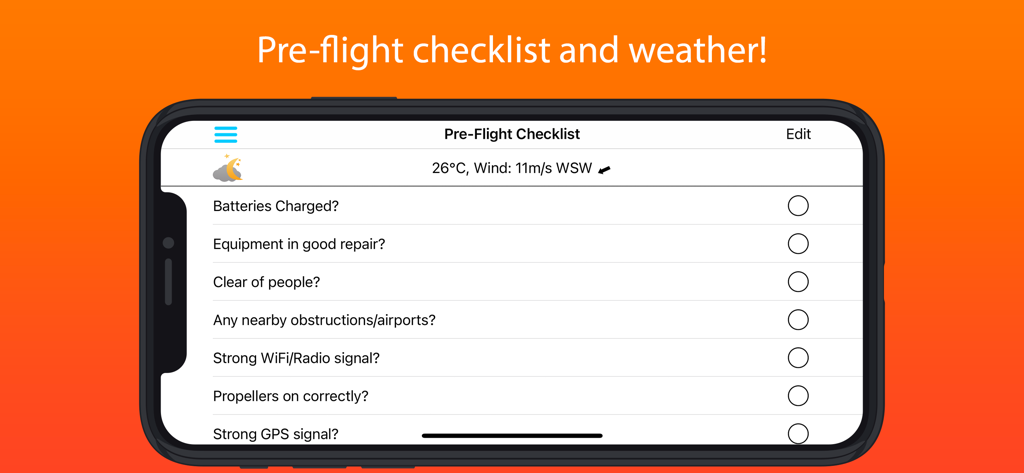
飛行前のドローンチェックリストと気象データを表示したSidePilotアプリのスクリーンショット

飛行前のドローンチェックリストと気象データを表示したSidePilotアプリのスクリーンショット

あなたのモバイルコマンドセンター

このアプリを際立たせるツール、 48K+ 人のユーザーが選択.

Map

高度なミッションプランニング

その場で複雑な自律飛行を設計。iPadやiPhoneから直接、ウェイポイントの作成、ジオフェンスの設定、またはプロフェッショナルな測量グリッドの生成が可能です。

Shield

プロレベルの状況把握能力

近接航空機に対する統合されたADSB警告、ライブテレメトリデータ、重要な飛行統計のカスタマイズ可能な音声アラートにより、自信を持って飛行できます。

Gear

現場で即戦力のパラメータ調整

PCは不要です。フィールドにいる間に、ドローンのパフォーマンスを最適化するためにArduPilotパラメータをリアルタイムで表示、編集、保存できます。

アプリについて

について知っておくべきこと SidePilot.

説明

This is the app for drone enthusiasts who wish to have a more portable ground station. Works with ArduPilot autopilot via WiFi, Bluetooth Low Energy or Cellular connection, including 3DR Solo. NOTE: You must have either WiFi, Cellular or Serial Bluetooth connection to your drone. User Manual is available at https://sidepilot.net Features: • Supports ArduCopter, ArduPlane and ArduRover via MAVLink protocol. • Displays current drone location, with information such as altitude, yaw, pitch and roll. • ADSB integration to display nearby aircraft and provide warnings. • Create, edit and delete waypoints and geofences. • Audible alerts for important information. • Edit, save and load parameters. • Perform a Pre-Flight checklist with live weather information. • Low battery warnings and alerts. • View onboard video, and live stream it to YouTube. • Record telemetry logs and export for sharing. • Follow Me - Have your drone follow you using your devices GPS location, or visually with Object Tracking. • Orbit mode - Automatically orbit an object for a fantastic cinematic shots! • Grid Waypoints - Create a survey grid to fly • Tap to fly - Tap a location on the map to send your drone there! • Perform calibrations at the field. • And many, many more... Quick-start guide (Using a WiFi connection): 1. Turn on drone and connect using WiFi. 2. Start SidePilot, navigate to settings and select either WiFi UDP, TCP or 3DR Solo (as applicable). 3. If setting up WiFi manually, click on WiFi Settings and input the correct IP address and port that the MAVLink protocol is running over. 4. Go back to the main screen and press the connect button on the top right. The app will begin displaying information about the drone. If not, double check your WiFi settings. Please post suggestions and bug reports on the SidePilot Facebook page or via email to tom@sidepilot.net WARNING: Continued use of GPS running in the background can dramatically decrease battery life. Note: iPads without cellular do not have GPS capability unless tethered to a iOS Device with cellular, and even then it is poor and not suitable for navigation.

最新バージョン

2.1.6

サイズ

111.2 MB

リリース日

2016年9月29日

どこでもミッションを完全に指揮

ラップトップを捨て、最も強力なiOS地上ステーションを選んだ48,000人以上のテクニカルパイロットの仲間に加わりましょう。プロフェッショナルなMAVLink制御、ADSB安全アラート、高度なミッションプランニングをポケットの中に。

ダウンロード: App Store

App information, icons, screenshots, and descriptions displayed on this page are sourced from the Apple App Store and are the property of their respective developers. Download estimates and rankings are based on MWM's proprietary models and may not reflect actual figures. This page is provided for informational and analytical purposes only.

Believe this page infringes your intellectual property? File a dispute