Signature Maker & PDF Signer
ダウンロード: App Store

このページはアプリまたはその開発者の公式ページではなく、情報提供および論評を目的として作成された独立した編集出版物です。明示的に別段の記載がない限り、アプリおよびその開発者は、MWM、Apple、Google Play、アプリのパブリッシャー、またはアプリの開発者と提携、承認、後援、認可、またはその他の公式的な関係はなく、このページのいかなる内容も、アプリがMWMのサービスを使用して開発されたことを意味するものではありません。すべての商標、ロゴ、スクリーンショット、その他のコンテンツはそれぞれの所有者の財産です。

ロゴ: Signature Maker & PDF Signer
ダウンロード: App Store

Signature Maker & PDF Signer

プリンターは不要、契約書に即時署名。カスタム署名を作成し、PDFに注釈を付け、プライバシーを最優先したモバイルソリューションでワークフローを保護します。

主要数値

ダウンロード

0

ユーザー評価

1.0/5

評価数

0

開発元

Constantin Ginga

カテゴリ

Business

対応言語

1

最新バージョン

1.0

サイズ

64.9 MB

リリース日

2026年2月5日
機能

どこでもワークフローをマスター

スピード、プライバシー、ペーパーレスな生活を重視するプロフェッショナルのためのオールインワン書類ツールキット。

瞬時にデジタル署名

プリンターなしで契約をスムーズに進めるために、数秒でプロフェッショナルで鮮明な署名を作成します。

外出先でのPDF編集

緊急のファイルが受信トレイに届いたら、iPhoneから直接契約書にマークアップ、ハイライト、注釈を付けられます。

以下のスクリーンショットと説明は、アプリの公式ストアリスティングから直接取得されたものであり、アプリ開発者の所有物です。

アプリストア

スクリーンショット
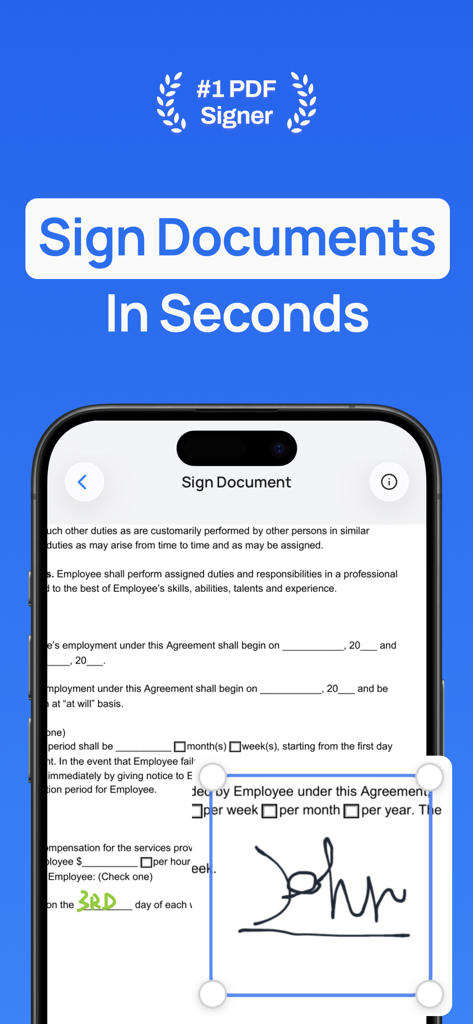
Signature Maker & PDF Signer - 署名メーカー&PDF署名アプリを使用して、iPhone画面にデジタル署名で書類に署名している画面を表示。
署名メーカー&PDF署名アプリを使用して、iPhone画面にデジタル署名で書類に署名している画面を表示。

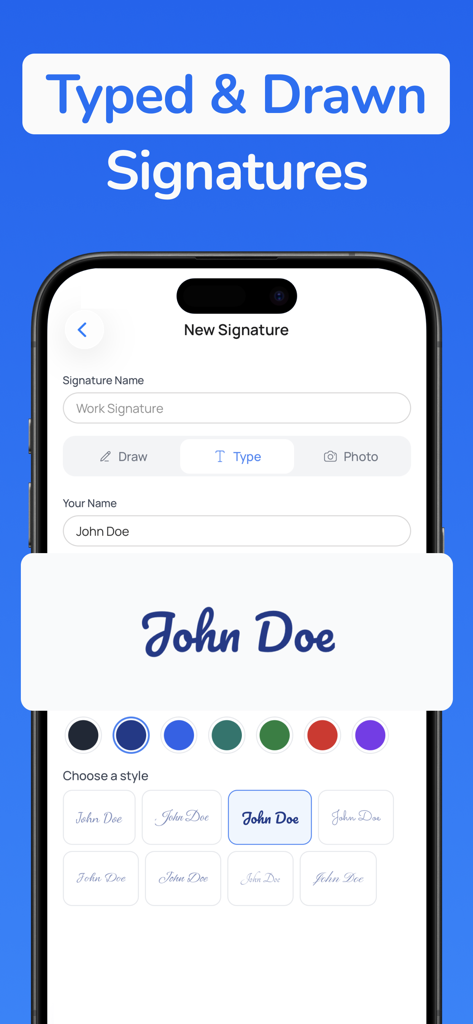
Signature Maker & PDF Signer - タイプされたデジタル署名を作成するための、さまざまな筆記体フォントスタイルとカラーオプションを示すモバイルアプリインターフェイス
タイプされたデジタル署名を作成するための、さまざまな筆記体フォントスタイルとカラーオプションを示すモバイルアプリインターフェイス

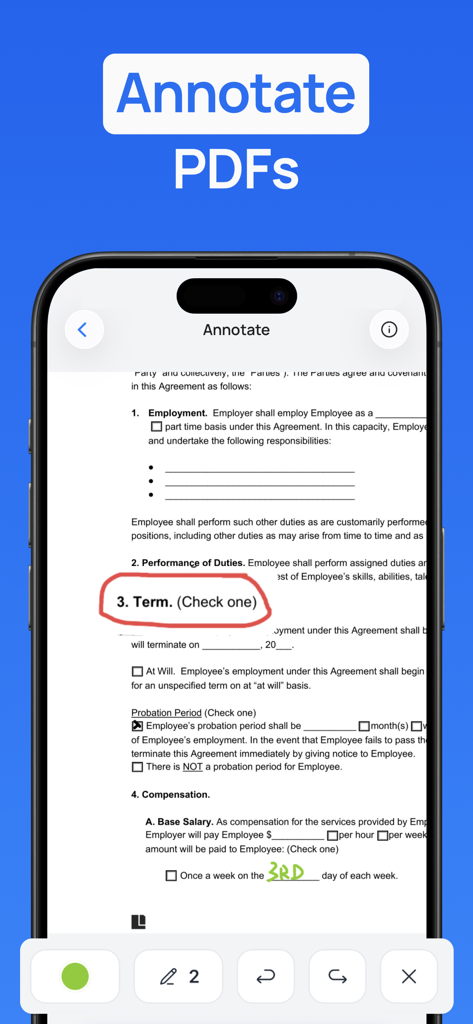
Signature Maker & PDF Signer - プロフェッショナルな契約書に描画ツールと手書きメモでPDF文書に注釈を付けるためのモバイルアプリインターフェイス
プロフェッショナルな契約書に描画ツールと手書きメモでPDF文書に注釈を付けるためのモバイルアプリインターフェイス

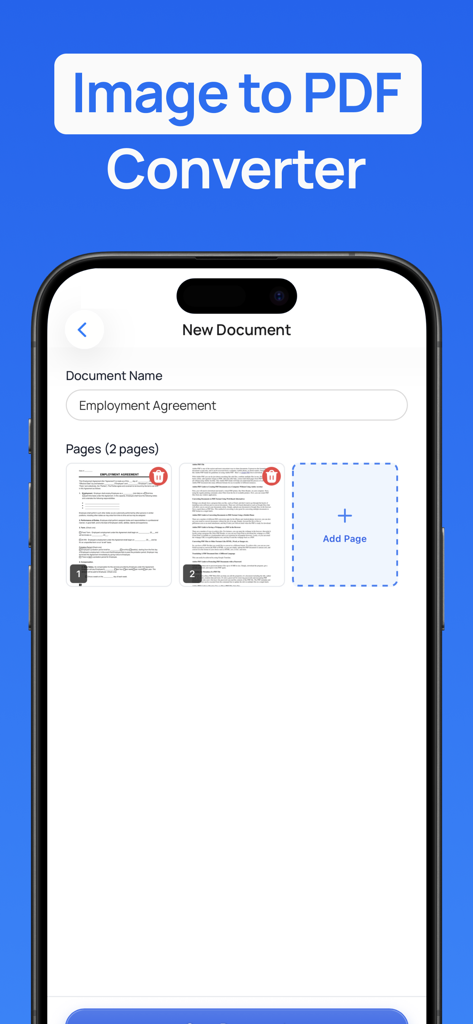
Signature Maker & PDF Signer - 署名メーカーアプリで雇用契約書の画像をPDFに変換する機能を示すスマートフォン画面
署名メーカーアプリで雇用契約書の画像をPDFに変換する機能を示すスマートフォン画面

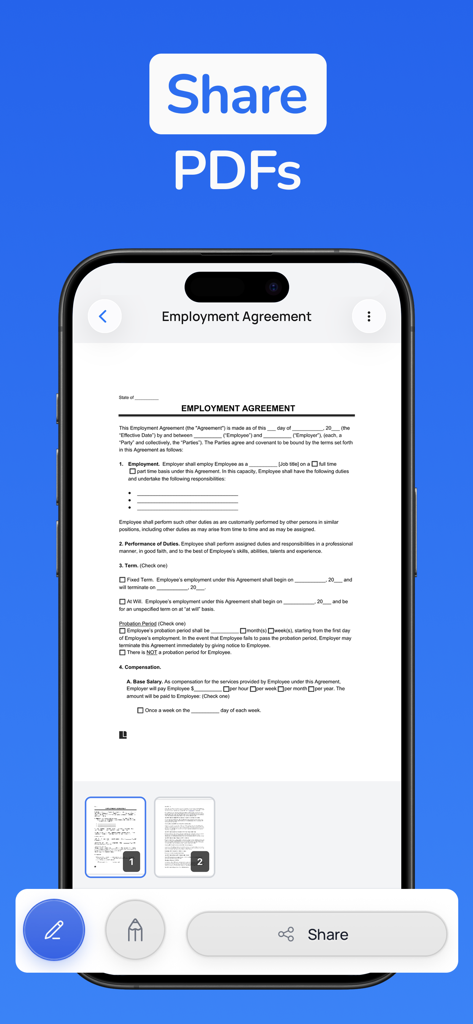
Signature Maker & PDF Signer - 署名メーカーアプリ内で雇用契約書が表示され、共有ボタンが強調表示されているiPhone画面。
署名メーカーアプリ内で雇用契約書が表示され、共有ボタンが強調表示されているiPhone画面。

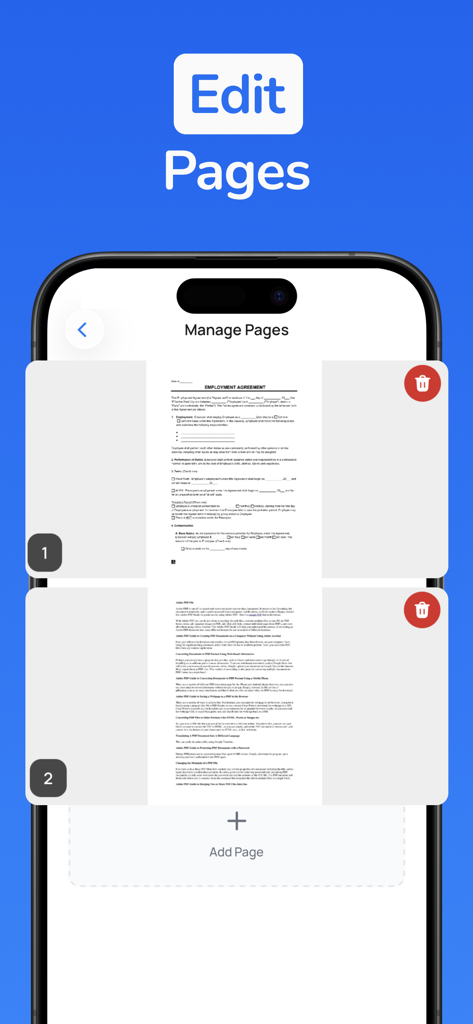
Signature Maker & PDF Signer - ページの追加または削除オプションを備えたPDFページ管理を示すモバイルアプリ画面
ページの追加または削除オプションを備えたPDFページ管理を示すモバイルアプリ画面

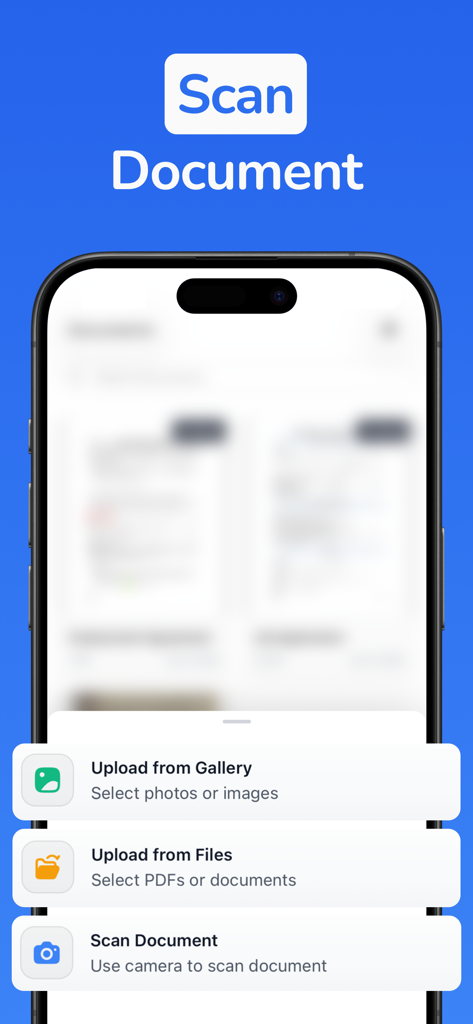
Signature Maker & PDF Signer - 署名メーカーアプリ画面に、ファイルアップロードまたはカメラを使用した文書スキャンオプションが表示されます。

署名メーカーアプリ画面に、ファイルアップロードまたはカメラを使用した文書スキャンオプションが表示されます。

説明

Unlock professional signatures and instant PDF signing with Signature Maker & PDF Signer. Documents need signatures, contracts require approvals, and PDFs demand annotations, but most people still struggle with printing, scanning, or juggling multiple apps. Signature Maker helps you create professional signatures and sign documents instantly, so you can handle paperwork with a tap. Whether you're signing contracts, approving forms, or annotating PDFs, professional document handling is now as easy as a signature. What you can do with Signature Maker: - Create Signatures Instantly: Draw, type, or upload your signature with a clean, intuitive interface. Create multiple signatures for different purposes—personal, professional, or initials. - Sign PDFs Anywhere: Import any PDF and sign it instantly. Add your signature exactly where you need it with precise placement and sizing. - Annotate Documents: Mark up PDFs with text, highlights, and notes. Add comments, make edits, and collaborate on documents without leaving the app. - Share & Export: Generate polished, signed PDFs ready to send. Export to email, messaging, cloud storage, or any app you use. - Manage Signatures: Save unlimited signatures and switch between them instantly. Every signature looks professional and authentic. - Professional Results: Every signed document is crisp, clear, and ready for business. No pixelated signatures or awkward placements. - Sign on the Go: Handle urgent documents anywhere. No printer, scanner, or computer needed—your phone becomes your document center. - Privacy First: Your signatures and documents stay on your device. No cloud uploads required, complete control over your sensitive files. Why people love it: - Freelancers sign contracts on-site, right when clients are ready to commit. - Remote workers approve documents instantly without printing or scanning. - Students sign forms and submit assignments with professional signatures. - Business professionals handle paperwork anywhere, keeping deals moving. Every signature is a chance to move faster. A few taps create professional documents that people trust. Whether you're signing a contract, approving a form, or annotating a proposal, Signature Maker gives you instant professionalism. Download Signature Maker & PDF Signer today and turn paperwork into progress. Signature Maker Premium: Unlock unlimited signatures, unlimited signed documents, PDF annotations, and full export capabilities to handle documents without limits. All prices below are in USD and may vary by region. Pricing and offers are subject to change. - Premium Weekly: $0.99 for the first week (introductory offer), then $4.99/week, auto-renews weekly. Cancel anytime. - Premium Yearly: $24.99/year, auto-renews annually. Cancel anytime. Free users get limited signatures and signed documents. Upgrade to Premium for unlimited access to all features. Terms of Use: https://signaturemaker.constantout.com/terms Privacy Policy: https://signaturemaker.constantout.com/privacy

Download

ダウンロード: App Store

このページはアプリまたはその開発者の公式ページではなく、情報提供および論評を目的として作成された独立した編集出版物です。明示的に別段の記載がない限り、アプリおよびその開発者は、MWM、Apple、Google Play、アプリのパブリッシャー、またはアプリの開発者と提携、承認、後援、認可、またはその他の公式的な関係はなく、このページのいかなる内容も、アプリがMWMのサービスを使用して開発されたことを意味するものではありません。すべての商標、ロゴ、スクリーンショット、その他のコンテンツはそれぞれの所有者の財産です。








