Signature Maker - SignHub
ダウンロード: App Store

このページはアプリまたはその開発者の公式ページではなく、情報提供および論評を目的として作成された独立した編集出版物です。明示的に別段の記載がない限り、アプリおよびその開発者は、MWM、Apple、Google Play、アプリのパブリッシャー、またはアプリの開発者と提携、承認、後援、認可、またはその他の公式的な関係はなく、このページのいかなる内容も、アプリがMWMのサービスを使用して開発されたことを意味するものではありません。すべての商標、ロゴ、スクリーンショット、その他のコンテンツはそれぞれの所有者の財産です。

ロゴ: Signature Maker - SignHub
ダウンロード: App Store

Signature Maker - SignHub

iPhoneをパワフルなモバイルオフィスに変えましょう。カスタム署名を作成し、書類をスキャンし、数秒で合意書を完成させます – プリンターは不要です。

主要数値

ダウンロード

15K+

ユーザー評価

4.6/5

評価数

100

開発元

Waleed Afzal

カテゴリ

Business

対応言語

1

最新バージョン

1.16

サイズ

32.1 MB

リリース日

2023年11月6日
機能

プロフェッショナルな署名を、シンプルに。

最新のプロフェッショナル向けに設計された、1つのモバイルファーストプラットフォームで、スキャン、署名、契約管理に必要なすべてを提供します。

スマートドキュメントスキャナー

ハードウェアは不要です。iPhoneカメラを使って、紙の書類を高画質なPDFに即座に変換できます。

ブランド化された署名スタイル

複数の色、太さ、スタイルで利用可能なカスタム署名で、プロフェッショナルなイメージを維持しましょう。

以下のスクリーンショットと説明は、アプリの公式ストアリスティングから直接取得されたものであり、アプリ開発者の所有物です。

アプリストア

スクリーンショット
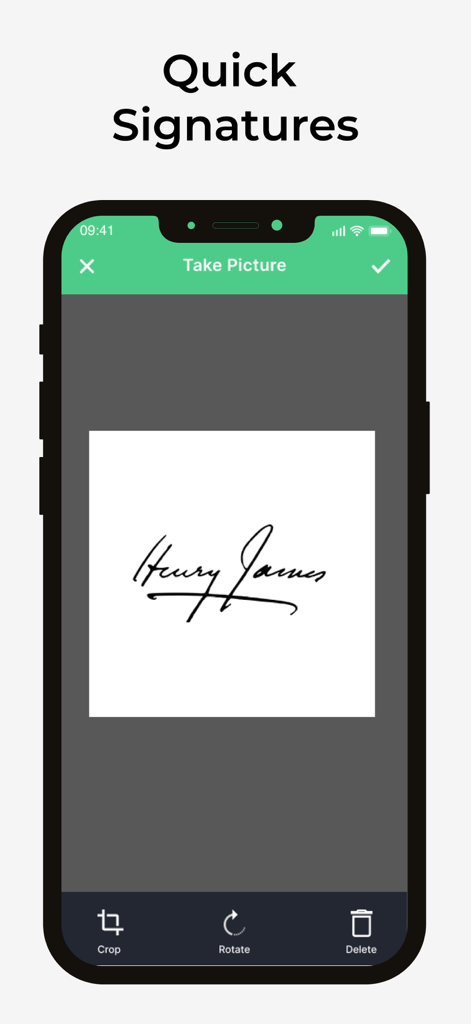
Signature Maker - SignHub - キャプチャされた手書き署名を表示するモバイルアプリのインターフェイス。トリミングと回転のオプションがあります。
キャプチャされた手書き署名を表示するモバイルアプリのインターフェイス。トリミングと回転のオプションがあります。

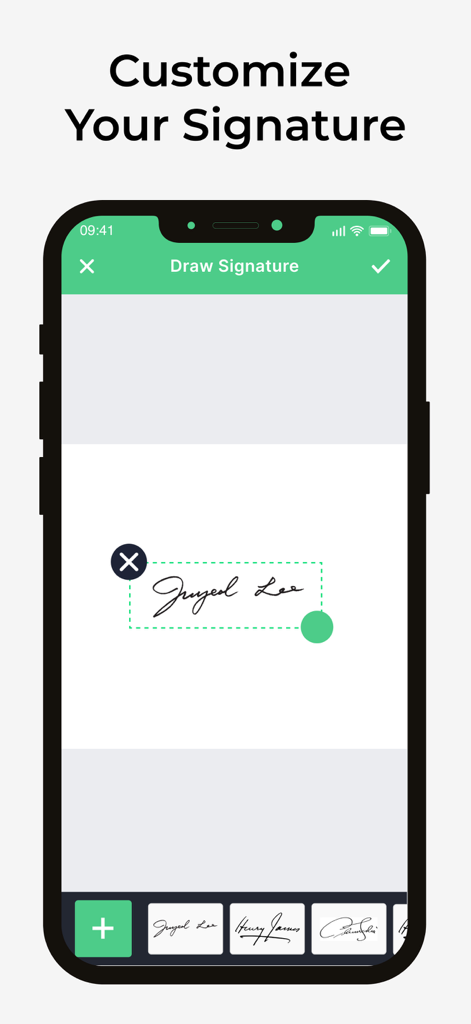
Signature Maker - SignHub - SignHubでデジタル署名を描画およびカスタマイズするためのモバイルアプリのインターフェイス。
SignHubでデジタル署名を描画およびカスタマイズするためのモバイルアプリのインターフェイス。

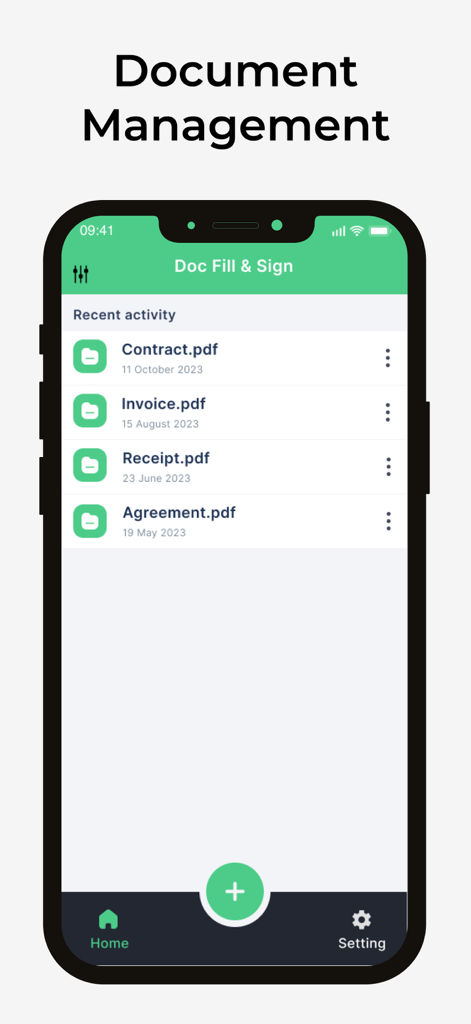
Signature Maker - SignHub - 契約書、請求書、領収書などの管理された書類のリストを表示するSignHubモバイルアプリのインターフェイス。
契約書、請求書、領収書などの管理された書類のリストを表示するSignHubモバイルアプリのインターフェイス。

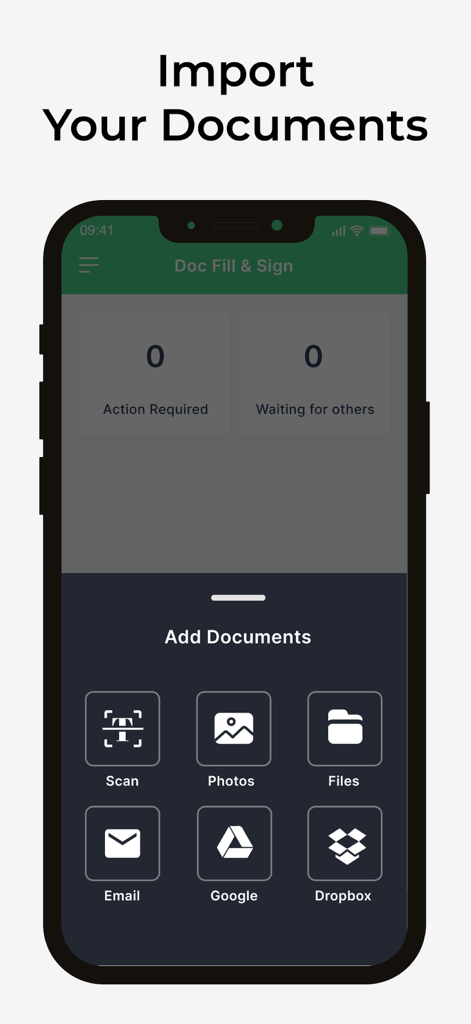
Signature Maker - SignHub - Google DriveやDropboxなどのスキャン、写真、ファイル、クラウドサービスから書類を追加するオプションを表示するSignHubアプリのインターフェイス。
Google DriveやDropboxなどのスキャン、写真、ファイル、クラウドサービスから書類を追加するオプションを表示するSignHubアプリのインターフェイス。

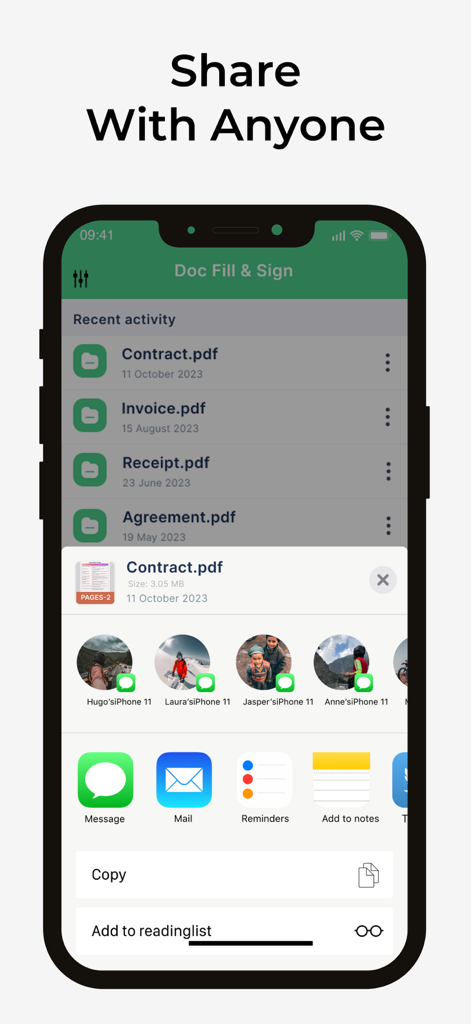
Signature Maker - SignHub - 署名済み契約書やPDFの書類共有オプションを表示するSignHubアプリのインターフェイス。
署名済み契約書やPDFの書類共有オプションを表示するSignHubアプリのインターフェイス。

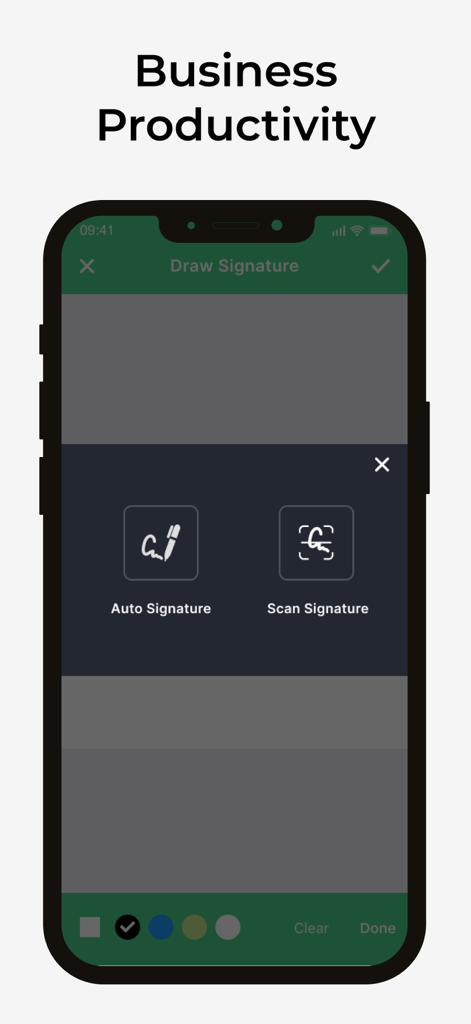
Signature Maker - SignHub - 自動署名とスキャン署名のオプションを表示するSignHubモバイルアプリの画面。

自動署名とスキャン署名のオプションを表示するSignHubモバイルアプリの画面。

説明

SignHub: The Smarter Signature Maker SignHub is your all-in-one Signature Maker app that turns your iPhone into a powerful tool for signing, managing, and sharing documents. Whether you’re a business professional, freelancer, or student, SignHub simplifies the way you handle paperwork—no printing, scanning, or faxing required. Key Features: Fast & Easy Signing: Sign documents, agreements, and contracts in just a few taps. Custom Signature Maker: Create, draw, or import your signature with different styles, colors, and sizes. Smart Document Scanner: Scan documents instantly and sign them directly within the app. Efficient File Management: Organize, store, and access all your files securely in one place. Seamless Sharing Options: Share your signed documents via email, messaging apps, or cloud storage. Perfect for Work & Life: Stay productive by signing on the go—ideal for business, school, or remote work. Say goodbye to the hassle of paperwork. With SignHub, you get a clean interface, reliable tools, and the convenience of a true mobile Signature Maker. Download SignHub today and experience the easiest way to sign and manage your documents on iOS. You can get unlimited access to all the advanced functionality by subscribing to a monthly or a yearly plan inside the app. There's also a free 3 day trial period to get a taste of what SignHub Premium has to offer. Once expired, the trial period automatically changes to a paid monthly subscription. Payment will be charged to iTunes Account at confirmation of purchase. Subscription automatically renews unless auto-renew is turned off at least 24-hours before the end of the current period. Account will be charged for renewal within 24-hours prior to the end of the current period, and identify the cost of the renewal. Subscriptions may be managed by the user and auto-renewal may be turned off by going to the user's Account Settings after purchase. Any unused portion of a free trial period, if offered, will be forfeited when the user purchases a subscription to that publication, where applicable. Privacy Policy : https://sites.google.com/view/signhub-privacy Terms of Use : https://sites.google.com/view/signhub-terms Website: https://signhub-c8642.web.app

Download

ダウンロード: App Store

このページはアプリまたはその開発者の公式ページではなく、情報提供および論評を目的として作成された独立した編集出版物です。明示的に別段の記載がない限り、アプリおよびその開発者は、MWM、Apple、Google Play、アプリのパブリッシャー、またはアプリの開発者と提携、承認、後援、認可、またはその他の公式的な関係はなく、このページのいかなる内容も、アプリがMWMのサービスを使用して開発されたことを意味するものではありません。すべての商標、ロゴ、スクリーンショット、その他のコンテンツはそれぞれの所有者の財産です。








