Simple Sketch
Simple Sketch
ダウンロード: App Store

このページはアプリまたはその開発者の公式ページではなく、情報提供および論評を目的として作成された独立した編集出版物です。明示的に別段の記載がない限り、アプリおよびその開発者は、MWM、Apple、Google Play、アプリのパブリッシャー、またはアプリの開発者と提携、承認、後援、認可、またはその他の公式的な関係はなく、このページのいかなる内容も、アプリがMWMのサービスを使用して開発されたことを意味するものではありません。すべての商標、ロゴ、スクリーンショット、その他のコンテンツはそれぞれの所有者の財産です。

ロゴ: Simple Sketch
ダウンロード: App Store

Simple Sketch

iPhone、iPad、Macで、精密ガイドとプロフェッショナルツールを使ってアイデアを瞬時にキャプチャ。広告やサブスクリプションなしで、描画の楽しさを体験してください。

主要数値

ダウンロード

700

ユーザー評価

1.0/5

評価数

0

開発元

Manicgrin Media Ltd

カテゴリ

Graphics & Design

対応言語

1

最新バージョン

1.1

サイズ

5.3 MB

リリース日

2025年6月17日
機能

集中力のためにデザインされ、精度のために構築

デザイナー、学生、思考家のための究極のデジタルスケッチブック。複雑なツールや隠れたコストの摩擦なしに、あなたのアイデアが中心となる合理化されたワークスペース。

テクニカル精度ガイド

STEMとデザインの精度に合わせて設計された、プロレベルのアイソメトリック、方眼、グリッドガイドで3Dモックアップとテクニカルスケッチをマスターしましょう。

描画に集中できるキャンバス

ミニマルなインターフェースと、高級紙に描いているような感覚の専用Apple Pencilモードで、クリエイティブな流れを維持しましょう。

以下のスクリーンショットと説明は、アプリの公式ストアリスティングから直接取得されたものであり、アプリ開発者の所有物です。

アプリストア

スクリーンショット
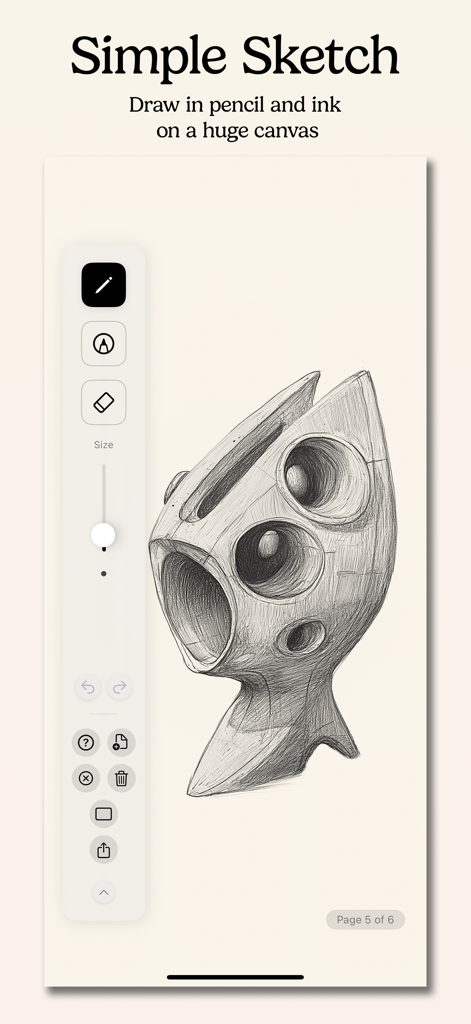
Simple Sketch - Simple Sketchアプリのインターフェース内で、描画ツールを示すデジタルキャンバス上に描かれた3D幾何学スケッチ。
Simple Sketchアプリのインターフェース内で、描画ツールを示すデジタルキャンバス上に描かれた3D幾何学スケッチ。

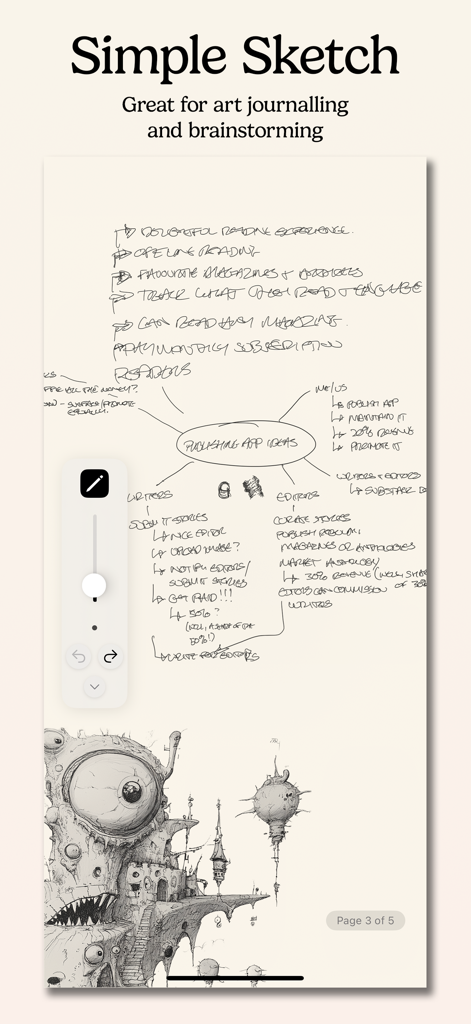
Simple Sketch - Simple Sketchアプリのインターフェースに、ブレインストーミングのマップと詳細なクリエイティブイラストが表示されている。
Simple Sketchアプリのインターフェースに、ブレインストーミングのマップと詳細なクリエイティブイラストが表示されている。

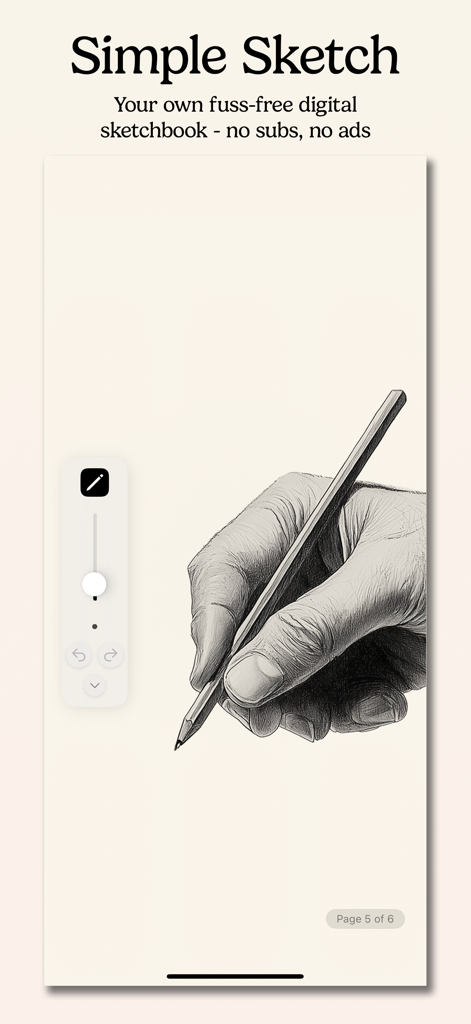
Simple Sketch - iPhone上のSimple Sketchアプリのインターフェース内で、ペンを持つ手の詳細な鉛筆スケッチ。

iPhone上のSimple Sketchアプリのインターフェース内で、ペンを持つ手の詳細な鉛筆スケッチ。

説明

Transform your iPad, iPhone, or Mac into a powerful digital sketchbook with Simple Sketch, the intuitive drawing app designed for artists, designers, students, and anyone who loves to create. Pure Drawing Experience Simple Sketch offers a distraction-free drawing environment with a large canvas that lets your creativity flow without boundaries. Whether you're sketching quick ideas, creating detailed illustrations, brainstorming new ideas, or taking visual notes, our clean interface keeps you focused on what matters most - your art. Professional Drawing Tools - Pencil Tool: Perfect HB pencil feel for sketching and shading - Pen Tool: Precise fine-liner for clean lines and detailed work - Smart Eraser: Vector-based erasing for smooth corrections - Adjustable Tool Sizes: From fine details to bold strokes Precision Drawing Guides Take your sketches to the next level with built-in drawing guides: - Grid Guide: Perfect dots for proportional drawing - Graph Paper: Major and minor grid lines for technical sketches - Line Guide: Horizontal guides for writing and sketching - Isometric Guide: 3D perspective drawing made simple Multi-Page Sketchbook Organize your ideas across unlimited pages with intuitive navigation. Add new pages instantly, jump between sketches with the table of contents, and never lose track of your creative process. Intelligent Input Modes - Apple Pencil Mode: Dedicated pencil-only input for iPad artists - Universal Mode: Works with any input method on all devices - Auto-detection: Optimizes for your device automatically Effortless Organization - Auto-save: Never lose your work again - Unlimited Undo/Redo: Experiment fearlessly - Page Management: Add, delete, and rearrange pages with ease - Zoom & Pan: Infinite canvas with smooth navigation Cross-Platform Creativity Whether you're using an iPad with Apple Pencil for detailed artwork, an iPhone for quick sketches on the go, or a Mac for precise digital illustration, Simple Sketch adapts to your workflow seamlessly. Perfect For: - Artists & Illustrators: Professional-grade tools in a simple package - Students: Note-taking with visual elements and diagrams - Designers: Quick mockups and wireframes - Engineers: Technical drawings with precision guides - Anyone: Who loves to draw, doodle, or visualize ideas Get Simple Sketch today and rediscover the joy of drawing digitally. Your next masterpiece is just a tap away. Simple Sketch - Where simplicity meets creativity. No ads, no subscription!

Download

ダウンロード: App Store

このページはアプリまたはその開発者の公式ページではなく、情報提供および論評を目的として作成された独立した編集出版物です。明示的に別段の記載がない限り、アプリおよびその開発者は、MWM、Apple、Google Play、アプリのパブリッシャー、またはアプリの開発者と提携、承認、後援、認可、またはその他の公式的な関係はなく、このページのいかなる内容も、アプリがMWMのサービスを使用して開発されたことを意味するものではありません。すべての商標、ロゴ、スクリーンショット、その他のコンテンツはそれぞれの所有者の財産です。







