SketchifyTracer
SketchifyTracer
ダウンロード: App Store

このページはアプリまたはその開発者の公式ページではなく、情報提供および論評を目的として作成された独立した編集出版物です。明示的に別段の記載がない限り、アプリおよびその開発者は、MWM、Apple、Google Play、アプリのパブリッシャー、またはアプリの開発者と提携、承認、後援、認可、またはその他の公式的な関係はなく、このページのいかなる内容も、アプリがMWMのサービスを使用して開発されたことを意味するものではありません。すべての商標、ロゴ、スクリーンショット、その他のコンテンツはそれぞれの所有者の財産です。

ロゴ: SketchifyTracer
ダウンロード: App Store

SketchifyTracer

どんな写真でも、数秒でトレース可能なアウトラインに変換します。iPhoneをデジタルプロジェクターとして使用し、比率をマスターし、ディテールをシャープにし、TikTokやInstagram向けの素晴らしいアートを作成します。

主要数値

ダウンロード

200

ユーザー評価

1.0/5

評価数

0

開発元

Dharmesh Hirpara

カテゴリ

Utilities

対応言語

1

最新バージョン

2.0

サイズ

56.0 MB

リリース日

2024年1月2日
機能

あなたの芸術ゲームをレベルアップ

比率で苦労するのをやめて、作成を始めましょう。AR搭載ツールは、スマートフォンをプロのトレーシングステーションに変え、いつでも完璧なスケッチを作成します。

精密ARトレーシング

カメラを通して、お気に入りの写真を紙に直接表示します。電話をセットして線に従うだけで、完璧な精度とスケールが得られます。

カスタムラインフィルター

どんな画像でも、シャープでトレース可能なステンシルに変換します。Pro-EdgeおよびContrastツールを使用して、ペンに触れる前にすべてのディテールを際立たせます。

以下のスクリーンショットと説明は、アプリの公式ストアリスティングから直接取得されたものであり、アプリ開発者の所有物です。

アプリストア

スクリーンショット
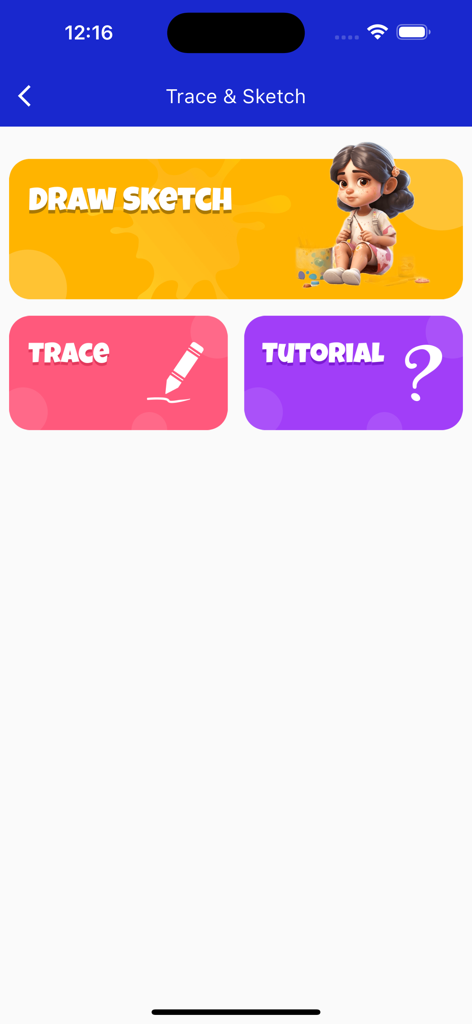
SketchifyTracer - SketchifyTracerのユーザーインターフェース、Draw Sketch TraceおよびTutorialメニューボタンが表示されています
SketchifyTracerのユーザーインターフェース、Draw Sketch TraceおよびTutorialメニューボタンが表示されています

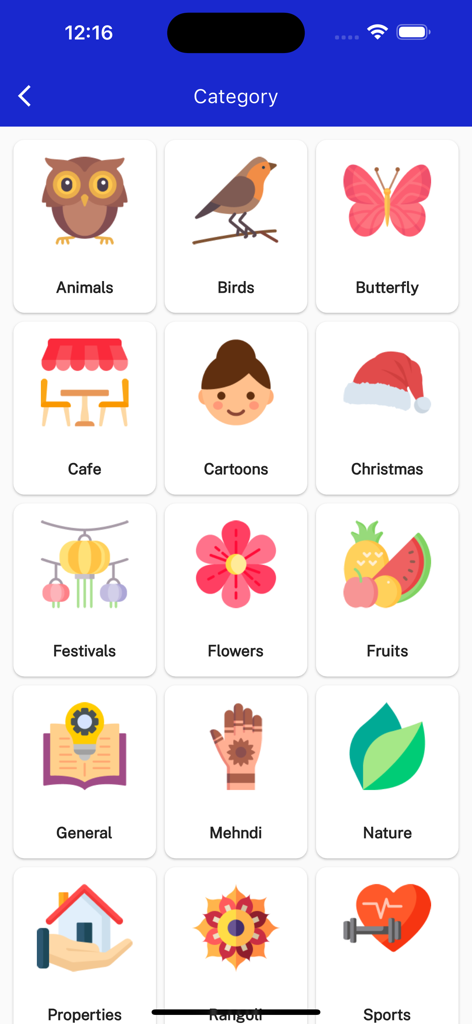
SketchifyTracer - 動物、漫画、花などのトレース用の描画カテゴリのグリッドを示すモバイルアプリ画面。
動物、漫画、花などのトレース用の描画カテゴリのグリッドを示すモバイルアプリ画面。

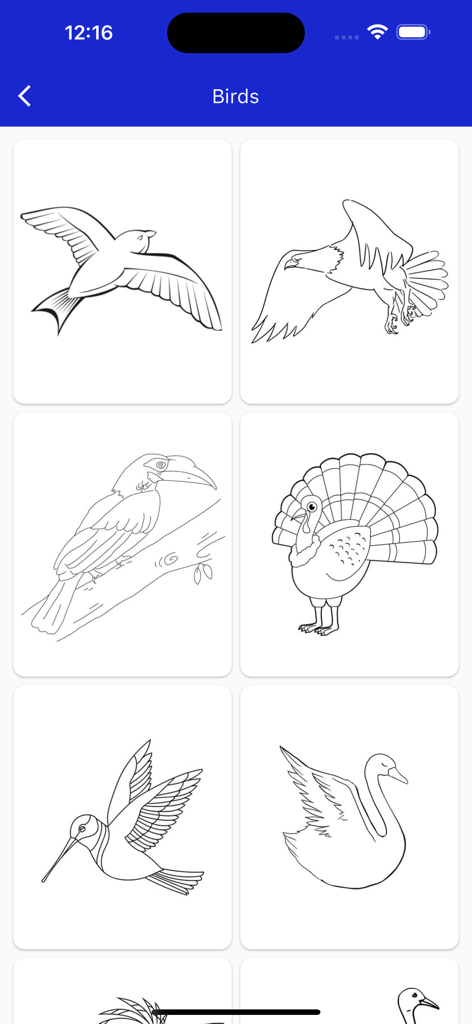
SketchifyTracer - SketchifyTracerアプリの鳥の線画のギャラリー、カモメ、ワシ、オオハシ、七面鳥、ハチドリ、白鳥のトレース用

SketchifyTracerアプリの鳥の線画のギャラリー、カモメ、ワシ、オオハシ、七面鳥、ハチドリ、白鳥のトレース用

説明

Tracing is used to transfer an image into line work from a photo or artwork. You place your tracing paper over it and draw the lines that you see. So, Trace it & Sketch it. Using this app you can learn drawing or tracing. Select an image from the gallery or capture an image with a camera then just apply the filter. After that, you will see that image on the camera screen with transparency & you have to put drawing paper or book anything on which you want to trace and draw. Your image will not appear on paper but a transparent image with camera so that you can trace it on paper. Key Feature: Edge level: Edge Level filter, you can control the sharpness and definition of edges in your drawings, giving them a different and professional look. Adjusting the Edge Level can help you achieve different artistic styles and emphasise specific details. Noise: To tackle any unwanted noise in your drawings or images, we have included a Noise filter. This feature helps reduce graininess or pixelation, resulting in cleaner and smoother lines and surfaces. Contrast: The Contrast filter lets you enhance the tonal range in your drawings, making the colors appear more vibrant and the shadows and highlights more pronounced. It adds depth and richness to your artwork. Sharpness: The Sharpness filter enables you to enhance the overall clarity and crispness of your drawings. By adjusting the sharpness level, you can achieve a more defined and polished look, making your artwork stand out. Using this you may learn and practice drawing. Also make tracing an image easy. Just select an image from the app or gallery apply filter to create image traceable. The image will appear on screen with camera open. Place phone about 1feet above and look into the phone and draw on paper.

Download

ダウンロード: App Store

このページはアプリまたはその開発者の公式ページではなく、情報提供および論評を目的として作成された独立した編集出版物です。明示的に別段の記載がない限り、アプリおよびその開発者は、MWM、Apple、Google Play、アプリのパブリッシャー、またはアプリの開発者と提携、承認、後援、認可、またはその他の公式的な関係はなく、このページのいかなる内容も、アプリがMWMのサービスを使用して開発されたことを意味するものではありません。すべての商標、ロゴ、スクリーンショット、その他のコンテンツはそれぞれの所有者の財産です。








