SlideScan - Slide Scanner App
ダウンロード: App Store

このページはアプリまたはその開発者の公式ページではなく、情報提供および論評を目的として作成された独立した編集出版物です。明示的に別段の記載がない限り、アプリおよびその開発者は、MWM、Apple、Google Play、アプリのパブリッシャー、またはアプリの開発者と提携、承認、後援、認可、またはその他の公式的な関係はなく、このページのいかなる内容も、アプリがMWMのサービスを使用して開発されたことを意味するものではありません。すべての商標、ロゴ、スクリーンショット、その他のコンテンツはそれぞれの所有者の財産です。


ロゴ: SlideScan - Slide Scanner App
ダウンロード: App Store

SlideScan - Slide Scanner App

家族の歴史家が自宅で古いスライドをデジタル化するための最もスマートな方法。AI搭載テクノロジーが、貴重な瞬間を瞬時にスキャン、強化、保存し、次世代と共有できるようにします。

主要数値

ダウンロード

1M+

ユーザー評価

4.6/5

評価数

12K+

開発元

Photomyne LTD

カテゴリ

Photo & Video

対応言語

16

最新バージョン

3.17

サイズ

116.5 MB

リリース日

2019年11月21日
機能

家族の歴史をデジタル時代へ

古い箱を整理し、その中に隠された思い出を再発見しましょう。SlideScanを使えば、高価な機器や大切なオリジナルを郵送するリスクなしに、あなたの遺産を簡単に保存できます。

AI搭載インスタントスキャン

古いスライドが瞬時に蘇るのをご覧ください。スマートアルゴリズムが、すべての画像を自動でトリミング、回転、強化し、プロ品質のデジタル仕上げを実現します。

思い出を自宅で安全に保管

貴重な一枚のスライドをラボに郵送するストレスを避けましょう。iPhoneを使って、リビングルームの快適さと安全な場所から、コレクション全体をスキャンできます。

以下のスクリーンショットと説明は、アプリの公式ストアリスティングから直接取得されたものであり、アプリ開発者の所有物です。

アプリストア

スクリーンショット
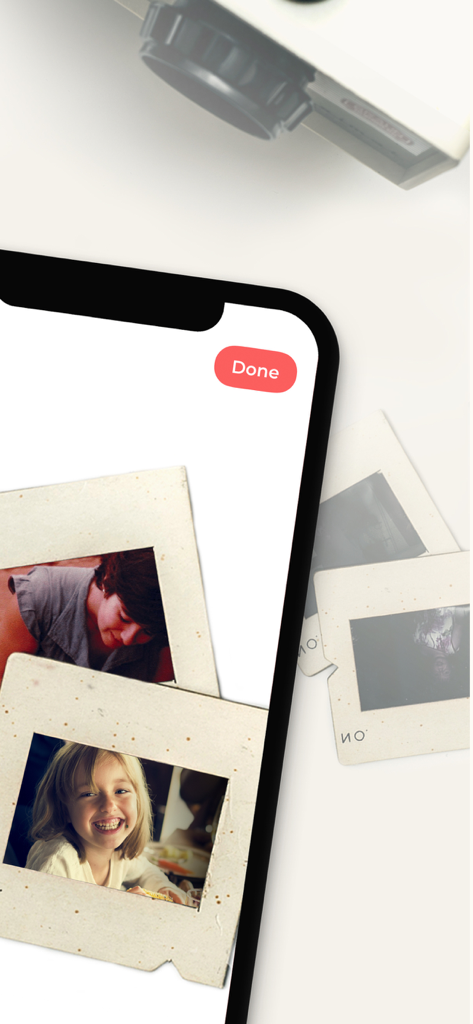
SlideScan - Slide Scanner App - PhotomyneのSlideScanアプリによる高品質スライドスキャン

PhotomyneのSlideScanアプリによる高品質スライドスキャン

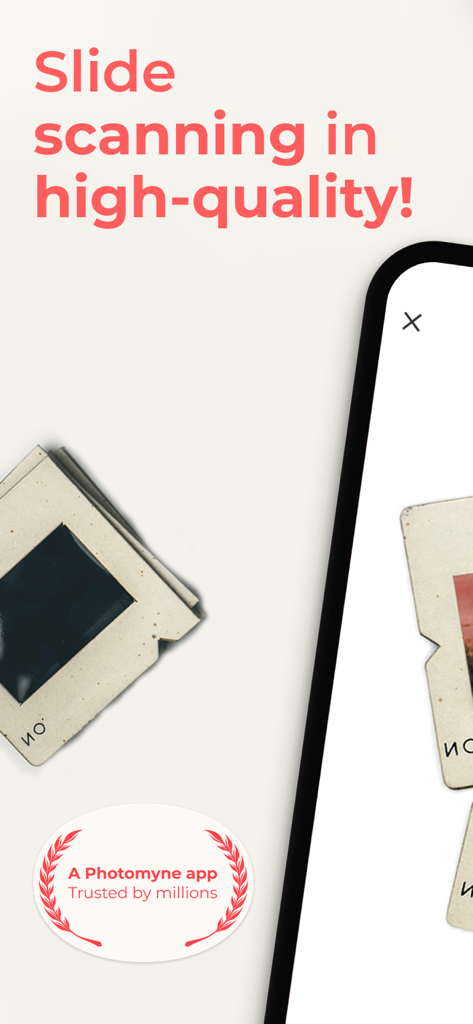
SlideScan - Slide Scanner App - SlideScanアプリを使用して、ビンテージ家族スライドのデジタルバージョンを表示するiPhone画面。
SlideScanアプリを使用して、ビンテージ家族スライドのデジタルバージョンを表示するiPhone画面。

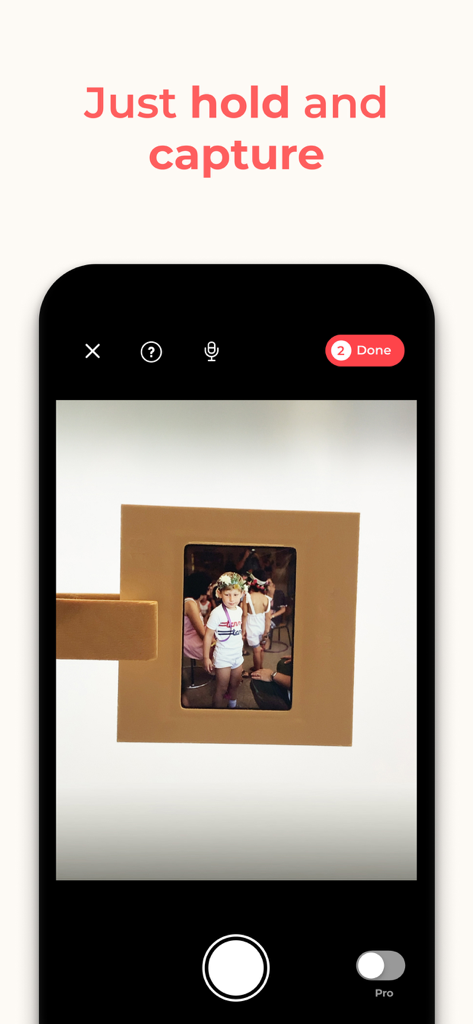
SlideScan - Slide Scanner App - デジタル化のために物理的な写真スライドをキャプチャしているSlideScanアプリを表示するスマートフォンの画面。
デジタル化のために物理的な写真スライドをキャプチャしているSlideScanアプリを表示するスマートフォンの画面。

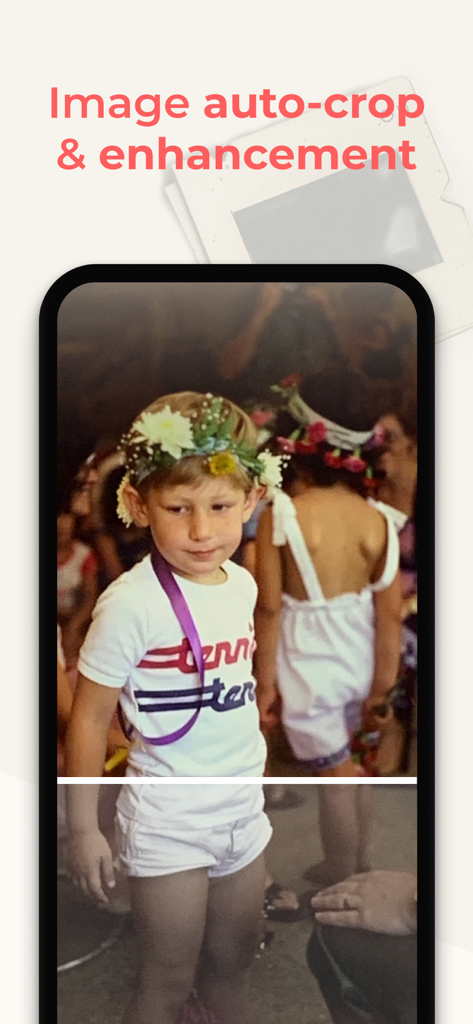
SlideScan - Slide Scanner App - SlideScanアプリで自動的にトリミングおよび強化されている、花輪をかぶった少年のビンテージ写真。
SlideScanアプリで自動的にトリミングおよび強化されている、花輪をかぶった少年のビンテージ写真。

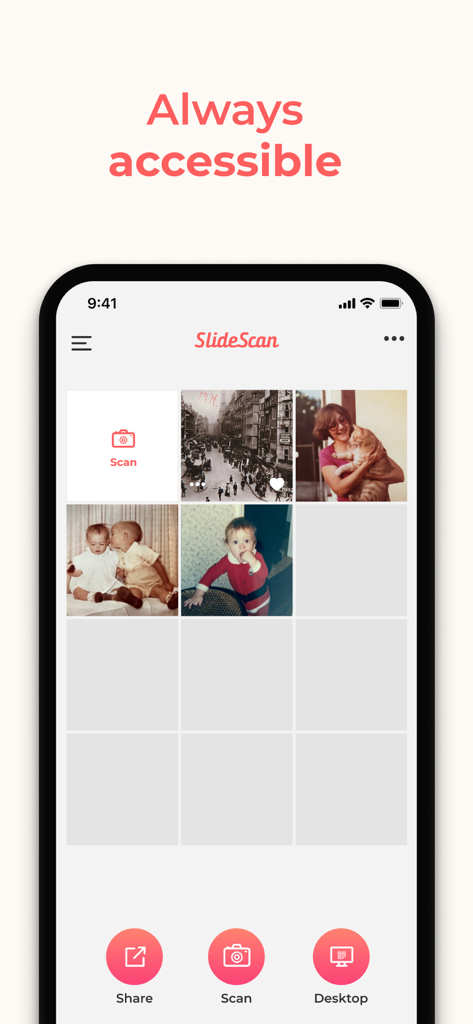
SlideScan - Slide Scanner App - デジタル化されたビンテージ家族写真のギャラリーを表示するSlideScanアプリのインターフェイス。

デジタル化されたビンテージ家族写真のギャラリーを表示するSlideScanアプリのインターフェイス。

説明

Brought to you by the developer who built the smartest photo scanner app, Photomyne is proud to now also offer an AI-powered photo slide scanning app that will blow you away. See how those hidden memories in slides are instantly revealed and scanned. IT’S AUTOMATIC - JUST ADD SLIDES: 1. Open a backlight source on your computer (or use the link provided in the app) 2. Hold the slide in front of the light 3. Long-press the capture button or simply say “Go” (if voice control is enabled) 4. See slides magically scanned and images revealed The app’s smart algorithm will automatically crop, rotate, enhance, and save the slide as a digital photo in the app. OPTIONAL IN-APP UPGRADE: The first few photos are free. For unlimited use, consider purchasing an optional paid plan (in-app purchase). Here are the premium features you get with a paid plan: * Unlimited scanning * Unlimited photo saving and sharing * Photo backup and access on other devices and online. The app offers an optional paid plan via monthly/yearly auto-renewing subscriptions**, as well as a One-Time plan which is paid for by a single upfront payment (valid for 2 years). These offer unlimited access to the premium mentioned above. **Payment will be charged to your App Store account at confirmation of purchase. Your subscription will automatically renew itself unless auto-renewal is turned off at least 24 hours before the end of the current period. Your account will be charged for renewal within 24 hours prior to the end of the current period. You can manage your subscriptions and turn off auto-renewal by going to your Account Settings in the App Store. If offered, if you choose to use our free trial, any unused portion of the free trial period will be forfeited when you purchase a subscription to that publication, where applicable. Got any questions? We’d love to connect: support@photomyne.com Privacy Policy: https://photomyne.com/privacy-policy Terms of Use: https://photomyne.com/terms-of-use

Download

ダウンロード: App Store

このページはアプリまたはその開発者の公式ページではなく、情報提供および論評を目的として作成された独立した編集出版物です。明示的に別段の記載がない限り、アプリおよびその開発者は、MWM、Apple、Google Play、アプリのパブリッシャー、またはアプリの開発者と提携、承認、後援、認可、またはその他の公式的な関係はなく、このページのいかなる内容も、アプリがMWMのサービスを使用して開発されたことを意味するものではありません。すべての商標、ロゴ、スクリーンショット、その他のコンテンツはそれぞれの所有者の財産です。