
このページはアプリまたはその開発者の公式ページではなく、情報提供および論評を目的として作成された独立した編集出版物です。明示的に別段の記載がない限り、アプリおよびその開発者は、MWM、Apple、Google Play、アプリのパブリッシャー、またはアプリの開発者と提携、承認、後援、認可、またはその他の公式的な関係はなく、このページのいかなる内容も、アプリがMWMのサービスを使用して開発されたことを意味するものではありません。すべての商標、ロゴ、スクリーンショット、その他のコンテンツはそれぞれの所有者の財産です。


Slideshow Creator
写真やビデオクリップを数分でプロ仕様の音楽入りムービーに変換しましょう。赤ちゃんの最初の1年から夢の休暇まで、友人や家族が永遠に大切にする映画のような物語を作成しましょう。
ダウンロード
1M+ユーザー評価
評価数
63K+開発元
カテゴリ
Photo & Video対応言語
19最新バージョン
9.15.4サイズ
75.9 MBリリース日
2011年12月19日あらゆる節目を映画のような傑作に変える
赤ちゃんの最初の一歩から夢の休暇まで、家族の最大の瞬間に合わせたライセンス音楽とデザイナー スタイルでプロ品質のビデオを作成しましょう。
100以上のデザイナー スタイル
誕生日、結婚式、休日に合わせた厳選されたスタイルコレクションから選びましょう。洗練されたプロフェッショナルな外観を得るために編集スキルは不要です。
ライセンス音楽ライブラリ
ライセンス曲のライブラリから完璧なサウンドトラックを追加しましょう。著作権によるミュートを心配することなく、ソーシャルメディアでビデオを共有しましょう。
よくある質問
について知っておくべきこと Slideshow Creator
Slideshow Creator アプリとは何ですか?
Slideshow Creator アプリは、写真やビデオクリップから、音楽と同期したスライドショーを作成するためのツールです。ユーザーはこれにより、思い出に命を吹き込むことができます。
Slideshow Creator アプリは無料で使用できますか?
はい、Slideshow Creator アプリは無料で使用できます。無料バージョンでは、スライドショーごとに最大20個のメディアファイルを 1 つ追加できます。サブスクリプションでは、拡張機能とメディア制限が提供されます。
Slideshow Creator アプリでスライドショーを作成するにはどうすればよいですか?
ユーザーは5つのステップでスライドショーを作成します。スタイルを選択し、メディアをアップロードし、音楽を選択し、テキスト/キャプションを追加し、最終化して共有します。このプロセスにより、思い出に命が吹き込まれます。
Slideshow Creator でどのようなイベントのスライドショーを作成できますか?
Slideshow Creator は、誕生日、結婚式、休日、卒業式、スポーツイベントなど、さまざまな機会に対応しています。パーティーの招待状、ベビーアナウンス、学校の行事など、さまざまなスタイルを提供しています。
Slideshow Creator のスライドショーに音楽を追加できますか?
はい、Slideshow Creator にはライセンスされた音楽ライブラリが含まれており、ユーザーはスライドショーの曲を選択できます。この機能は、思い出の感情的なインパクトを高めます。
Slideshow Creator はテキストやキャプションの追加をサポートしていますか?
はい、Slideshow Creator では、ユーザーはスライドショーにテキストやキャプションを追加できます。この機能は、ストーリーテリングと各思い出のシーケンスのパーソナライズに役立ちます。
Slideshow Creator のサブスクリプションオプションは何ですか?
Slideshow Creator は、より長いスライドショーとビデオクリップに対応するベーシック(月額$4.99/$年額$29.99)を提供しています。パーソナル(月額$9.99/$年額$59.99)には、ベーシックの特典に加えてHDムービーと高度なデスクトップ機能が含まれます。
Slideshow Creator アプリで作成したスライドショーを共有するにはどうすればよいですか?
Slideshow Creator では、ワンタップでソーシャルメディアや直接の連絡先に共有できます。ユーザーは、アプリから直接 Instagram、Facebook、Vimeo、Twitter、YouTube、メッセージ、メール経由でビデオを共有できます。
Facebook から Slideshow Creator にメディアをアップロードできますか?
はい、Slideshow Creator は、ユーザーの Facebook アカウントから写真やビデオクリップのアップロードをサポートしています。ユーザーは、デバイスのカメラロールから直接メディアをアップロードすることもできます。
Slideshow Creator は HD ダウンロードをサポートしていますか?
はい、Slideshow Creator は HD ダウンロードを提供しています。SLIDESHOW CREATOR PERSONAL サブスクリプションプランには、HD ムービーと高度なデスクトップ機能へのアクセスが含まれています。
Slideshow Creator の無料バージョンでは、いくつのメディアファイルを使用できますか?
Slideshow Creator の無料バージョンでは、スライドショーごとに最大20個のメディアファイルを追加できます。ベーシックやパーソナルなどのサブスクリプションでは、メディアファイルの上限が拡張され、追加機能が提供されます。
Slideshow Creator アプリ内で画像を編集またはトリミングできますか?
はい、Slideshow Creator には画像の「スケールとトリミング」機能が含まれています。ユーザーは、ポートレート、ランドスケープ、スクエア形式に写真を直接アプリ内で調整できます。
Slideshow Creator ベーシック サブスクリプションでの最大スライドショーの長さはどれくらいですか?
Slideshow Creator ベーシック サブスクリプションでは、最大10分間のスライドショーを作成できます。最終的な長さは、ユーザーの曲の選択によって異なります。
以下のスクリーンショットと説明は、アプリの公式ストアリスティングから直接取得されたものであり、アプリ開発者の所有物です。
アプリストア
スクリーンショット
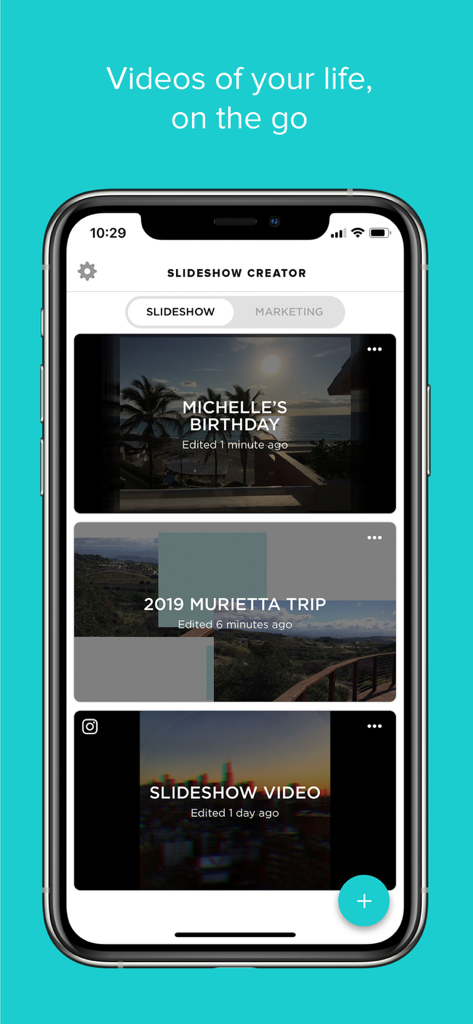
スライドショークリエイターアプリのホーム画面。誕生日や休暇などのさまざまなビデオプロジェクトが表示されています。
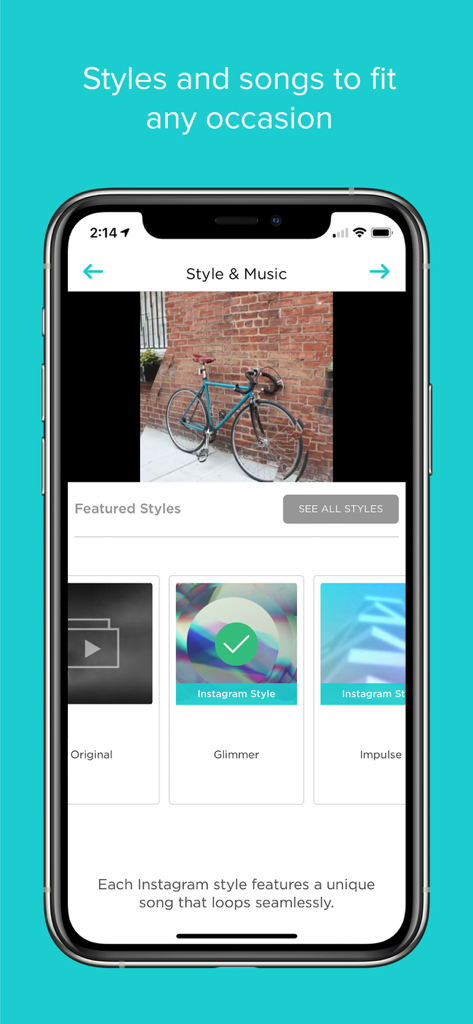
スライドショークリエイターアプリのインターフェイス。ビデオ作成のための注目のスタイルと音楽オプションが表示されています。
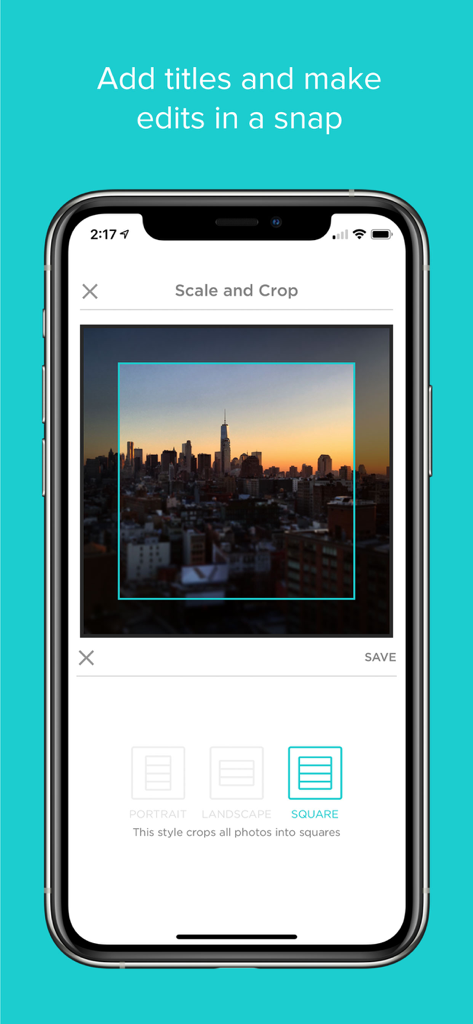
スライドショークリエイターアプリのインターフェイス。都市のスカイラインの写真の正方形の切り抜きとスケールツールが表示されています。
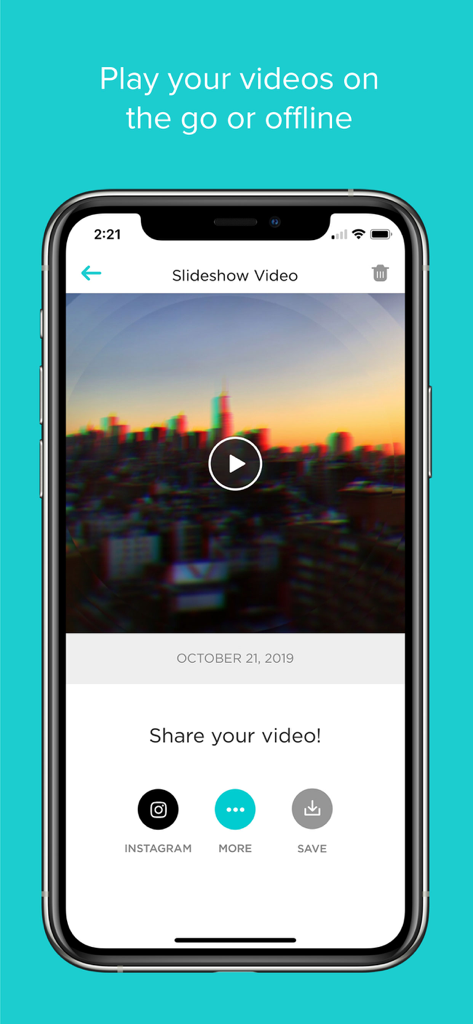
都市のスカイラインの完成したスライドショービデオが表示されているiPhone画面。Instagramに共有するか、保存するオプションがあります。
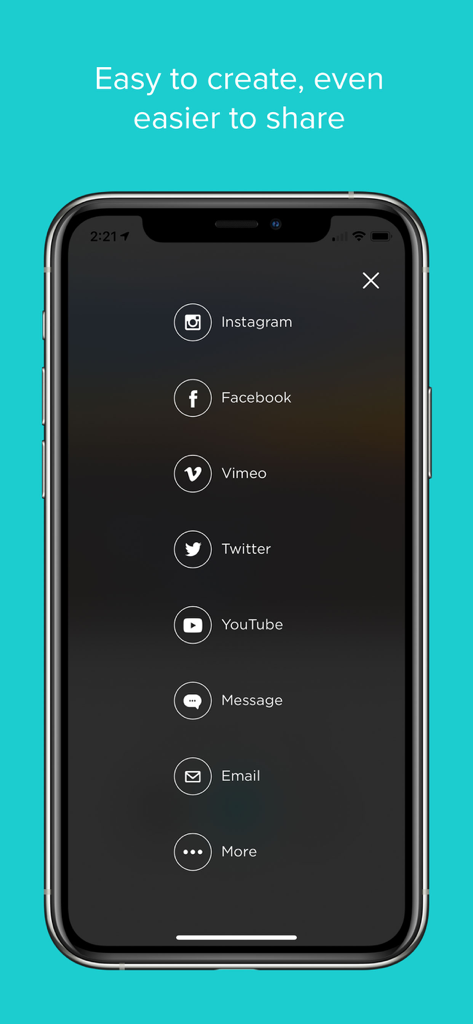
スライドショークリエイターアプリの共有メニュー。Instagram、Facebook、YouTubeのオプションがあります。
説明
Download
類似アプリ
似た機能とユーザー体験を持つアプリ

VEED Shorts: AI videos
VEED Ltd

AI Video Maker - Renderforest
Renderforest LLC

Slideshow Creator -MovieStudio
立瑗 胡

Filmigo Video Maker & Editor
VIDEOSHOW PTE. LTD.

Slideshow Maker Video & Photo
Honk Honk Punch Pty Ltd

Quick Slideshow Maker + Music
Zipo Apps Ltd.

Salad Video -Video Editor
ChengDu PinGuo Technology Co., Ltd.

Story Swag - Quick Reels
Slider LLC

StoryWave - Video Maker
UNSTATIC LTD
このページはアプリまたはその開発者の公式ページではなく、情報提供および論評を目的として作成された独立した編集出版物です。明示的に別段の記載がない限り、アプリおよびその開発者は、MWM、Apple、Google Play、アプリのパブリッシャー、またはアプリの開発者と提携、承認、後援、認可、またはその他の公式的な関係はなく、このページのいかなる内容も、アプリがMWMのサービスを使用して開発されたことを意味するものではありません。すべての商標、ロゴ、スクリーンショット、その他のコンテンツはそれぞれの所有者の財産です。