Slideshow Photos - PixFolio

Slideshow Photos - PixFolio

ダウンロード: App Storeダウンロード: Google Play
ロゴ: Slideshow Photos - PixFolio

PixFolio: あらゆる画面で思い出を飾る

iPadまたはApple TVを、見事なデジタルフレームに変えましょう。iCloud、Googleフォトなどと接続し、大切な瞬間を生き生きと蘇らせる自動更新スライドショーをお楽しみください。

開発元

Brian Wood

カテゴリ

Photo & Video

ダウンロード

13K+

ユーザー評価

4.4/5

評価数

900

対応言語

20

あなたの思い出を、さらに美しく

このインターフェースを利用する 13K+ 人のユーザー.

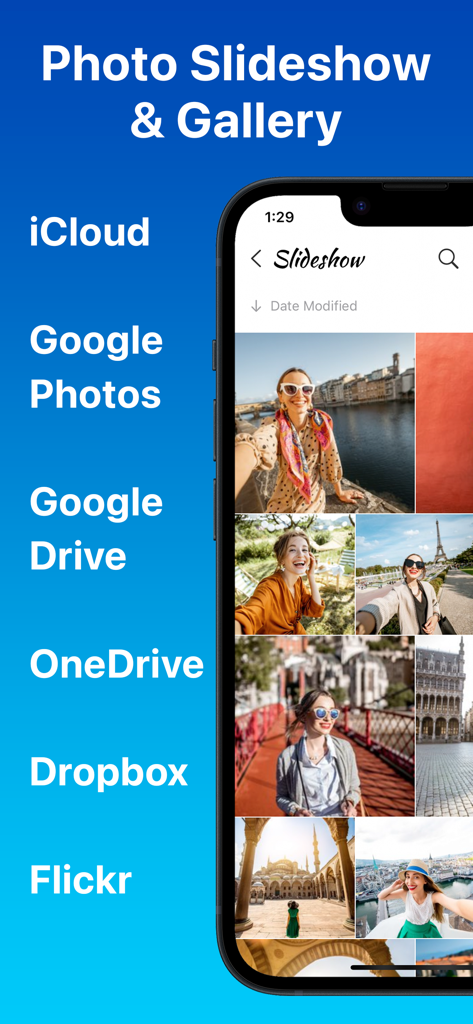
PixFolioアプリのインターフェース。写真ギャラリーと、iCloud、Googleフォト、OneDriveなどの互換性のあるクラウドサービスリストが表示されています。

PixFolioアプリのインターフェース。写真ギャラリーと、iCloud、Googleフォト、OneDriveなどの互換性のあるクラウドサービスリストが表示されています。

緑のドレスを着た女性がモスクにいる写真がPixFolioの写真スライドショーの一部として表示されているiPhone画面。

緑のドレスを着た女性がモスクにいる写真がPixFolioの写真スライドショーの一部として表示されているiPhone画面。

笑顔の女性の写真と「Chromecastにキャスト」というテキストが表示されているPixFolioアプリのスマートフォン画面。

笑顔の女性の写真と「Chromecastにキャスト」というテキストが表示されているPixFolioアプリのスマートフォン画面。

ポートレート写真が表示され、PixFolioの自動スライドショー更新機能を示すiPhone画面。
ポートレート写真が表示され、PixFolioの自動スライドショー更新機能を示すiPhone画面。

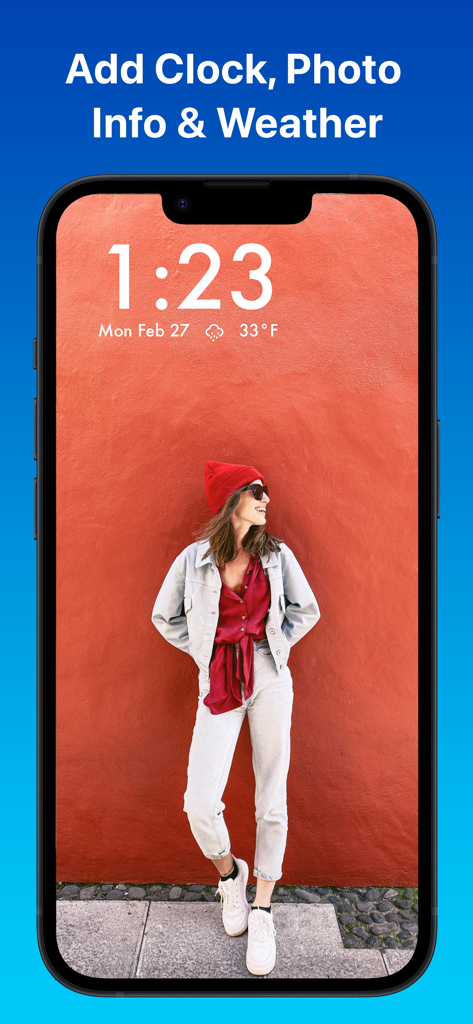
写真の背景と、時刻、日付、現在の天候が表示されるオーバーレイが表示されているPixFolioアプリを示すiPhone画面。

写真の背景と、時刻、日付、現在の天候が表示されるオーバーレイが表示されているPixFolioアプリを示すiPhone画面。

女性の写真が表示されているデジタルフォトフレームスライドショーを示すiPhone上のPixFolioアプリ。
女性の写真が表示されているデジタルフォトフレームスライドショーを示すiPhone上のPixFolioアプリ。

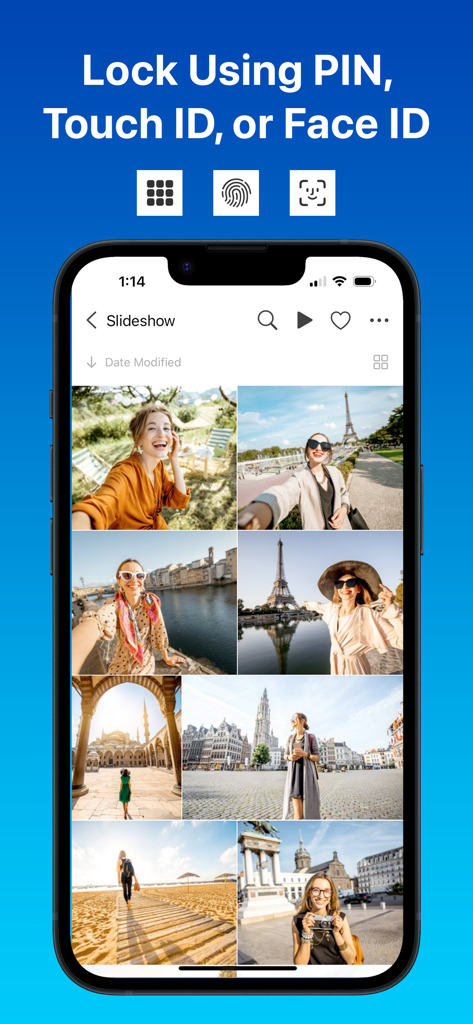
PixFolioアプリのインターフェース。PIN、Touch ID、Face IDを含む写真ギャラリーロックオプションが表示されています。

PixFolioアプリのインターフェース。PIN、Touch ID、Face IDを含む写真ギャラリーロックオプションが表示されています。

PixFolioアプリでデジタル時計オーバーレイが表示された、フルスクリーンの旅行写真スライドショーを示すiPhone。

PixFolioアプリでデジタル時計オーバーレイが表示された、フルスクリーンの旅行写真スライドショーを示すiPhone。

最高の瞬間を、楽に追体験

このアプリを際立たせるツール、 13K+ 人のユーザーが選択.

☁️

すべてのクラウドを一つのビューに

異なるアプリを横断して写真を探すのはもうやめましょう。iCloud、Googleフォト、OneDrive、Dropboxを、一つの統合されたエレガントなギャラリーにシームレスに同期します。

🖼️

ダイナミックなデジタルフレーム

iPadまたはApple TVをプレミアムスマートフレームに変えましょう。天気、時計、写真情報をオーバーレイした美しいトランジションをお楽しみください。

🛡️

プライベート&ハンズフリー

FaceIDとPIN保護で思い出を安全に。自動更新フォルダを一度設定すれば、新しい写真を撮るたびにスライドショーが自動更新されるのを眺めるだけです。

アプリについて

について知っておくべきこと Slideshow Photos - PixFolio.

説明

PixFolio is a photo gallery and slideshow app for iCloud, Google Photos, Google Drive, Microsoft OneDrive, Dropbox, and Flickr. Designed for iPhone, iPad, and Apple TV, PixFolio brings your cherished memories to life. DYNAMIC SLIDESHOWS Transform your device into an advanced digital picture frame. Enjoy auto-updating slideshows with custom animations, video playback, clock, weather, and photo info from your favorite cloud photo storage: · iCloud · Google Photos · Google Drive · Microsoft OneDrive · Dropbox · Flickr Refine the slideshow so it is as beautiful as your memories: · A dozen slide animations · Play videos, muted or unmuted · Auto update when new photos and videos are added · Add clock, weather, and photo info · Change font and size · Shuffle (randomize) or play using the current sort · Auto start slide show when app starts · Slideshow a folder, an account, or all accounts · Schedule times for the slideshow to sleep DISPLAY · Auto resize pictures to fill screen · Showcase your images with blurred photo backgrounds · Multiple thumbnail layouts (list, square, 4:3, collage, etc) · Sort folders by photo info LOCK PHOTOS & VIDEOS Lock access to your photos and videos. Keep your photos hidden by locking down teh app with PIN and Touch ID. Protect your privacy and secure access to your cloud photos today. CHROMECAST & APPLE TV Cast photos and videos to Chromecast enabled devices or smart TVs. Install the app to your Apple TV to show photos on your big screen. OFFLINE ACCESS Save folders for offline access to enjoy your images anytime, anywhere, without network delays. Opt for thumbnails or offline video storage to optimize space. MORE · Share photos · Set a starting folder for each account · Download folders to camera roll · Hide folders you don't want to see · Enable passworded read only mode to prevent changes · View photo and video info · Enable maximum brightness · Enable dark mode · Filter pictures by favorites, name, or caption CUSTOMER EXAMPLES · Grandparents: Keep up with grandchildren with auto-updating slideshows in read-only mode from Google Photos. · Businesses: Display marketing materials and menus, updating remotely from Microsoft OneDrive. · Schools: Convert PowerPoints to images for auto-updating digital signage on an Apple TV using Google Drive. · Memorial services: Create a moving slideshow of memories to honor a loved one. · Lock the app with PIN, Face ID, or Touch ID for added privacy PURCHASE iCloud and local photos are always free to use in PixFolio. Connection to Google Photos, Google Drive, OneDrive, Dropbox and Flickr requires a low cost purchase: · A monthly renewable subscription: Enjoy everything for 1 month with a 7 day trial. · A six month renewable subscription: Enjoy everything for 6 months with a 7 day trial. · A one time Lifetime purchase: Enjoy everything forever. · A one time Business purchase: Enjoy priority support. Yearly subscription starts with a 7-day free trial. After 7-day free trial, your Apple ID account will be charged and renew automatically unless auto-renew is turned off at least 24 hours before the end of the subscription period. You can manage or turn off auto-renew by going to your account settings on the App Store after purchase. Terms of Use: https://www.apple.com/legal/internet-services/itunes/dev/stdeula/ Download PixFolio today and showcase your cherished photos and videos.

最新バージョン

1.2.20251106

サイズ

46.4 MB

リリース日

2022年10月3日

最高の思い出をもう一度

iPadやApple TVを美しく自動更新されるデジタルフレームに変えている何千もの家族に加わりましょう。クラウドアカウントを接続して、今日からお気に入りの瞬間を追体験しましょう。

ダウンロード: App Storeダウンロード: Google Play

App information, icons, screenshots, and descriptions displayed on this page are sourced from the Apple App Store and are the property of their respective developers. Download estimates and rankings are based on MWM's proprietary models and may not reflect actual figures. This page is provided for informational and analytical purposes only.

Believe this page infringes your intellectual property? File a dispute