
このページはアプリまたはその開発者の公式ページではなく、情報提供および論評を目的として作成された独立した編集出版物です。明示的に別段の記載がない限り、アプリおよびその開発者は、MWM、Apple、Google Play、アプリのパブリッシャー、またはアプリの開発者と提携、承認、後援、認可、またはその他の公式的な関係はなく、このページのいかなる内容も、アプリがMWMのサービスを使用して開発されたことを意味するものではありません。すべての商標、ロゴ、スクリーンショット、その他のコンテンツはそれぞれの所有者の財産です。


ダウンロード
2.5M+ユーザー評価
評価数
15.0K開発元
カテゴリ
Utilities対応言語
10最新バージョン
2.0.2サイズ
202.6 MBリリース日
2022年3月22日確実な目覚めと生産性を高める主要機能の評価
スマートアラームクロック - Waking Up アプリ分析
数学問題によるアラーム解除
覚醒を促し、頭脳を活性化させ、計算力で確実な目覚めを支援します。
記憶ゲームによるアラーム解除
記憶力と集中力を刺激し、効果的な目覚めと精神的な準備を支援します。
追加のアラーム解除方法
標準的な方法では起きられないユーザーのために、多様な挑戦的な解除方法を提供し、起床を確実にします。
カスタム着信音とメロディ
お気に入りの音楽やサウンドで目覚めを快適にし、一日の始まりをより良いものにします。
スリープモード
穏やかなメロディと自動停止タイマーで快適な入眠をサポートし、質の高い睡眠を促進します。
時刻読み上げ機能
ベッドサイド時計モードで正確な時刻を音声で提供し、暗闇や視覚が制限される状況での利便性を高めます。
ダイヤルカスタマイズ
時計の表示スタイルをパーソナライズし、ユーザーの好みや気分に合わせてインターフェースをカスタマイズできます。
カウントダウンタイマー
特定のイベントや作業までの残り時間を計測し、ユーザーの計画性と時間管理を支援します。
よくある質問
について知っておくべきこと Smart Alarm Clock - Waking Up
How do I turn off alarms in Smart Alarm Clock?
Smart Alarm Clock offers various methods to turn off alarms, including a simple swipe. Premium access provides additional methods like solving math problems or shaking the device.
What are the subscription costs for Smart Alarm Clock?
The Smart Alarm Clock premium subscription costs $9.99 weekly, $19.99 monthly, or $49.99 annually. A free 3-day trial is available before the weekly paid subscription begins.
Does Smart Alarm Clock have features to help me wake up better?
Yes, Smart Alarm Clock includes features like solving math problems, training memory with patterns and colors, and using custom ringtones to make your awakening engaging and effective.
Can I customize the alarm sounds in Smart Alarm Clock?
Yes, Smart Alarm Clock allows you to use your favorite ringtones and melodies. The app also provides a selection of built-in sounds like "Morning Nature" and "Siren" to choose from.
What permissions does the Smart Alarm Clock app require?
Smart Alarm Clock requires permissions for background operation to trigger alarms, location access for weather forecasts, and notification system activation for alerts to function properly.
Does Smart Alarm Clock include a sleep timer or sleep mode?
Yes, Smart Alarm Clock features a sleep mode that plays soothing melodies. It automatically turns off the music after a set timer, facilitating comfortable immersion into sleep.
Is there a free trial for Smart Alarm Clock premium features?
Yes, Smart Alarm Clock offers a free 3-day trial period for its premium features. After this period, the trial automatically converts to a weekly paid subscription.
以下のスクリーンショットと説明は、アプリの公式ストアリスティングから直接取得されたものであり、アプリ開発者の所有物です。
アプリストア
スクリーンショット
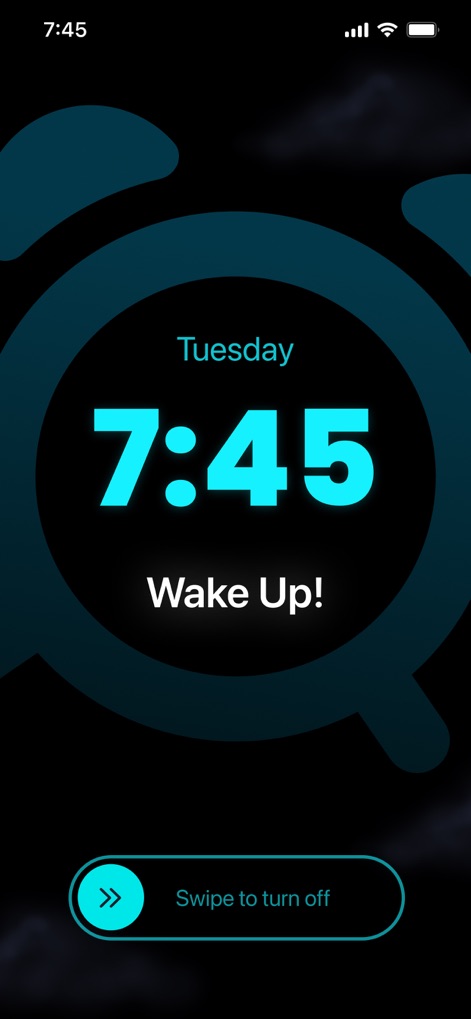
このアプリは、明瞭なデジタル表示で時刻7:45を大きく示し、アラーム解除のためのスムーズなスワイプ操作が可能です。
シンプルに起床
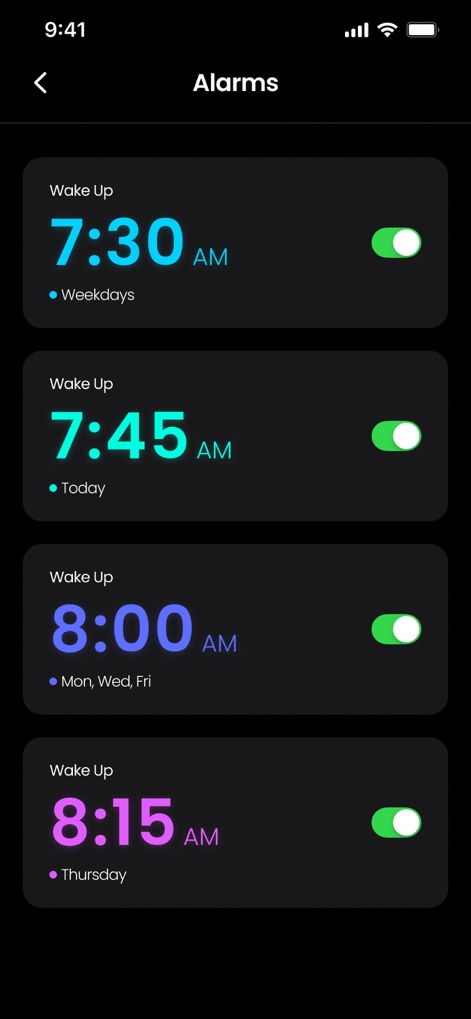
ユーザーは、曜日指定(例: 平日)や特定の日付(例: 今日)で設定された複数のアラームを一覧で確認し、各アラームのオン/オフを簡単に切り替えることができます。
アラームを管理
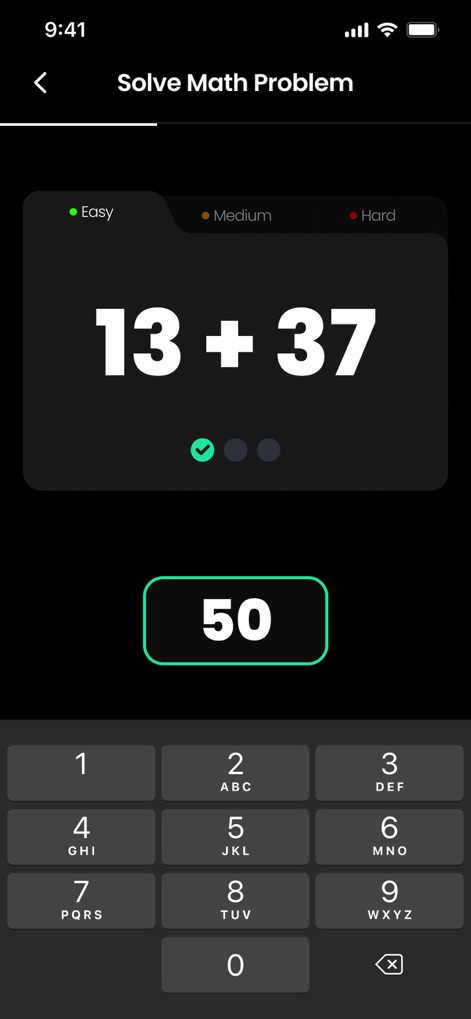
アラーム解除時に提示されるのは、思考を刺激する「13 + 37」のような計算問題と、正確な回答を入力するための直感的な数字キーパッドです。
頭を覚ます計算
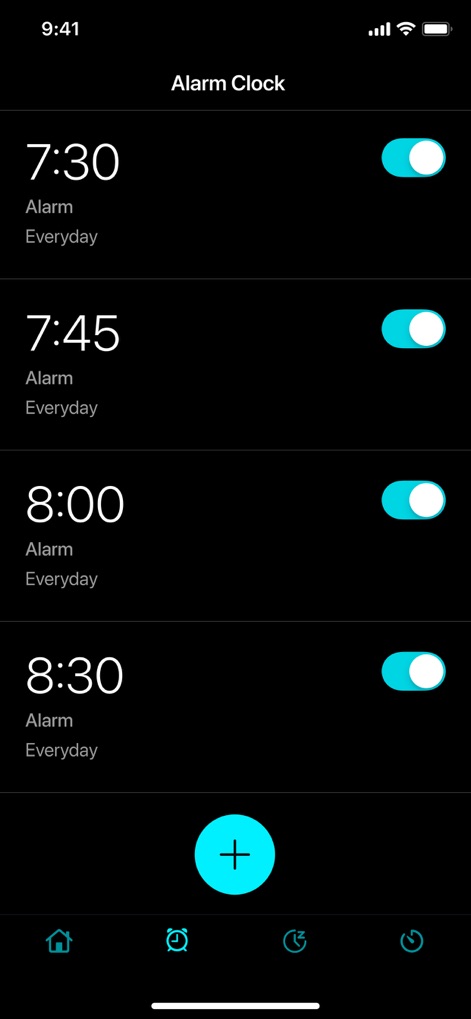
この画面では、毎日設定されたアラームが一覧表示され、画面下部には新しいアラームを素早く追加できるプラスボタンが配置されています。
日々のルーティン

ユーザーは「Fonts & Color」セクションを通じて、アラーム表示のフォントをカスタマイズし、視覚的なインパクトを高めるカラーピッカーで色を選択できます。
表示をカスタマイズ
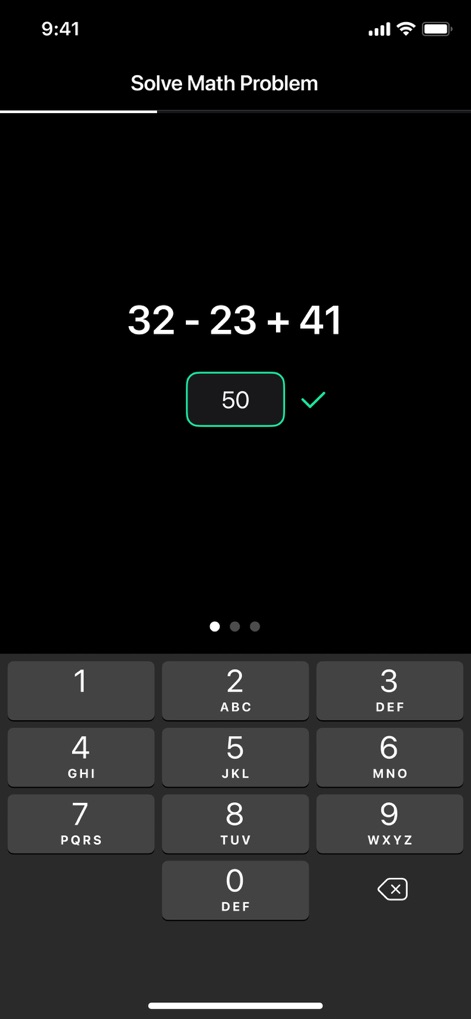
より複雑な計算問題「32 - 23 + 41」が提示され、ユーザーが正確な答えを入力すると、正解を示すチェックマークが表示されます。
思考を活性化
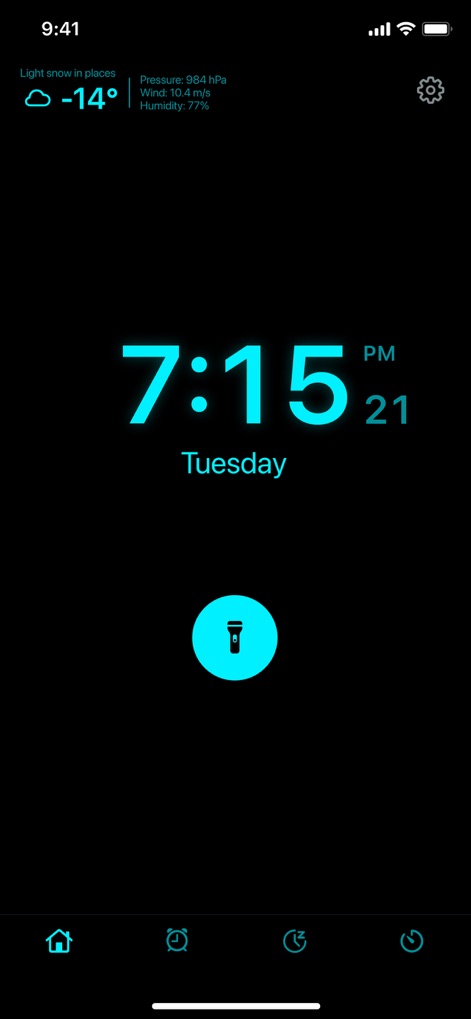
ベッドサイドクロックモードでは、現在の時刻「7:15 PM」が大きく表示され、さらに詳細な天気情報と便利なフラッシュライト機能にアクセスできます。
情報と便利機能
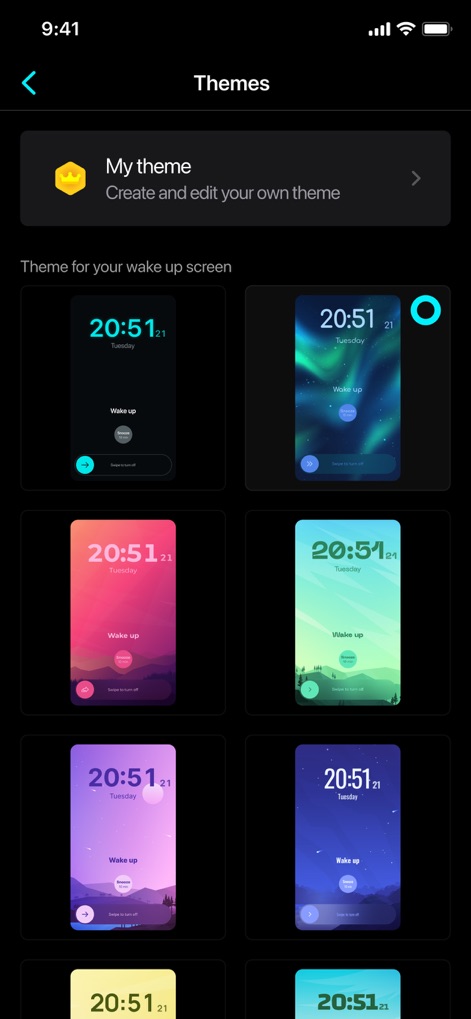
ユーザーは多様な「Themes」ギャラリーからお気に入りのデザインを選択でき、さらに「My theme」機能で独自のカスタムテーマを作成することが可能です。
豊富なテーマ
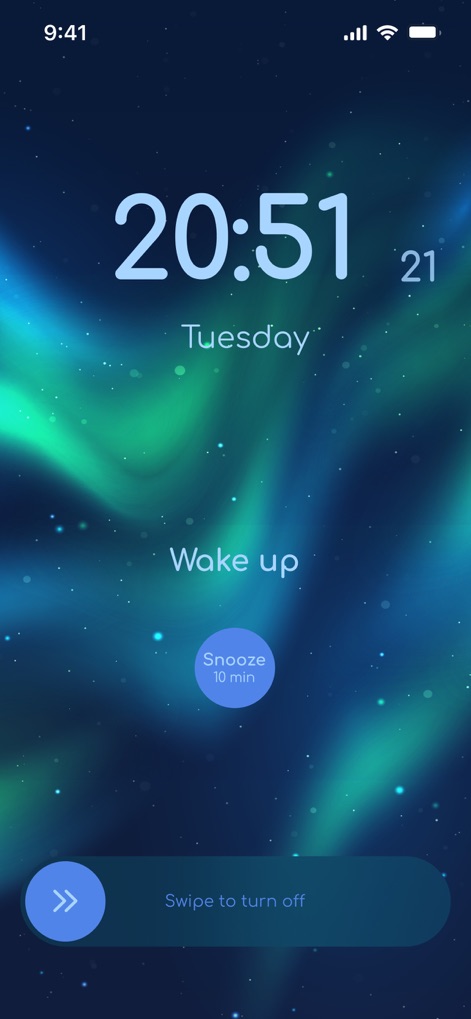
視覚的に美しいオーロラのような背景がアラーム画面を彩り、ユーザーは必要に応じて「Snooze 10 min」ボタンで一時的にアラームを停止できます。
美しい目覚め
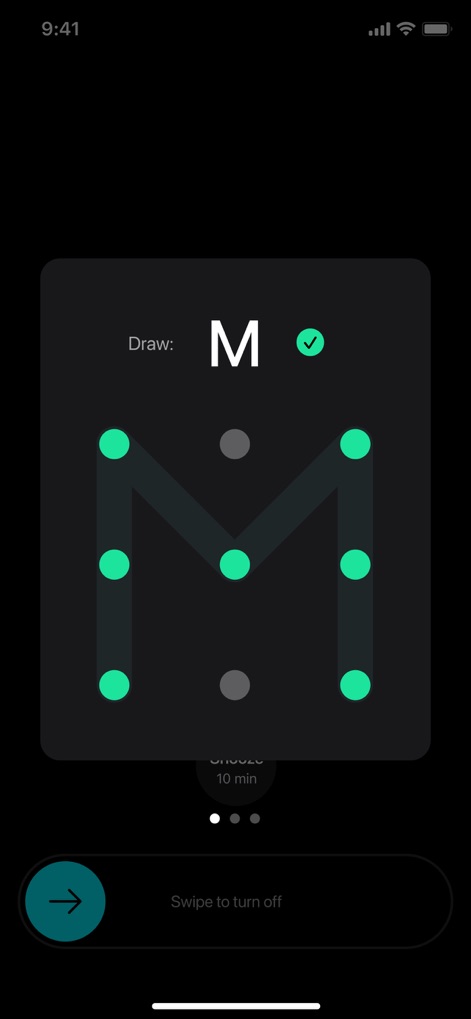
アラーム解除には、指定されたM字のパターンをなぞる記憶力ゲームが利用され、正しいパターンを描くとチェックマークで承認されます。
記憶力で解除
説明
Download
類似アプリ
似た機能とユーザー体験を持つアプリ

Erly: Wake Up Early
Jake Glacer

Loud Alarm Clock – the LOUDEST
Jason Tongbai

Alarmy - Loud alarm clock
Delight Room Co., Ltd.

SuperAlarm - Loud Alarm Clock
Jiseop Han

Mathe Alarm Clock - Math Alarm
Jarig Duval

AlarmMon ( alarm clock )
Malang Studio Co. Ltd,
Awake: Smart Alarm Clock
unorderly GmbH
このページはアプリまたはその開発者の公式ページではなく、情報提供および論評を目的として作成された独立した編集出版物です。明示的に別段の記載がない限り、アプリおよびその開発者は、MWM、Apple、Google Play、アプリのパブリッシャー、またはアプリの開発者と提携、承認、後援、認可、またはその他の公式的な関係はなく、このページのいかなる内容も、アプリがMWMのサービスを使用して開発されたことを意味するものではありません。すべての商標、ロゴ、スクリーンショット、その他のコンテンツはそれぞれの所有者の財産です。