Smart Printer App: Scan Print
ダウンロード: App Store

このページはアプリまたはその開発者の公式ページではなく、情報提供および論評を目的として作成された独立した編集出版物です。明示的に別段の記載がない限り、アプリおよびその開発者は、MWM、Apple、Google Play、アプリのパブリッシャー、またはアプリの開発者と提携、承認、後援、認可、またはその他の公式的な関係はなく、このページのいかなる内容も、アプリがMWMのサービスを使用して開発されたことを意味するものではありません。すべての商標、ロゴ、スクリーンショット、その他のコンテンツはそれぞれの所有者の財産です。

ロゴ: Smart Printer App: Scan Print
ダウンロード: App Store

Smart Printer App: Scan Print

10,000以上のワイヤレスプリンターに簡単に接続。ドキュメントをスキャンし、クラウドファイルを印刷し、仕事や家庭用のカスタムテンプレートにアクセス—すべてiPhoneやiPadから。

主要数値

ダウンロード

8K+

ユーザー評価

4.5/5

評価数

0

開発元

Kien Hoang Trong

カテゴリ

Business

対応言語

17

最新バージョン

1.0.9

サイズ

33.2 MB

リリース日

2024年9月27日
機能

どこからでも印刷をマスターしよう

リモートワーカーや忙しい親御さんのためのオールインワンソリューション。iPhoneやiPadから直接、書類を印刷し、フォームをスキャンし、クリエイティブなテンプレートにアクセスできます。

インスタントユニバーサル接続

ドライバーのセットアップは不要。自宅のオフィス、クライアント先、外出先など、どこにいても10,000以上のWi-Fiプリンターにシームレスに接続できます。

モバイルドキュメントスタジオ

カメラで契約書や学校のフォームをスキャンし、PDFに変換し、印刷前に簡単な編集を行えます—コンピューターは不要です。

以下のスクリーンショットと説明は、アプリの公式ストアリスティングから直接取得されたものであり、アプリ開発者の所有物です。

アプリストア

スクリーンショット
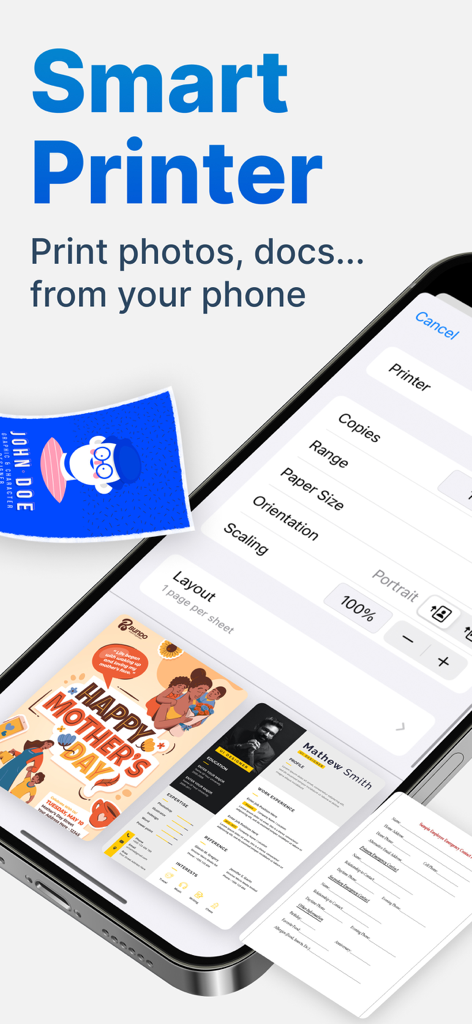
Smart Printer App: Scan Print - スマートプリンターアプリのインターフェース、印刷設定とドキュメントテンプレートが表示されたスマートフォンの画面
スマートプリンターアプリのインターフェース、印刷設定とドキュメントテンプレートが表示されたスマートフォンの画面

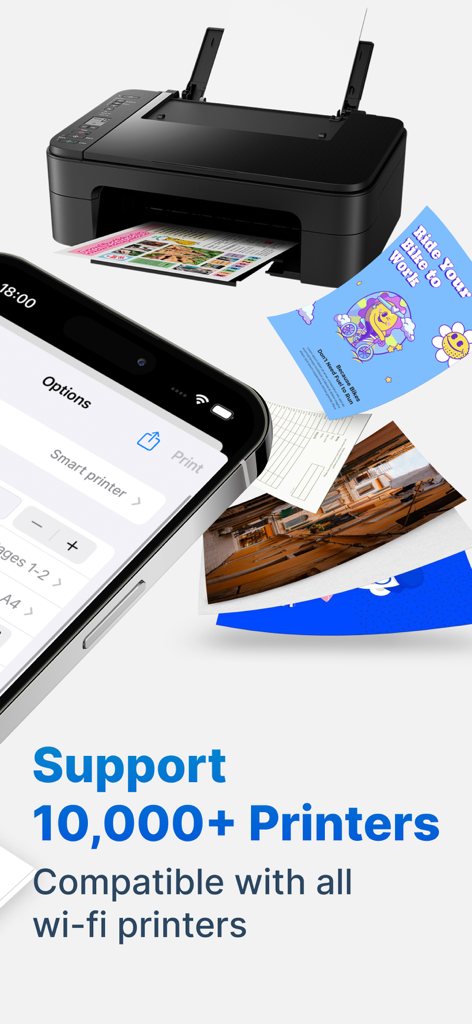
Smart Printer App: Scan Print - iPhoneインターフェースが印刷オプションを表示し、ワイヤレスホームプリンターと印刷されたドキュメントの横にある様子
iPhoneインターフェースが印刷オプションを表示し、ワイヤレスホームプリンターと印刷されたドキュメントの横にある様子

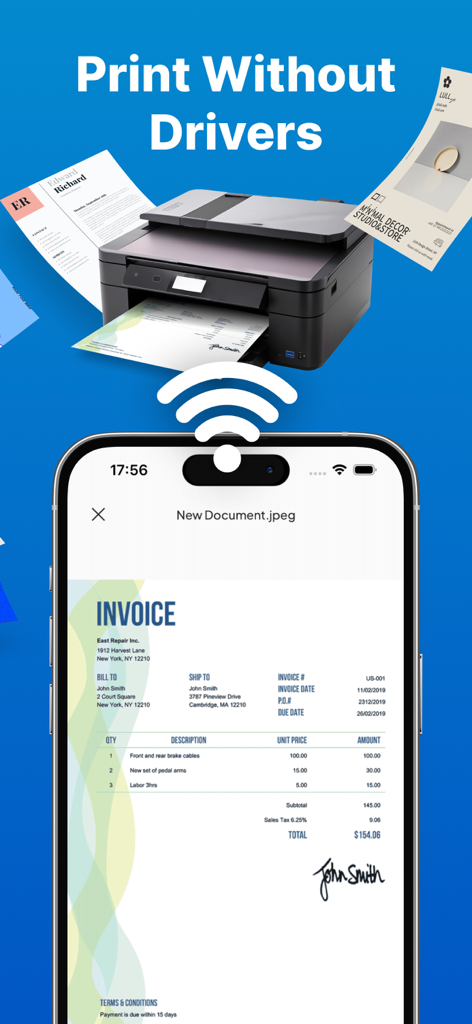
Smart Printer App: Scan Print - スマートプリンターアプリを使用しているスマートフォンが、ドライバーなしでデスクトッププリンターに請求書をワイヤレスで印刷している様子
スマートプリンターアプリを使用しているスマートフォンが、ドライバーなしでデスクトッププリンターに請求書をワイヤレスで印刷している様子

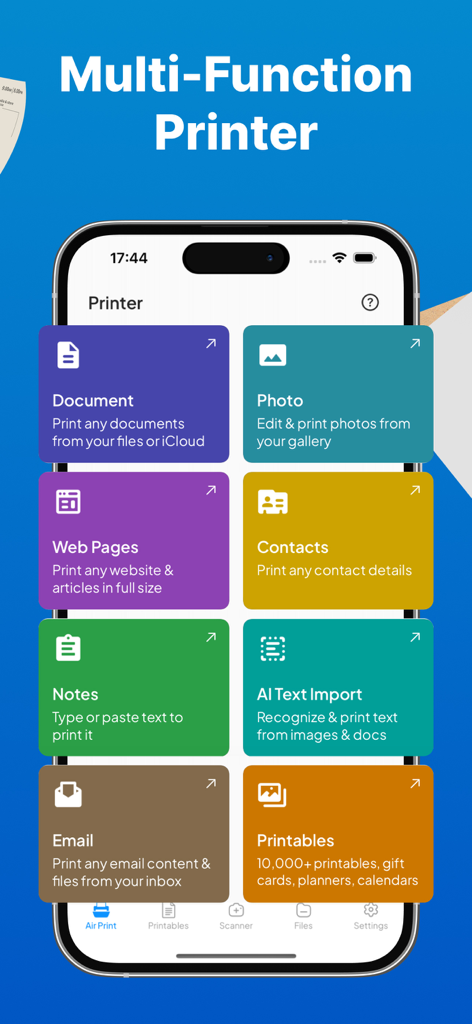
Smart Printer App: Scan Print - スマートプリンターアプリのダッシュボードに、ドキュメント、写真、メール、ウェブページの印刷オプションが表示されている様子
スマートプリンターアプリのダッシュボードに、ドキュメント、写真、メール、ウェブページの印刷オプションが表示されている様子

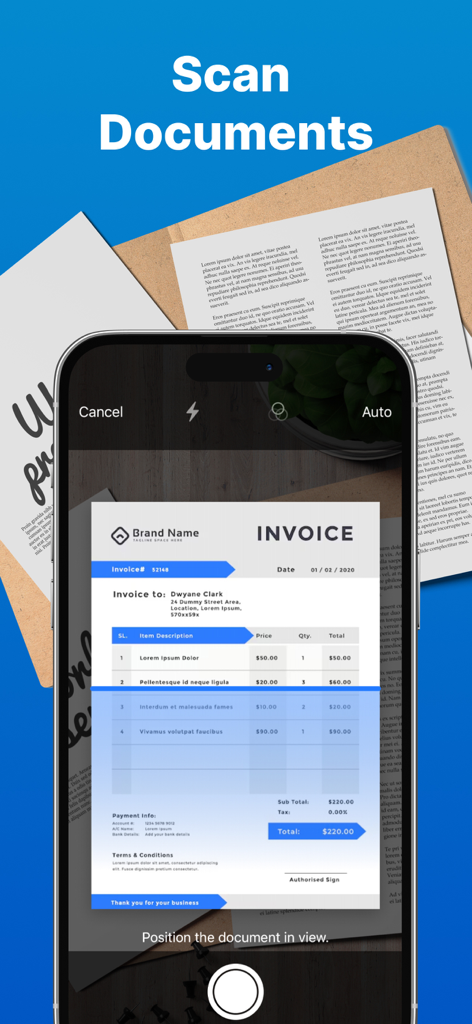
Smart Printer App: Scan Print - スマートプリンターアプリを使用して請求書ドキュメントをスキャンしているスマートフォン
スマートプリンターアプリを使用して請求書ドキュメントをスキャンしているスマートフォン

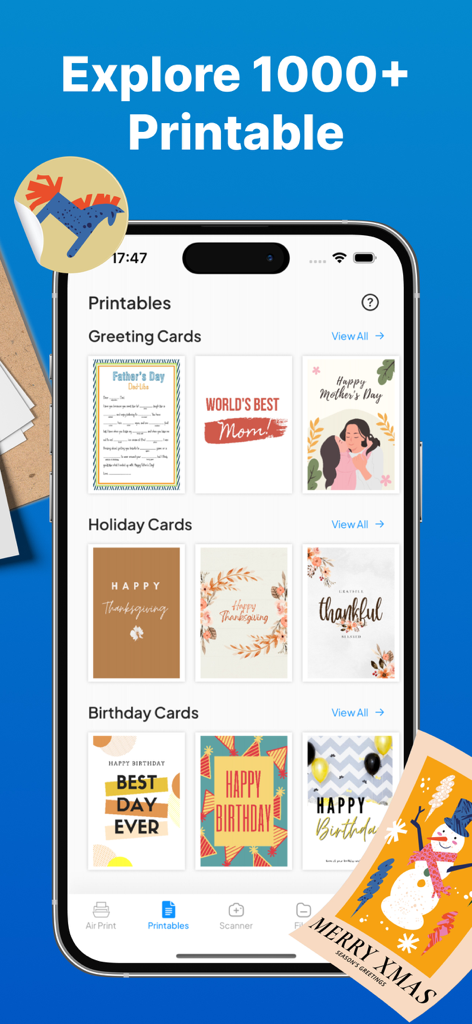
Smart Printer App: Scan Print - スマートプリンターアプリのインターフェースに、休日や誕生日用のさまざまな印刷可能なグリーティングカードテンプレートが表示されている様子
スマートプリンターアプリのインターフェースに、休日や誕生日用のさまざまな印刷可能なグリーティングカードテンプレートが表示されている様子

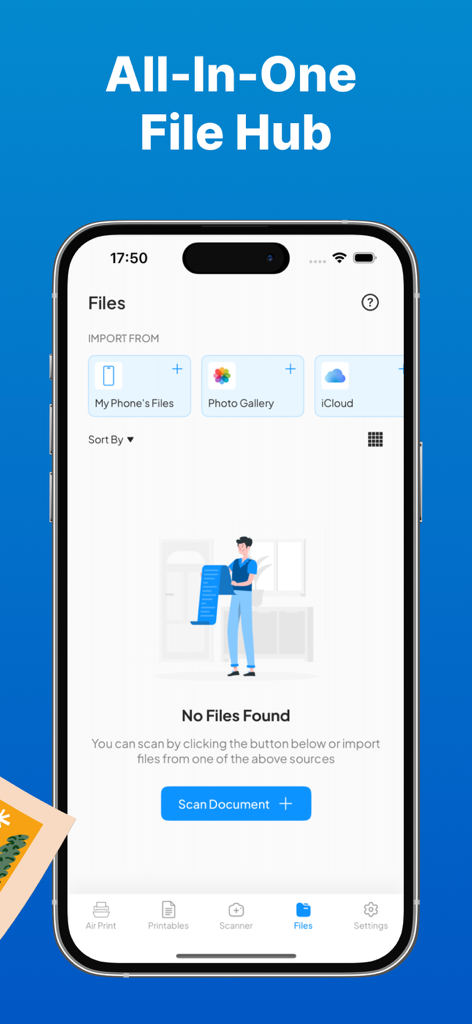
Smart Printer App: Scan Print - スマートプリンターアプリのオールインワンファイルハブ画面に、電話ギャラリーやiCloudからファイルをインポートするオプションとスキャンドキュメントボタンが表示されている様子

スマートプリンターアプリのオールインワンファイルハブ画面に、電話ギャラリーやiCloudからファイルをインポートするオプションとスキャンドキュメントボタンが表示されている様子
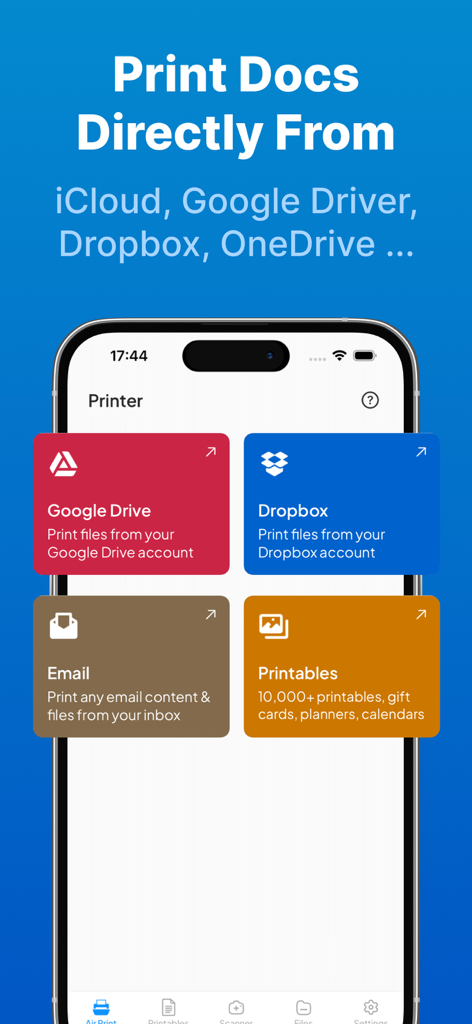
Smart Printer App: Scan Print - スマートプリンターアプリのダッシュボードに、Googleドライブ、Dropbox、メール、テンプレートから直接ドキュメントを印刷するオプションが表示されている様子

スマートプリンターアプリのダッシュボードに、Googleドライブ、Dropbox、メール、テンプレートから直接ドキュメントを印刷するオプションが表示されている様子

説明

With Smart Printer App: Scan Print, printing documents and photos has never been easier. Seamlessly connect to over 10,000 wireless printers and get your prints ready in seconds. Simply choose your file, make quick edits with our built-in tools, and send it off for printing. *** Main Features *** ► PRINT ANYTHING, ANYTIME - Print all types of files with ease, your all-in-one solution for AirPrint printers. - No need for drivers. - Compatible with all Wi-Fi printers. ► PRINT FROM IPHONE/IPAD WITH EASE - Print photos, documents, and even multiple photos on a single sheet. - Create posters from photos. - Print emails, web pages, and contacts. - Access a range of printable templates: greeting cards, coloring pages, learning worksheets, productivity sheets, and more. - Print custom labels and calendars. - Directly print from Dropbox, Google Drive, and other cloud services. - Supports over 20 file formats, including PDF, PNG, and JPG. ► PRINT EMAIL ATTACHMENTS - Print attachments effortlessly. Just use the Share option to send files to AirPrint via the Smart Printer App. ► SCAN & SAVE - Scan documents or photos with the built-in scanner and save them as PDFs. - Easily share your scanned files via email, AirDrop, or messaging apps. ► IMPORT & PRINT - Import files directly from email or other apps on your device. - Print documents or photos from iCloud, Dropbox, or Google Drive without hassle. ► CUSTOMIZE YOUR PRINTS - Tailor your print jobs with a variety of options: choose the number of copies, select paper size, adjust page orientation, and print multiple pages per sheet. You’re in control. Smart Printer App: Scan Print works with all AirPrint-enabled printers, giving you a smooth and seamless printing experience. Note: Make sure your printer and device are connected to the same Wi-Fi network to use all features. SUBSCRIPTIONS: Please note, you will need a subscription in order to get access to some features of the app. The subscription will be automatically renewed unless auto-renew is turned off at least 24 hours before the end of the current payment period. Your iTunes account will be automatically charged at the same price for renewal within a 24-hour period prior to the end of the current payment period unless you change your subscription preferences in your iTunes Account Settings. When a subscription is canceled, access to the features will expire at the end of the current payment period. We would be excited to receive your suggestions for future features of the app or database additions or any feedback you may have! Please email us at bkmobile.software@gmail.com Terms of Use: https://sites.google.com/view/kien-hoang-terms-of-use Privacy Policy: https://sites.google.com/view/kien-hoang-privacy-policy

Download

ダウンロード: App Store

このページはアプリまたはその開発者の公式ページではなく、情報提供および論評を目的として作成された独立した編集出版物です。明示的に別段の記載がない限り、アプリおよびその開発者は、MWM、Apple、Google Play、アプリのパブリッシャー、またはアプリの開発者と提携、承認、後援、認可、またはその他の公式的な関係はなく、このページのいかなる内容も、アプリがMWMのサービスを使用して開発されたことを意味するものではありません。すべての商標、ロゴ、スクリーンショット、その他のコンテンツはそれぞれの所有者の財産です。








