
このページはアプリまたはその開発者の公式ページではなく、情報提供および論評を目的として作成された独立した編集出版物です。明示的に別段の記載がない限り、アプリおよびその開発者は、MWM、Apple、Google Play、アプリのパブリッシャー、またはアプリの開発者と提携、承認、後援、認可、またはその他の公式的な関係はなく、このページのいかなる内容も、アプリがMWMのサービスを使用して開発されたことを意味するものではありません。すべての商標、ロゴ、スクリーンショット、その他のコンテンツはそれぞれの所有者の財産です。


ダウンロード
10M+ユーザー評価
評価数
212.3K開発元
カテゴリ
Utilities対応言語
23最新バージョン
1.38サイズ
46.3 MBリリース日
2015年5月27日テックアナリストによる主要機能の評価と解説
Smartify - LG TV Remote アプリの機能分析
高度なキーボード入力
ユーザーはスマートTV上でのテキスト入力を効率的に行えます。アプリ内キーボードが自動的に表示され、検索やフォーム入力が容易になります。
統合されたタッチパッド操作
ユーザーは直感的なジェスチャーでLGスマートTVのインターフェースをスムーズに操作できます。メニューのスクロールやカーソル移動が格段に向上します。
包括的なリモコン機能
ユーザーはiPhoneを介して電源のオン/オフ、音量調整、チャンネル変更など、LGスマートTVの主要な機能を制御できます。
簡単なWi-Fi接続とペアリング
アプリはiPhoneとTVを同じWi-Fiネットワークに接続するだけで、簡単なペアリングルーチンを経てすぐに使用可能です。複雑な設定は不要です。
幅広いLGスマートTVとの互換性
アプリはすべてのWebOSモデル、および2012年以降のNetcastモデルのLGスマートTVに対応しており、多くのユーザーが利用できます。
チャンネルリスト表示
ユーザーはアプリ内で利用可能なチャンネルのリストを閲覧し、目的のチャンネルに素早く切り替えることができます。
広告なしの利用体験(プレミアム)
プレミアムユーザーは広告表示なしでアプリのすべての機能を利用でき、中断のないスムーズな操作体験を享受できます。
カラーボタン(プレミアム)
プレミアムユーザーは、スマートTVの特定の機能に素早くアクセスするためのカラーボタンを利用できます。
よくある質問
について知っておくべきこと Smartify - LG TV Remote
How do I connect Smartify to my LG TV?
Connect your iPhone and LG Smart TV to the same Wi-Fi network. Then, perform a simple pairing routine within the Smartify app to establish control.
Is Smartify compatible with all LG Smart TVs?
No, Smartify supports all WebOS models of LG Smart TV. It also supports Netcast models from 2012 and later for compatibility.
Does Smartify provide a keyboard for text entry?
Yes, Smartify offers a keyboard for text input. The keyboard appears automatically on your mobile device when you activate an input field on your TV screen.
Can I use Smartify's keyboard in Netflix or YouTube?
No, Smartify's keyboard is not supported for services like Netflix and YouTube. These applications have their own integrated keyboards.
What features are included with a Smartify Premium Subscription?
A Smartify Premium Subscription includes unlimited use of the Touchpad, Keyboard, Colored buttons, Playback controls, and TV Apps without advertisements.
How much does a Smartify Premium Subscription cost?
A 1-year Smartify Premium Subscription costs $19.99. This price includes a 7-day free trial period before the subscription begins.
Is Smartify an official LG Electronics application?
No, Smartify is not an official product of LG Electronics. Kraftwerk 9, Inc., the developer, is not an affiliated entity of LG Electronics.
Does Smartify offer a free trial period?
Yes, Smartify offers a 7-day free trial period with its 1-year subscription. Any unused portion of the free trial is forfeited upon subscription purchase.
How can I manage my Smartify subscription?
Users can manage their Smartify subscriptions and turn off auto-renewal by going to their Account Settings after purchase through iTunes.
What happens when my Smartify subscription expires?
If a Smartify subscription expires, the user becomes unsubscribed. The Interaction tab functionality will no longer be available.
以下のスクリーンショットと説明は、アプリの公式ストアリスティングから直接取得されたものであり、アプリ開発者の所有物です。
アプリストア
スクリーンショット
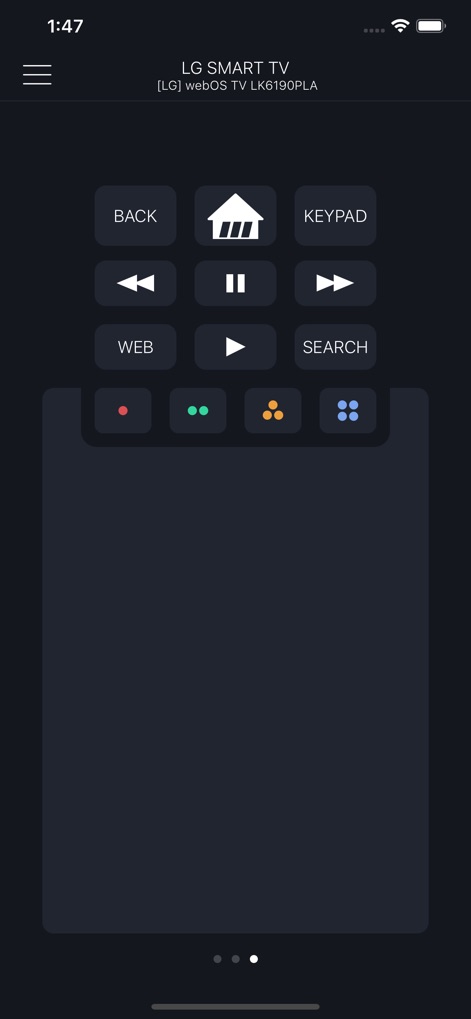
このインターフェースは、再生コントロールと便利なカラーボタンを統合し、エンターテイメント体験を向上させます。
直感的な操作パネル
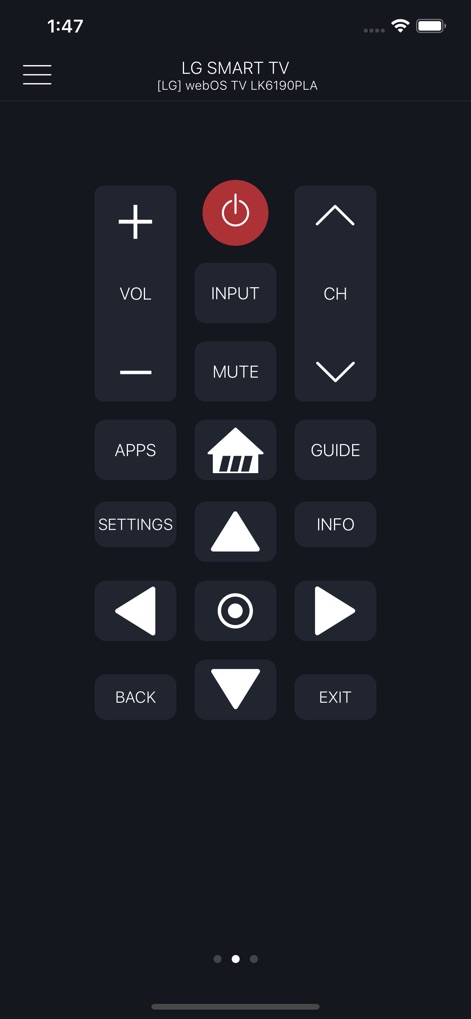
包括的なリモート機能を提供し、音量調整と専用のアプリ起動ボタンでテレビを完全にコントロールします。
フル機能リモート
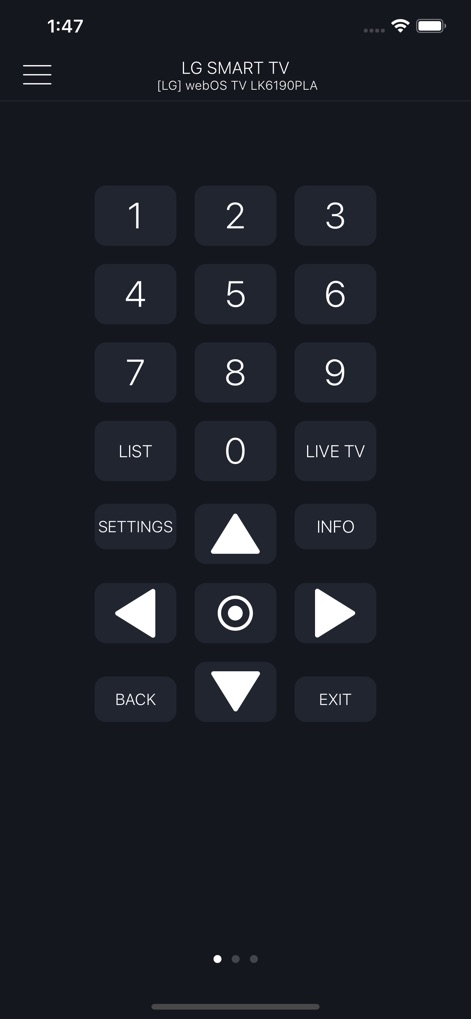
テンキーと「ライブTV」ボタンにより、目的のチャンネルへのアクセスとライブ放送の視聴が簡単に行えます。
簡単チャンネル選択
説明
Download
類似アプリ
似た機能とユーザー体験を持つアプリ

The Roku App (Official)
ROKU INC

TV Remote & Smart TV Control
To Ngoc Mai

Universal TV Remote Control .
Apps Venture Inc.

TV Remote, Universal Remote
Hangzhou Yingshitong Technology Co., Ltd.

TV Remote Control “Universo”
Nemo Apps LLC

TV Remote・Universal Control #1
Mihai Turlea

Remote Smart Tv Universal
clement gasner

Remote TV Control TCL Onn App
CEMAL CAGLAR KIRICI

TV Remote Control Universal AI
Anh Ngo
このページはアプリまたはその開発者の公式ページではなく、情報提供および論評を目的として作成された独立した編集出版物です。明示的に別段の記載がない限り、アプリおよびその開発者は、MWM、Apple、Google Play、アプリのパブリッシャー、またはアプリの開発者と提携、承認、後援、認可、またはその他の公式的な関係はなく、このページのいかなる内容も、アプリがMWMのサービスを使用して開発されたことを意味するものではありません。すべての商標、ロゴ、スクリーンショット、その他のコンテンツはそれぞれの所有者の財産です。