Smiles & Frowns - Kids View
ダウンロード: App Store

このページはアプリまたはその開発者の公式ページではなく、情報提供および論評を目的として作成された独立した編集出版物です。明示的に別段の記載がない限り、アプリおよびその開発者は、MWM、Apple、Google Play、アプリのパブリッシャー、またはアプリの開発者と提携、承認、後援、認可、またはその他の公式的な関係はなく、このページのいかなる内容も、アプリがMWMのサービスを使用して開発されたことを意味するものではありません。すべての商標、ロゴ、スクリーンショット、その他のコンテンツはそれぞれの所有者の財産です。


ロゴ: Smiles & Frowns - Kids View
ダウンロード: App Store

Smiles & Frowns - Kids View

子供たちが自分の進捗を記録し、自分の「スマイル」を提出し、自分のデバイスでリアルタイムに報酬を確認できる、無料のコンパニオンアプリで自立心を育みます。

主要数値

ダウンロード

87K+

ユーザー評価

1.0/5

評価数

0

開発元

Laws of Attraction LLC

カテゴリ

Lifestyle

対応言語

4

最新バージョン

3.0.14

サイズ

28.0 MB

リリース日

2019年9月21日
機能

自立心を育み、小言を減らす

子供たちに、自分の行動を記録し、報酬を獲得し、自分自身のデジタルチャートで日々の成長に責任を持つためのツールを与えましょう。

積極的な進捗管理

子供たちは自分のスマイルや不満を提出してレビューしてもらうことができ、親からの小言ではなく、個人の説明責任と誇りに焦点を移します。

目標志向のダッシュボード

行動履歴と報酬のマイルストーンを明確に表示する、子供向けのビュー。次の大きな成功を掴むためのモチベーションを維持します。

以下のスクリーンショットと説明は、アプリの公式ストアリスティングから直接取得されたものであり、アプリ開発者の所有物です。

アプリストア

スクリーンショット
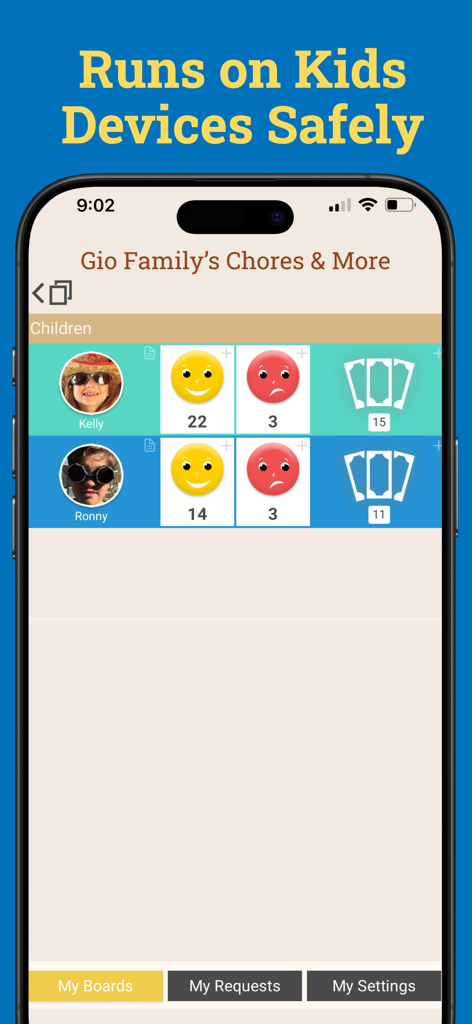
Smiles & Frowns - Kids View - Smiles and Frowns Kids Viewアプリのインターフェース。子供向けの行動記録ボードが表示され、スマイルと不満のカウントがあります。
Smiles and Frowns Kids Viewアプリのインターフェース。子供向けの行動記録ボードが表示され、スマイルと不満のカウントがあります。

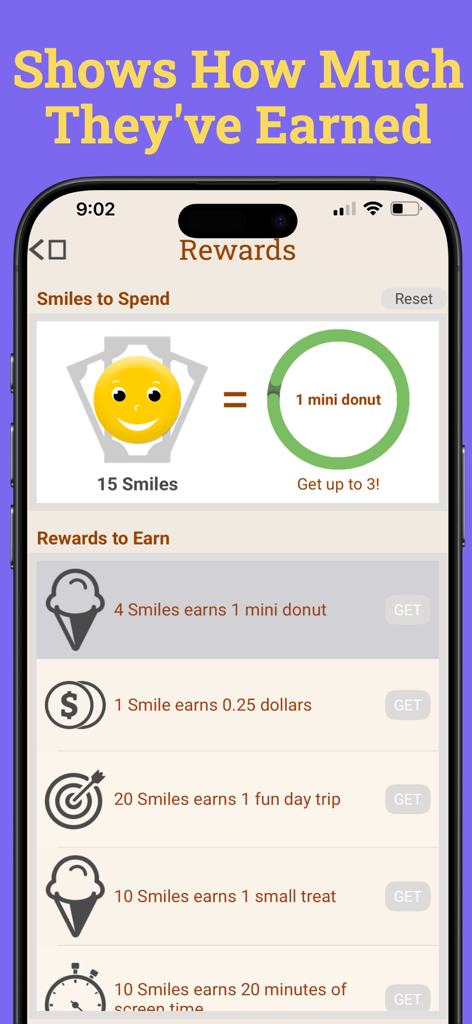
Smiles & Frowns - Kids View - Smiles and Frowns Kids Viewアプリの報酬画面。獲得したスマイルとロック解除される報酬が表示されています。
Smiles and Frowns Kids Viewアプリの報酬画面。獲得したスマイルとロック解除される報酬が表示されています。

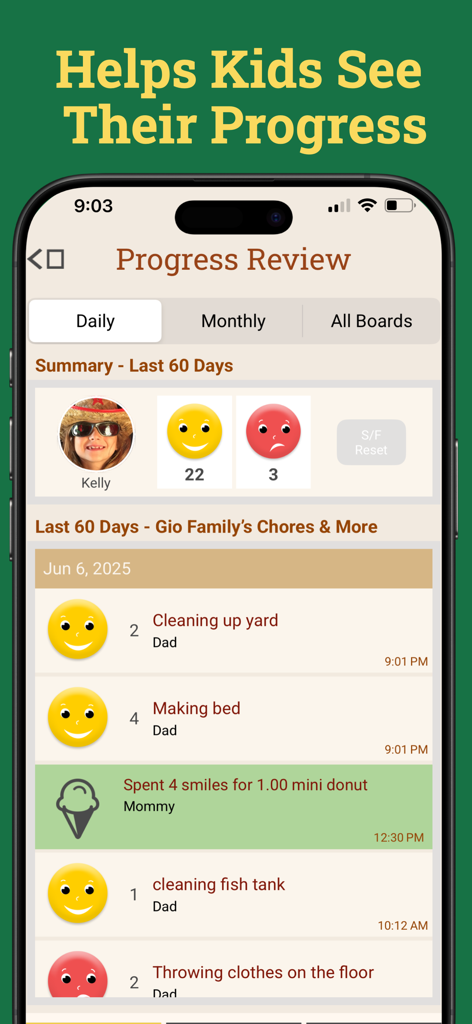
Smiles & Frowns - Kids View - 子供の行動記録ダッシュボード。完了したタスクのスマイルと不満を示す毎日の進捗レビューが表示されています。
子供の行動記録ダッシュボード。完了したタスクのスマイルと不満を示す毎日の進捗レビューが表示されています。

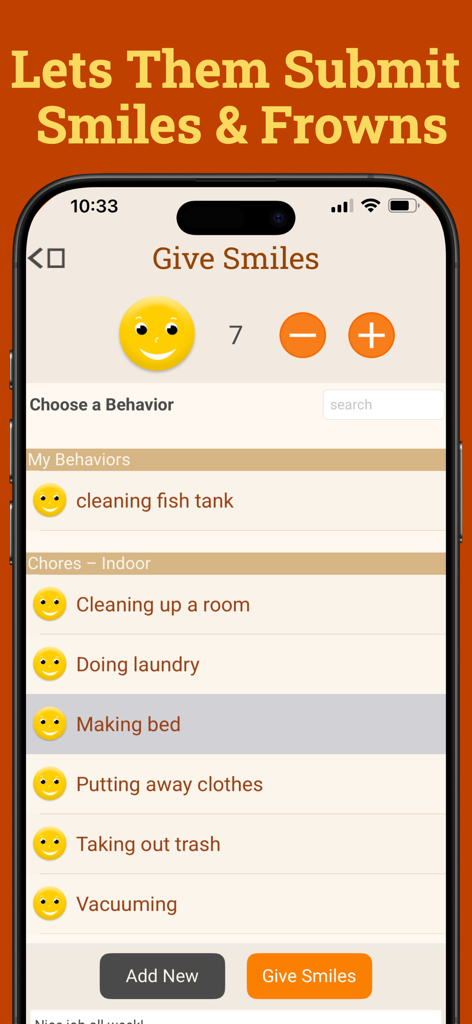
Smiles & Frowns - Kids View - Smiles and Frowns Kids Viewアプリのインターフェース。子供がベッドメイキングなどのタスクを選択してスマイルを獲得している様子が表示されています。
Smiles and Frowns Kids Viewアプリのインターフェース。子供がベッドメイキングなどのタスクを選択してスマイルを獲得している様子が表示されています。

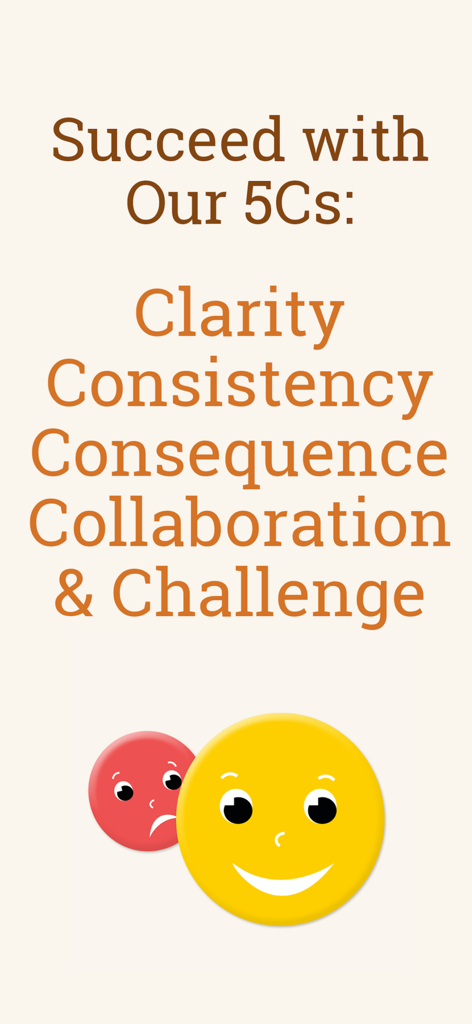
Smiles & Frowns - Kids View - Smiles and Frownsアプリの5Cs行動戦略画面。スマイルと不満のアイコンが表示されています。

Smiles and Frownsアプリの5Cs行動戦略画面。スマイルと不満のアイコンが表示されています。

説明

With Smiles & Frowns: Kids View, the free companion to our Smiles & Frowns® behavior tracking app, your kids can now safely track their progress on their own devices– and even give themselves Smiles and Frowns for you to approve! And it’s all FREE with your Smiles & Frowns® subscription. Your kids can now follow their progress any time, which helps keep them engaged and energized to keep improving their behavior. They can see their whole history of behaviors and rewards to see how they’re doing. They can even start submitting their own Smiles and Frowns for parents to review, which gives them more ownership of their own behavior – while lightening the load for you. Using Smiles & Frowns: Kids View is easy! First, install Smiles & Frowns® on the parent or guardian’s phone. Our wizard will help you create a behavior tracking board for your kid(s) in just minutes. Then just go to Manage Kids View in the Settings menu to create a code and password and set preferences for your child. If you have more than one child on your behavior board, you can manage each separately. Next, install Kids View on your child’s device and login in with the code and password you’ve created. Your child will now be able to see their progress on their own device, anytime they like. They can mark their own behavior by submitting Smiles and Frowns and watch for your approval (once you enable it on your device in the Manage Kids View tab in your Settings menu). Giving kids their own view of Smiles & Frowns® is a feature that many parents have asked about, and we’ve been happy to deliver! Thank you all for your support and great recommendations. Please give it a try and let us know how Smiles & Frowns Kids View is working for you. KIndly, The Dads at Smiles & Frowns

Download

ダウンロード: App Store

このページはアプリまたはその開発者の公式ページではなく、情報提供および論評を目的として作成された独立した編集出版物です。明示的に別段の記載がない限り、アプリおよびその開発者は、MWM、Apple、Google Play、アプリのパブリッシャー、またはアプリの開発者と提携、承認、後援、認可、またはその他の公式的な関係はなく、このページのいかなる内容も、アプリがMWMのサービスを使用して開発されたことを意味するものではありません。すべての商標、ロゴ、スクリーンショット、その他のコンテンツはそれぞれの所有者の財産です。








