Solartelligent: PV Planner

Solartelligent: PV Planner

ダウンロード: App Store
ロゴ: Solartelligent: PV Planner

Solartelligent: PV Planner — プロフェッショナルな太陽光計画と精密なROI分析

高度なAR日照シミュレーションと詳細な出力予測で、エネルギーの未来をコントロールしましょう。独立系請負業者であっても、データ重視の住宅所有者であっても、太陽光投資を最大化し、エネルギー自立を達成するために必要なプロフェッショナルな洞察を得られます。

ダウンロード: App Store

開発元

Thomas Moder

カテゴリ

Utilities

ダウンロード

3K+

ユーザー評価

3.9/5

評価数

0

対応言語

3

すべてのピクセルに精密さを

このインターフェースを利用する 3K+ 人のユーザー.

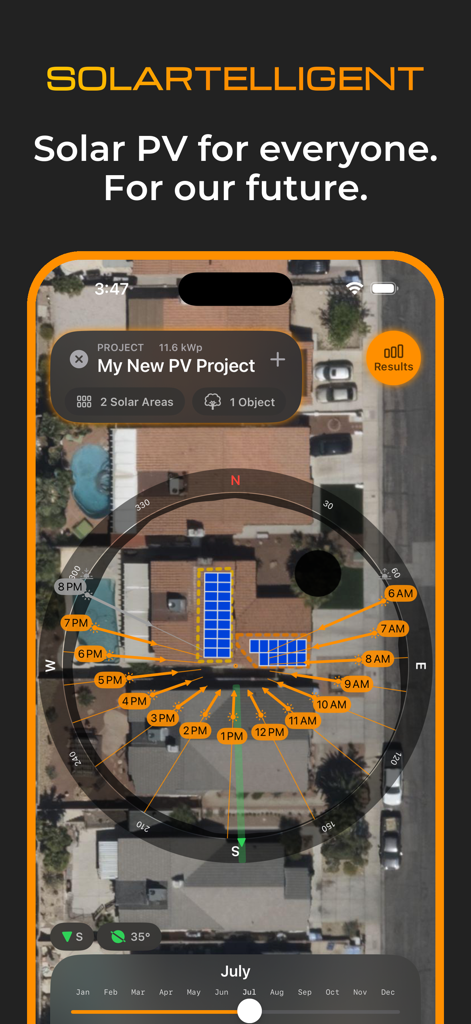
Solartelligentアプリのインターフェース。住宅の屋根の衛星ビューに太陽光パネルのレイアウトと太陽軌道解析が表示されています
Solartelligentアプリのインターフェース。住宅の屋根の衛星ビューに太陽光パネルのレイアウトと太陽軌道解析が表示されています

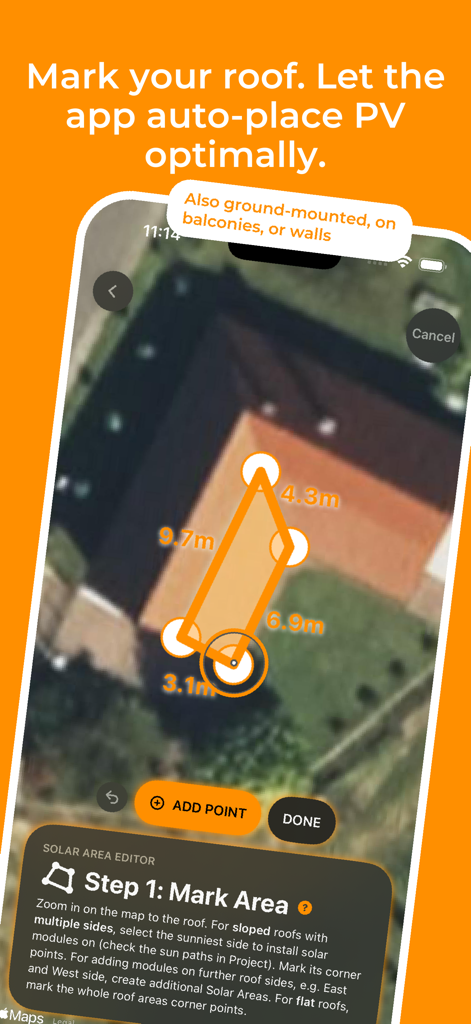
Solartelligentアプリのインターフェース。ユーザーが衛星地図上の太陽光パネル用の屋根エリアをマークしている様子
Solartelligentアプリのインターフェース。ユーザーが衛星地図上の太陽光パネル用の屋根エリアをマークしている様子

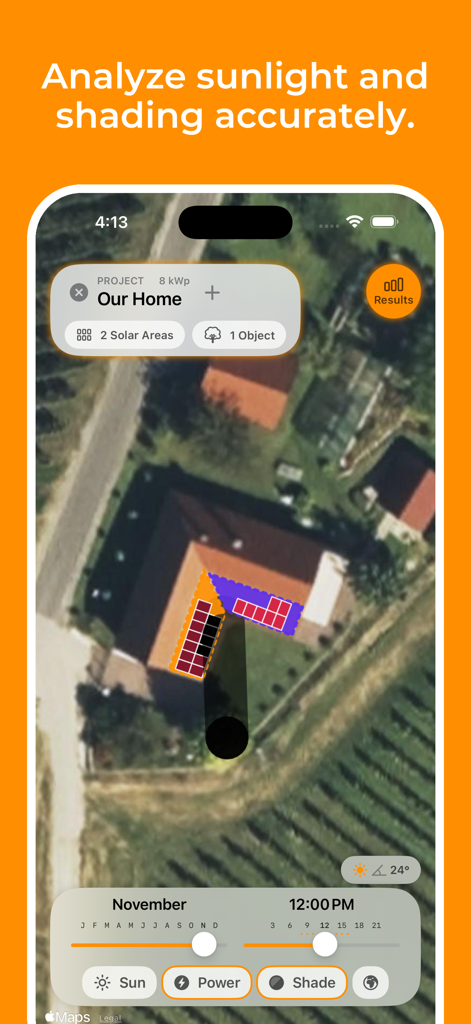
Solartelligent PV Plannerアプリのインターフェース。住宅の屋根上の太陽光パネルマッピングと日照シミュレーションが表示されています
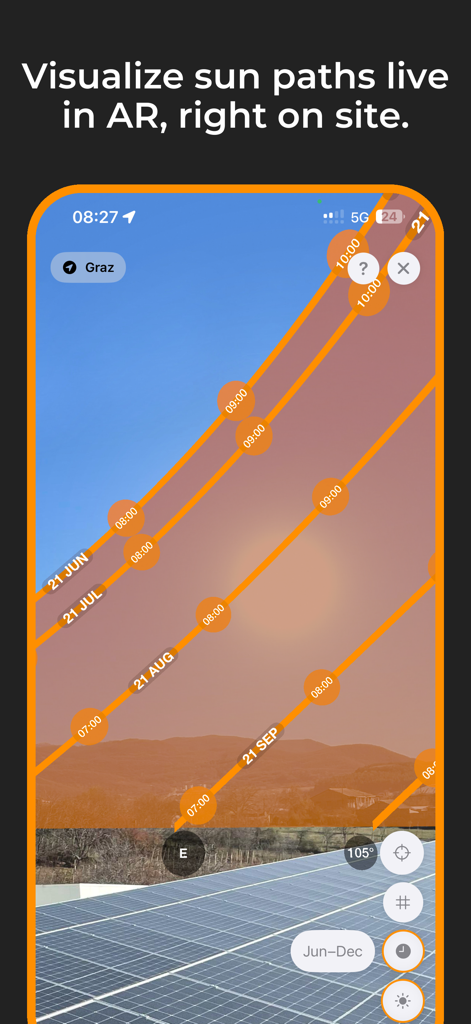
Solartelligent PV Plannerアプリのインターフェース。住宅の屋根上の太陽光パネルマッピングと日照シミュレーションが表示されています

太陽光パネル上の太陽軌道を示す拡張現実ビュー
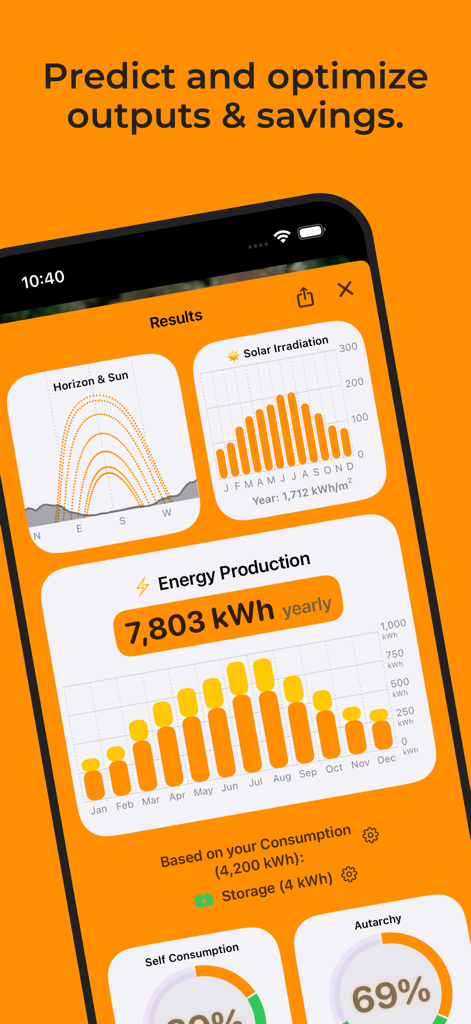
太陽光パネル上の太陽軌道を示す拡張現実ビュー

Solartelligentアプリの結果画面。太陽放射量、年間エネルギー生産量、自己消費率が表示されています
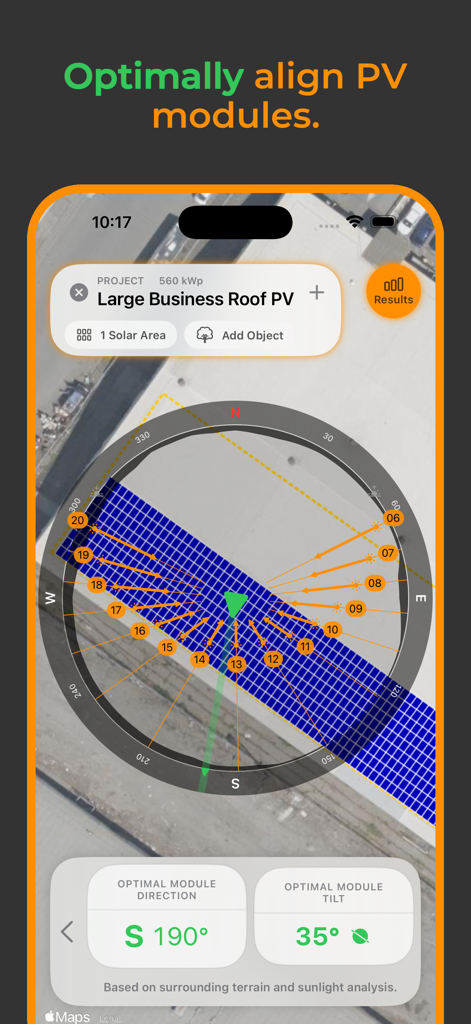
Solartelligentアプリの結果画面。太陽放射量、年間エネルギー生産量、自己消費率が表示されています

屋根プロジェクトの最適な太陽光モジュールの方向と傾斜を示すモバイルアプリのインターフェース
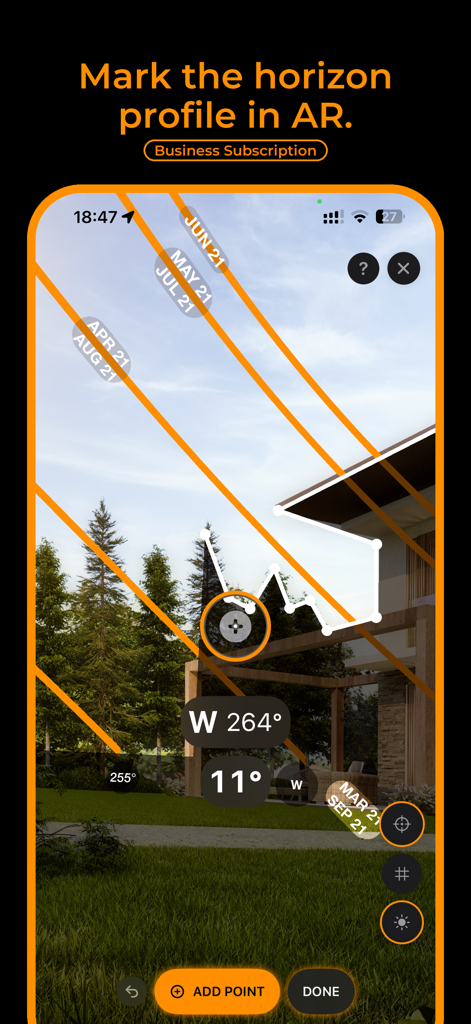
屋根プロジェクトの最適な太陽光モジュールの方向と傾斜を示すモバイルアプリのインターフェース

太陽光発電計画のための太陽軌道解析と地平線プロファイルマーキングを示す拡張現実インターフェース
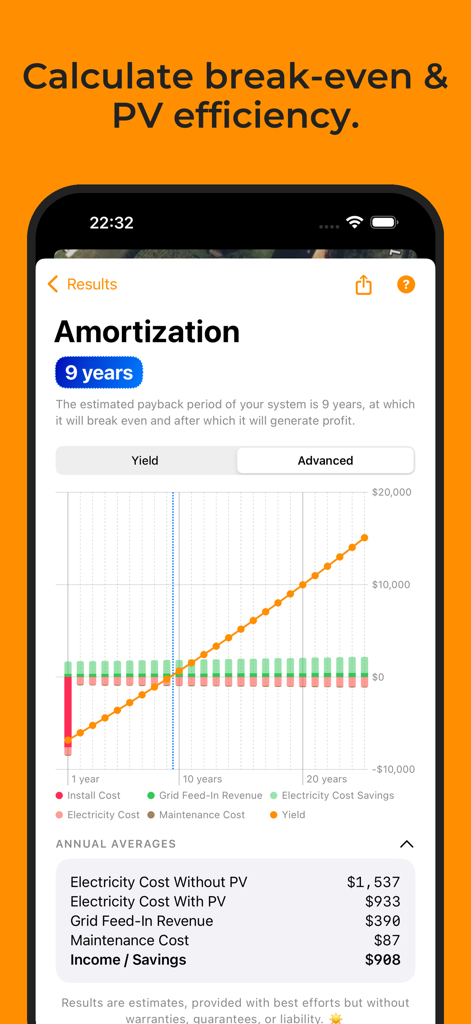
太陽光発電計画のための太陽軌道解析と地平線プロファイルマーキングを示す拡張現実インターフェース

9年間の回収期間と財務パフォーマンスグラフを示す太陽光PV償却画面
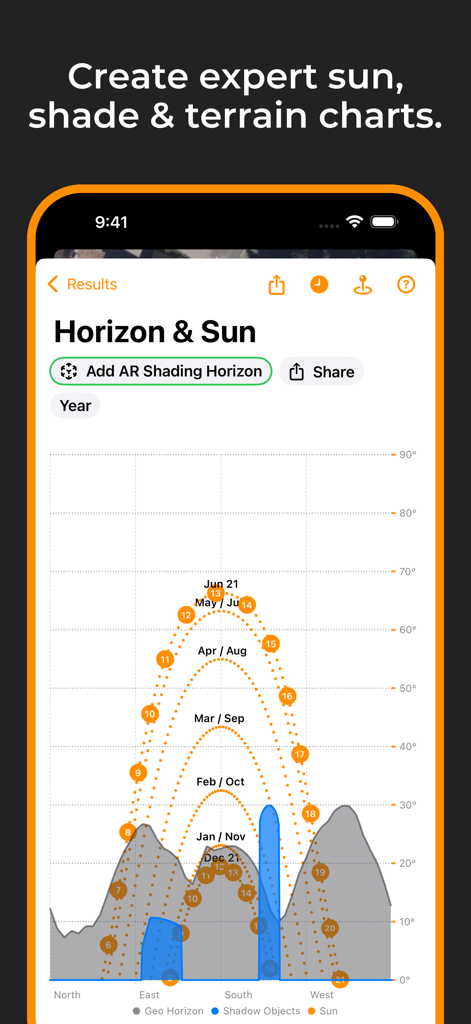
9年間の回収期間と財務パフォーマンスグラフを示す太陽光PV償却画面

太陽光発電計画のためのインタラクティブな太陽軌道と地平線日照チャート
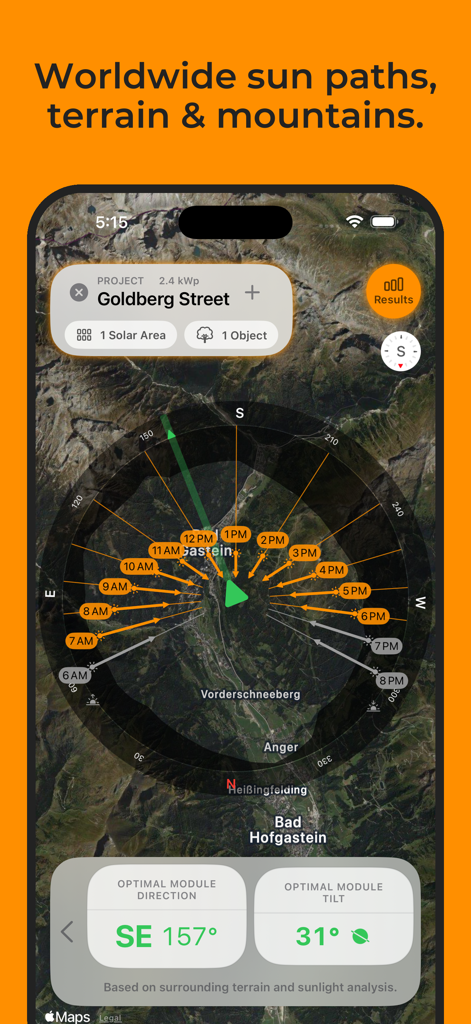
太陽光発電計画のためのインタラクティブな太陽軌道と地平線日照チャート

衛星地形図上に太陽軌道解析と最適な太陽光モジュールの傾斜および方向を表示するSolartelligentアプリ画面

衛星地形図上に太陽軌道解析と最適な太陽光モジュールの傾斜および方向を表示するSolartelligentアプリ画面

太陽光の可能性をマスターする

このアプリを際立たせるツール、 3K+ 人のユーザーが選択.

📱

リアルタイムAR日照解析

拡張現実を使用して太陽軌道を視覚化し、木や近くの構造物からの影を即座に検出して、パネルが最大限の日光を得られるように配置されていることを確認します。

📊

データに基づいたROI予測

節約額の推測はやめましょう。お住まいの地域とエネルギーニーズに基づいて、正確な損益分岐点、生涯収益、自己消費率を計算します。

🛠️

プロフェッショナルプロジェクトデザイナー

屋根、バルコニー、または地上設置用の最適化されたレイアウトを作成します。クライアントや設置業者と共有するために、カスタムブランディング付きのプロフェッショナルPDFレポートを生成します。

アプリについて

について知っておくべきこと Solartelligent: PV Planner.

説明

Discover Solartelligent: The Ultimate Solar Planning Tool. Whether you’re a curious homeowner or a solar expert, Solartelligent makes solar energy planning, simulation, and installation simple, precise, and effective. Easy for beginners with integrated step-by-step guidance, and indispensable for professionals with advanced calculations, sun and shadow simulations, output predictions, and powerful utilities. For rooftop systems, ground-mounted panels, balconies, or walls. For Homeowners: • Determine if solar energy is right for your location. • Predict PV energy output and savings. • Save money and evaluate installation offers with confidence. For Professionals: • Plan and manage detailed projects with ease. • Use (AR) tools for real-time shading and sun path analysis. • Amaze clients with professional and innovative insights on-site. Key Features: • Select any location worldwide and analyze its solar potential. • Plan PV projects with integrated utilities for design, shading, and energy optimization. • Use Augmented Reality (AR) to visualize sun paths and mark precise horizon lines on-site. • Simulate energy outputs, shading, and system efficiency for any month or time of day. • Add solar areas for rooftops, ground-mounted panels, balconies, or walls to your projects. • Use automatic, optimal PV module placement on a solar area based on best sunlight conditions. • On flat surfaces, PV Modules can also be tilted or dual-tilted (e.g., east-west) for maximum efficiency. • Adjust row spacing or add additional walkways between module rows or modules. • Manually mark custom shadow objects like nearby houses or trees on the map for precise shadow analysis. • Calculate optimal angles for PV modules based on sunlight and shadows. • Incorporate energy consumption, storage (batteries), and grid data to predict self-consumption and savings. • Generate detailed project reports, including yield, break-even time and lifetime revenue predictions. • Generate accurate sun path and horizon diagrams for any location. • Export results as PDF for easy sharing. • Export horizon data for mountains and shadow objects in projects as a CSV or horizon file. • Measure tilt or align modules to optimal orientation and tilt with the Inclinometer tool. • Sync projects via iCloud to seamlessly share them between iPhone and iPad. • Works anywhere in the world. Solartelligent Business Features: Unlock advanced functionality with a subscription: • Manage multiple projects seamlessly. • Use AR shading horizons to mark exact site conditions quickly and for maximum precision. No need to add shadow objects manually. • Calculate outputs and revenues based on AR inputs. • Add your logo on all reports and exported PDFs. With Solartelligent, you can plan, optimize, and install solar energy systems confidently and efficiently. Solar energy for everyone. For our future. Let’s start! Terms of Use (EULA): https://www.apple.com/legal/internet-services/itunes/dev/stdeula/

最新バージョン

3.3

サイズ

13.7 MB

リリース日

2025年1月30日

太陽光の可能性をマスターする準備はできましたか?

正確なシミュレーションと最大のROIのためにSolartelligentを信頼する何千人もの住宅所有者やプロフェッショナルに加わりましょう。究極のPVツールキットを今すぐダウンロードして、エネルギー自立への旅を始めましょう。

ダウンロード: App Store

App information, icons, screenshots, and descriptions displayed on this page are sourced from the Apple App Store and are the property of their respective developers. Download estimates and rankings are based on MWM's proprietary models and may not reflect actual figures. This page is provided for informational and analytical purposes only.

Believe this page infringes your intellectual property? File a dispute