Sonic Tools SVM
Sonic Tools SVM
ダウンロード: App Store

このページはアプリまたはその開発者の公式ページではなく、情報提供および論評を目的として作成された独立した編集出版物です。明示的に別段の記載がない限り、アプリおよびその開発者は、MWM、Apple、Google Play、アプリのパブリッシャー、またはアプリの開発者と提携、承認、後援、認可、またはその他の公式的な関係はなく、このページのいかなる内容も、アプリがMWMのサービスを使用して開発されたことを意味するものではありません。すべての商標、ロゴ、スクリーンショット、その他のコンテンツはそれぞれの所有者の財産です。

ロゴ: Sonic Tools SVM
ダウンロード: App Store

Sonic Tools SVM

あなたのデバイスを高精度な診断ラボに変えましょう。リアルタイムFFT、RTA、データエクスポートツールを使い、音響を分析し、機械的振動を監視し、磁場を測定します。エンジニア、オーディオ愛好家、DIYの問題解決者向けに設計されています。

主要数値

ダウンロード

312K+

ユーザー評価

4.5/5

評価数

11K+

開発元

Takuji Matsugaki

カテゴリ

Utilities

対応言語

14

最新バージョン

2.1.12

サイズ

1.8 MB

リリース日

2017年6月6日
機能

プロフェッショナルグレードの診断ツール

あなたのデバイスを精密な研究所に変えましょう。プロフェッショナルやパワーユーザー向けに構築されたオープンソースツールで、音、振動、磁場を定量化します。

トリプルセンサー スイート

音、機械的振動、磁場を同時に監視。高価な専用ハードウェアを、ポータブルなラボグレードの単一ユーティリティに置き換えましょう。

高度なスペクトル分析

高周波数分解能のFFT、RTA、スペクトログラム表示を利用。ホームシアターのキャリブレーション、騒音公害の特定、機械的問題の精密な診断に。

以下のスクリーンショットと説明は、アプリの公式ストアリスティングから直接取得されたものであり、アプリ開発者の所有物です。

アプリストア

スクリーンショット
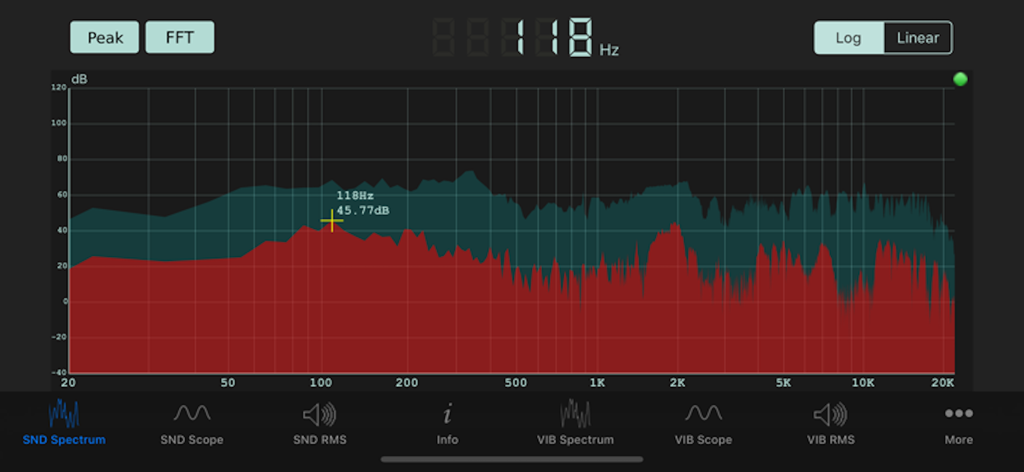
Sonic Tools SVM - FFT周波数グラフとデシベルレベルを表示するリアルタイムサウンドスペクトラムアナライザーを備えたSonic Tools SVMアプリの技術インターフェース
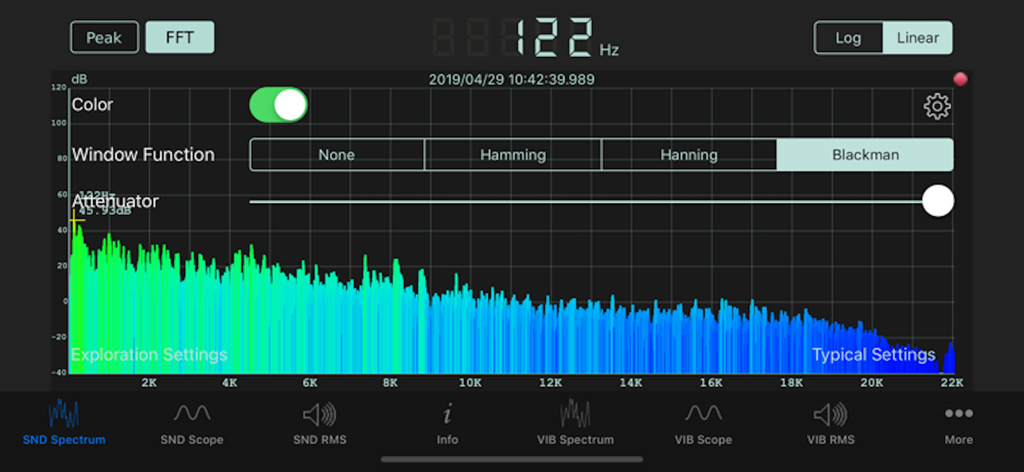
FFT周波数グラフとデシベルレベルを表示するリアルタイムサウンドスペクトラムアナライザーを備えたSonic Tools SVMアプリの技術インターフェース

Sonic Tools SVM - FFTとウィンドウ機能設定を備えた周波数グラフを表示するSonic Tools SVMサウンドスペクトラムアナライザーインターフェース
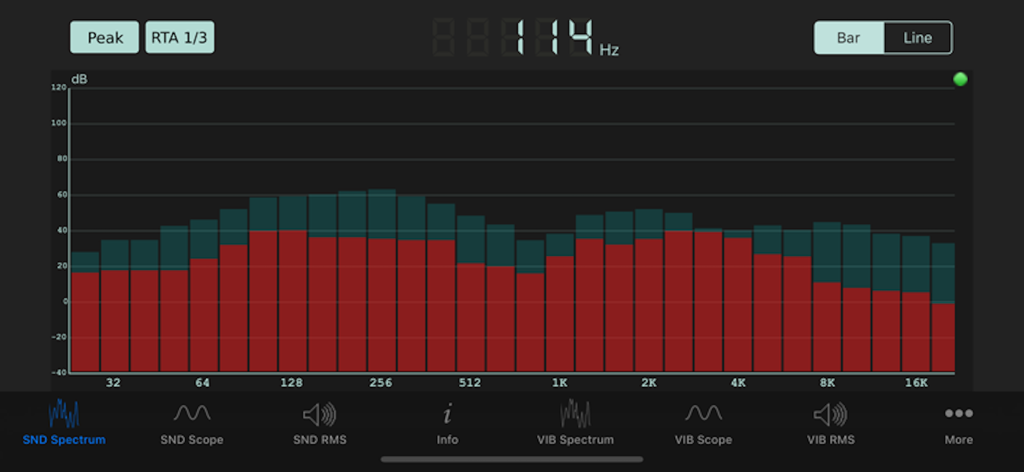
FFTとウィンドウ機能設定を備えた周波数グラフを表示するSonic Tools SVMサウンドスペクトラムアナライザーインターフェース

Sonic Tools SVM - リアルタイムアナライザーバーチャートを表示するSonic Tools SVMアプリのサウンドスペクトラムインターフェース
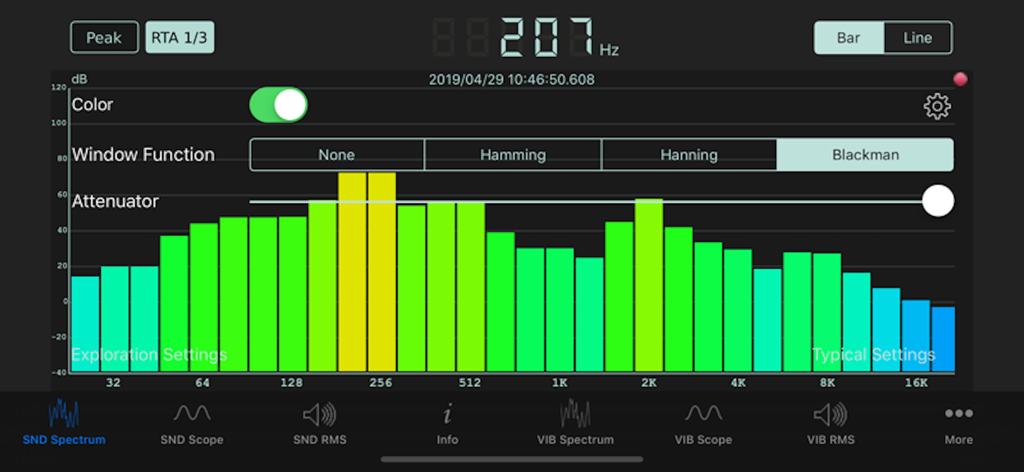
リアルタイムアナライザーバーチャートを表示するSonic Tools SVMアプリのサウンドスペクトラムインターフェース

Sonic Tools SVM - 周波数バーチャートとdBレベルを備えたリアルタイムサウンドスペクトラムアナライザーを表示するSonic Tools SVMアプリ
周波数バーチャートとdBレベルを備えたリアルタイムサウンドスペクトラムアナライザーを表示するSonic Tools SVMアプリ

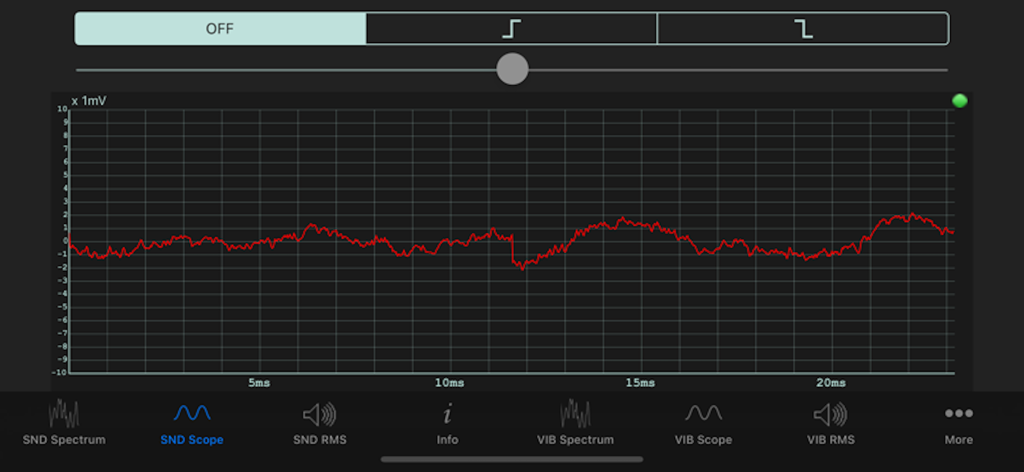
Sonic Tools SVM - Sonic Tools SVMアプリのSNDスコープインターフェース上のリアルタイムサウンド波形

Sonic Tools SVMアプリのSNDスコープインターフェース上のリアルタイムサウンド波形

説明

This is an analyzer for sound, vibration and magnetic field. As the source code of this is widely published as an open source software on GitHub, you can make custom version of this. We welcome the users who want us to make customized version of this app. * Sound (Analyzer [FFT / RTA / Spectrogram], Scope, RMS, Signal Generator) * Vibration (Analyzer [FFT], Scope, RMS) * Magnetic field (Scope, RMS) You can pinch (zoom) and pan (scroll) on measurement screens other than RTA and spectrogram, and pan (band selection) on RTA. You can pause by tapping the measurement screen. Since the measurement time is displayed at the time of pause, it is suitable for leaving as evidence. Please take a screenshot of the screen in the system standard way. [Application example] · Record the present situation as quantitative evidence, such as by using recording and use it for the improvement of obstacles. · Use it for science education. · Use it along with the sweep generator to improve the acoustic characteristics of the listening room. Note: This application has an audio signal oscillation function, and depending on the operation it may generate sound that is harmful to the human body, so please refrain from using things like headphones or headsets. We are not responsible for damage caused by using that equipment. The resolution of the spectrum analysis of speech is about 11 Hz inherent, however, the actual resolution is in the maximum of 3 Hz by interpolation processing. It is not the accuracy that can be used to tune an instrument. Please use the instrument tuning application for that purpose. If you can not find the current point by zooming in or scrolling, you can return to the default state that you can see the whole picture by pressing and holding the measurement screen long. For a good result with Octave RTA, we recommend using Window Function and Fast Latency Mode. The adjustable range of the FFT/Scope/RMS gain is from -20 dB to 20 dB. The adjustable range of the SP gain is from 0 dB to 80 dB. The noise reduction threshold is from -80 dB to 0 dB. Allows you to output the data of Sound Spectrum, Sound Spectrogram, and every RMS'. You can use the data files by Files.app on iOS or iTunes File Sharing on Mac. Please note that the output file of Spectrogram is not small not like other data files.

Download

ダウンロード: App Store

このページはアプリまたはその開発者の公式ページではなく、情報提供および論評を目的として作成された独立した編集出版物です。明示的に別段の記載がない限り、アプリおよびその開発者は、MWM、Apple、Google Play、アプリのパブリッシャー、またはアプリの開発者と提携、承認、後援、認可、またはその他の公式的な関係はなく、このページのいかなる内容も、アプリがMWMのサービスを使用して開発されたことを意味するものではありません。すべての商標、ロゴ、スクリーンショット、その他のコンテンツはそれぞれの所有者の財産です。








