Sony | Creators' App for ENT
ダウンロード: App Store

このページはアプリまたはその開発者の公式ページではなく、情報提供および論評を目的として作成された独立した編集出版物です。明示的に別段の記載がない限り、アプリおよびその開発者は、MWM、Apple、Google Play、アプリのパブリッシャー、またはアプリの開発者と提携、承認、後援、認可、またはその他の公式的な関係はなく、このページのいかなる内容も、アプリがMWMのサービスを使用して開発されたことを意味するものではありません。すべての商標、ロゴ、スクリーンショット、その他のコンテンツはそれぞれの所有者の財産です。


ロゴ: Sony | Creators' App for ENT
ダウンロード: App Store

Sony | Creators' App for ENT

高速カメラからモバイルへの転送、エンタープライズグレードのメタデータ管理、Sony C3 PortalおよびCi Media Cloudとの直接統合により、放送制作を効率化します。

主要数値

ダウンロード

1K+

ユーザー評価

1.1/5

評価数

100

開発元

Sony Corporation

カテゴリ

Utilities

対応言語

6

最新バージョン

2025.2

サイズ

57.0 MB

リリース日

2021年12月2日
機能

制作ワークフローを加速する

プロフェッショナルSonyカメラとクラウド間の不可欠なブリッジ。ENGクルー、スポーツ放送、エンタープライズメディアチームがリアルタイムでコンテンツを配信できるように特別に設計されています。

インスタント・スピード・トゥ・エア

物理的な手渡しを回避します。5G経由でカメラからC3 PortalまたはCi Media Cloudに高品質ビデオクリップを直接アップロードし、ニュースルームや編集者が速報映像を入手できるようにします。

自動ストーリーメタデータ

ポストプロダクションの混乱を解消します。転送プロセス中にストーリーメタデータとタグを自動的に割り当てるため、アップロード完了と同時にチームは検索、フィルタリング、編集を開始できます。

以下のスクリーンショットと説明は、アプリの公式ストアリスティングから直接取得されたものであり、アプリ開発者の所有物です。

アプリストア

スクリーンショット
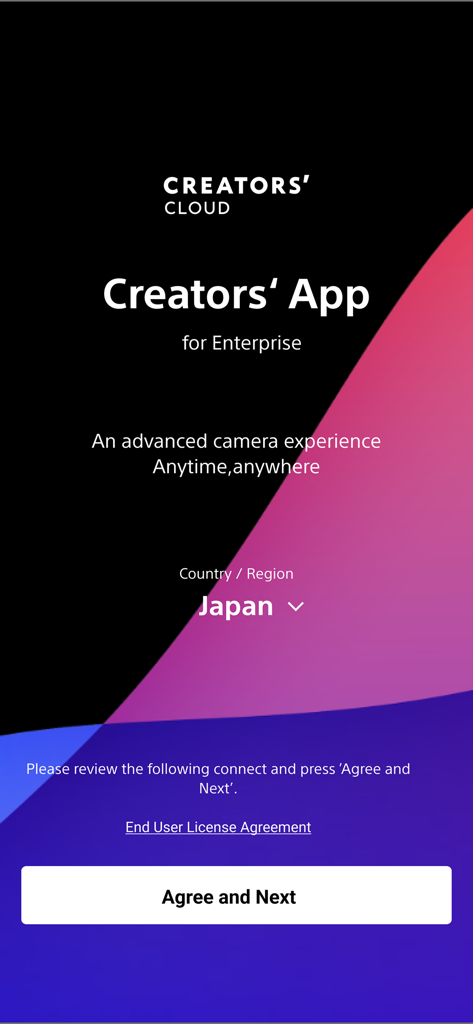
Sony | Creators' App for ENT - Sony Creators App for Enterpriseのウェルカムスクリーン。地域選択と同意ボタンが表示されています。
Sony Creators App for Enterpriseのウェルカムスクリーン。地域選択と同意ボタンが表示されています。

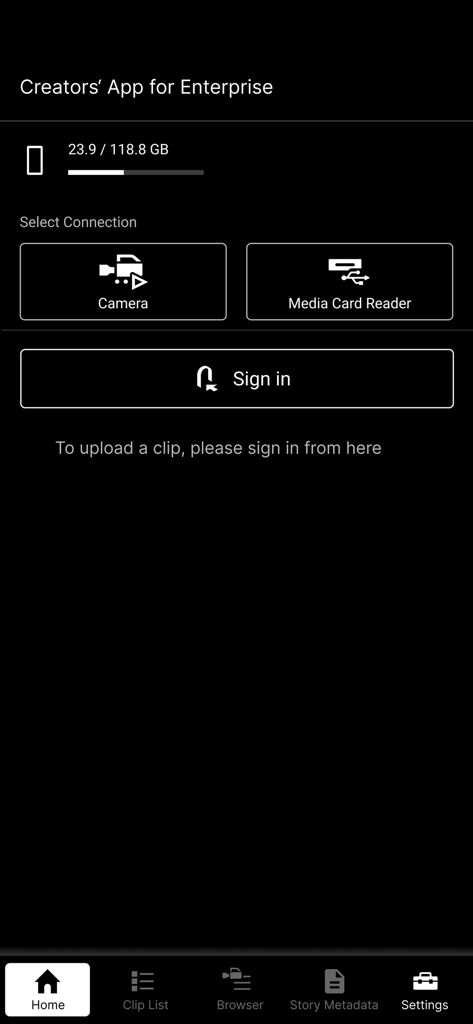
Sony | Creators' App for ENT - Sony Creators' App for Enterpriseのホームスクリーン。カメラとメディアカードリーダーの接続オプションが表示されています。
Sony Creators' App for Enterpriseのホームスクリーン。カメラとメディアカードリーダーの接続オプションが表示されています。

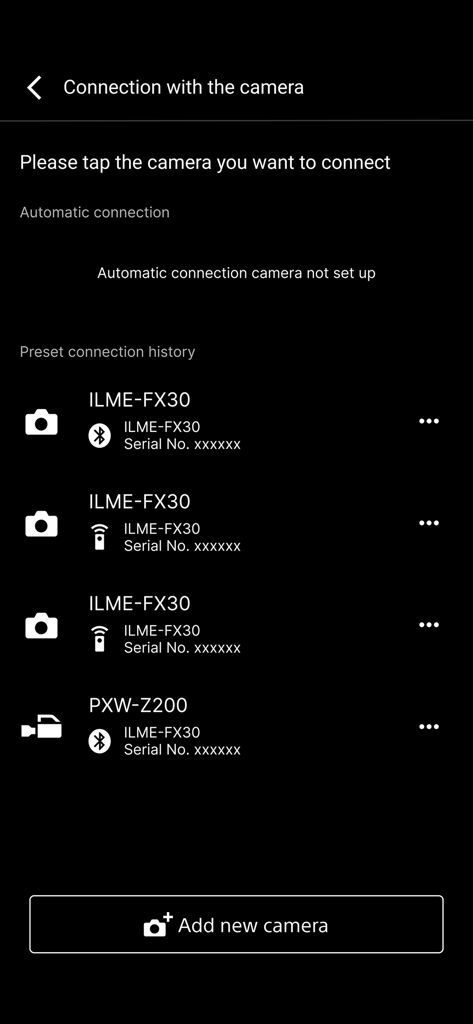
Sony | Creators' App for ENT - Creators App for Enterpriseの接続メニューにペアリングされたSonyプロフェッショナルカメラのリスト。
Creators App for Enterpriseの接続メニューにペアリングされたSonyプロフェッショナルカメラのリスト。

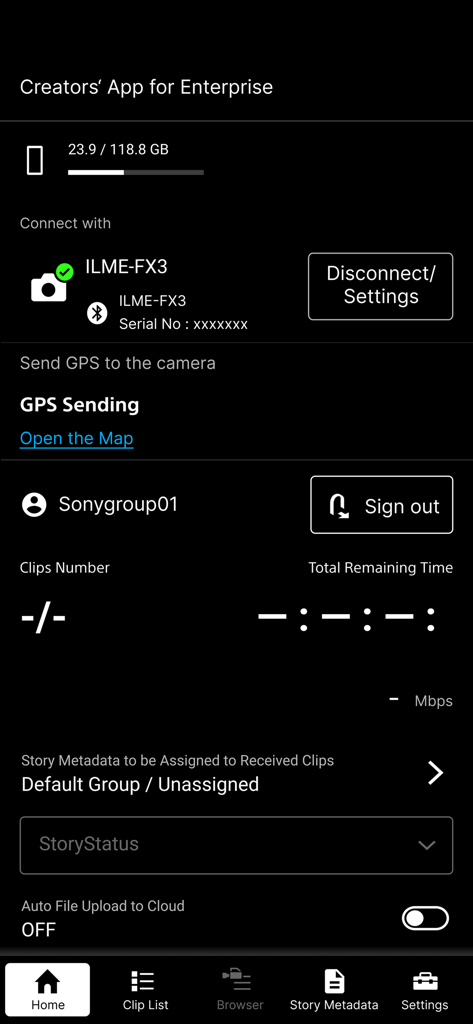
Sony | Creators' App for ENT - Sony Creators App for Enterpriseのホームスクリーン。接続されたカメラとクラウドアップロードオプションが表示されています。
Sony Creators App for Enterpriseのホームスクリーン。接続されたカメラとクラウドアップロードオプションが表示されています。

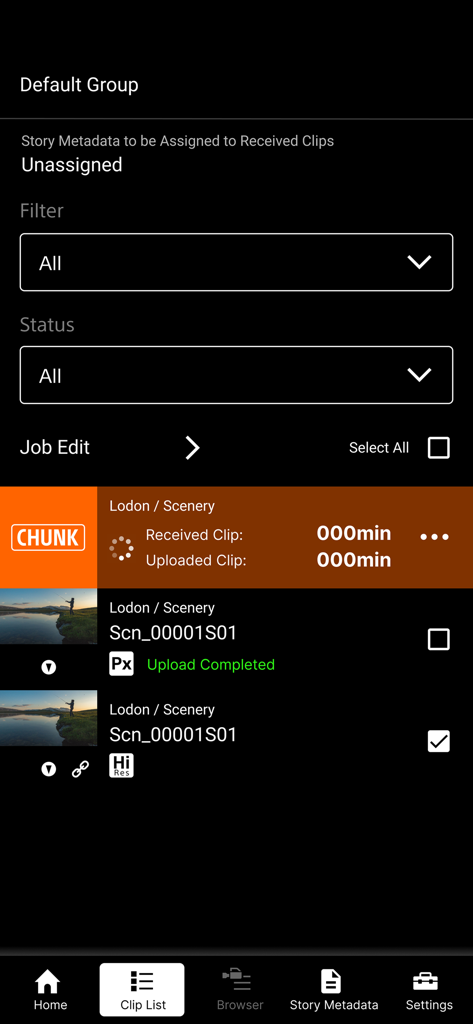
Sony | Creators' App for ENT - Sony Creators App for ENTのクリップリストインターフェース。ビデオアップロードステータスと高解像度ファイル管理が表示されています。
Sony Creators App for ENTのクリップリストインターフェース。ビデオアップロードステータスと高解像度ファイル管理が表示されています。

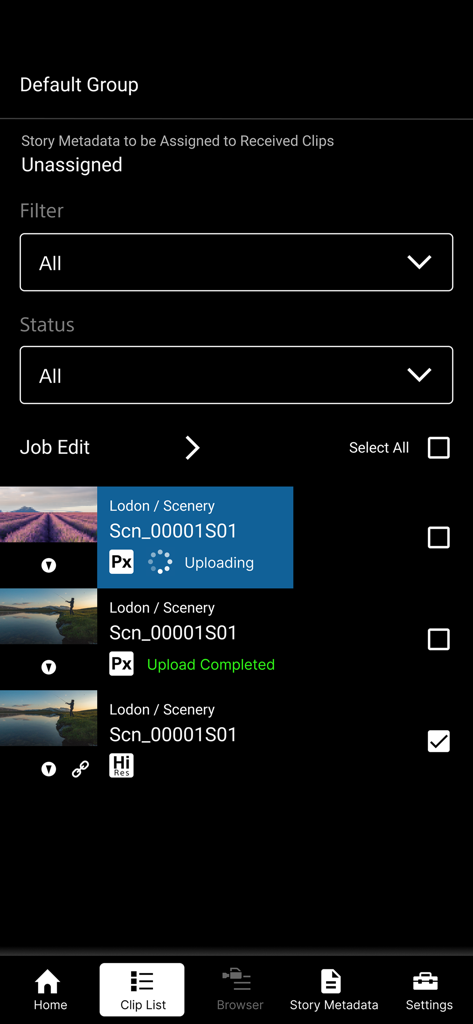
Sony | Creators' App for ENT - Sony Creators App for Enterpriseのビデオクリップリストとアップロードステータスが表示されています。

Sony Creators App for Enterpriseのビデオクリップリストとアップロードステータスが表示されています。

説明

※ Important Update Notice After this update, you will need to sign in to the service to display video clips that were saved prior to this update (including those imported in offline mode). "Creators' App for Enterprise (Abbreviation: C'App for ENT)" is an app for uploading video clips by connecting cameras to Sony’s C3 Portal and Ci Media Cloud (both are cloud services) via a smartphone. For details about C3 Portal, refer to the following. https://pro.sony/en_GB/technology/wireless-workflow/c3-portal For details about Ci Media Cloud, refer to the following. https://www.cimediacloud.com/ New features in version 2025.2 ■ Support for Sony camera model PXW-Z300/Z380. ■ Support for feature that send GPS information to the supported camera. ■ Enhanced user experience (UX). Existing features ■ Simple Camera Connection + Simple connection (via USB) to camera by scanning QR code displayed on the camera *1 + Simple connection (via USB) to camera by bluetooth pairing with the camera *8 + Simple connection (via USB) to camera by using Remote Shooting feature *9 ■ Transfer Video Clips from Camera to Smartphone ■ Upload Video Clips from Smartphone to cloud services ■ Load from Card Reader *2*3 ■ Auto Upload and Assign + Auto upload clips to cloud services when transferring clips to the smartphone (ON/OFF selectable) + Assign story metadata automatically when transferring clips to the smartphone (C3 Portal only) ■ Display Video Clip List + Play video clips *4 + Edit essence marks *5 ■ Camera Browser + List video clips saved on Sony camera + Transfer video clips from Sony camera to smartphone via this app + Play video clips saved on Sony camera *4 ■ Upload Job Edit + Editable video clip upload order + Can change upload status while viewing video clips Features for C3 Portal ■ Manage Story Metadata + Create and edit story metadata *6 + Display and assign story metadata allocated to groups, as well as the logged in user + Supports file attachments *7 Feature for Ci Media Cloud ■ Support File Request Code + Upload video clips to Ci Media Cloud using file request codes without Ci user account + Edit metadata information of file request *1 Refer to the Web Help for information about supported cameras. *2 Refer to the Web Help for information about verified card readers. *3 Media formatted in exFAT format may not be recognized, depending on the device. *4 Thumbnail image or playback image of interlaced proxy clips may not be displayed properly, depending on the device. *5 Video clips recorded by cameras other than Sony cameras (not all models) are not supported. *6 Items that can be edited will vary depending on the user. *7 Restricted to files that can be recognized by the smartphone. *8 Refer to the Web Help for information about supported cameras. *9 Refer to the Web Help for information about supported cameras. ■ Operating Environment iOS 16 to 18 ■ Web Help Page For details about usage, refer to the following help pages. https://helpguide.sony.net/promobile/c3p_app/v2/en/index.html ■ Other This application is not guaranteed to work on all smartphones and tablets. Note that we do not respond individually to inquiries from customers about this application and its services. You can report vulnerabilities related to this application and service via the “SECURE @ SONY” website. URL: https://secure.sony.net/

Download

ダウンロード: App Store

このページはアプリまたはその開発者の公式ページではなく、情報提供および論評を目的として作成された独立した編集出版物です。明示的に別段の記載がない限り、アプリおよびその開発者は、MWM、Apple、Google Play、アプリのパブリッシャー、またはアプリの開発者と提携、承認、後援、認可、またはその他の公式的な関係はなく、このページのいかなる内容も、アプリがMWMのサービスを使用して開発されたことを意味するものではありません。すべての商標、ロゴ、スクリーンショット、その他のコンテンツはそれぞれの所有者の財産です。








