Sound Level Analyzer PRO
ダウンロード: App Store

このページはアプリまたはその開発者の公式ページではなく、情報提供および論評を目的として作成された独立した編集出版物です。明示的に別段の記載がない限り、アプリおよびその開発者は、MWM、Apple、Google Play、アプリのパブリッシャー、またはアプリの開発者と提携、承認、後援、認可、またはその他の公式的な関係はなく、このページのいかなる内容も、アプリがMWMのサービスを使用して開発されたことを意味するものではありません。すべての商標、ロゴ、スクリーンショット、その他のコンテンツはそれぞれの所有者の財産です。

ロゴ: Sound Level Analyzer PRO
ダウンロード: App Store

Sound Level Analyzer PRO

リアルタイムFFTスペクトル解析、1/3オクターブバンドデータ、包括的な騒音統計により、プロフェッショナルなプロジェクトを強化—精密な音響エンジニアリングを手のひらに。

主要数値

ダウンロード

3K+

ユーザー評価

1.0/5

評価数

0

開発元

TOON,LLC

カテゴリ

Utilities

対応言語

1

最新バージョン

8.0

サイズ

0.7 MB

リリース日

2017年12月12日
機能

プロフェッショナルグレードの音響インテリジェンス

低周波ハムの特定から環境騒音の文書化まで、iPhoneをラボ品質のデータ分析を備えた精密測定ツールに変えます。

証拠に基づいたデータロギング

最大8時間の時系列データと統計ヒストグラムをキャプチャし、騒音苦情や職場安全監査のための客観的かつ確実な証拠を提供します。

リアルタイムスペクトルインサイト

プロフェッショナルFFTおよび1/3オクターブバンド応答を使用して音源を分析し、ハイエンドオーディオシステムを最適化し、特定の周波数の原因を特定します。

以下のスクリーンショットと説明は、アプリの公式ストアリスティングから直接取得されたものであり、アプリ開発者の所有物です。

アプリストア

スクリーンショット
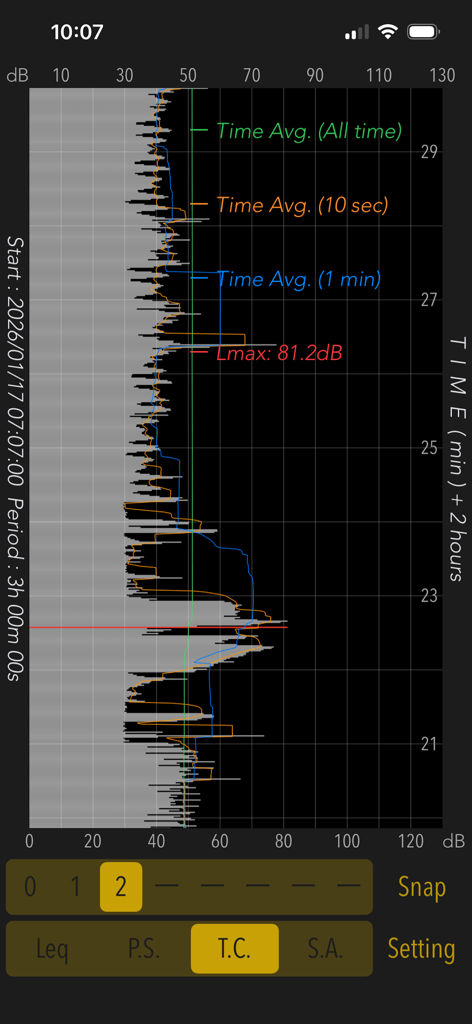
Sound Level Analyzer PRO - Sound Level Analyzer PROアプリに、3時間のサウンドレベルの時系列グラフが表示されています
Sound Level Analyzer PROアプリに、3時間のサウンドレベルの時系列グラフが表示されています

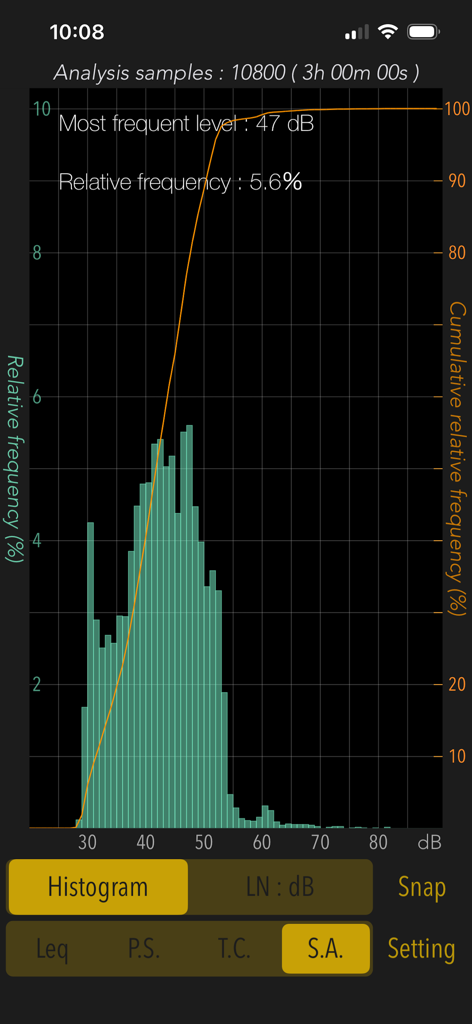
Sound Level Analyzer PRO - Sound Level Analyzer PROの統計分析ヒストグラムに、3時間のノイズレベル分布が表示されています
Sound Level Analyzer PROの統計分析ヒストグラムに、3時間のノイズレベル分布が表示されています

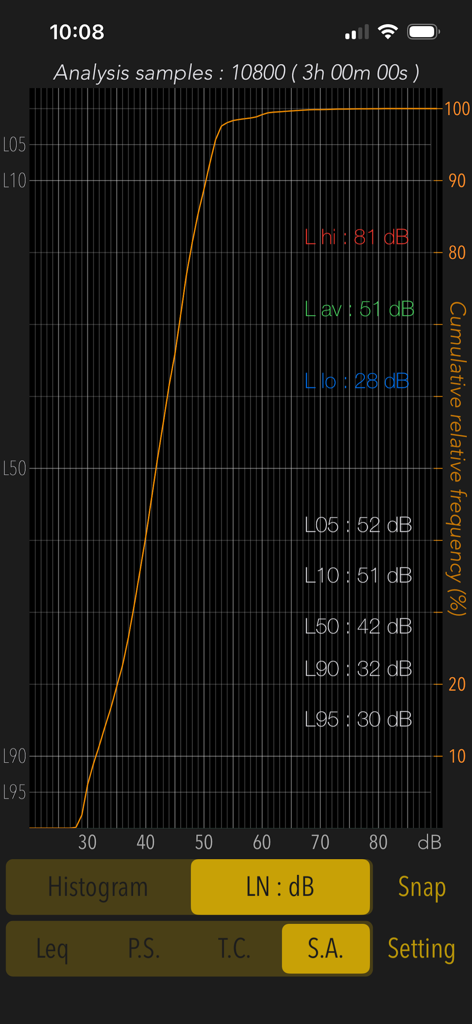
Sound Level Analyzer PRO - 統計分析画面に、3時間の累積相対周波数とデシベルパーセンタイルレベルが表示されています
統計分析画面に、3時間の累積相対周波数とデシベルパーセンタイルレベルが表示されています

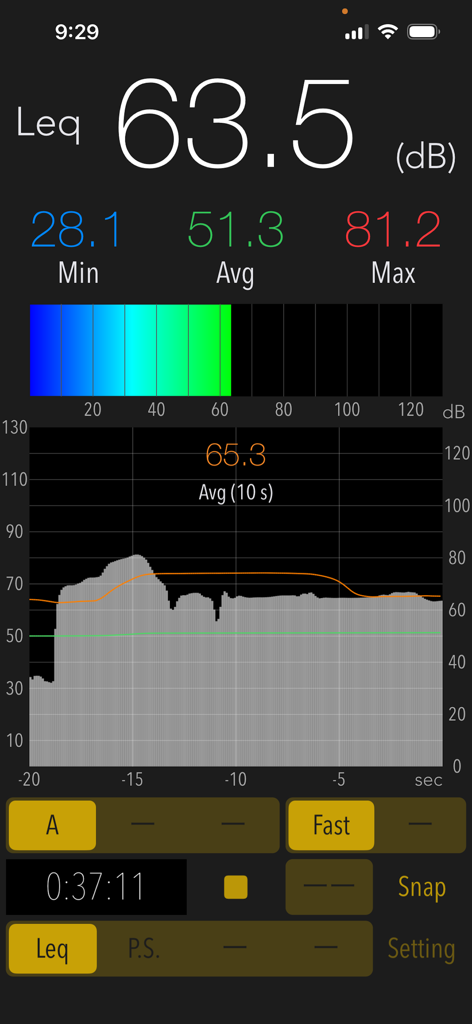
Sound Level Analyzer PRO - Sound Level Analyzer PROアプリのリアルタイムデシベル測定インターフェースに、現在の、最小、最大、平均サウンドレベルが表示されています。
Sound Level Analyzer PROアプリのリアルタイムデシベル測定インターフェースに、現在の、最小、最大、平均サウンドレベルが表示されています。

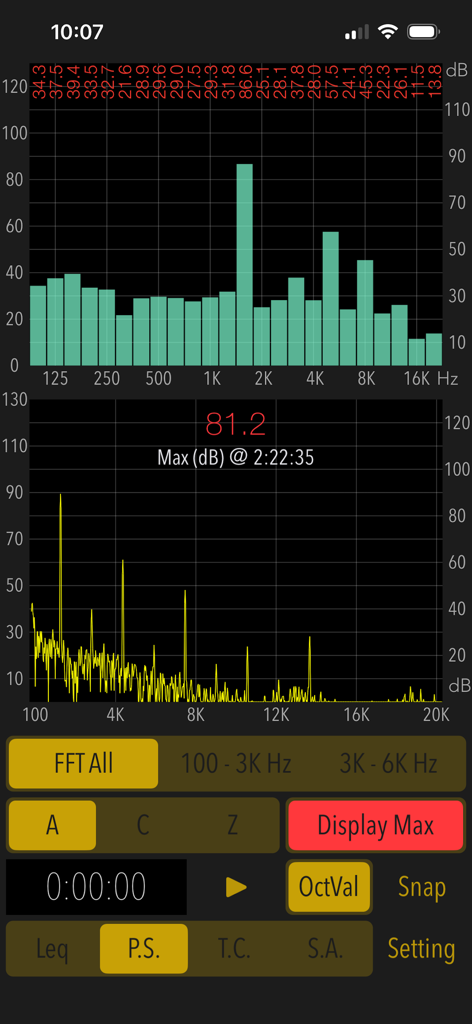
Sound Level Analyzer PRO - Sound Level Analyzer PROアプリのパワースペクトルおよびFFT周波数分析画面
Sound Level Analyzer PROアプリのパワースペクトルおよびFFT周波数分析画面

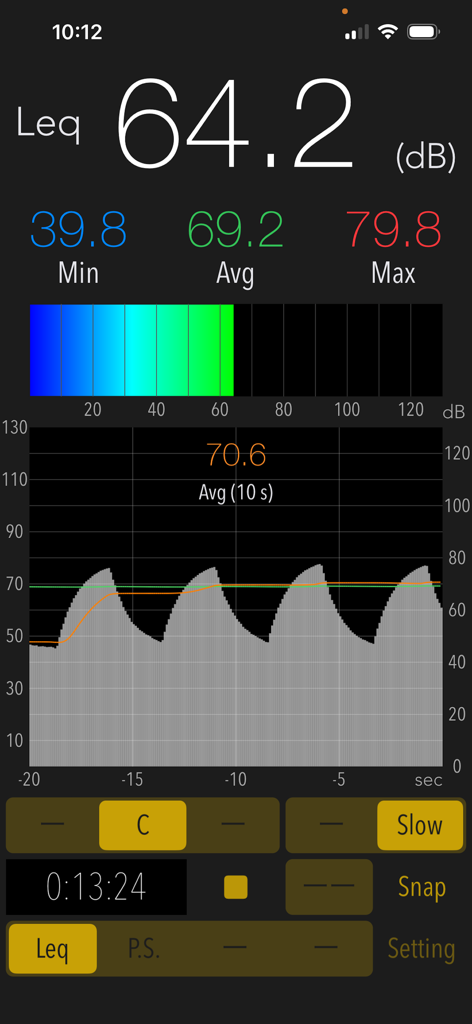
Sound Level Analyzer PRO - Sound Level Analyzer PROアプリのインターフェースに、リアルタイムのデシベル測定値64.2 dB、サウンド履歴グラフ、統計が表示されています
Sound Level Analyzer PROアプリのインターフェースに、リアルタイムのデシベル測定値64.2 dB、サウンド履歴グラフ、統計が表示されています

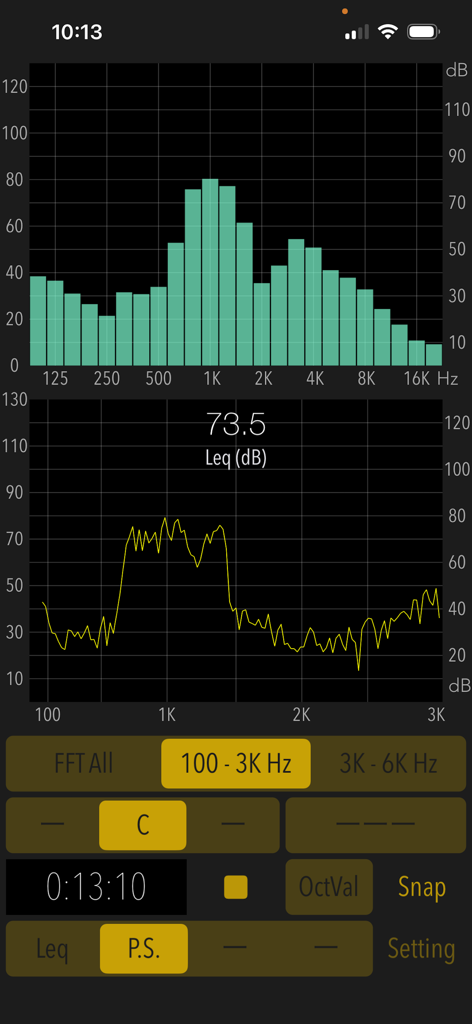
Sound Level Analyzer PRO - Sound Level Analyzer PROのインターフェースに、リアルタイム周波数スペクトル分析とデシベルレベルが表示されています
Sound Level Analyzer PROのインターフェースに、リアルタイム周波数スペクトル分析とデシベルレベルが表示されています

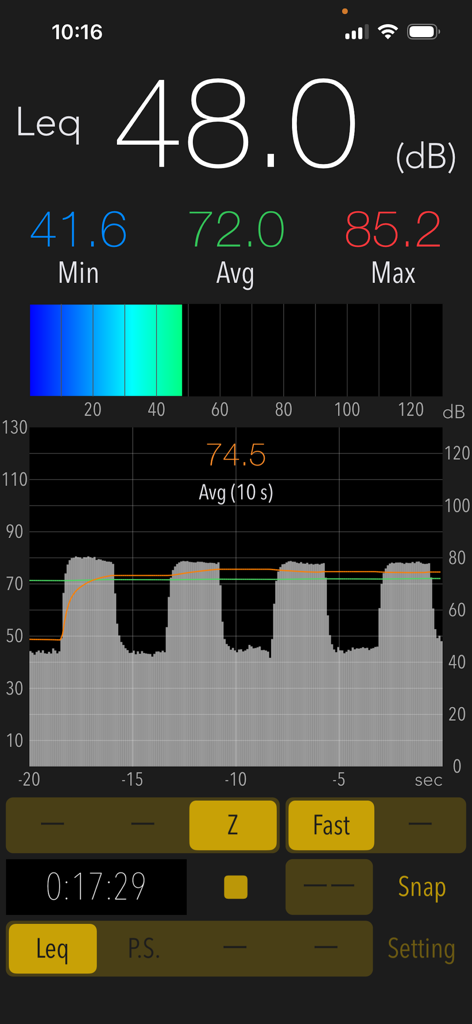
Sound Level Analyzer PRO - Sound Level Analyzer PROのインターフェースに、リアルタイムのデシベル測定値とノイズレベル履歴グラフが表示されています
Sound Level Analyzer PROのインターフェースに、リアルタイムのデシベル測定値とノイズレベル履歴グラフが表示されています

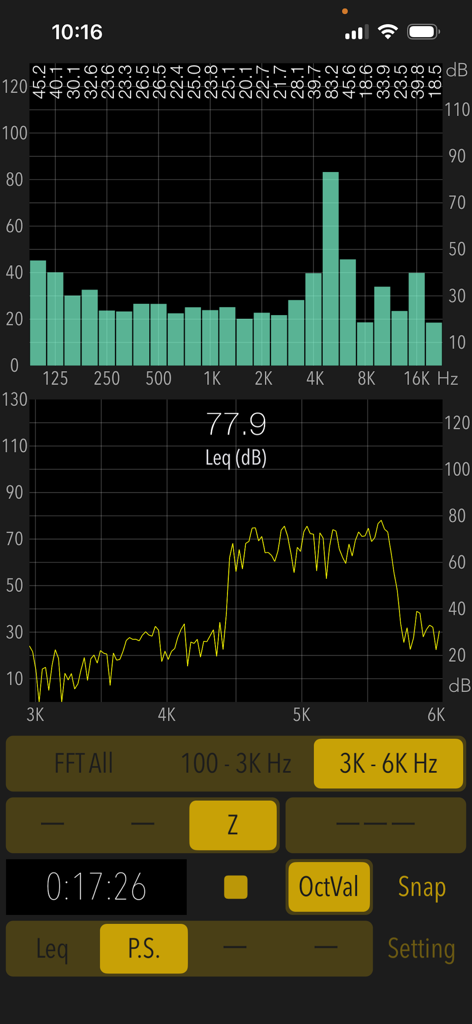
Sound Level Analyzer PRO - Sound Level Analyzer PROアプリのインターフェースに、リアルタイムFFTスペクトルと1/3オクターブバンド分析グラフが表示されています。
Sound Level Analyzer PROアプリのインターフェースに、リアルタイムFFTスペクトルと1/3オクターブバンド分析グラフが表示されています。

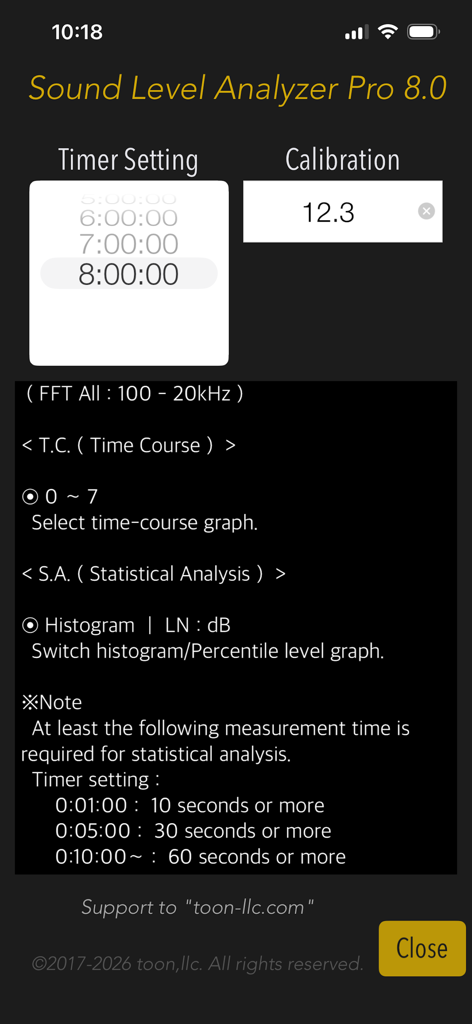
Sound Level Analyzer PRO - Sound Level Analyzer PROの設定画面に、タイマーとキャリブレーション設定が表示されています

Sound Level Analyzer PROの設定画面に、タイマーとキャリブレーション設定が表示されています

説明

"Sound Level Analyzer PRO" is an integrated sound measurement app featuring a sound level meter and powerful acoustic analysis tools. It is available for a wide variety of applications, such as measuring ambient noise in neighborhoods, testing audio systems, checking interior noise in vehicles, checking sound at live events, and much more. Its advanced sound analysis capabilities allow you to perform real-time frequency spectrum analysis, time-varying level measurement, and in-depth statistical analysis of sound levels. It can also be used to analyze the multifaceted characteristics and trends in the occurrence frequency of any sound source. # Measurement functions Main (Leq): Sound level measurement in real-time. - Sound level measurement (dB): Leq (equivalent sound level), Min (minimum value), Max (maximum value), Avg (time-averaged equivalent sound level) - Frequency weighting correction characteristics: A (general sound level measurement with auditory correction), C (sound level measurement with almost flatter correction than A correction, e.g. peak evaluation at high volume), Z (flat characteristics without auditory correction, physical sound level measurement) - Time weighting characteristics: Fast=0.125 sec, Slow=1.0 sec Power Spectrum (P.S.): View of frequency spectrum analysis in real-time. - Spectrum analyzer function: FFT analysis, 1/3-octave band response analysis. - FFT frequency range settings: 100Hz - 20kHz (FFT All) / 100Hz - 3kHz / 3kHz - 6kHz - Measured value display function in 1/3 oct band response analysis. (OctVal) - Power spectrum display function at the occurrence time of maximum level. (Display Max) Time Course (T.C.): View of time-history of the sound level. (Graphical representation after measuring completion.) - Time-domain fluctuation level display function: up to 8 hours linked on a timer. Statistical Analysis (S.A.): Statistical analysis of sound level at A-weighting and Fast. (Analysis display after measuring completion.) - Histogram: Displays all detected sound level distribution as a percentage. - Percentile Level (LN:dB): Display the levels of L05 / L10 / L50 / L90 / L95 on the percentile level graph. # Control functions - Calibration function: level correction value setting, -20 to +20dB - Measurement timer function: 1 minute / 5 minutes / 10 minutes / 15 minutes / 20 minutes / 30 minutes / 1 - 8 hours (1 hour unit) - Snapshot: Save measurement display with time stamp to Photos. # Examples of usage scenes: - Measure the noise situation in the workplace. - Examine the frequency component and time variation of noise target. - Check the sound level and background noise level during music performance. - To know the sound volume of snoring at sleep. - Measure the quiet characteristics of electric products for the judgment of purchase. - To know the noise level of the car. Also, as a purchase consideration material for automobiles, measure the in-car noise level at the test drive and compare it. - To know the noise situation in my home. Also, when buying a house, knowing the noise situation of the surrounding environment. # Example of the noise level situation: - 130dB: Engine sound of Airplane - 110dB: Horn of Car - 100dB: Noise of passing train - 90dB: In loud factory - 80dB: In the train, Vacuum cleaner - 70dB: Noisy office, Noisy Street - 60dB: Quiet Car, Normal conversation - 50dB: Quiet office - 40dB: In the library, Quiet residential area - 30dB: Outskirts of midnight, Whisper - 20dB: Sounds of rubbing leaves # Note: At the time of the first access to Microphone and Photos after installing the app, you will be asked authorization to access them by the iOS system. If you have not enabled this setting, the app cannot access them by privacy restrictions of the iOS system. Please enable the access permission on the iOS setting, "Settings > Privacy & Security > Photos or Microphone". Please visit our iOS App support page for more information on this app.

Download

ダウンロード: App Store

このページはアプリまたはその開発者の公式ページではなく、情報提供および論評を目的として作成された独立した編集出版物です。明示的に別段の記載がない限り、アプリおよびその開発者は、MWM、Apple、Google Play、アプリのパブリッシャー、またはアプリの開発者と提携、承認、後援、認可、またはその他の公式的な関係はなく、このページのいかなる内容も、アプリがMWMのサービスを使用して開発されたことを意味するものではありません。すべての商標、ロゴ、スクリーンショット、その他のコンテンツはそれぞれの所有者の財産です。








