SparkReceipt: Expense Scanner

SparkReceipt: Expense Scanner

ダウンロード: App Store
ロゴ: SparkReceipt: Expense Scanner

SparkReceipt:スマートビジネスのためのAI経費スキャナー

紙の煩雑さはもうやめ、経理を自動化しましょう。ChatGPTの知能を活用して、レシートをスキャンし、経費を追跡し、税控除を楽に最大化しましょう。

ダウンロード: App Store

開発元

SparkReceipt Oy

カテゴリ

Finance

ダウンロード

2K+

ユーザー評価

4.8/5

評価数

600

対応言語

6

内部を覗いてみましょう

このインターフェースを利用する 2K+ 人のユーザー.

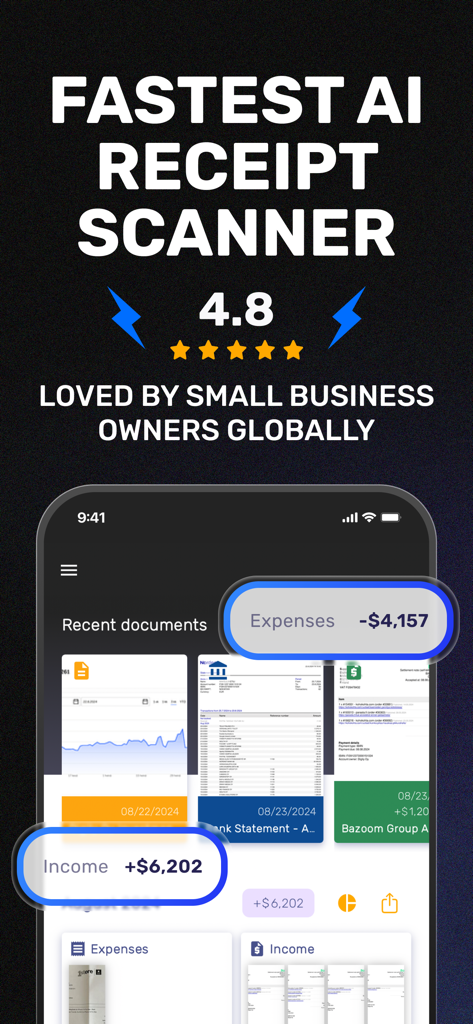
SparkReceiptアプリ画面:AIレシートスキャナーの見出しと財務概要ダッシュボードが表示されています
SparkReceiptアプリ画面:AIレシートスキャナーの見出しと財務概要ダッシュボードが表示されています

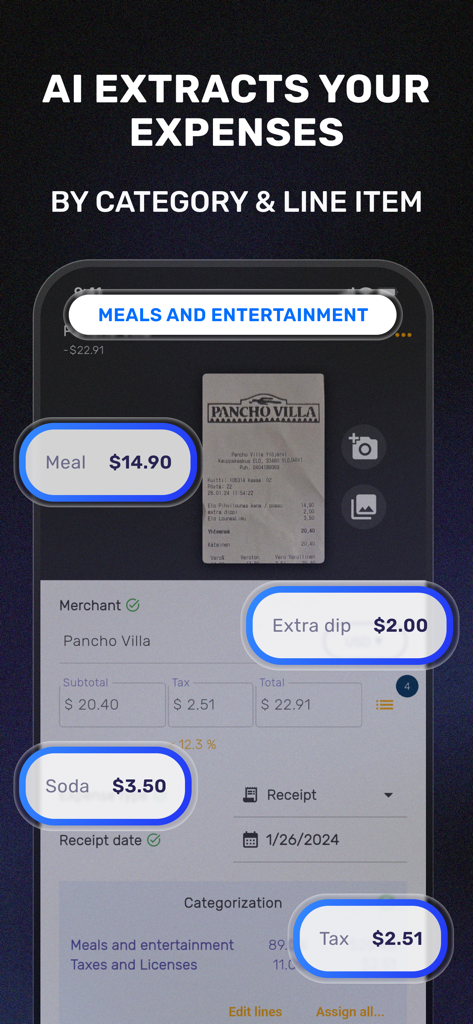
SparkReceiptアプリインターフェース:レストランのレシートから経費項目とカテゴリのAIによる抽出が表示されています
SparkReceiptアプリインターフェース:レストランのレシートから経費項目とカテゴリのAIによる抽出が表示されています

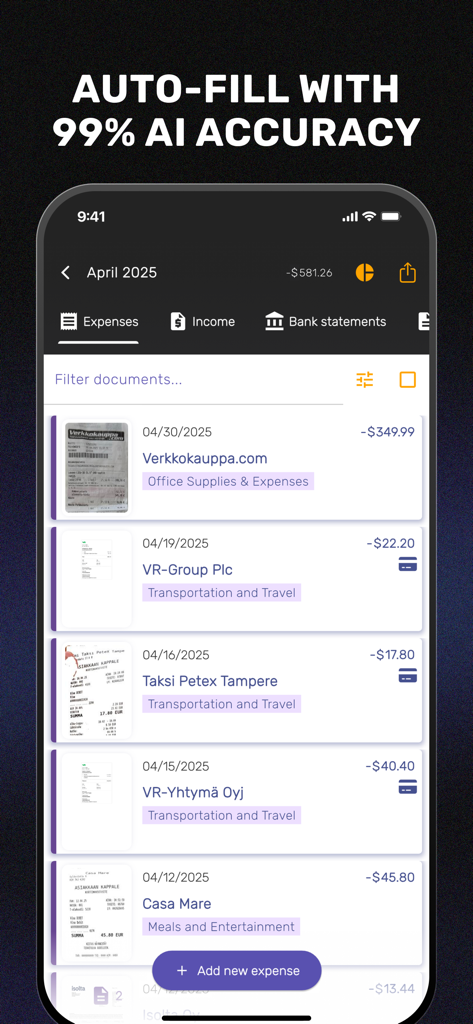
SparkReceiptモバイルアプリダッシュボード:AIによってカテゴリ分けされたスキャン済みビジネスレシートと経費のリストが表示されています
SparkReceiptモバイルアプリダッシュボード:AIによってカテゴリ分けされたスキャン済みビジネスレシートと経費のリストが表示されています

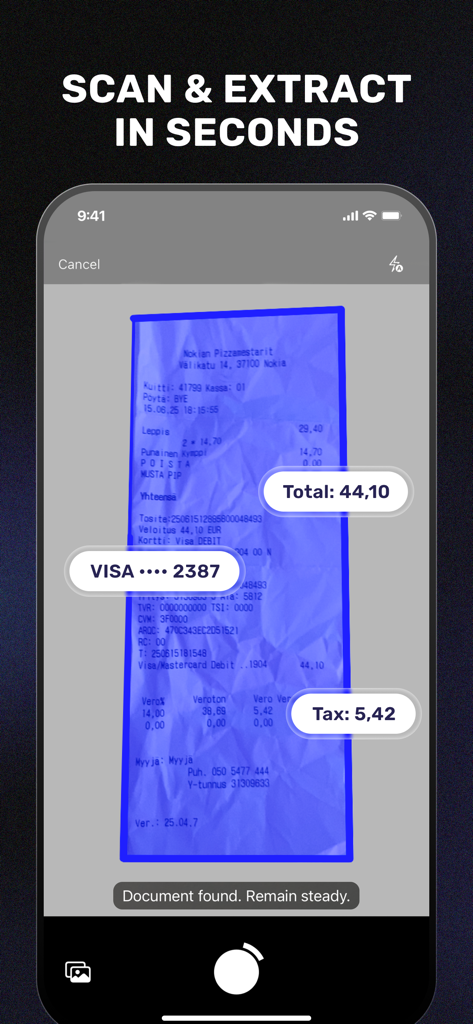
SparkReceiptモバイルアプリインターフェース:レシートをスキャンし、合計金額と税金のデータを自動抽出しています
SparkReceiptモバイルアプリインターフェース:レシートをスキャンし、合計金額と税金のデータを自動抽出しています

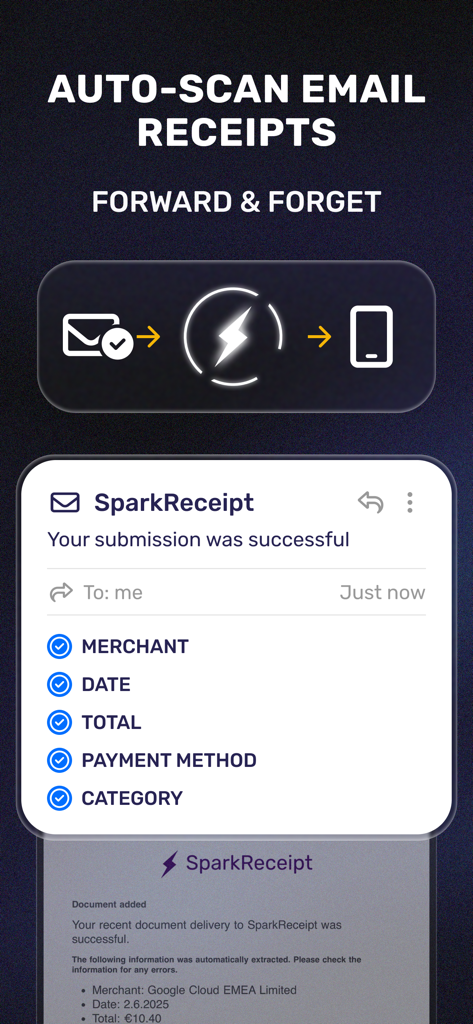
メールレシートをSparkReceiptに転送して、加盟店、日付、合計金額のデータを自動抽出する仕組みを示す図
メールレシートをSparkReceiptに転送して、加盟店、日付、合計金額のデータを自動抽出する仕組みを示す図

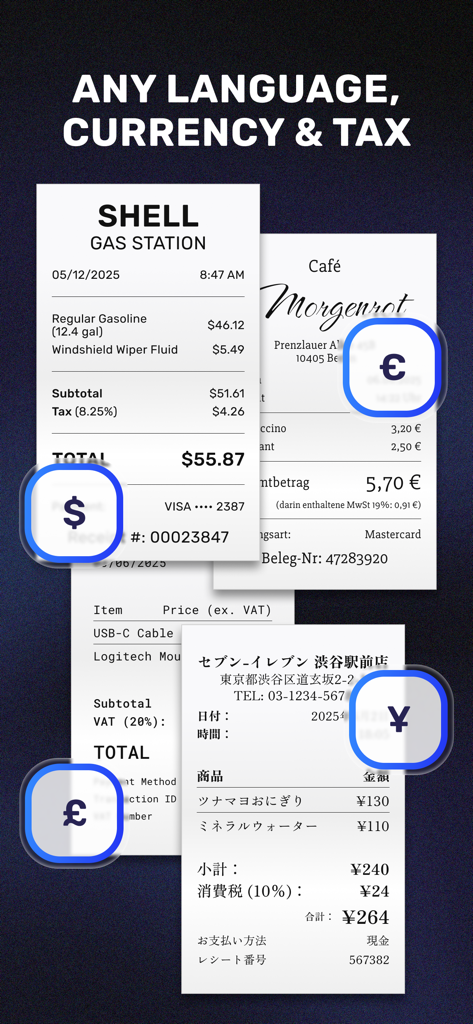
ドル、ユーロ、ポンド、円などのさまざまな通貨や言語のデジタルレシートが、暗い背景に表示されています。
ドル、ユーロ、ポンド、円などのさまざまな通貨や言語のデジタルレシートが、暗い背景に表示されています。

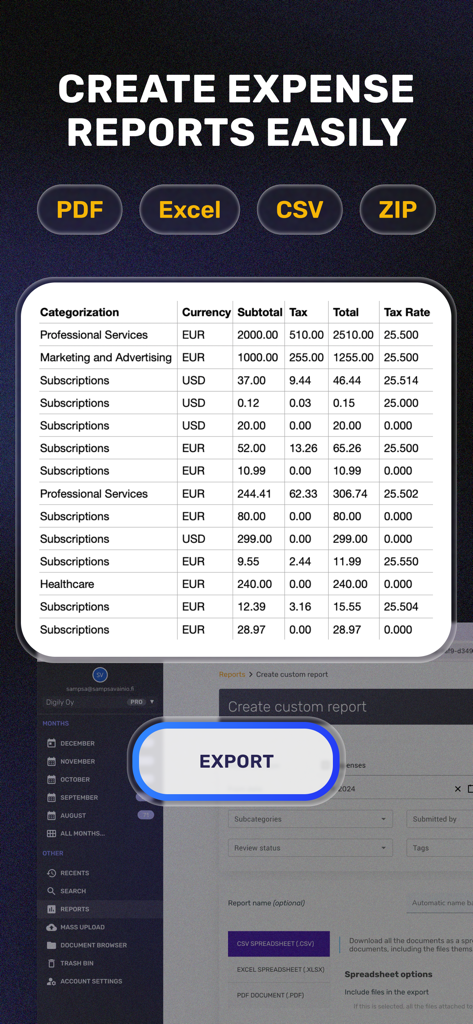
PDFやExcelなどの複数の形式で経費レポートを作成およびエクスポートするためのSparkReceiptアプリインターフェース
PDFやExcelなどの複数の形式で経費レポートを作成およびエクスポートするためのSparkReceiptアプリインターフェース

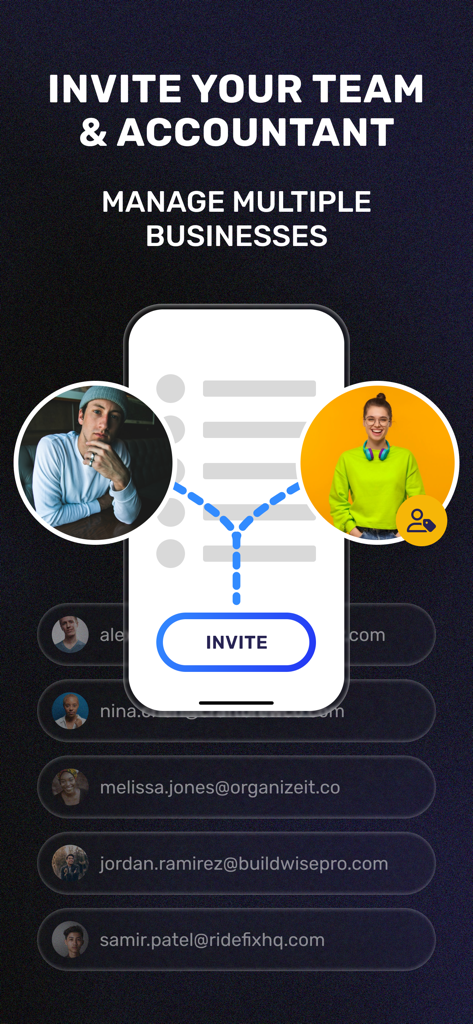
複数のビジネス経費を管理するために、チームメンバーや会計士を招待するためのモバイルインターフェース。
複数のビジネス経費を管理するために、チームメンバーや会計士を招待するためのモバイルインターフェース。

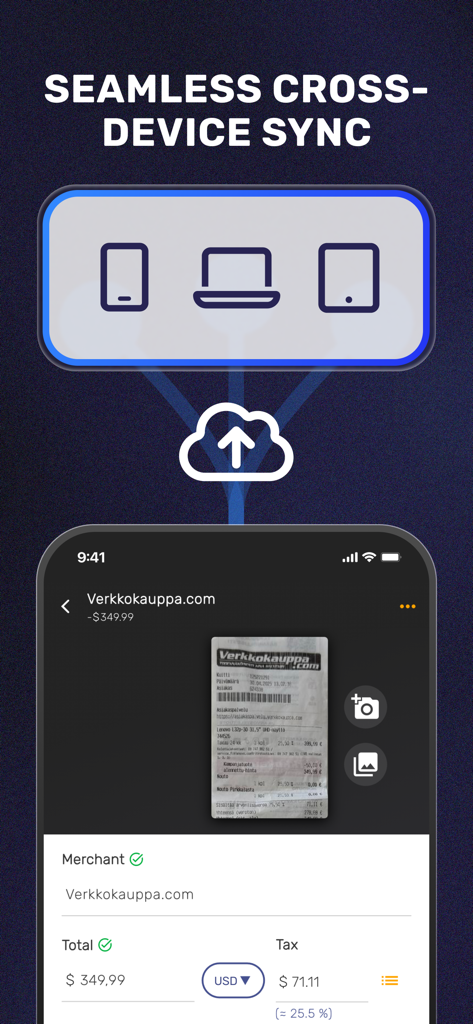
スマートフォン、ラップトップ、タブレットデバイス間でシームレスなクラウド同期を示すSparkReceiptアプリインターフェース。
スマートフォン、ラップトップ、タブレットデバイス間でシームレスなクラウド同期を示すSparkReceiptアプリインターフェース。

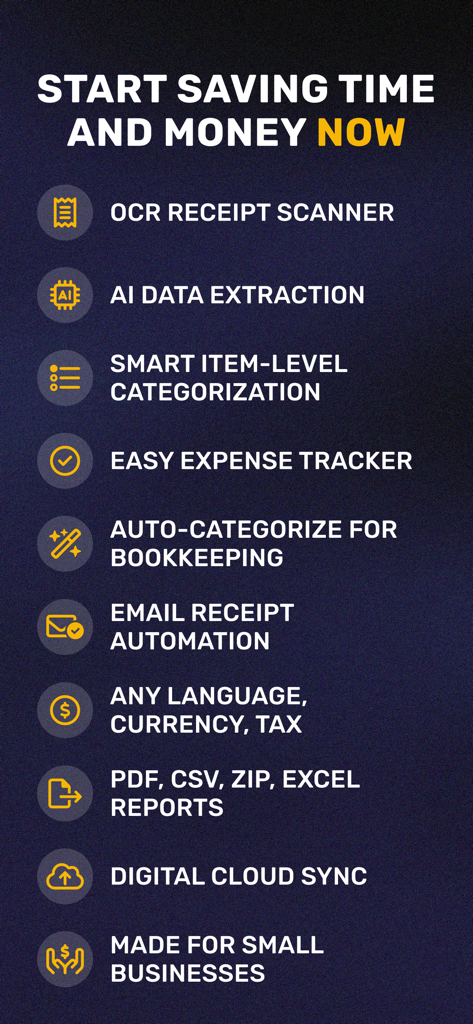
ビジネス経費のためのAIデータ抽出、OCRスキャン、クラウド同期などのSparkReceiptアプリの主な機能

ビジネス経費のためのAIデータ抽出、OCRスキャン、クラウド同期などのSparkReceiptアプリの主な機能

ビジネス財務をマスターする

このアプリを際立たせるツール、 2K+ 人のユーザーが選択.

🤖

AI搭載スマートスキャン

ChatGPTテクノロジーを活用し、どのようなレシートからも、加盟店、カテゴリ、合計金額を驚くほど正確に自動抽出します。

🤝

ストレスフリーな連携

安全なリンクを通じて、デジタル記録を会計士やチームと即座に共有し、税務シーズンを整理整頓し、円滑に進めます。

☁️

紙の煩雑さよ、さようなら

レシートや請求書を安全なクラウドに保存します。いつでもiPhoneやウェブブラウザから財務データに検索、フィルタリング、アクセスできます。

アプリについて

について知っておくべきこと SparkReceipt: Expense Scanner.

説明

No more cluttered drawers and piles of paper receipts, invoices, and bank statements with SparkReceipt! ORGANIZE YOUR BUSINESS DOCUMENTS EFFORTLESSLY Managing all your business documents is now easier than ever with this simple solution. SparkReceipt features an advanced receipt scanner with OCR technology. This allows you to easily scan receipts, crop images, digitize documents, and store all bank statements, or other documents in the cloud. QUICK AND ACCURATE RECEIPT SCANNING With SparkReceipt's quick and accurate receipt scanning feature, you can save time and effort. The receipt scanner utilizes advanced OCR technology to accurately scan receipts. It can even auto-fill receipt data, making the process even more effortless. INTELLIGENT DATA EXTRACTION USING CHATGPT SparkReceipt uses the latest ChatGPT AI to accurately detect merchants, expense categories, totals and currencies from receipts across the world. CLOUD STORAGE All your documents are securely stored in the cloud, so you can access them from anywhere with an internet connection. And don't worry about losing your data, as everything is backed up and accessible from any device. MULTI-USER SUPPORT FOR TEAM COLLABORATION Whether you have a team or want to share expenses with others, we have you covered. SparkReceipt offers multi-user support, which means you can easily invite other users to join the platform. This feature allows you to keep your expenses organized and collaborate with others effortlessly. CATEGORIZE DOCUMENTS Sorting through your expenses is a breeze with SparkReceipt. You can easily sort through your expenses by document category, tags, or by user. This will help you keep track of your expenses and find what you're looking for. FOR EVERYONE Whether you’re a freelancer or you own a business, this app has been made entirely for you! Moreover, SparkReceipt will allow you to set your own currency. Choose and the app will perform your expense tracking in your own preferred currency. All currency conversions will use accurate historical daily rates for the actual date of purchase. EASY SHARING WITH YOUR ACCOUNTANT Sharing your receipts with your accountant for easy bookkeeping has never been simpler with SparkReceipt. You can easily share your receipts with your accountant, ending the need to send receipts or documents via email attachments. SparkReceipt also believes in security and privacy – provide a time limit and the shared receipts will get hidden whenever you want them to. BOOKKEEPING MADE EASY WITH SEARCH The powerful search feature allows you to search for documents by name, description, or even by the text in the image. This will make it easy to quickly find the documents you need. SCAN DOCUMENTS FROM ANYWHERE. ACCESS DOCUMENTS FROM ANYWHERE With SparkReceipt's web app, you can manage your documents easily when you have access to any laptop or desktop computer. This gives you even more flexibility and convenience in managing your business documents. EXPENSE TRACKING SIMPLIFIED SparkReceipt makes tracking your receipts and other business documents simple and efficient. The app will generate useful bar graphs to help explain the records. You can also filter the data by choosing specific documents, tags and time periods. Important Features: - No ads - Simplistic interface - Easy-to-use image editing and cropping tools - Secure and private SparkReceipt is an excellent tool to scan documents, track receipts and other business documents, as well as sorting and tracking expenses. It also allows for easy collaboration with team members and simplifies the expense reporting process. Give it a try today and discover how easy managing your business documents can be! Terms of Use: https://www.apple.com/legal/internet-services/itunes/dev/stdeula/ Privacy Policy: https://www.sparkreceipt.com/privacy-policy

最新バージョン

2.1.0

サイズ

117.9 MB

リリース日

2023年2月14日

レシート追跡をやめて、ビジネスの成長を始めましょう

AIスキャンで数秒で経費を整理する、数千人のフリーランサーや中小企業オーナーに加わりましょう。あなたの時間を取り戻し、税控除を今日最大化しましょう。

ダウンロード: App Store

App information, icons, screenshots, and descriptions displayed on this page are sourced from the Apple App Store and are the property of their respective developers. Download estimates and rankings are based on MWM's proprietary models and may not reflect actual figures. This page is provided for informational and analytical purposes only.

Believe this page infringes your intellectual property? File a dispute