Speech Assist Switch
ダウンロード: App Store

このページはアプリまたはその開発者の公式ページではなく、情報提供および論評を目的として作成された独立した編集出版物です。明示的に別段の記載がない限り、アプリおよびその開発者は、MWM、Apple、Google Play、アプリのパブリッシャー、またはアプリの開発者と提携、承認、後援、認可、またはその他の公式的な関係はなく、このページのいかなる内容も、アプリがMWMのサービスを使用して開発されたことを意味するものではありません。すべての商標、ロゴ、スクリーンショット、その他のコンテンツはそれぞれの所有者の財産です。

ロゴ: Speech Assist Switch
ダウンロード: App Store

Speech Assist Switch

運動能力に困難を抱えるiPadユーザーのために特別に設計されたプロフェッショナルAACソリューション。カスタマイズ可能なスキャンパターン、パーソナライズされたフレーズライブラリ、そしてあなた固有のニーズに合わせた高品質な音声で、自立したコミュニケーションを実現しましょう。

主要数値

ダウンロード

29K+

ユーザー評価

1.0/5

評価数

0

開発元

Ton Schalke

カテゴリ

Medical

対応言語

4

最新バージョン

3.5.2

サイズ

67.7 MB

リリース日

2019年5月3日
機能

精密なアクセシビリティで、すべての声を力づける

運動能力に課題のあるiPadユーザーのために特別に設計されたこのアプリは、最適化されたスキャンと完全にカスタマイズ可能なコミュニケーショングリッドを通じて、思考とスピーチの間のギャップを埋めます。

最適化されたスキャン効率

行とボタンのグループ化を調整することで、適切な言葉を見つけるために必要なスイッチ操作を最小限に抑え、身体的な疲労を軽減するように設計されています。

スクロール不要のナビゲーション

専用のページアップ/ダウンボタンを使用してスムーズな操作を体験し、運動障害のあるユーザーにとってスクロールの難しさを解消します。

以下のスクリーンショットと説明は、アプリの公式ストアリスティングから直接取得されたものであり、アプリ開発者の所有物です。

アプリストア

スクリーンショット
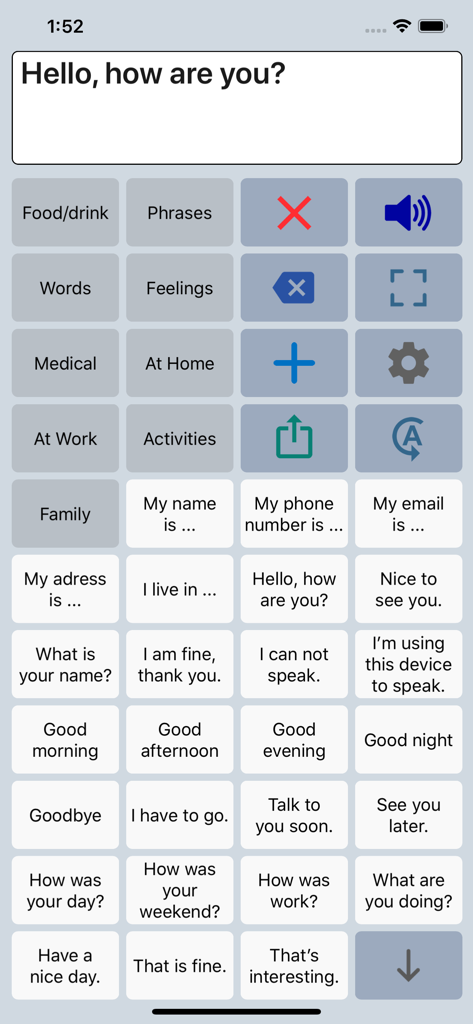
Speech Assist Switch - Speech Assist Switch AACアプリのインターフェイス。音声アシストのためのカスタマイズ可能なフレーズとカテゴリのグリッドが表示されています。
Speech Assist Switch AACアプリのインターフェイス。音声アシストのためのカスタマイズ可能なフレーズとカテゴリのグリッドが表示されています。

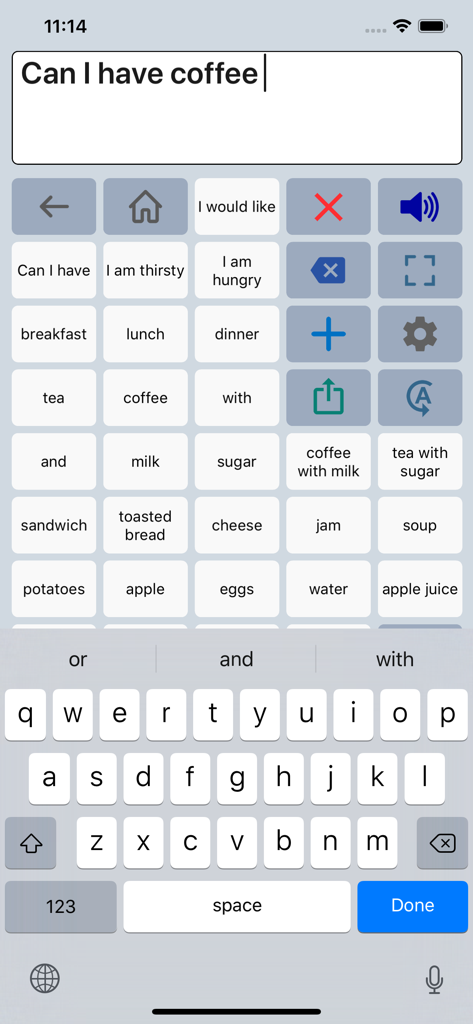
Speech Assist Switch - Speech Assist Switchアプリのインターフェイス。フレーズのグリッドとコミュニケーション用のキーボードが表示されています。
Speech Assist Switchアプリのインターフェイス。フレーズのグリッドとコミュニケーション用のキーボードが表示されています。

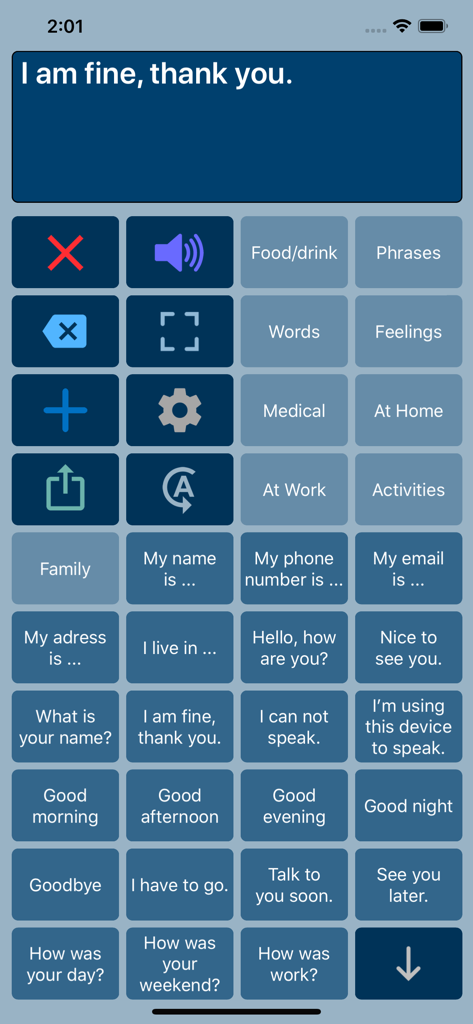
Speech Assist Switch - Speech Assist Switchアプリのインターフェイス。一般的なフレーズとカテゴリオプションのコミュニケーションボタンのグリッドが表示されています。
Speech Assist Switchアプリのインターフェイス。一般的なフレーズとカテゴリオプションのコミュニケーションボタンのグリッドが表示されています。

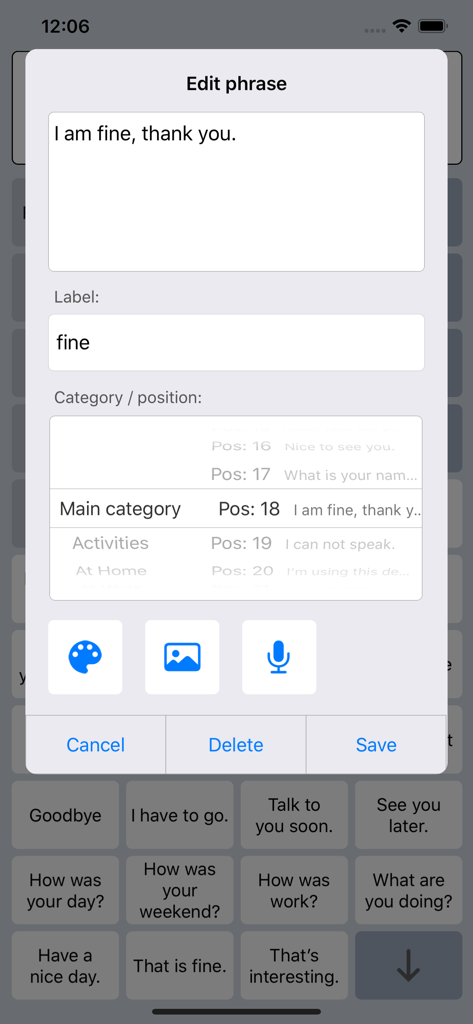
Speech Assist Switch - Speech Assist Switchアプリでフレーズを編集およびカスタマイズするためのインターフェイス。
Speech Assist Switchアプリでフレーズを編集およびカスタマイズするためのインターフェイス。

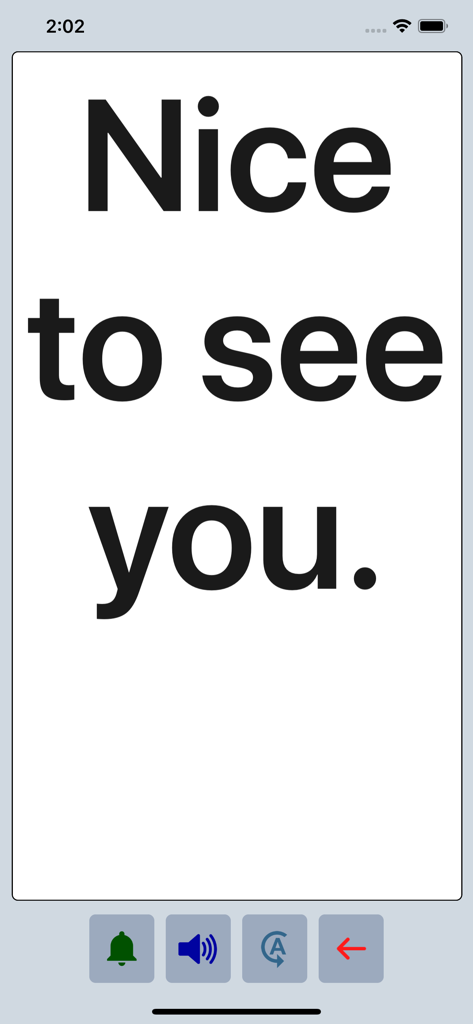
Speech Assist Switch - Speech Assist Switchアプリが、フルスクリーンモードで大きな太字テキストで「Nice to see you」というフレーズを表示しています。

Speech Assist Switchアプリが、フルスクリーンモードで大きな太字テキストで「Nice to see you」というフレーズを表示しています。

説明

Speech Assist Switch is an AAC app for people who are speech impaired and is designed to be used with iOS Switch Control. With Switch Control people with motor difficulties can operate their iPad with a switch. The app has special features for scanning with iOS Switch Control like the option to adjust the scanning pattern and has page up/down navigation buttons to avoid scrolling. If you don’t need these features, the original app ‘Speech Assistant AAC’ is the better choice. Key features • The app is designed for the iPad. • Easy to use and completely customizable to your needs and preferences. • Categories and subcategories to organize your phrases. • History for quick access to previously typed phrases. • Option to select photos from your Photo Library or Symbols on the buttons. • Option to record speech or use one of the many iOS text-to-speech voices. • Full screen button to show your message with a large font. • iCloud backup and restore (also for recordings). Special features for iOS Switch Control • The scanning pattern can be adjusted in the settings. • All the button are created in one large grid. • The buttons can be made very small, in the settings you can choose from 6 to 12 buttons per row on an iPad. • The category buttons can be placed anywhere and it is possible to create subcategories. • Navigation through the pages can be done with page up/down buttons. • A special optional bar for the keyboard with buttons to move the cursor a letter or word. Scanning pattern • When iOS Switch Control is enabled, the default scanning pattern scans row by row and then button by button. This is not always efficient and therefore the scanning pattern can be adjusted in the settings: • The number of rows that will be grouped during scanning. • The number of buttons in a row that will be grouped during scanning. Categories and phrases • Add, change or delete your own (sub)categories and phrases. • You can create an unlimited number of categories to organize your phrases for quick access. • Create users with their own categories, phrases and voice for different languages, persons or situations. • In the settings you can quickly and easily edit multiple phrases at once. • Backup and Restore your categories and phrases to iCloud, also convenient for transferring them to another iPhone/iPad. Fully Customizable • The size of the buttons, the textbox and the text can be adjusted. • The app has various color schemes and you can also create a personal color scheme. • Change the colors of the icons on the buttons. Full screen • Show your message full screen with a very large font. • Useful for communicating in a noisy environment. • Button to rotate the text to show your message to the person opposite of you. Speech • Pronunciation corrections can be defined in the settings. • The rate and pitch of the speech can be adjusted. • Option to speak each Word or Character directly while typing. • Optional highlighting of the spoken words. • Pause and resume speaking by tapping the speak button (optional setting). Other features • Connect a bluetooth keyboard and create shortcuts for the functions Speak, Clear, Show and Attention Sound. • Button to share your message to mail, text and social media. • Attention sound button on Main and Full screen. • Option to select symbols from the set of 3400 Mulberry Symbols (mulberrysymbols.org) to place on the buttons. About the app • This app is developed by ASoft. • Ben Fullerton, who has Cerebral Palsy, has been a great help with the special features for iOS Switch Control. • For feedback or questions, please contact: speechassistant@asoft.nl Voices • The voice can be selected in the settings of the app. • The app uses the built-in iOS text-to-speech voices. • There are 90 voices in 27 languages available, for instance 9 English US, 6 English UK and 4 Australian voices available.

Download

ダウンロード: App Store

このページはアプリまたはその開発者の公式ページではなく、情報提供および論評を目的として作成された独立した編集出版物です。明示的に別段の記載がない限り、アプリおよびその開発者は、MWM、Apple、Google Play、アプリのパブリッシャー、またはアプリの開発者と提携、承認、後援、認可、またはその他の公式的な関係はなく、このページのいかなる内容も、アプリがMWMのサービスを使用して開発されたことを意味するものではありません。すべての商標、ロゴ、スクリーンショット、その他のコンテンツはそれぞれの所有者の財産です。








