Speech To Text: Transcription
ダウンロード: App Store

このページはアプリまたはその開発者の公式ページではなく、情報提供および論評を目的として作成された独立した編集出版物です。明示的に別段の記載がない限り、アプリおよびその開発者は、MWM、Apple、Google Play、アプリのパブリッシャー、またはアプリの開発者と提携、承認、後援、認可、またはその他の公式的な関係はなく、このページのいかなる内容も、アプリがMWMのサービスを使用して開発されたことを意味するものではありません。すべての商標、ロゴ、スクリーンショット、その他のコンテンツはそれぞれの所有者の財産です。

ロゴ: Speech To Text: Transcription
ダウンロード: App Store

Speech To Text: Transcription

会議、講義、ビデオを即座に実行可能なテキストに変換します。スマートな話者特定、リアルタイム翻訳、AI駆動の要約でノートを自動化しましょう。

主要数値

ダウンロード

29K+

ユーザー評価

4.7/5

評価数

600

開発元

嘉 王

カテゴリ

Business

対応言語

3

最新バージョン

5.2.5

サイズ

66.9 MB

リリース日

2023年4月20日
機能

AI駆動のインテリジェンスでワークフローをマスターしよう

会議室の会議からクリエイティブなコンテンツまで、すべての言葉をプロフェッショナルな資産に変えましょう。外出先で音声を聞き取り、要約し、編集する最速の方法を体験してください。

即時文字起こしと話者特定

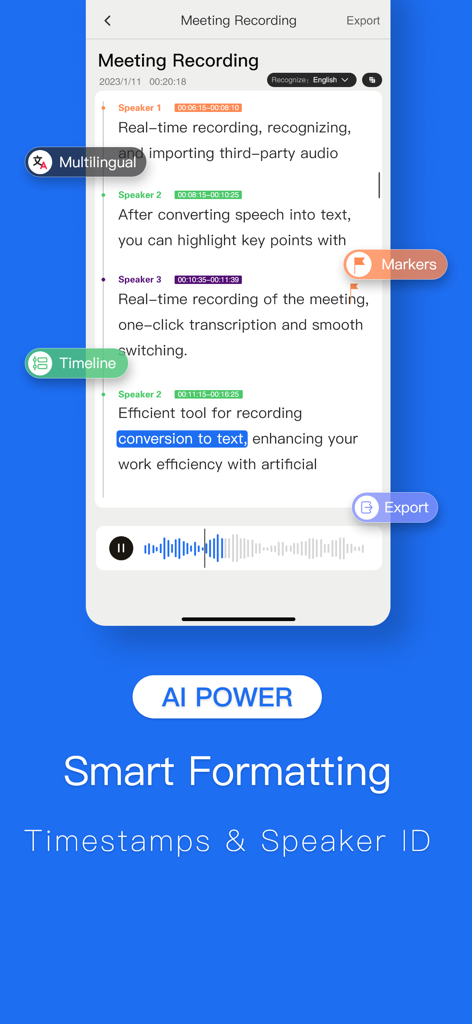
すべての言葉をリアルタイムでキャプチャします。AIは話者を区別し、スマートなフォーマットを適用して、数秒で会議の議事録やインタビューのスクリプトを洗練させます。

スマート検索とAI要約

何時間もの音声を聞き返すのはやめましょう。特定のキーワードを即座に見つけるか、自動AI要約と実行可能なワードクラウドで「長すぎて聞いていない」バージョンを入手しましょう。

以下のスクリーンショットと説明は、アプリの公式ストアリスティングから直接取得されたものであり、アプリ開発者の所有物です。

アプリストア

スクリーンショット
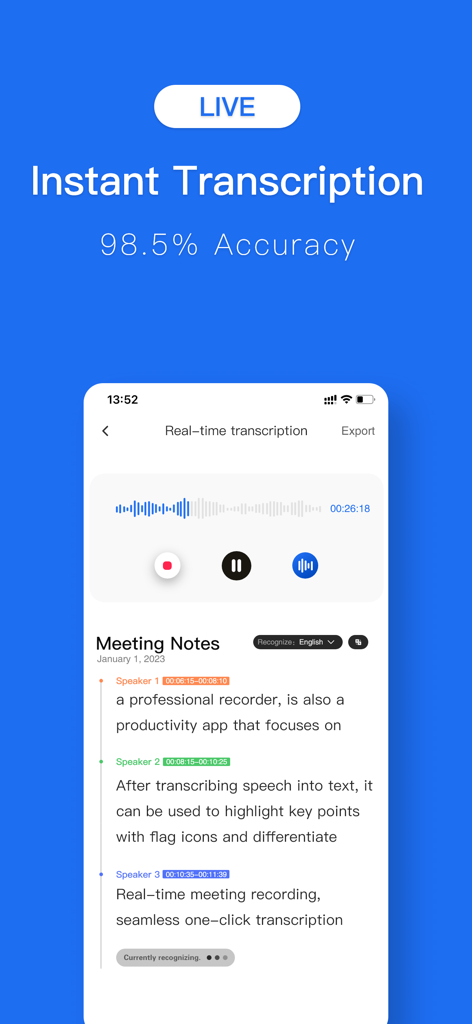
Speech To Text: Transcription - リアルタイムの会議メモと話者特定機能を備えた、即時文字起こしインターフェイス
リアルタイムの会議メモと話者特定機能を備えた、即時文字起こしインターフェイス

Speech To Text: Transcription - 話者特定とタイムスタンプを備えた会議文字起こしを表示する音声認識アプリ

話者特定とタイムスタンプを備えた会議文字起こしを表示する音声認識アプリ

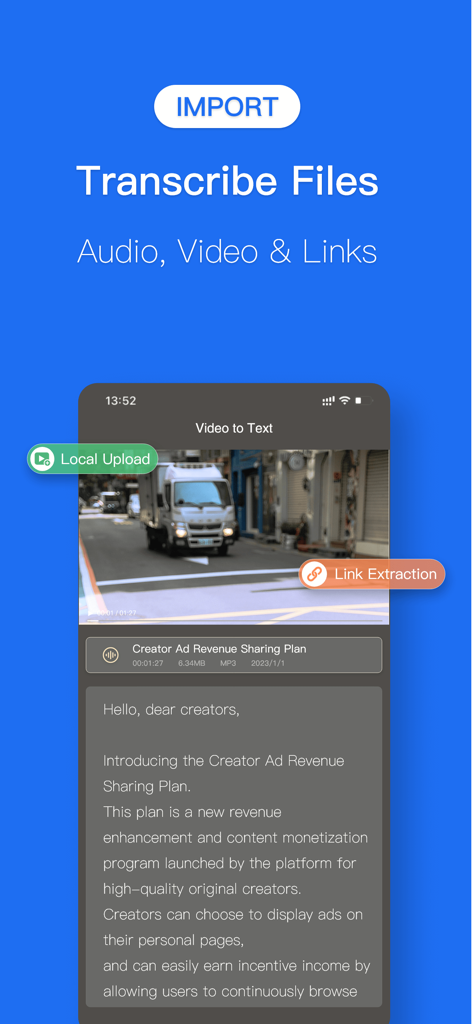
Speech To Text: Transcription - ビデオからテキストへの文字起こしとファイルインポートオプションを表示する音声認識アプリのインターフェイス
ビデオからテキストへの文字起こしとファイルインポートオプションを表示する音声認識アプリのインターフェイス

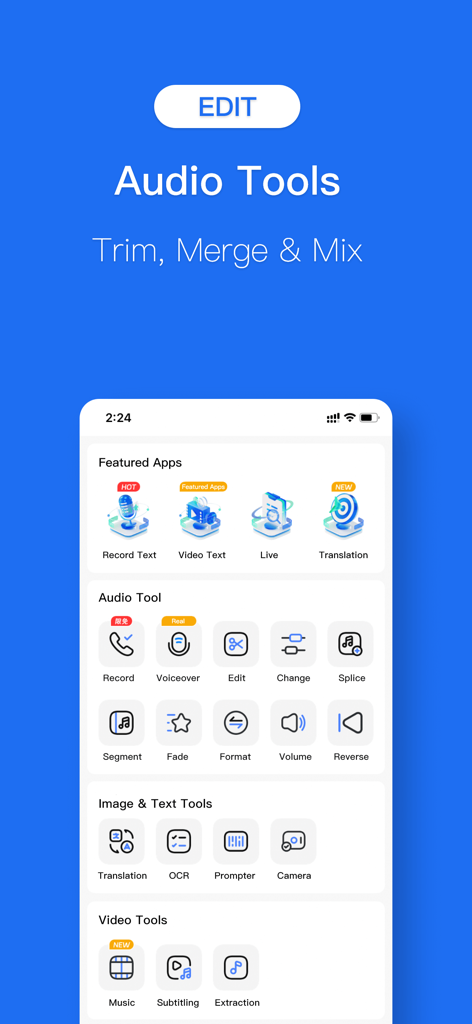
Speech To Text: Transcription - 音声認識文字起こしアプリのスクリーンショットで、音声のトリミング、結合、ミキシングのためのオーディオツールを表示
音声認識文字起こしアプリのスクリーンショットで、音声のトリミング、結合、ミキシングのためのオーディオツールを表示

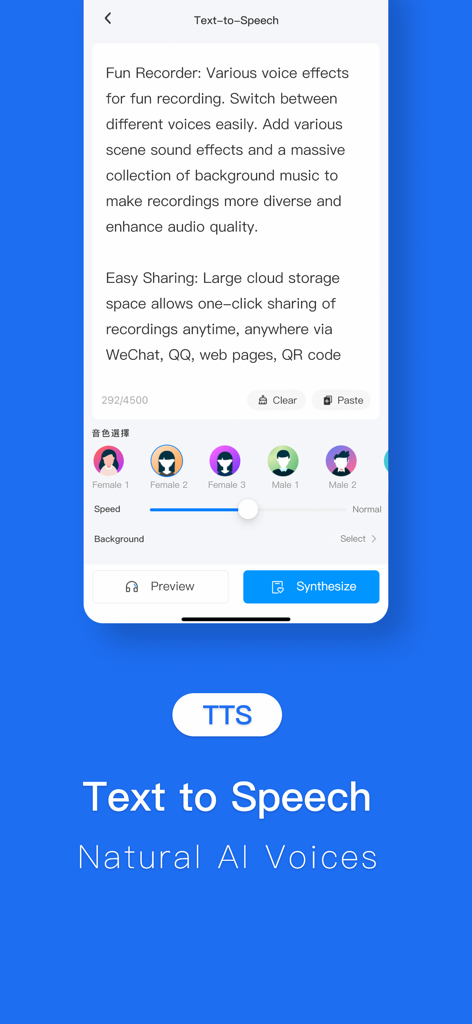
Speech To Text: Transcription - さまざまなAI自然音声選択オプションを備えたテキスト読み上げ文字起こしを表示するモバイルアプリ画面
さまざまなAI自然音声選択オプションを備えたテキスト読み上げ文字起こしを表示するモバイルアプリ画面

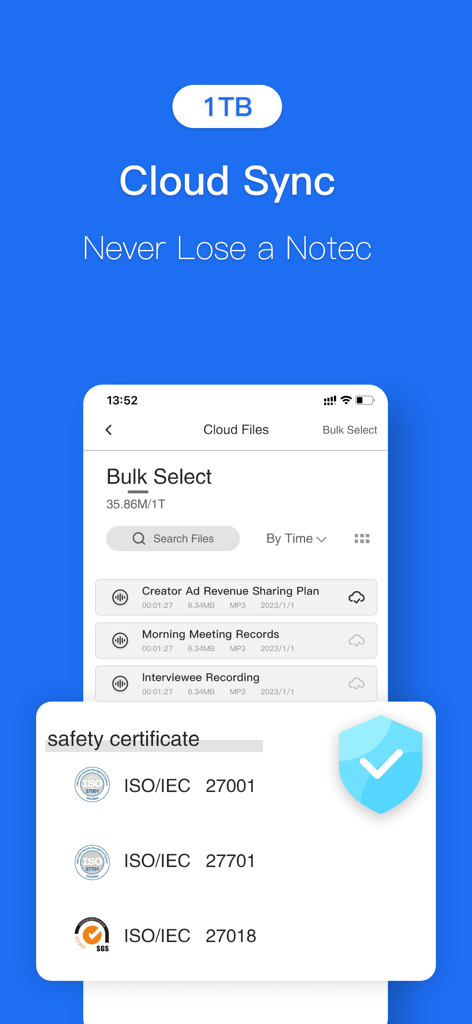
Speech To Text: Transcription - 音声認識文字起こしアプリの1TBクラウド同期とISO安全証明書を表示するスクリーンショット

音声認識文字起こしアプリの1TBクラウド同期とISO安全証明書を表示するスクリーンショット

説明

Turn your voice into text, instantly. Record meetings, transcribe audio files, and convert video to text with powerful AI. Your all-in-one transcription and voice tool. --- ALL-IN-ONE AUDIO & VIDEO TOOLS Instant Transcription: Record and watch your words appear as text in real time. Import Anything: Easily import audio or video files from your device, cloud storage (like iCloud Drive & Dropbox), or other apps for quick transcription. Video-to-Text Made Easy: Extract spoken words from any video, from work webinars to your favorite TikToks. Simultaneous Interpretation: Bridge language gaps with real-time translation during live conversations. SMART AI-POWERED FEATURES Automatic Formatting: Our AI intelligently adds punctuation, capitalization, and paragraphs to create clean, readable transcripts. Speaker Identification: Automatically detects and labels different speakers (Speaker 1, Speaker 2) for clear, organized dialogue. Instant Insights: Generate word clouds and summaries to find key topics at a glance. Click any keyword to jump directly to that moment in the audio. EFFORTLESS EDITING & PLAYBACK Interactive Transcripts: Tap a word in the text to instantly play the audio from that exact spot. Smart Search: Quickly find specific quotes or keywords without scrubbing through hours of audio. Variable Playback Speed: Listen back at a speed that works for you, from 0.5x to 2x. Full Editing Suite: Correct any errors, tag speakers with custom names, and highlight important sentences. A COMPLETE AUDIO SUITE Audio Trimmer & Editor: Trim, split, or merge recordings. You can even add background music to create professional-grade audio. Text-to-Speech (Dubbing): Convert your edited text back into speech with a variety of natural-sounding voices, speeds, and tones. Perfect for dubbing videos or creating voiceovers. Audio Extractor: Easily pull the audio track from any video file, converting MP4 to MP3 with a single tap. SEAMLESS SHARING & EXPORT Export in Any Format: Share your work as a TXT, Word (.docx), or even PNG image file. Share Anywhere: Quickly copy transcripts to your clipboard or share directly to other apps. Cloud Sync: Securely back up your files to the cloud and access them across all your devices. --- SUBSCRIPTION & TERMS Payment will be charged to your Apple ID account at the confirmation of purchase. The subscription automatically renews unless it is canceled at least 24 hours before the end of the current period. Your account will be charged for renewal within 24 hours prior to the end of the current period. You can manage and cancel your subscriptions by going to your App Store account settings after purchase. Terms of Service: [https://www.luyingou.com/sub.html] Privacy Policy: [https://www.luyingou.com/3user.html] Subscription Agreement: [ https://www.luyingou.com/3privacy.html]

Download

ダウンロード: App Store

このページはアプリまたはその開発者の公式ページではなく、情報提供および論評を目的として作成された独立した編集出版物です。明示的に別段の記載がない限り、アプリおよびその開発者は、MWM、Apple、Google Play、アプリのパブリッシャー、またはアプリの開発者と提携、承認、後援、認可、またはその他の公式的な関係はなく、このページのいかなる内容も、アプリがMWMのサービスを使用して開発されたことを意味するものではありません。すべての商標、ロゴ、スクリーンショット、その他のコンテンツはそれぞれの所有者の財産です。