Speed Changer | Transcribe+
ダウンロード: App Store

このページはアプリまたはその開発者の公式ページではなく、情報提供および論評を目的として作成された独立した編集出版物です。明示的に別段の記載がない限り、アプリおよびその開発者は、MWM、Apple、Google Play、アプリのパブリッシャー、またはアプリの開発者と提携、承認、後援、認可、またはその他の公式的な関係はなく、このページのいかなる内容も、アプリがMWMのサービスを使用して開発されたことを意味するものではありません。すべての商標、ロゴ、スクリーンショット、その他のコンテンツはそれぞれの所有者の財産です。


ロゴ: Speed Changer | Transcribe+
ダウンロード: App Store

Speed Changer | Transcribe+

ミュージシャンや学生が耳コピで曲を分解するための究極のワークステーション。AIで楽器を分離し、ピッチを変えずにテンポを落とし、スマートなループを使ってiPadやiPhoneでの練習を加速させましょう。

主要数値

ダウンロード

409K+

ユーザー評価

4.5/5

評価数

8K+

開発元

Dynamic App Design LLC

カテゴリ

Music

対応言語

2

最新バージョン

1.8.60

サイズ

249.6 MB

リリース日

2016年3月7日
機能

すべての音を精密にマスター

曲を分解し、AIで楽器を分離し、複雑なパートを自分のペースでマスターするためのプロフェッショナルなツールキット。

AIステム分離

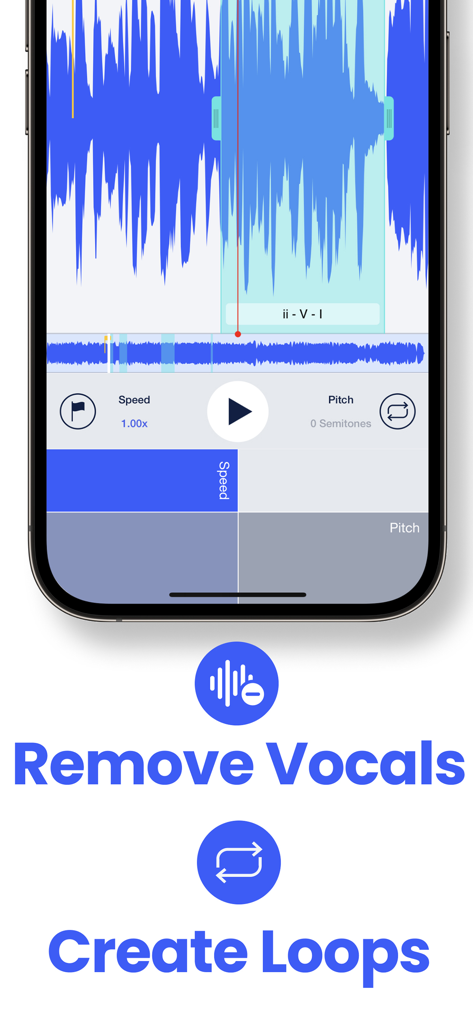
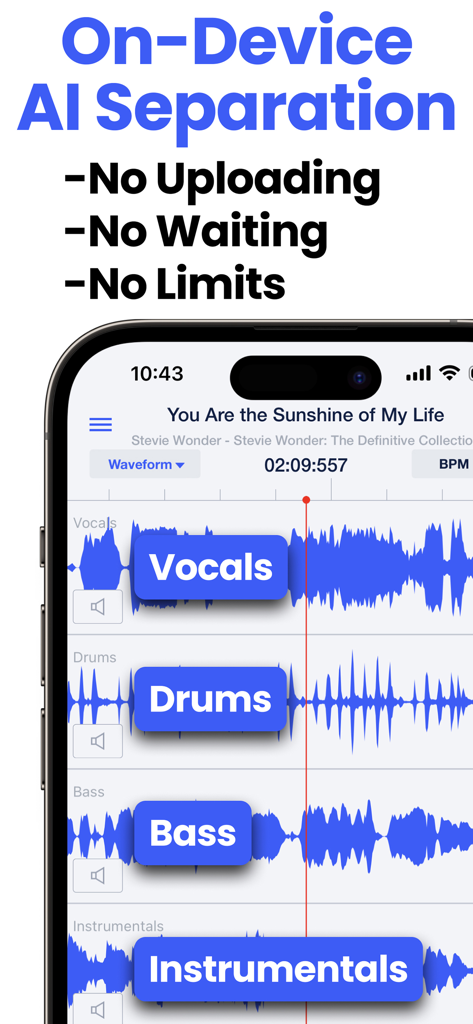
ボーカル、ベース、ドラムを瞬時に分離または削除。演奏内容を正確に聞き取り、独自の練習用トラックを簡単に作成。

プログレードの再生コントロール

音質を損なうことなく、トラックを0.25倍までスローダウン、または0.01半音刻みでピッチをシフト。電光石火のソロの解読に最適。

以下のスクリーンショットと説明は、アプリの公式ストアリスティングから直接取得されたものであり、アプリ開発者の所有物です。

アプリストア

スクリーンショット
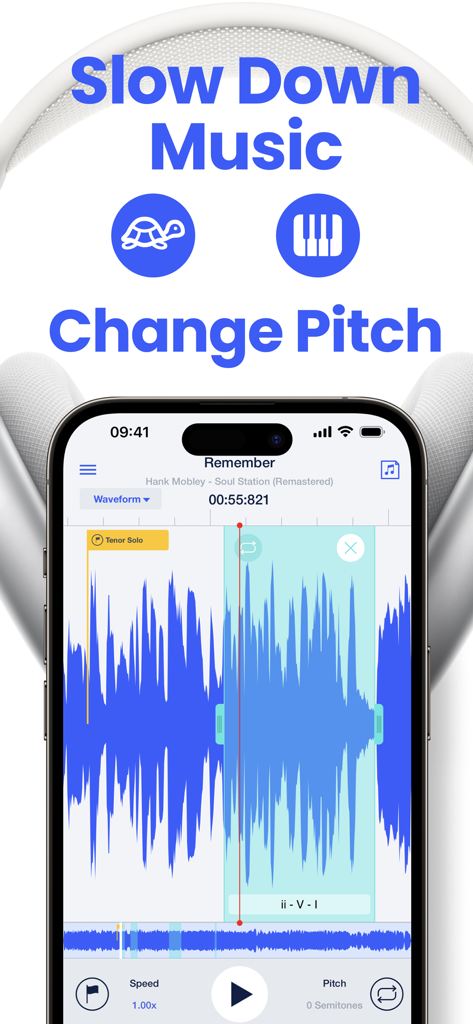
Speed Changer | Transcribe+ - 速度とピッチのコントロールを備えた音楽波形を表示するスマートフォンの画面上のTranscribe plusアプリのインターフェース
速度とピッチのコントロールを備えた音楽波形を表示するスマートフォンの画面上のTranscribe plusアプリのインターフェース

Speed Changer | Transcribe+ - オーディオ波形と、ボーカル削除およびループ作成用のツールを表示するTranscribe plusアプリのインターフェース
オーディオ波形と、ボーカル削除およびループ作成用のツールを表示するTranscribe plusアプリのインターフェース

Speed Changer | Transcribe+ - ボーカル、ドラム、ベースのAIステム分離を表示するスピードチェンジャーTranscribe+アプリ
ボーカル、ドラム、ベースのAIステム分離を表示するスピードチェンジャーTranscribe+アプリ

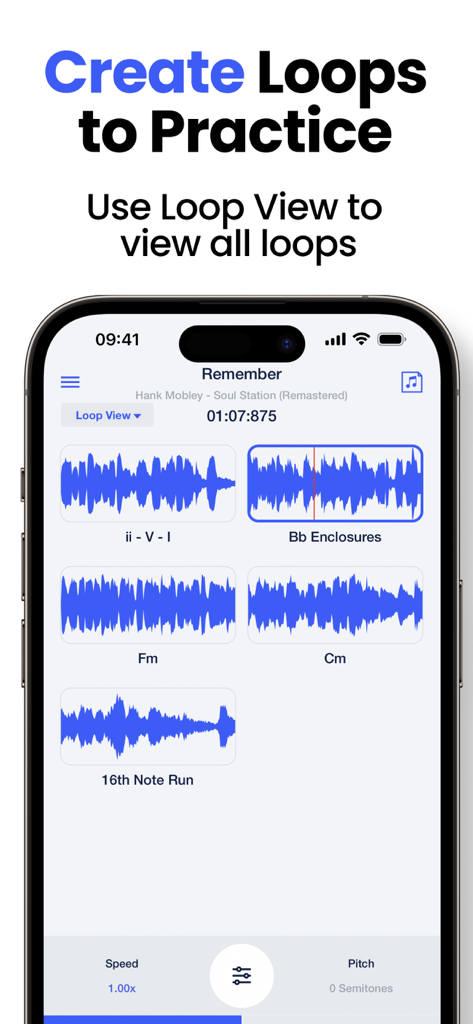
Speed Changer | Transcribe+ - 練習用に保存された音楽ループを表示するTranscribe plusアプリのインターフェース
練習用に保存された音楽ループを表示するTranscribe plusアプリのインターフェース

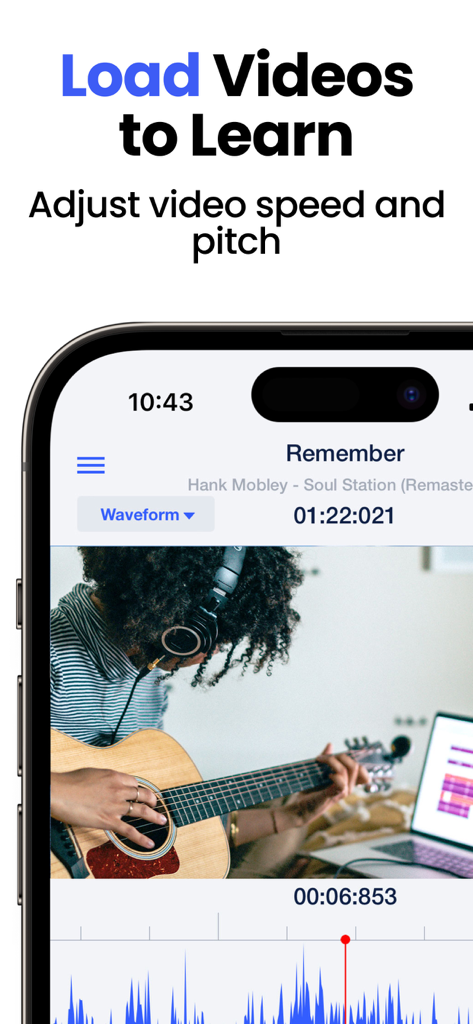
Speed Changer | Transcribe+ - オーディオ波形表示でビデオの速度とピッチを調整してギターを学習するためにTranscribe plusアプリを使用しているミュージシャン
オーディオ波形表示でビデオの速度とピッチを調整してギターを学習するためにTranscribe plusアプリを使用しているミュージシャン

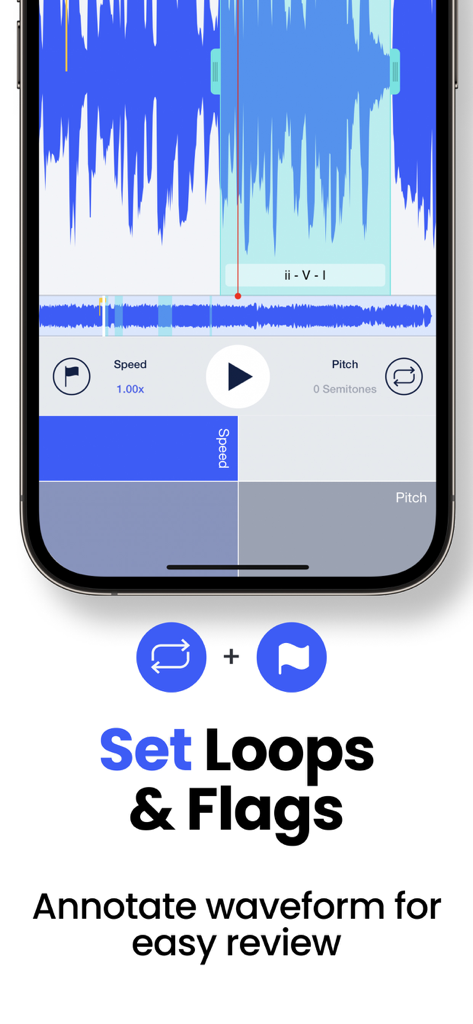
Speed Changer | Transcribe+ - 音楽練習のためにオーディオ波形に設定されたループとフラグを表示するTranscribe plusアプリのインターフェース
音楽練習のためにオーディオ波形に設定されたループとフラグを表示するTranscribe plusアプリのインターフェース

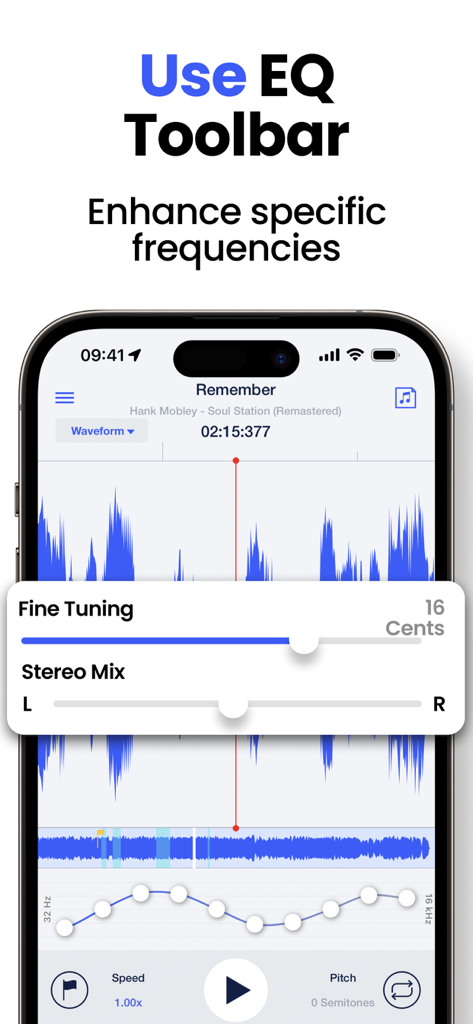
Speed Changer | Transcribe+ - 周波数を強化するためのEQツールバーと微調整設定を表示するTranscribe plusアプリのインターフェース
周波数を強化するためのEQツールバーと微調整設定を表示するTranscribe plusアプリのインターフェース

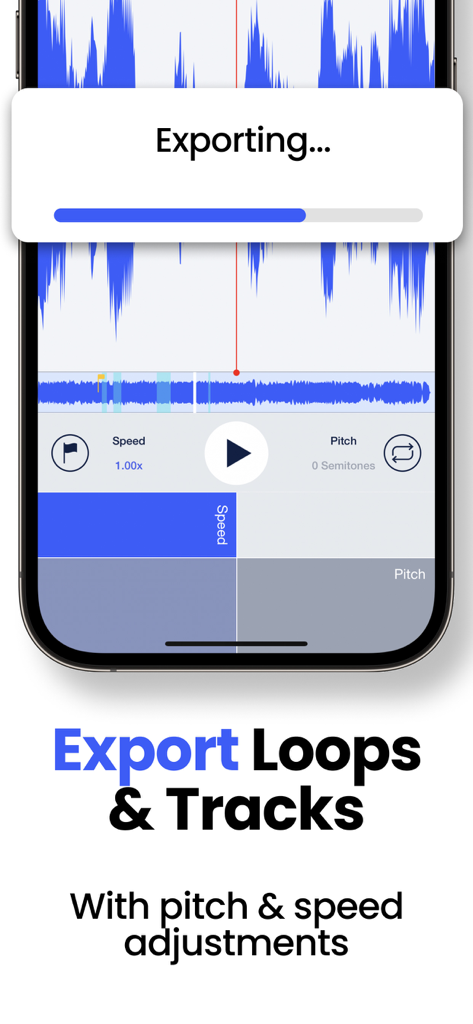
Speed Changer | Transcribe+ - ピッチと速度を調整したループとトラックのエクスポートプロセスを表示するTranscribe+アプリのインターフェース
ピッチと速度を調整したループとトラックのエクスポートプロセスを表示するTranscribe+アプリのインターフェース

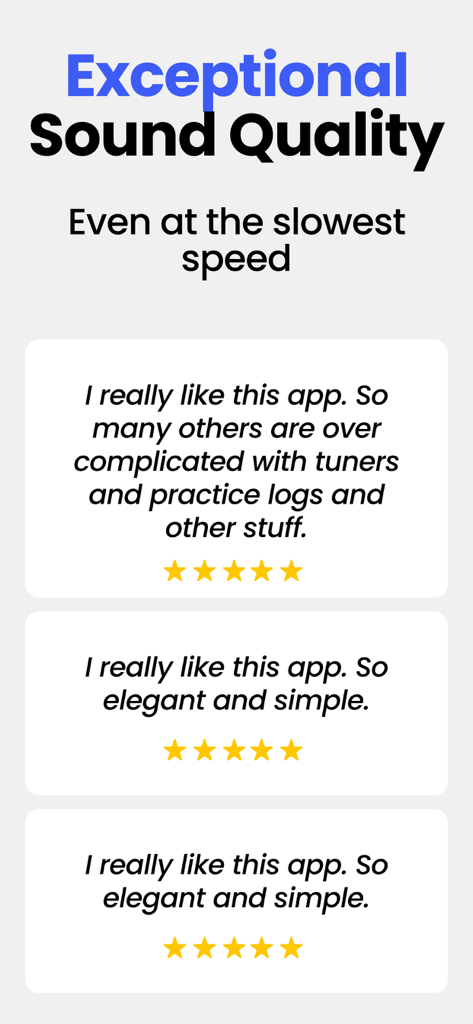
Speed Changer | Transcribe+ - 優れた音質とシンプルなアプリデザインを強調するTranscribe Plusの5つ星ユーザーレビュー

優れた音質とシンプルなアプリデザインを強調するTranscribe Plusの5つ星ユーザーレビュー

説明

Transcribe+ combines high quality tempo and pitch-shifting with on-device AI that isolates vocals, drums, bass, and other instruments to allow you to isolate and hear EXACTLY what you are transcribing by ear. Adjust speed and pitch effortlessly with simple swipe gestures. Tap the waveform to pause the track, then drag to listen at your chosen pace, even one note at a time! Mark song structures or add personal notes using customizable flags on the waveform. Practice specific sections repeatedly by defining looped areas. Key Features: ● Speed adjustable from 0.25x to 2x without affecting pitch. ● Split tracks into 2 or 4 stems (vocals, bass, drums, instrumentals). ● Easy pitch modification by ±12 semitones. ● Fine-tune pitch adjustment slider with 0.01 semitone increments. ● Interactive waveform interface for real-time scrubbing and listening note by note. ● Consolidate and practice loops in a single location with Loop View. ● Smart Loops can automatically increase speed or shift pitch with each loop. ● Load videos for enhanced visual understanding. ● Intuitive EQ toolbar for refined frequency adjustment and additional isolation possibilities. ● Mark and annotate waveforms for efficient review. ● BPM is automatically detected on most tracks. ● Easily export loops or entire tracks. ● Split-screen multitasking for efficient iPad use. ● 11 attractive themes with elegant icons. ● Keyboard shortcuts compatible with foot pedals for easier control during practice. ● Integration with popular cloud storage services. AI Vocal Removal & Stems Separation: Remove or isolate vocals, bass, drums, or instrumentals on ANY track (without DRM). Use this feature to focus on the instruments you're interested in, or create a play-along track. Export any combinations of stems and remix them as you like! Loop View with “Smart Loops”: View all your loops in the loop view. Simply tap the loop icon to start or stop a loop. You can set parameters for a metronome count-in before each loop or auto-increase speed or shift pitch with each repetition. EQ ToolBar, Channel Mixer, and Fine Tuning Slider: Further isolate or enhance the part you're listening to with the EQ toolbar or the Stereo Channel mixer. You can also finely adjust the overall pitch of the track in increments of 1 cent. Apple Music Support: Transcribe+ integrates with Apple Music, letting you adjust the tempo and add flags and loops to any song in your Apple Music library. Please note, due to DRM music streaming limitations, some features are unavailable on Apple Music tracks. iCloud Sync: All of your flags, loops, and settings for each track you load are automatically saved to iCloud. These settings also sync automatically across all your devices. Terms of Use: https://dynamicappdesign.com/tos.html

Download

ダウンロード: App Store

このページはアプリまたはその開発者の公式ページではなく、情報提供および論評を目的として作成された独立した編集出版物です。明示的に別段の記載がない限り、アプリおよびその開発者は、MWM、Apple、Google Play、アプリのパブリッシャー、またはアプリの開発者と提携、承認、後援、認可、またはその他の公式的な関係はなく、このページのいかなる内容も、アプリがMWMのサービスを使用して開発されたことを意味するものではありません。すべての商標、ロゴ、スクリーンショット、その他のコンテンツはそれぞれの所有者の財産です。








