Speed Dash
Speed Dash
ダウンロード: App Store

このページはアプリまたはその開発者の公式ページではなく、情報提供および論評を目的として作成された独立した編集出版物です。明示的に別段の記載がない限り、アプリおよびその開発者は、MWM、Apple、Google Play、アプリのパブリッシャー、またはアプリの開発者と提携、承認、後援、認可、またはその他の公式的な関係はなく、このページのいかなる内容も、アプリがMWMのサービスを使用して開発されたことを意味するものではありません。すべての商標、ロゴ、スクリーンショット、その他のコンテンツはそれぞれの所有者の財産です。


ロゴ: Speed Dash
ダウンロード: App Store

Speed Dash

高精度GPS追跡で工場出荷時の速度計の誤差を回避。走行中に最適化されたダークモードインターフェースで、高度、速度履歴、座標を視覚化します。

主要数値

ダウンロード

100

ユーザー評価

1.0/5

評価数

0

開発元

martin dabolins

カテゴリ

Utilities

対応言語

1

最新バージョン

1.1

サイズ

0.7 MB

リリース日

2025年3月27日
機能

精度重視のドライバーのために設計

ほとんどの車両の速度計は、意図的に速度を高く表示するように調整されています。Speed Dashは、高度なGPSテレメトリとリアルタイムデータ視覚化を使用して、客観的な真実を提供します。

衛星検証による精度

毎秒複数回更新される正確なGPS信号により、工場出荷時のダッシュボードにある5〜10%の誤差を解消し、真の速度を提供します。

ダイナミックパフォーマンスマッピング

自動車データ愛好家向けに設計された高解像度グラフで、速度の変動と高度の変化をリアルタイムで追跡します。

以下のスクリーンショットと説明は、アプリの公式ストアリスティングから直接取得されたものであり、アプリ開発者の所有物です。

アプリストア

スクリーンショット
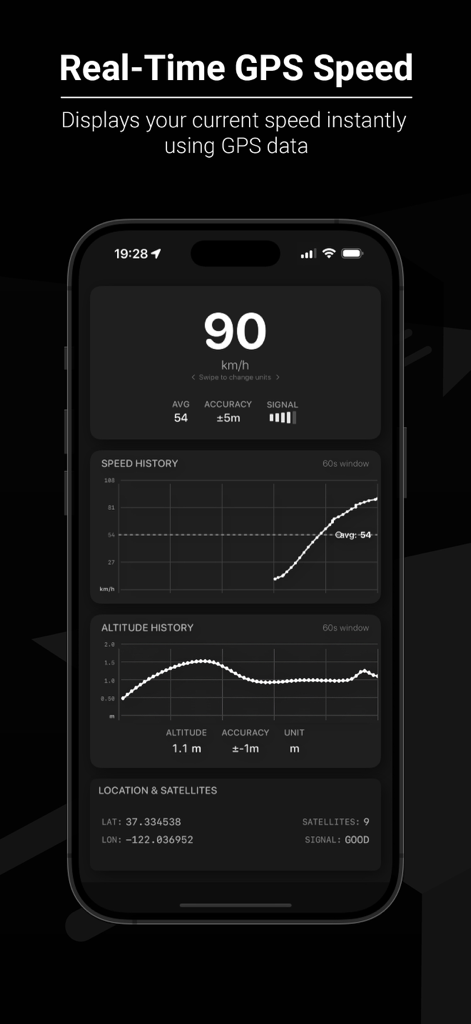
Speed Dash - Speed Dashアプリ画面。リアルタイムGPS速度と速度履歴グラフを表示。
Speed Dashアプリ画面。リアルタイムGPS速度と速度履歴グラフを表示。

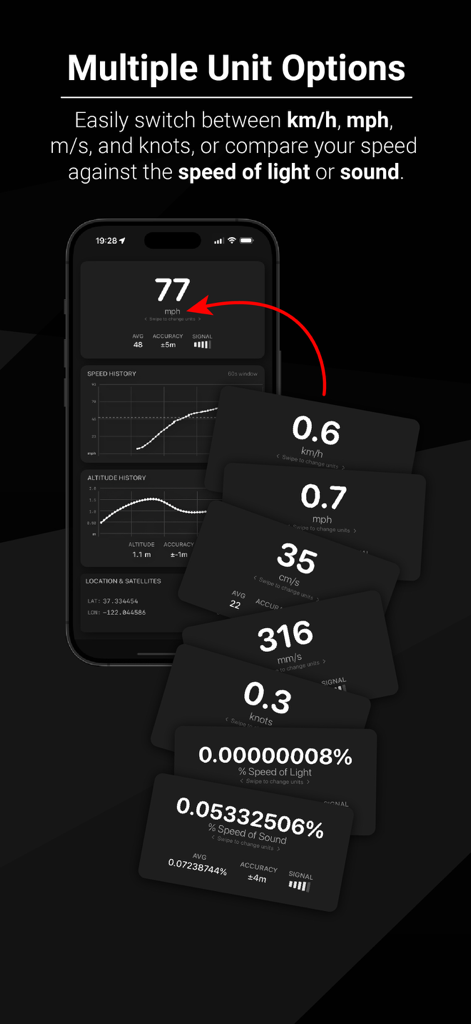
Speed Dash - Speed Dashアプリ画面。mph、ノット、光速パーセントなどの複数の単位オプションを表示。
Speed Dashアプリ画面。mph、ノット、光速パーセントなどの複数の単位オプションを表示。

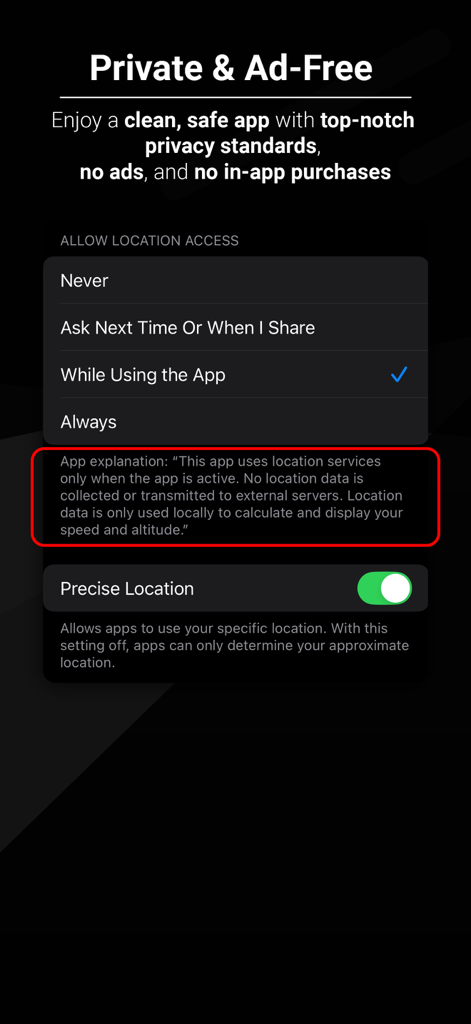
Speed Dash - Speed Dashアプリインターフェース。プライバシーへの取り組みとiOSの位置情報使用許可設定を表示。
Speed Dashアプリインターフェース。プライバシーへの取り組みとiOSの位置情報使用許可設定を表示。

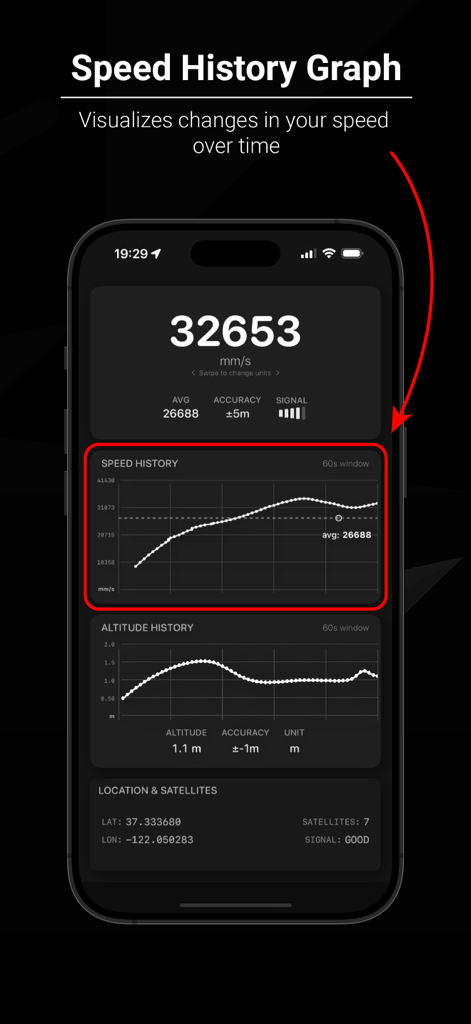
Speed Dash - Speed Dashアプリインターフェース。時間の経過に伴う速度変化を視覚化する速度履歴グラフ機能をężczyne。
Speed Dashアプリインターフェース。時間の経過に伴う速度変化を視覚化する速度履歴グラフ機能をężczyne。

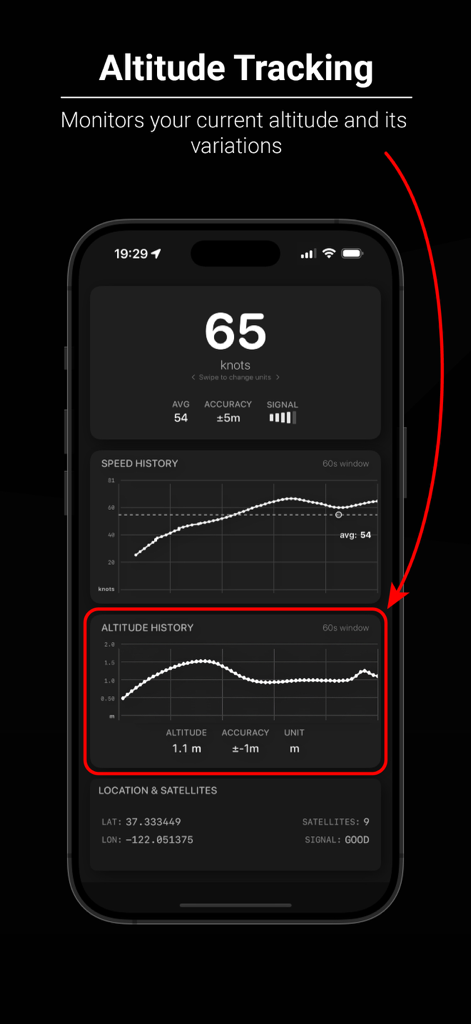
Speed Dash - Speed Dashアプリインターフェース。高度追跡と履歴グラフを表示。

Speed Dashアプリインターフェース。高度追跡と履歴グラフを表示。
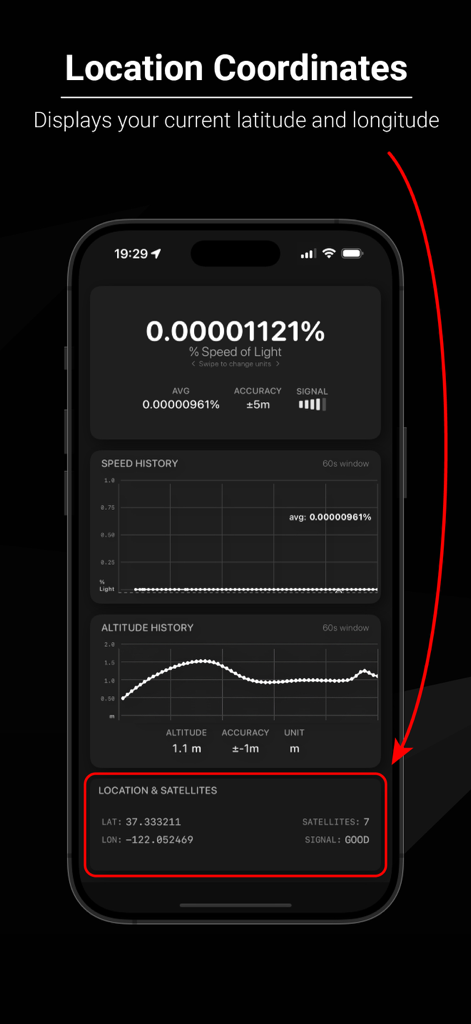
Speed Dash - Speed Dashアプリ。緯度、経度、GPS衛星信号強度を表示。

Speed Dashアプリ。緯度、経度、GPS衛星信号強度を表示。
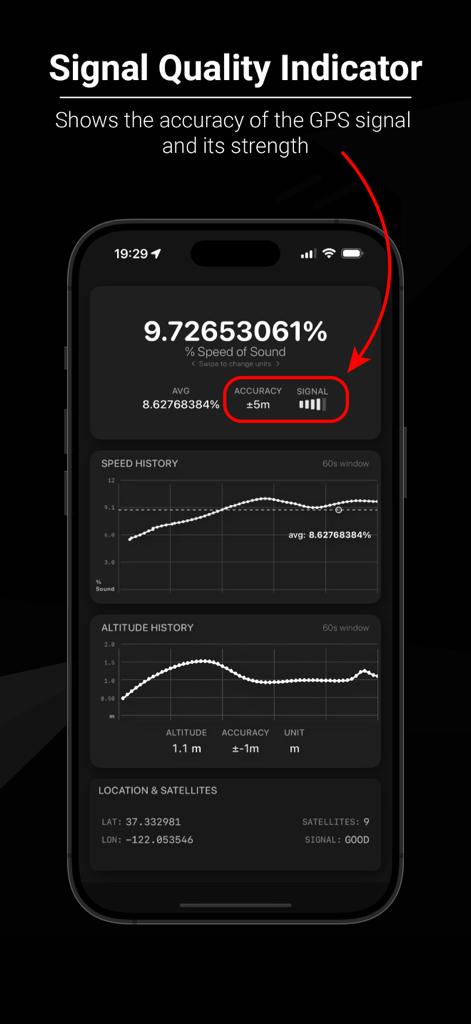
Speed Dash - Speed Dashアプリインターフェース。GPS信号強度と精度インジケーターを強調表示。
Speed Dashアプリインターフェース。GPS信号強度と精度インジケーターを強調表示。

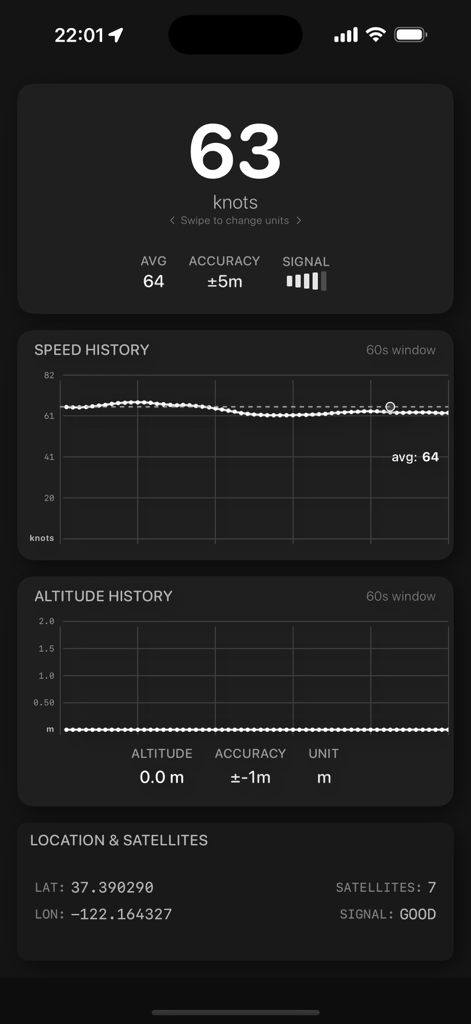
Speed Dash - Speed Dashアプリのインターフェース。ノット単位でのリアルタイム速度を表示。速度履歴と高度追跡グラフはダークモードで表示。
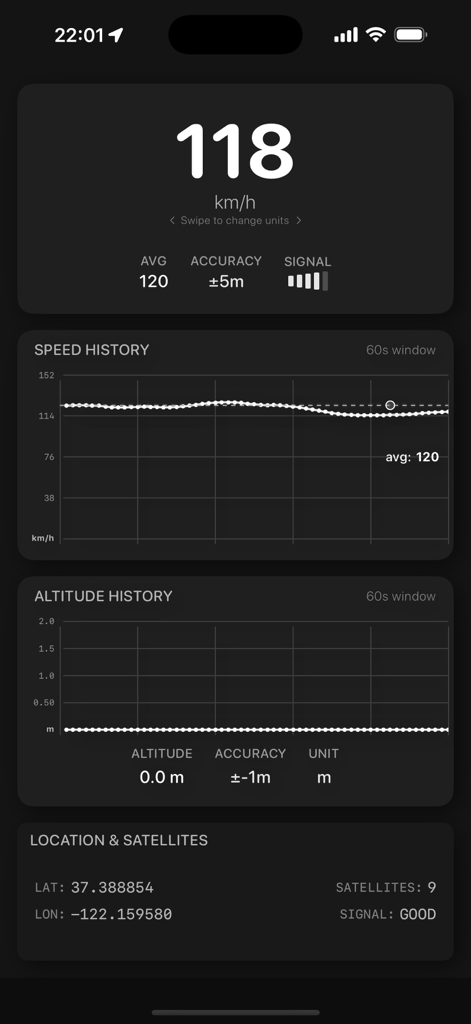
Speed Dashアプリのインターフェース。ノット単位でのリアルタイム速度を表示。速度履歴と高度追跡グラフはダークモードで表示。

Speed Dash - Speed Dashアプリインターフェース。リアルタイムGPS速度、速度履歴、高度追跡を表示。
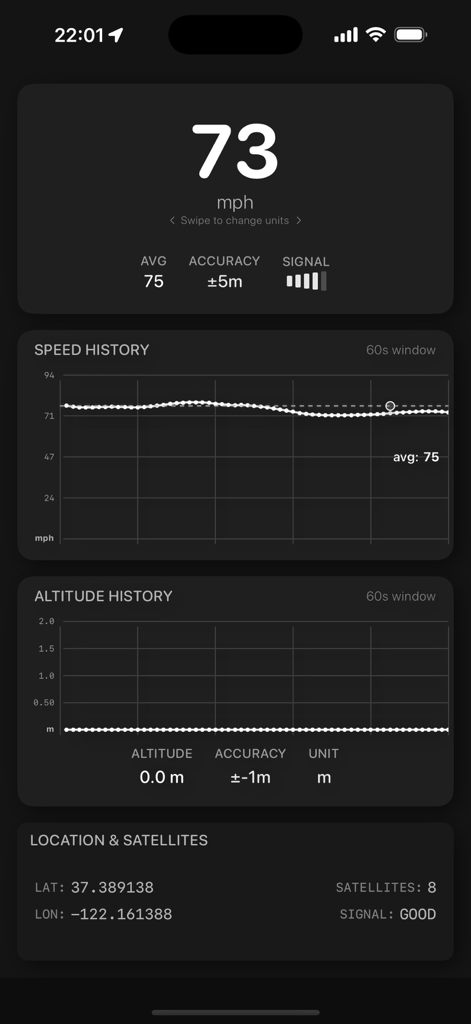
Speed Dashアプリインターフェース。リアルタイムGPS速度、速度履歴、高度追跡を表示。

Speed Dash - Speed Dashアプリインターフェース。リアルタイムGPS速度、速度履歴グラフ、高度データをダークモードで表示。

Speed Dashアプリインターフェース。リアルタイムGPS速度、速度履歴グラフ、高度データをダークモードで表示。

説明

Speed Dash - Accurate GPS Speedometer Purpose Speed Dash is designed to help users verify the accuracy of their vehicle's speedometer by comparing it with GPS-based speed measurements. Most vehicle speedometers have a built-in margin of error (typically showing 5-10% higher than actual speed), and this app allows you to see the difference in real-time. Key Features Real-Time GPS Speed: Displays your current speed based on GPS data Multiple Units: Switch between km/h, mph, m/s, and knots Speed History Graph: Visualizes speed changes over time Altitude Tracking: Shows your current altitude and changes over time Signal Quality Indicator: Displays GPS accuracy and signal strength Location Coordinates: Shows your current latitude and longitude Dark Mode Optimized: Clean interface that works well in all lighting conditions How to Use Open the app and grant location permissions when prompted Mount your device securely in your vehicle Start driving and observe both your vehicle's speedometer and the GPS speed Toggle between different speed units using the unit indicator View your speed history in the graph at the bottom of the screen Compare altitude changes as you drive through varying elevations Technical Details: GPS Speed vs. Vehicle Speedometer Vehicle Speedometer Accuracy Most vehicle speedometers are designed to display a speed that is slightly higher (typically 5-10%) than your actual speed. This is intentional and serves several purposes: Legal protection: Manufacturers avoid liability from drivers inadvertently speeding Tire wear: As tires wear down, speedometer readings can change Safety margin: Encourages drivers to drive slightly under the speed limit GPS Speed Measurement GPS speed is calculated by measuring the distance traveled between satellite pings and is generally more accurate than mechanical speedometers: Accuracy: Typically within 0.1-0.2 km/h (0.06-0.12 mph) when good signal is available No mechanical variables: Not affected by tire size, wear, or pressure Signal-dependent: Requires good satellite visibility for optimal accuracy Factors Affecting Accuracy GPS signal quality: Accuracy decreases in tunnels, dense urban areas, or heavy tree cover Device position: Best results when device has clear view of the sky Update frequency: The app updates speed multiple times per second for smooth readings Requirements iOS 18.3 or later iPhone or iPad with GPS capability Location Services enabled Privacy This app uses location services only when the app is active. No location data is collected or transmitted to external servers. Location data is only used locally to calculate and display your speed and altitude.

Download

ダウンロード: App Store

このページはアプリまたはその開発者の公式ページではなく、情報提供および論評を目的として作成された独立した編集出版物です。明示的に別段の記載がない限り、アプリおよびその開発者は、MWM、Apple、Google Play、アプリのパブリッシャー、またはアプリの開発者と提携、承認、後援、認可、またはその他の公式的な関係はなく、このページのいかなる内容も、アプリがMWMのサービスを使用して開発されたことを意味するものではありません。すべての商標、ロゴ、スクリーンショット、その他のコンテンツはそれぞれの所有者の財産です。








