Speed Tracker. Pro

Speed Tracker. Pro

ダウンロード: App Storeダウンロード: Google Play
ロゴ: Speed Tracker. Pro

Speed Tracker. Pro:究極のGPSスピードメーターとトリップコンピューター

プロレベルの精度、未来的なヘッドアップディスプレイ、そして車、ボート、バイクのために設計された包括的なトリップログで、あなたの旅を格上げしましょう。

開発元

Oxagile LLC

カテゴリ

Navigation

ダウンロード

455K+

ユーザー評価

4.2/5

評価数

400

対応言語

11

究極のダッシュボード体験

このインターフェースを利用する 455K+ 人のユーザー.

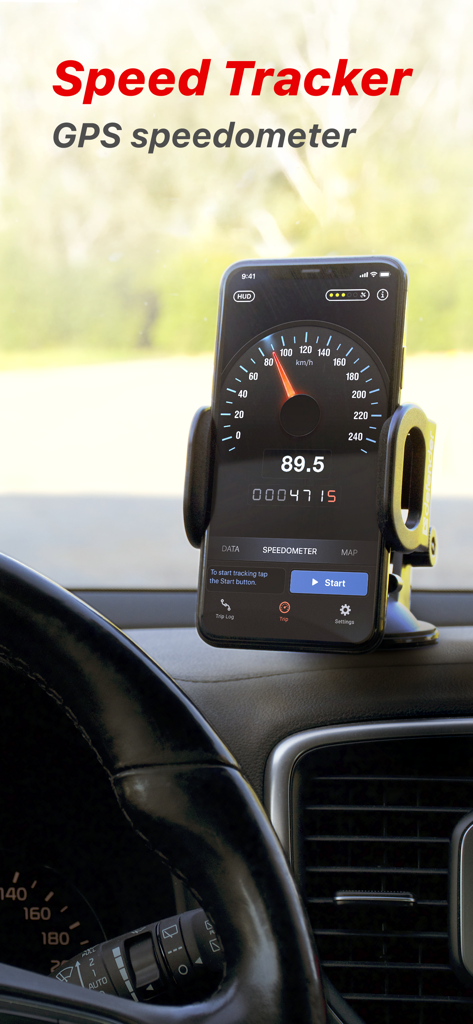
車載ダッシュボードに取り付けられたiPhoneに表示されたSpeed Tracker Pro GPSスピードメーターアプリ
車載ダッシュボードに取り付けられたiPhoneに表示されたSpeed Tracker Pro GPSスピードメーターアプリ

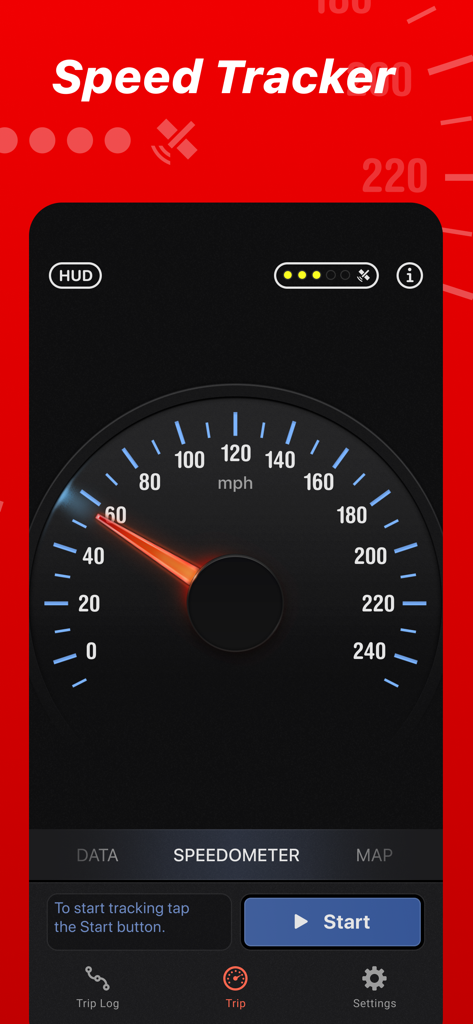
クラシックなアナログGPSスピードメーターダイヤルを備えたSpeed Tracker Proアプリのインターフェース
クラシックなアナログGPSスピードメーターダイヤルを備えたSpeed Tracker Proアプリのインターフェース

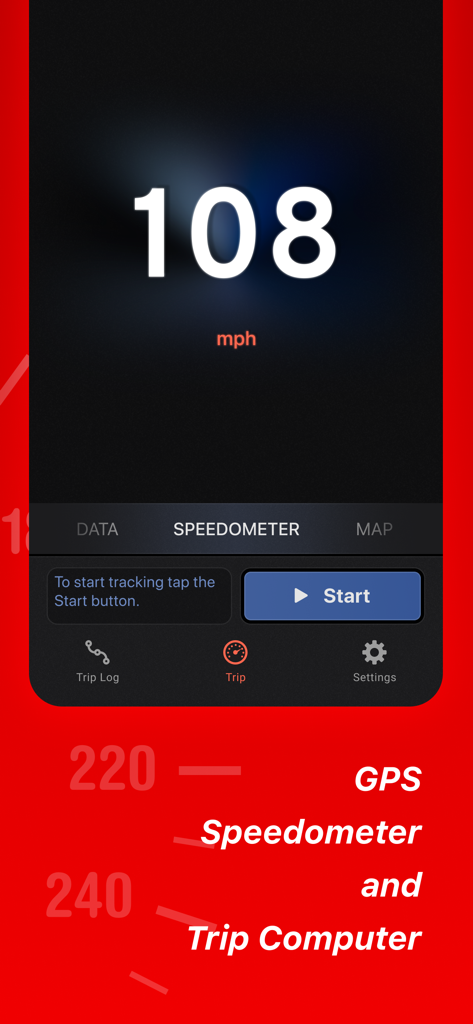
Speed Tracker Proモバイルアプリのデジタルスピードメーター表示
Speed Tracker Proモバイルアプリのデジタルスピードメーター表示

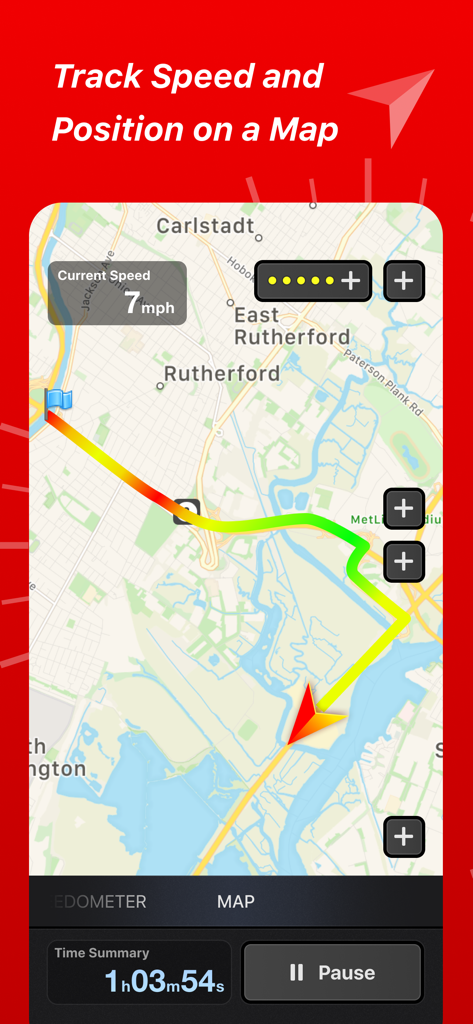
速度と時間統計とともに、色分けされたトリップルートを表示するSpeed Tracker Proアプリのインターフェース
速度と時間統計とともに、色分けされたトリップルートを表示するSpeed Tracker Proアプリのインターフェース

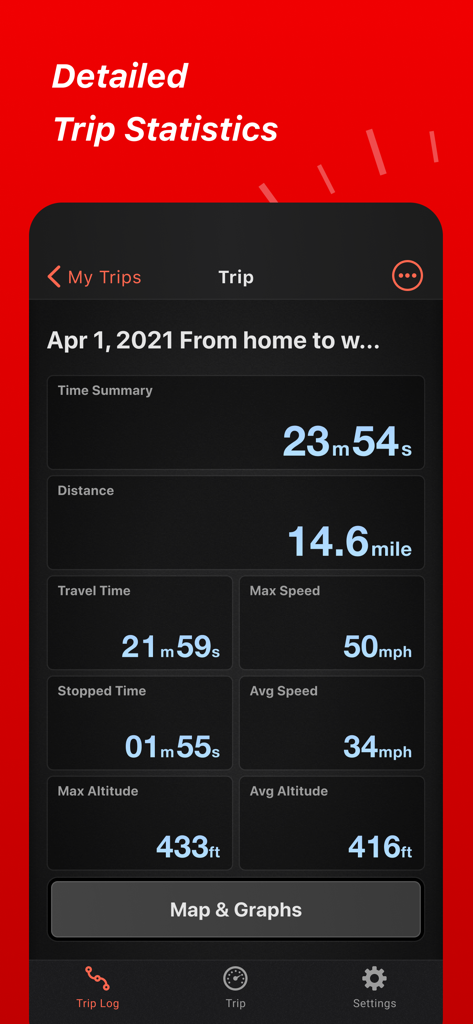
距離、速度、高度を含む詳細なトリップ統計を表示するSpeed Tracker Proアプリのインターフェース
距離、速度、高度を含む詳細なトリップ統計を表示するSpeed Tracker Proアプリのインターフェース

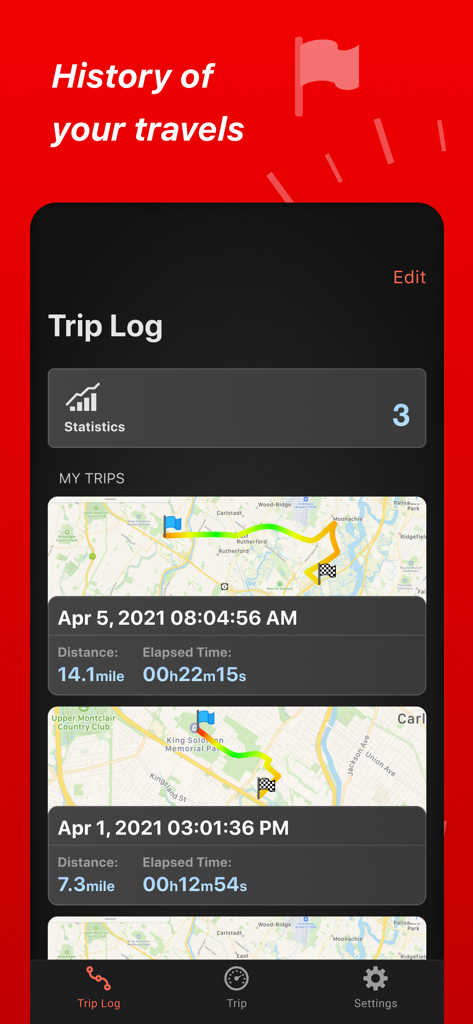
地図と旅行統計を含む過去のトリップのリストを表示するSpeed Tracker Proのトリップログインターフェース
地図と旅行統計を含む過去のトリップのリストを表示するSpeed Tracker Proのトリップログインターフェース

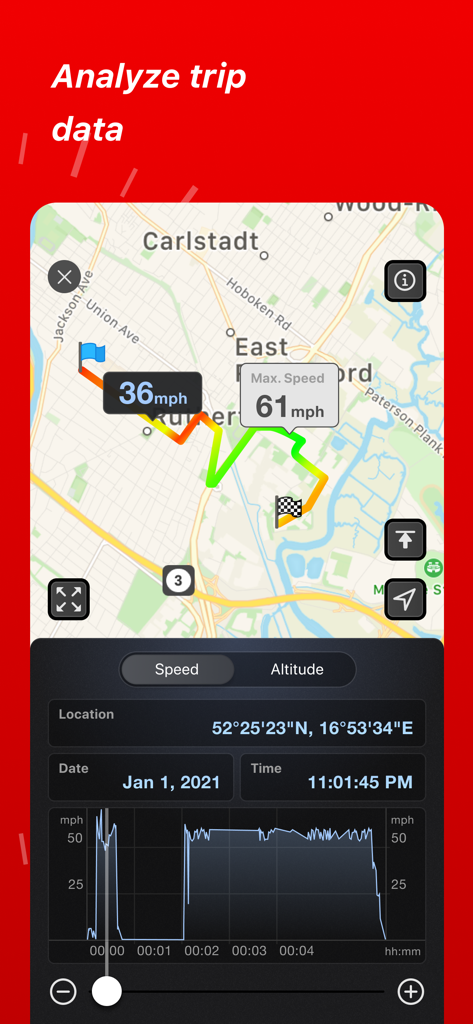
地図ルートと速度グラフを表示するSpeed Tracker Proトリップ分析
地図ルートと速度グラフを表示するSpeed Tracker Proトリップ分析

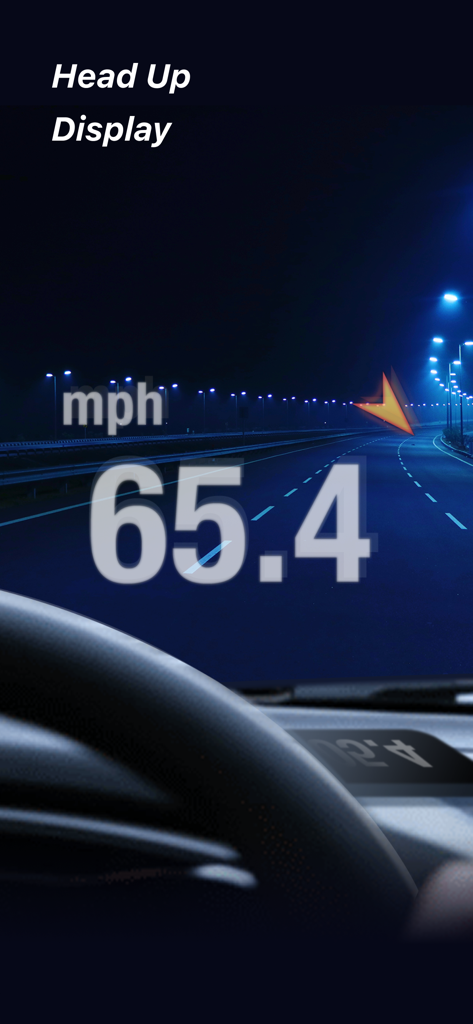
夜間の車のフロントガラスに映し出された車両速度を示すSpeed Tracker Proヘッドアップディスプレイ
夜間の車のフロントガラスに映し出された車両速度を示すSpeed Tracker Proヘッドアップディスプレイ

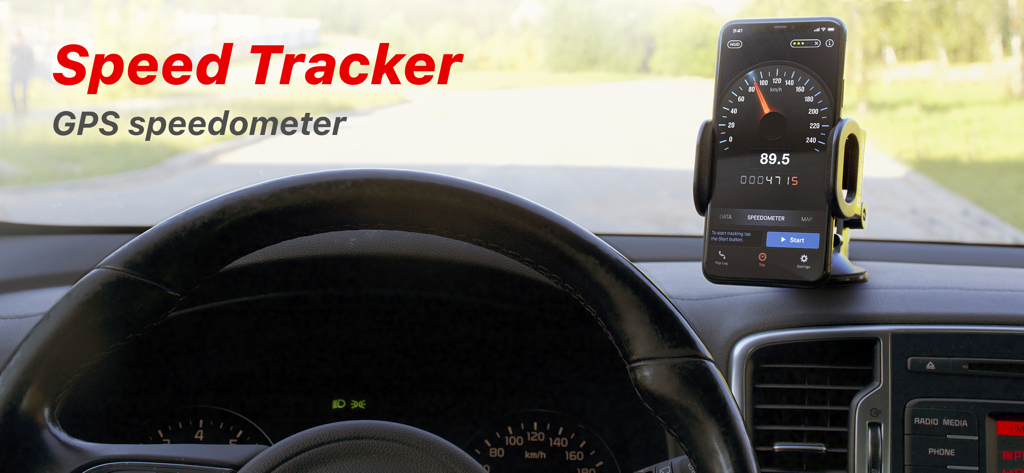
Speed Tracker Pro GPSスピードメーターアプリを実行している車載ダッシュボードに取り付けられたスマートフォン
Speed Tracker Pro GPSスピードメーターアプリを実行している車載ダッシュボードに取り付けられたスマートフォン

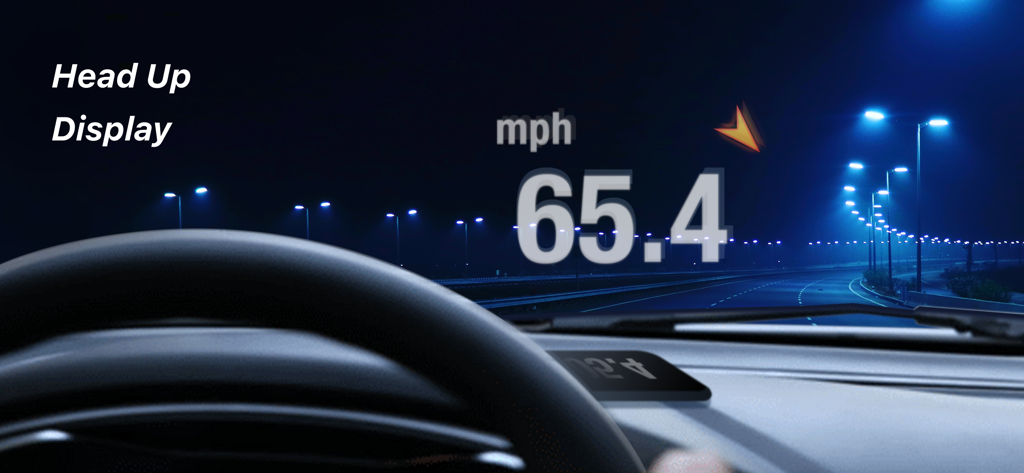
夜間の車のフロントガラスに現在の走行速度を映し出すヘッドアップディスプレイ

夜間の車のフロントガラスに現在の走行速度を映し出すヘッドアップディスプレイ

プロレベルの精度で、よりスマートに運転

このアプリを際立たせるツール、 455K+ 人のユーザーが選択.

🚀

次世代ヘッドアップディスプレイ

フロントガラスをデジタルダッシュボードに変えましょう。速度を視線に直接投影し、夜間の運転をより安全で未来的にします。

📈

詳細なトリップインテリジェンス

自動停止検出、速度グラフ、CSVまたはGPX形式での簡単なデータエクスポートにより、走行距離追跡やホビイストログの基本を超えた機能を提供します。

🚤

マルチビークル対応

あなたのライフスタイルに合わせたカスタムフィット。クラシックカー、マウンテンバイク、ボート、RV車に対応するスケーラブルなスピードメーターと専用ダッシュボードレイアウトを使用できます。

アプリについて

について知っておくべきこと Speed Tracker. Pro.

説明

Speed Tracker is the most elegant and unique combination of GPS speedometer and Trip computer in just one application. Speed Tracker is YOUR answer to the eternal questions: What is my speed? What distance have I covered? How much time did I spend from work to home? How to share my trips with friends and relatives? With lot of features built-in, Speed Tracker will help you to gather all the necessary trip statistics. Just start the application and it will let you record your speed, time, distance, heading, elevation and many more. HUD Head-up display – outstanding feature available ONLY in Speed Tracker application. Just enable HUD and put your iPhone or iPad under the windshield. Specially designed HUD interface will display the most accurate speed right on the windshield. Map your trip. Built-in GPS tracker will help you not to get lost. You can always switch to navigation mode and check your current position on the map together with the track you’ve already traveled in Satellite or Hybrid view. Trip Log You don’t remember the trip or how much time does it take to visit your friends or the distance to your office? - Trip Log will help you! Trip Log records and saves the information within the application. You can easily have the access to ALL the trips with just one click. Inside the Trip Log you can check the trip on the map, see the speed, average speed, maximum speed, distance, total time and the detailed speed graph. Don't want to get lost in all the trips you have? Just name them the way you like. Want to share your driving experience or just compare your every day trips? With Trip Computer it’s easy as A, B, C. Export all the trips in available formats (CSV, KML, GPX) or even share with your friends on Facebook, Twitter or via email. Trip Computer Track important trip statistics in real time. Average and Maximum speed, distance covered, moving and stopped time. Dashboard Display Layout Designed exclusively for iPad big screen it shows all the important trip information at a glance on a single screen and supports both portrait and landscape orientation. Full screen GPS Navigator Map mode is also available. Landscape mode allows you to mount your device horizontally on your car dashboard. If you prefer seeing things at wider angle then you find new landscape mode especially useful and practical. Scalable Speedometer Dial Speed Tracker features unique scalable speedometer dial. Select the maximum possible speed for you vehicle and watch your speed with greater precision either your are on a plain, train, car, bike, boat or bicycle Statistics All the aggregated data from the very first trip will be saved in one single place. Automatic Stop Detection Automatically identify either you are moving or standing and calculate your average speed basing on that. Generate trip report showing travel and stoppage time separately. Support for Apple Watch. Start and stop tracking and see your trip data on your wrist. NOTE: Speed Tracker is not compatible with WiFi only iPad or iPod touch. Continued use of GPS running in the background can decrease battery life. Data connection is required to see map. Make sure that you have location services enabled for the application. To enable - Settings> General> Location Services Privacy Policy: http://appannex.com/privacy-policy/ Terms of Use: https://www.apple.com/legal/internet-services/itunes/dev/stdeula/

最新バージョン

6.9.6

サイズ

117.2 MB

リリース日

2011年1月13日

ダッシュボードをプロフェッショナルなパフォーマンスにアップグレード

精度を求める455,000人以上のドライバーやデータ愛好家に加わりましょう。究極のGPSトリップコンピューター、プロフェッショナルなログ、そして未来的なHUDを今すぐ体験してください。

ダウンロード: App Storeダウンロード: Google Play

App information, icons, screenshots, and descriptions displayed on this page are sourced from the Apple App Store and are the property of their respective developers. Download estimates and rankings are based on MWM's proprietary models and may not reflect actual figures. This page is provided for informational and analytical purposes only.

Believe this page infringes your intellectual property? File a dispute