Speedometer Speed Box
ダウンロード: App Store

このページはアプリまたはその開発者の公式ページではなく、情報提供および論評を目的として作成された独立した編集出版物です。明示的に別段の記載がない限り、アプリおよびその開発者は、MWM、Apple、Google Play、アプリのパブリッシャー、またはアプリの開発者と提携、承認、後援、認可、またはその他の公式的な関係はなく、このページのいかなる内容も、アプリがMWMのサービスを使用して開発されたことを意味するものではありません。すべての商標、ロゴ、スクリーンショット、その他のコンテンツはそれぞれの所有者の財産です。

ロゴ: Speedometer Speed Box
ダウンロード: App Store

Speedometer Speed Box

クラシックカー、ボート、飛行機にラボグレードの精度を手に入れましょう。精度を求める愛好家のために設計されたHUDモード、高度チャート、音声アラートを備えたリアルタイム速度追跡を体験してください。

主要数値

ダウンロード

295K+

ユーザー評価

3.0/5

評価数

3K+

開発元

Hans Schneider

カテゴリ

Navigation

対応言語

2

最新バージョン

2024.1

サイズ

6.4 MB

リリース日

2019年2月11日
機能

あらゆる旅のための高精度パフォーマンス

工場出荷時のゲージが故障した場合に絶対的な精度を求めるクラシックカー愛好家、船乗り、アウトドア愛好家のために設計されたプログレードのGPSダッシュボード。

HUDフロントガラス投影

ヴィンテージカーや夜間運転に最適です。リアルタイムの速度をフロントガラスに直接投影し、クラシックダッシュボードを近代化しながら、視線を道路に保ちます。

3時間のパフォーマンス履歴

その瞬間を超えて。過去3時間の速度と高度の詳細なチャートを確認し、データ愛好家が旅行や飛行の各区間を分析できるようにします。

以下のスクリーンショットと説明は、アプリの公式ストアリスティングから直接取得されたものであり、アプリ開発者の所有物です。

アプリストア

スクリーンショット
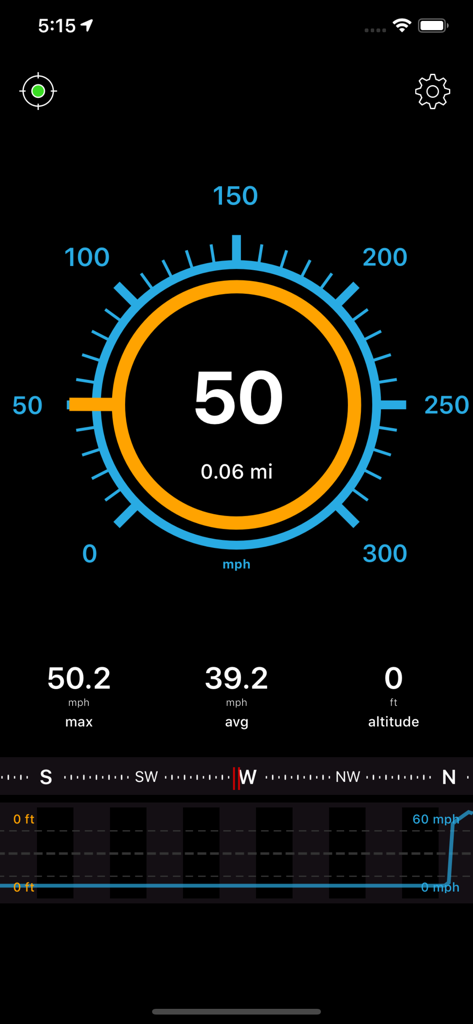
Speedometer Speed Box - スピードメーター スピードボックスアプリのメインダッシュボード。デジタル速度計の測定値、最高速度、コンパスが表示されています。
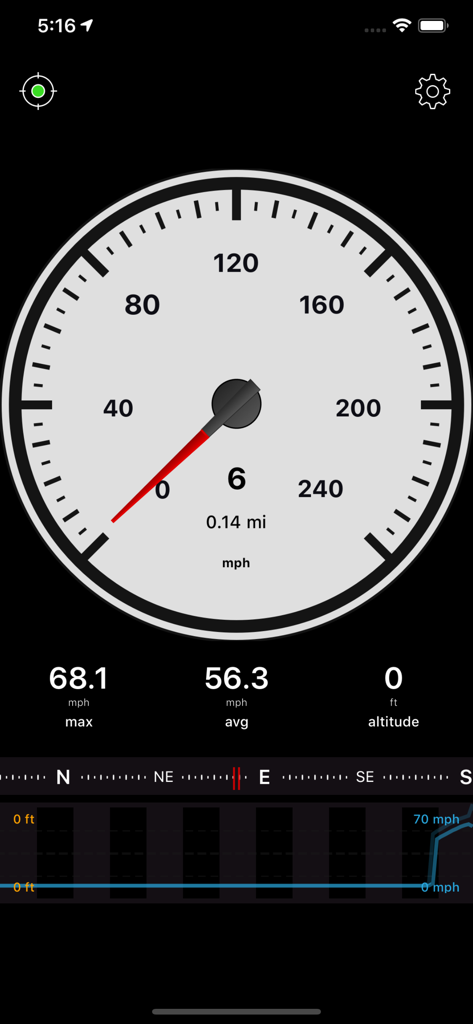
スピードメーター スピードボックスアプリのメインダッシュボード。デジタル速度計の測定値、最高速度、コンパスが表示されています。

Speedometer Speed Box - スピードメーター スピードボックスアプリのインターフェース。速度と高度のデータを示すアナログゲージが表示されています。
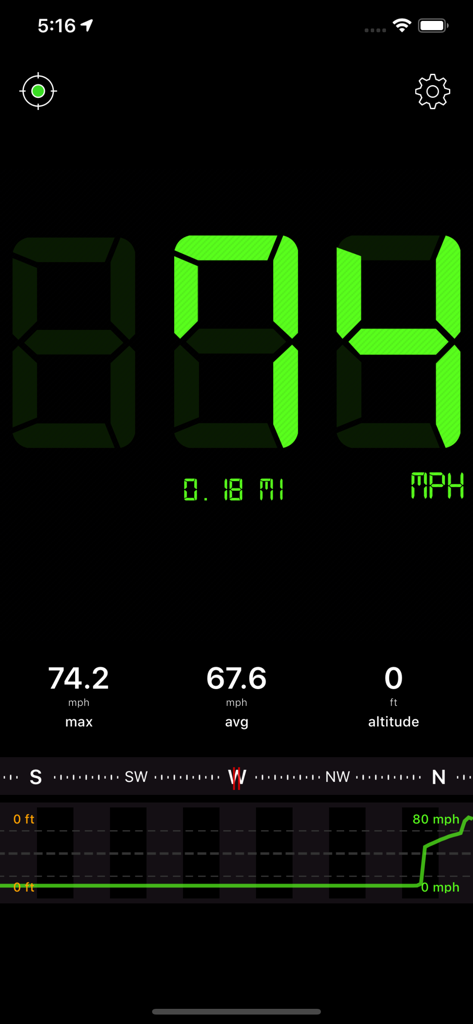
スピードメーター スピードボックスアプリのインターフェース。速度と高度のデータを示すアナログゲージが表示されています。

Speedometer Speed Box - スピードメーター スピードボックスアプリのデジタルインターフェース。速度とトリップデータが表示されています。
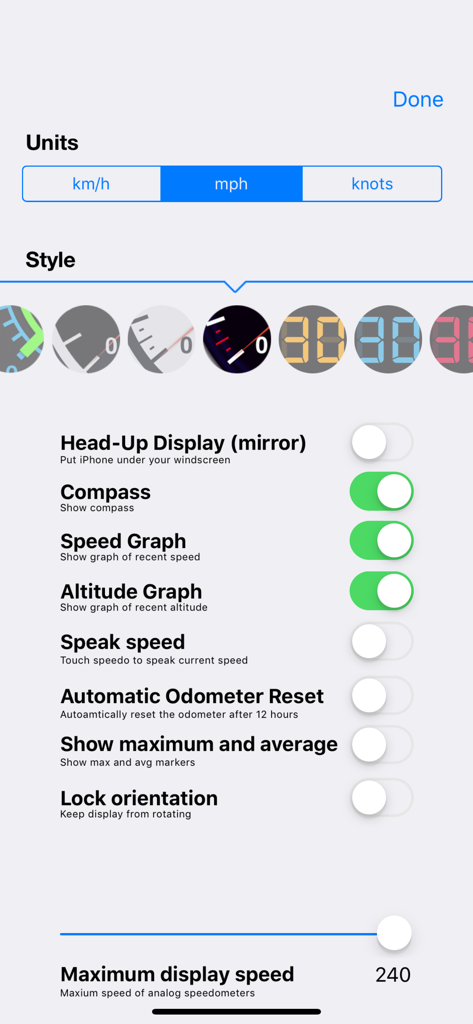
スピードメーター スピードボックスアプリのデジタルインターフェース。速度とトリップデータが表示されています。

Speedometer Speed Box - スピードメーター スピードボックスの設定インターフェース。測定単位とゲージスタイルが表示されています。
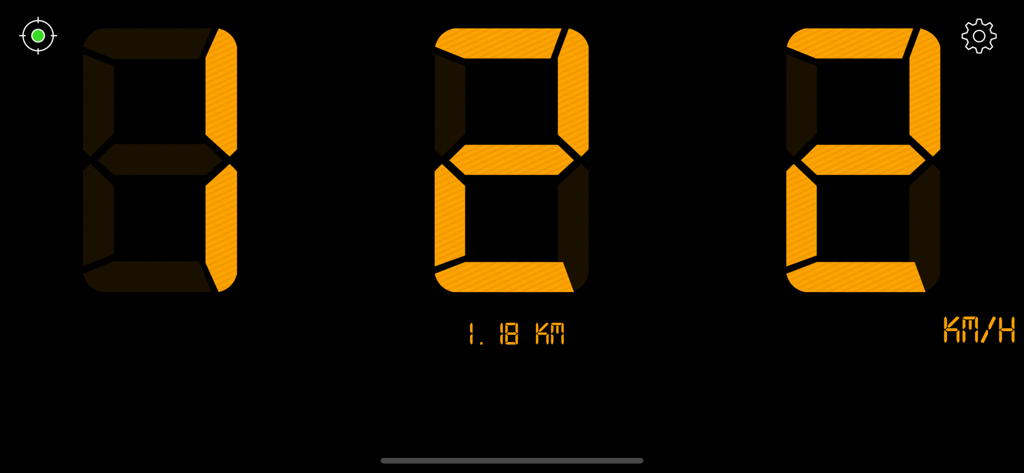
スピードメーター スピードボックスの設定インターフェース。測定単位とゲージスタイルが表示されています。

Speedometer Speed Box - キロメートル毎時での速度と走行距離を示すデジタルスピードメーターインターフェース。

キロメートル毎時での速度と走行距離を示すデジタルスピードメーターインターフェース。

説明

“Awesome!!! The best speed app on iphone” 5 Stars by kurtonic Speed Box is a Speedometer and GPS app for both your iPhone and iPad. It displays your current speed, distance, direction and altitude along with your top speed and average speed. The app also keeps a record of the speed and altitude for the last few hours. MAIN FEATURES ======================== * MPH, KM/H and KNOTS * Show decimal speed (e.g. "45.7 mph") * One app for both the iPhone and iPad * "Speak speed" - Tap screen to have the speed spoken to you * 11 Analog and digital speedometers * Map view * Maximum and average speed * Altitude * Digital compass * HUD display to see speed in windshield * Odometer to measure distance traveled * Chart of the traveled speed and altitude * Warning signal when driving too fast * Export last 3 hours of data * Change maximum displayed speed on speedometer * Swipe finger over chart to display historic data * Display GPS accuracy by tapping the indicator in the top left corner USER REVIEWS ======================== 5 Stars by Darekakuta "Just what I needed. My '58 chev's speedo doesn't work. This did the trick." 5 Stars by Rawd "Great My 79 Firebird speedo only goes to 140 kmh. ;). This worked perfectly." 5 Stars "Within 1 mile per hour +/- Great Job!" SpeedBox was one of the very early Speedometer Apps for the iPhone. Take advantage of my experience and the refined algorithms that can get a much greater accuracy from the iPhone then a lot of other apps. I regularly update my application to make it even more accurate and usable. Users have already used our application to verify the accuracy of their car's speedometer or they tried measuring the speed they achieved while skiing. Can you come up with more ideas? How about measuring the speed of the airplane you travel with? USAGE NOTES ======================== The "GPS strength" indicator in the top left corner should display a green dot. You can tap this indicator to display the current GPS accuracy. Please allow the application up to a minute to find enough satellites to work correctly. If you get a message to enable GSP, please go to ”Settings > General > Location Services“ on your iPhone and check if the little switch is set to "On" for Speed Box as well as for "Location Services" in general. ATTENTION iPod touch users! Unfortunately this app doesn't work very well on the iPod touch and the iPad WiFI (without 3G) since these devices are missing a GPS! FEEDBACK ======================== If you've got any wishes or suggestions for new features, please let me know with the contact form on this application's website (see link below). I am already working on the next update!

Download

ダウンロード: App Store

このページはアプリまたはその開発者の公式ページではなく、情報提供および論評を目的として作成された独立した編集出版物です。明示的に別段の記載がない限り、アプリおよびその開発者は、MWM、Apple、Google Play、アプリのパブリッシャー、またはアプリの開発者と提携、承認、後援、認可、またはその他の公式的な関係はなく、このページのいかなる内容も、アプリがMWMのサービスを使用して開発されたことを意味するものではありません。すべての商標、ロゴ、スクリーンショット、その他のコンテンツはそれぞれの所有者の財産です。