
このページはアプリまたはその開発者の公式ページではなく、情報提供および論評を目的として作成された独立した編集出版物です。明示的に別段の記載がない限り、アプリおよびその開発者は、MWM、Apple、Google Play、アプリのパブリッシャー、またはアプリの開発者と提携、承認、後援、認可、またはその他の公式的な関係はなく、このページのいかなる内容も、アプリがMWMのサービスを使用して開発されたことを意味するものではありません。すべての商標、ロゴ、スクリーンショット、その他のコンテンツはそれぞれの所有者の財産です。

SpeedyBee App
ノートPCはもう不要。どこでもFPV機材を設定可能。Bluetooth経由でBetaflight、iNav、Butterflightのパラメータをシームレスにチューニングし、飛行場でプロフェッショナルなパフォーマンスを発揮。
ダウンロード
10K+ユーザー評価
評価数
0開発元
カテゴリ
Utilities対応言語
2最新バージョン
3.0.3サイズ
305.1 MBリリース日
2016年9月21日どこでも精密コントロール
FPVパイロットのための究極のワイヤレスツールキット。ノートPCの煩わしさなしに、フライトコントローラーのフル設定を体験。
シームレスなワイヤレスチューニング
Bluetoothで接続し、フィールドで即座にPID、レート、フィルターを調整。ケーブルもノートPCも不要、飛行時間を最大限に。
スマートフライトセーフティ
ドローンがアームされた際にBluetoothが自動的に無効になり、信号干渉をゼロにして安全で安定した飛行を実現。
よくある質問
について知っておくべきこと SpeedyBee App
SpeedyBeeアプリは何のために使われますか?
SpeedyBeeアプリはフライトコントローラーのパラメーター設定用です。モバイルデバイスがBluetooth経由でフライトコントローラーボードと通信し、設定を調整できます。
SpeedyBeeアプリはどのようにフライトコントローラーに接続しますか?
SpeedyBeeアプリはBluetooth経由でフライトコントローラーに接続します。ユーザーは、互換性のあるBluetoothモジュールまたはSpeedyBee Bluetooth-UARTアダプターを使用して通信できます。
SpeedyBeeと互換性のあるフライトコントローラーファームウェアのバージョンは何ですか?
SpeedyBeeは、Betaflightファームウェアバージョン≥ 3.1.0、iNav FCバージョン≥ 1.8.1、Butterflightファームウェアバージョン≥ 3.1.0と互換性があります。
SpeedyBeeアプリはiOSデバイスをサポートしていますか?
はい、SpeedyBeeアプリはiOSデバイスをサポートしています。アプリのシステム要件はiOS 13.0以上です。
SpeedyBeeアプリでフライトコントローラーのポートを設定できますか?
はい、SpeedyBeeアプリではフライトコントローラーのポートを設定できます。ユーザーはUSB VCP、UART1、UART2、UART3のMSPやSerial Rxなどの設定を調整できます。
SpeedyBeeアプリでモーターテストを有効にするにはどうすればよいですか?
SpeedyBeeアプリでモーターテストを有効にするには、「Motors」セクションに移動します。「I understand the risks, propellers are removed」にチェックを入れると、モーター制御とアームが可能になります。
SpeedyBeeアプリでOSD要素を調整できますか?
はい、SpeedyBeeアプリではOSD要素の調整が可能です。ユーザーは、RSSI Value、Main Batt Voltage、Crosshairs、Artificial Horizon、Timersなどの要素を表示用に有効または無効にできます。
SpeedyBeeアプリで調整可能なPIDチューニングパラメーターは何ですか?
SpeedyBeeアプリでは、Roll、Pitch、YawのProportional、Integral、Derivative値を含むPIDチューニングパラメーターの調整が可能です。プロファイルやフィルター設定も備えています。
SpeedyBeeは飛行中のBluetooth干渉を防ぎますか?
はい、SpeedyBee Bluetooth-UARTアダプターを使用する場合、モジュールは飛行中(アーム時)に自動的に無効になり、ディスアーム時に再アクティブ化されるため、Bluetooth信号の干渉を防ぎます。
SpeedyBeeアプリでVTX設定を構成できますか?
はい、SpeedyBeeアプリでVTX設定を構成できます。ユーザーは、異なるチャンネルやバンドでIRC Tramp VTXの周波数を調整したり、25mWなどのパワーレベルを設定したりできます。
SpeedyBeeでBLE4.0 Bluetoothモジュールに推奨されるボーレートは何ですか?
SpeedyBeeアプリでBLE4.0 Bluetoothモジュールを設定する場合に推奨されるボーレートは19200です。これはBetaflight ConfiguratorのPortsタブで設定します。
以下のスクリーンショットと説明は、アプリの公式ストアリスティングから直接取得されたものであり、アプリ開発者の所有物です。
アプリストア
スクリーンショット
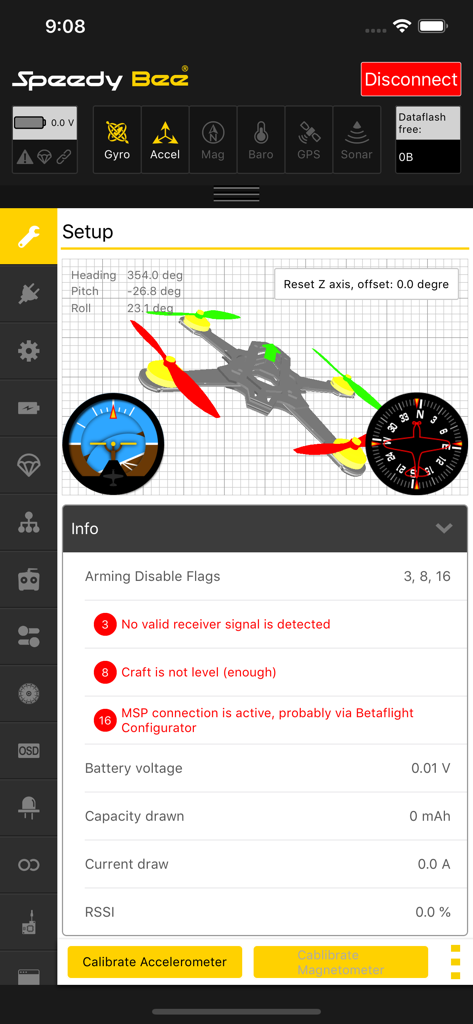
SpeedyBeeアプリのインターフェースに、3Dモデルとフライトコントローラー診断機能付きのドローンセットアップパラメータが表示されている
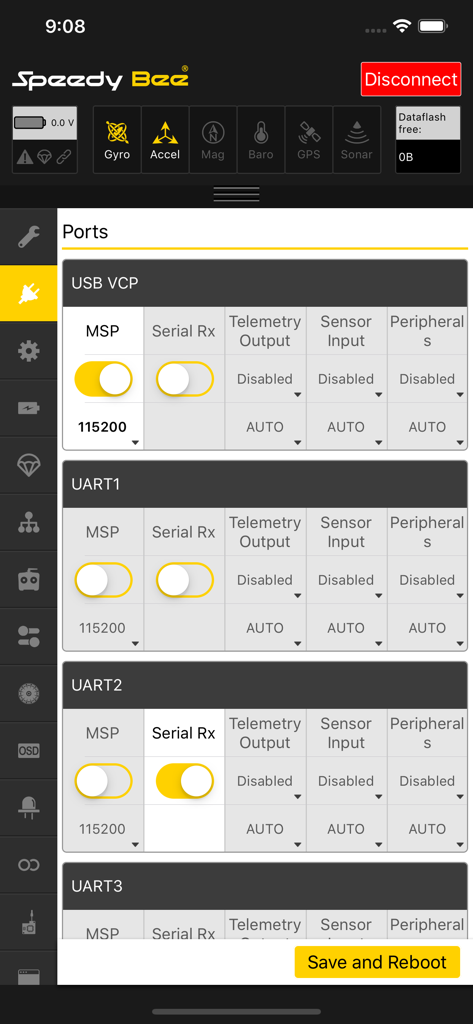
SpeedyBeeアプリのインターフェースに、FPVドローンフライトコントローラー用のUARTおよびUSBポート設定が表示されている
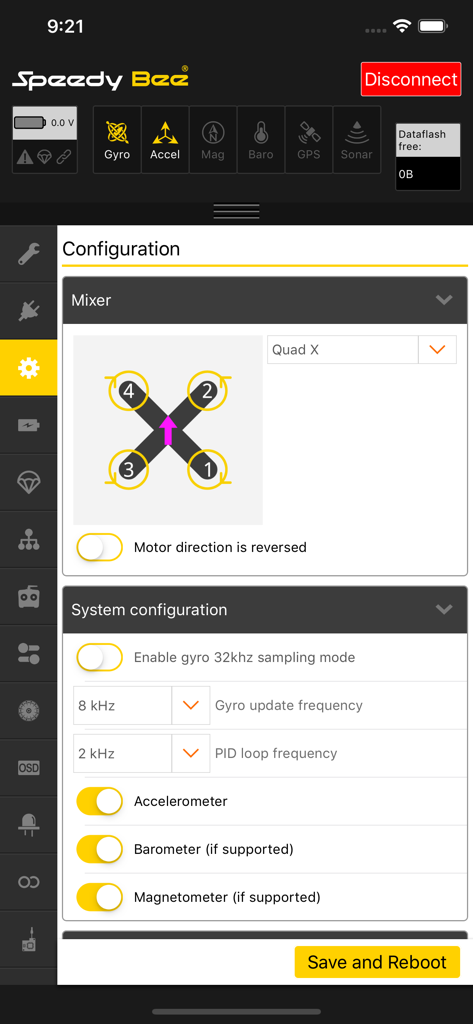
SpeedyBeeアプリのインターフェースに、FPVドローンモーターミキサーとシステム設定が表示されている
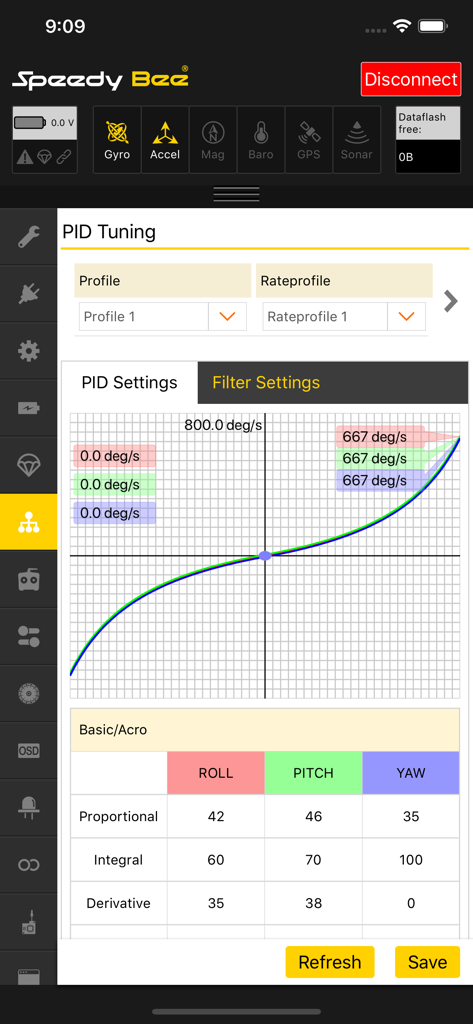
SpeedyBeeアプリのPIDチューニングインターフェースに、FPVドローン用のレートカーブとフライトコントローラー設定が表示されている
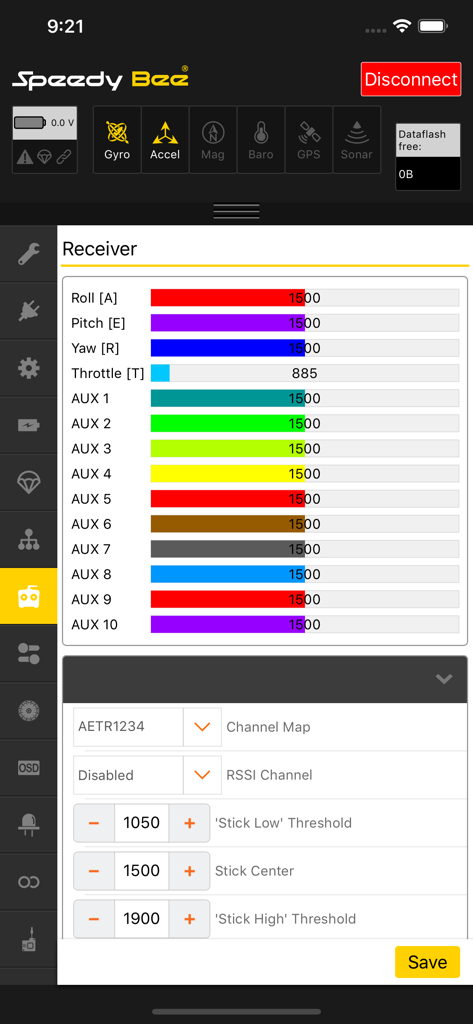
ドローン受信機設定用のSpeedyBeeアプリインターフェースに、リアルタイムのチャンネル入力が表示されている
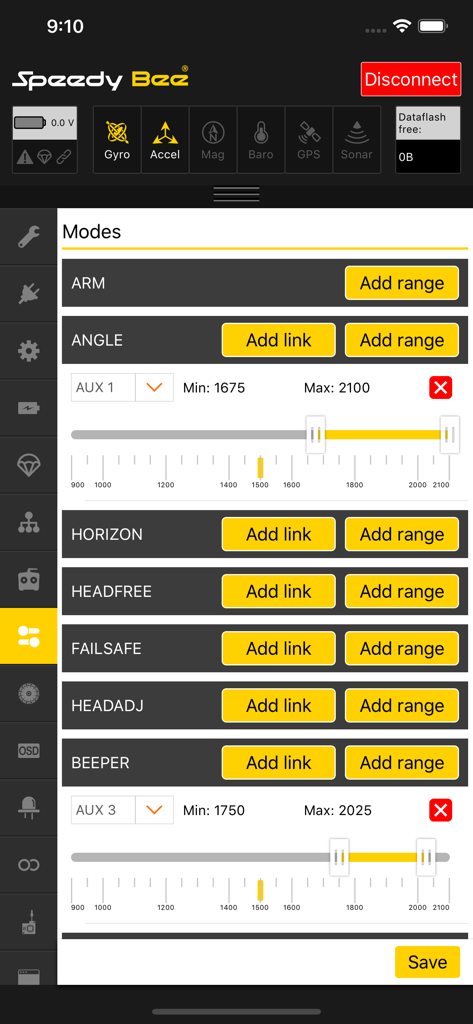
SpeedyBeeアプリでドローンのフライトモードと補助チャンネル範囲を設定する
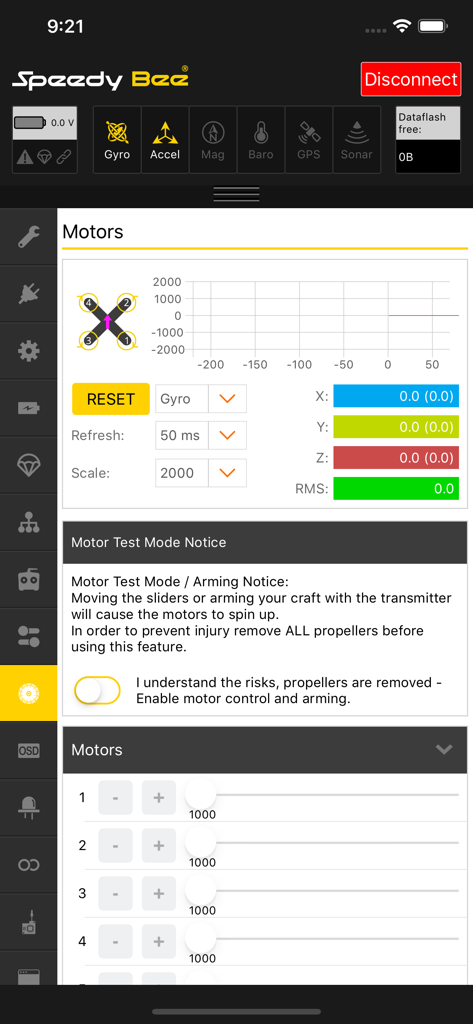
SpeedyBeeアプリのインターフェースに、ドローンモーター設定、ジャイロテレメトリグラフ、モーターテストの安全警告が表示されている
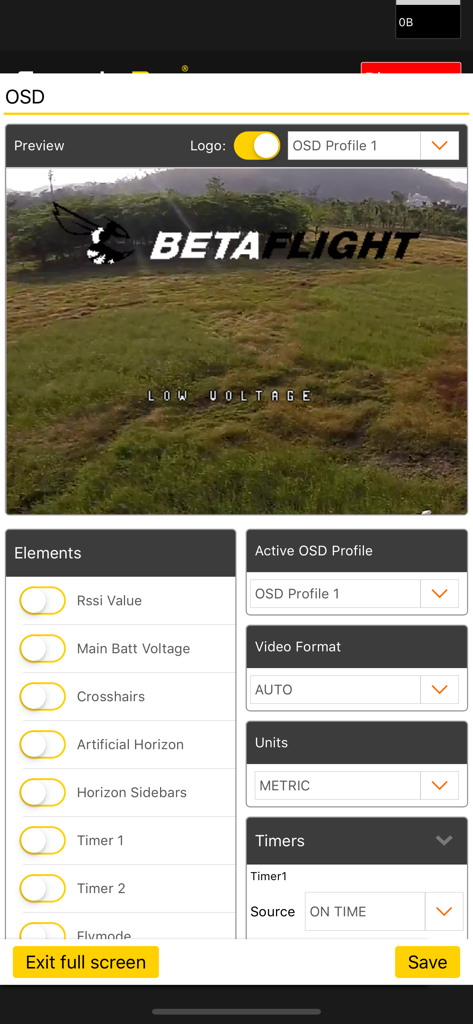
Betaflightドローンの表示要素を調整するためのSpeedyBeeアプリOSD設定画面
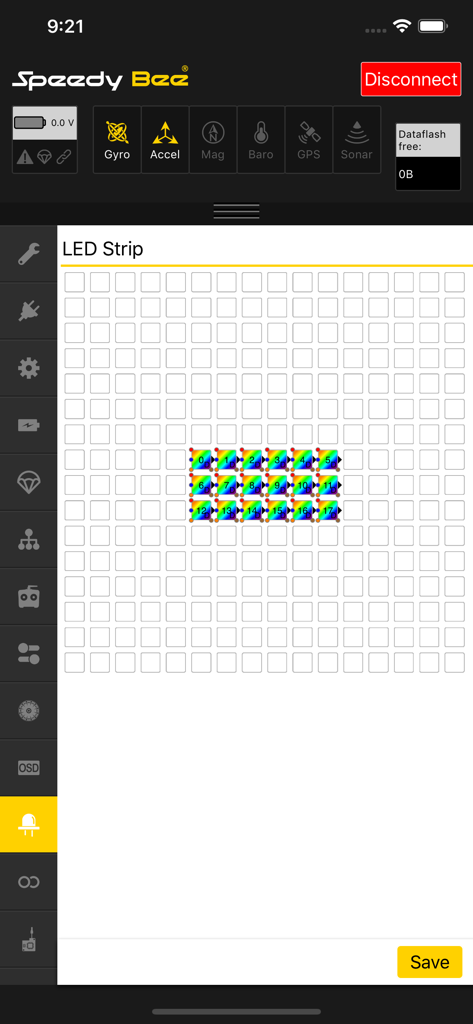
ドローンのカスタマイズのためのSpeedyBeeアプリLEDストリップ設定インターフェース
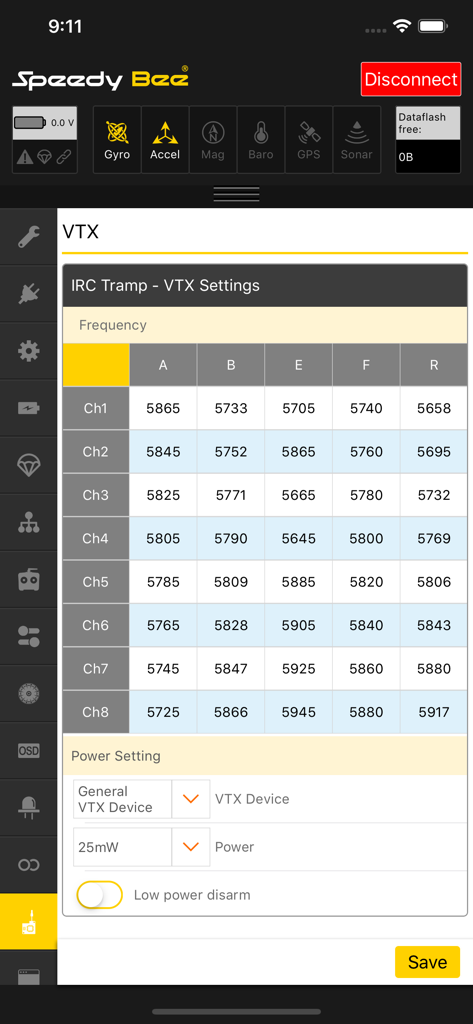
ドローンチューニングのためのSpeedyBeeアプリVTX周波数テーブルおよび電力設定
説明
Download
類似アプリ
同じカテゴリのトップランクアプリ

Google LLC

Google Chrome
Google LLC

中国移动(手机营业厅)
China Mobile Online Services Co., Ltd.

Google Authenticator
Google LLC

CNH do Brasil
Servicos e Informacoes do Brasil

Cleanup: Phone Storage Cleaner
DEEP FLOW SOFTWARE SERVICES - FZCO

gov.br
Servicos e Informacoes do Brasil

Microsoft Edge: AI Browser
Microsoft Corporation

Super VPN Fly 2026
YUNFAN TECHNOLOGY CO., LIMITED
このページはアプリまたはその開発者の公式ページではなく、情報提供および論評を目的として作成された独立した編集出版物です。明示的に別段の記載がない限り、アプリおよびその開発者は、MWM、Apple、Google Play、アプリのパブリッシャー、またはアプリの開発者と提携、承認、後援、認可、またはその他の公式的な関係はなく、このページのいかなる内容も、アプリがMWMのサービスを使用して開発されたことを意味するものではありません。すべての商標、ロゴ、スクリーンショット、その他のコンテンツはそれぞれの所有者の財産です。