Split Screen & Dual Browser
ダウンロード: App Store

このページはアプリまたはその開発者の公式ページではなく、情報提供および論評を目的として作成された独立した編集出版物です。明示的に別段の記載がない限り、アプリおよびその開発者は、MWM、Apple、Google Play、アプリのパブリッシャー、またはアプリの開発者と提携、承認、後援、認可、またはその他の公式的な関係はなく、このページのいかなる内容も、アプリがMWMのサービスを使用して開発されたことを意味するものではありません。すべての商標、ロゴ、スクリーンショット、その他のコンテンツはそれぞれの所有者の財産です。

ロゴ: Split Screen & Dual Browser
ダウンロード: App Store

Split Screen & Dual Browser

絶え間ないタブ切り替えをやめましょう。プロレベルの効率で2つのウェブサイトを並べて閲覧、調査、ストリーミングし、デバイスの潜在能力を最大限に引き出します。

主要数値

ダウンロード

1K+

ユーザー評価

1.0/5

評価数

0

開発元

Ngo Tien

カテゴリ

Utilities

対応言語

1

最新バージョン

1.0

サイズ

5.6 MB

リリース日

2025年10月29日
機能

モバイルマルチタスクをマスターする

タブの間を行き来する時間を無駄にするのをやめましょう。デスクトップクラスの生産性体験のために、2つのアクティブなブラウザウィンドウを並べて実行することで、iPhoneまたはiPadの潜在能力を最大限に引き出します。

並列ブラウジング効率

2つの異なるウェブサイトを同時に調査、学習、または買い物をしましょう。アプリ切り替えの認知的負荷をなくし、ワークフローをスムーズに保ちます。

正確なワークスペース制御

リサイズ可能なデュアルウィンドウで表示をカスタマイズしましょう。ビデオチュートリアルであろうと複雑なデータシートであろうと、最も重要なものに焦点を当てるために中央の区切り線をドラッグします。

以下のスクリーンショットと説明は、アプリの公式ストアリスティングから直接取得されたものであり、アプリ開発者の所有物です。

アプリストア

スクリーンショット
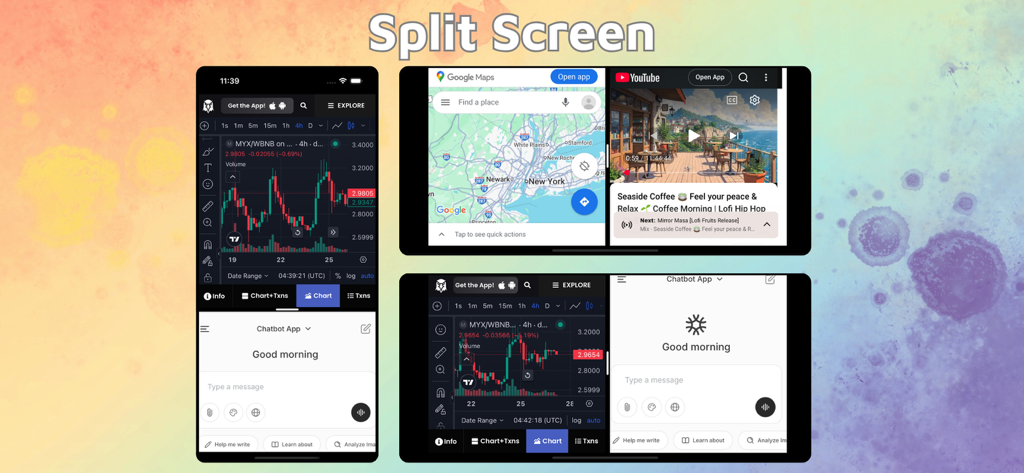
Split Screen & Dual Browser - iPhoneとiPadでのマルチタスキングのために、デュアルブラウザウィンドウを示すスプリットスクリーンインターフェイス。
iPhoneとiPadでのマルチタスキングのために、デュアルブラウザウィンドウを示すスプリットスクリーンインターフェイス。

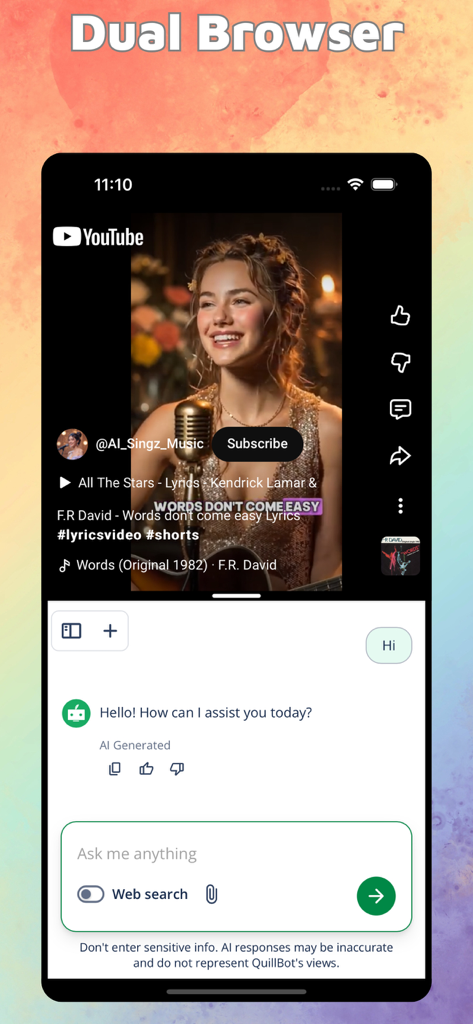
Split Screen & Dual Browser - iPhone画面でスプリットスクリーンモードを使用し、YouTubeビデオとAIチャットインターフェイスを同時に表示
iPhone画面でスプリットスクリーンモードを使用し、YouTubeビデオとAIチャットインターフェイスを同時に表示

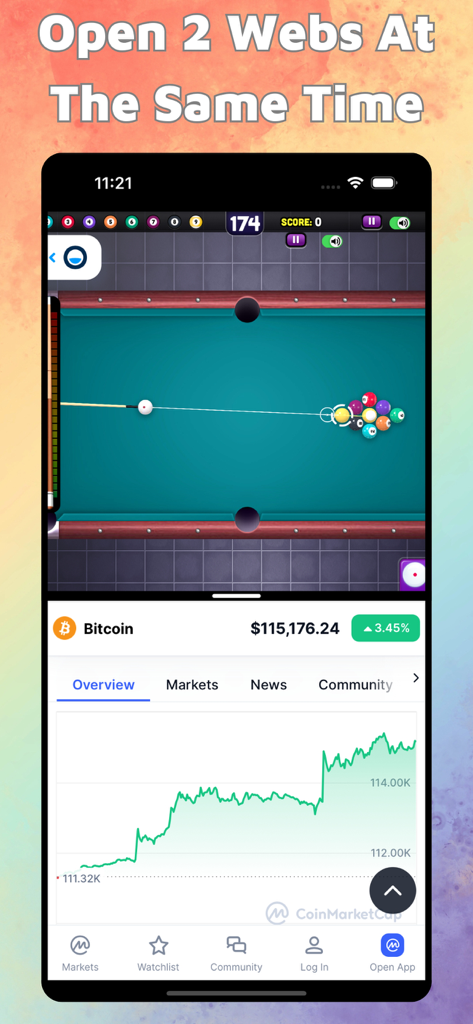
Split Screen & Dual Browser - iPhoneスプリットスクリーンインターフェイスで、プールゲームとビットコイン価格チャートを同時に表示
iPhoneスプリットスクリーンインターフェイスで、プールゲームとビットコイン価格チャートを同時に表示

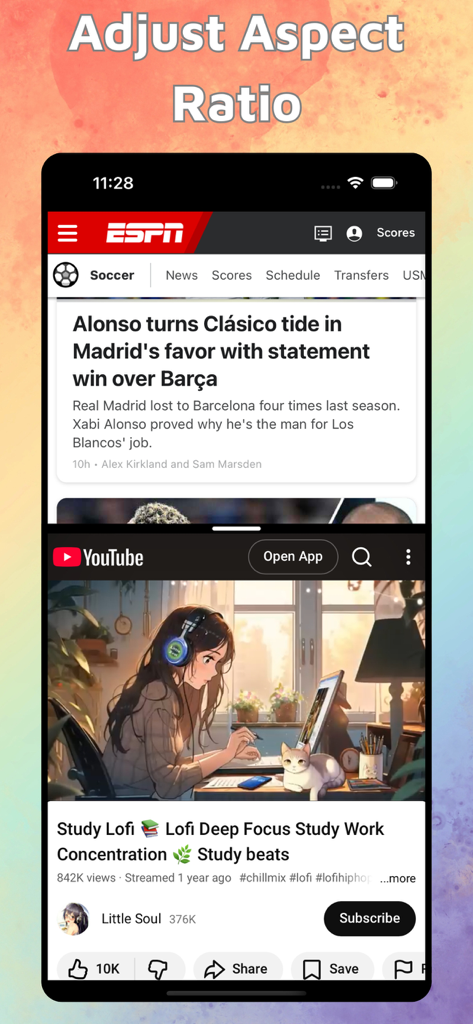
Split Screen & Dual Browser - ESPNニュースとYouTubeのローファイ学習ビデオを同時に表示するiPhoneスプリットスクリーン

ESPNニュースとYouTubeのローファイ学習ビデオを同時に表示するiPhoneスプリットスクリーン

説明

With Split Screen & Dual Browser, you can effortlessly view and interact with two different websites at the same time — right on your iPhone or iPad. Perfect for multitasking, research, studying, or simply browsing more efficiently. Key Features: Split Screen Mode: Open and use two web pages side by side. Read an article on one side while taking notes on Google Docs, watch YouTube while browsing social media, or compare information between two sites — all without switching tabs. Resizable Dual Windows: Adjust the size of each window freely with a simple drag. Focus on what matters most while keeping the second site visible for reference or updates. Smart and Intuitive Interface: Designed for smooth navigation and control. Swap windows with a tap, drag edges to resize instantly, and enjoy a clean, distraction-free browsing experience. Landscape & Portrait Support: Seamlessly adapts to your device orientation. Whether in portrait or landscape, your split layout stays fluid and responsive. Full Browser Features: Each window includes independent browsing, history, bookmarks, and tab management — just like a real browser, times two! Why You’ll Love It: Maximize your productivity and make full use of your screen space. Whether you’re working, learning, or simply browsing smarter, Split Screen & Dual Browser helps you do more — faster and easier. Download now and experience true multitasking on iOS! Split Screen & Dual Browser Premium Plans: • 3-day free trial then $9.99/month Information about the auto-renewal of subscription: • Payment will be charged to iTunes Account at confirmation of purchase. • Subscription automatically renews unless auto-renew is turned off at least 24-hours before the end of the current period. • Account will be charged for renewal within 24-hours prior to the end of the current period, and identify the cost of the renewal. The cost depends on the selected plan. • Subscriptions may be managed by the user and auto-renewal may be turned off by going to the user's Account Settings after purchase. • Any unused portion of the free trial will be forfeited when the user purchases a subscription. Privacy Policy: https://ngotienmobile.blogspot.com/2024/03/privacy-policy.html Terms of Use: https://ngotienmobile.blogspot.com/2024/03/terms-of-use.html

Download

ダウンロード: App Store

このページはアプリまたはその開発者の公式ページではなく、情報提供および論評を目的として作成された独立した編集出版物です。明示的に別段の記載がない限り、アプリおよびその開発者は、MWM、Apple、Google Play、アプリのパブリッシャー、またはアプリの開発者と提携、承認、後援、認可、またはその他の公式的な関係はなく、このページのいかなる内容も、アプリがMWMのサービスを使用して開発されたことを意味するものではありません。すべての商標、ロゴ、スクリーンショット、その他のコンテンツはそれぞれの所有者の財産です。








