
このページはアプリまたはその開発者の公式ページではなく、情報提供および論評を目的として作成された独立した編集出版物です。明示的に別段の記載がない限り、アプリおよびその開発者は、MWM、Apple、Google Play、アプリのパブリッシャー、またはアプリの開発者と提携、承認、後援、認可、またはその他の公式的な関係はなく、このページのいかなる内容も、アプリがMWMのサービスを使用して開発されたことを意味するものではありません。すべての商標、ロゴ、スクリーンショット、その他のコンテンツはそれぞれの所有者の財産です。


Split Screen - Floating Apps
iPhoneとiPadで、画面を自在に操る力が手に入る。
ダウンロード
250k+ユーザー評価
評価数
4.8K開発元
カテゴリ
Productivity対応言語
26最新バージョン
1.2.3サイズ
39.8 MBリリース日
2024年5月5日生産性向上とコンテンツ消費のためのマルチタスク環境を提供するアプリの評価
「Split Screen - Floating Apps」の主要機能分析
フローティングウィンドウマルチタスク
ユーザーは、iPhoneおよびiPad上で複数のアプリケーションやメディアコンテンツをフローティングウィンドウで同時に実行することで、コンテキストの切り替えを減らし、生産性を大幅に向上させることができます。
フローティングブラウザ
ユーザーは、ウェブサイトをフローティングウィンドウで閲覧し、他の作業と並行して情報を参照したり、複数のタブを効率的に管理したりすることができます。
ドキュメント閲覧モード
ユーザーは、PDF、TXT、WORD、PPTなどの様々なドキュメントファイルをフローティングウィンドウで表示し、他のタスクを中断することなく参照したり、手動または自動ページめくり機能を利用したりすることが可能です。
メディア再生モード
ユーザーは、写真や動画などのメディアコンテンツをフローティングウィンドウでシームレスに再生し、他のアプリケーションを使用しながら視覚的な情報を楽しんだり確認したりすることができます。
よくある質問
について知っておくべきこと Split Screen - Floating Apps
What is Split Screen - Floating Apps?
Split Screen - Floating Apps is a PiP (Picture in Picture) floating display app for iPhone and iPad. It displays various content types, including documents, media, timers, and browser windows, in a mini floating window.
What types of files can Split Screen - Floating Apps display?
Split Screen - Floating Apps displays PDF, TXT, WORD, and PPT files in its Read Mode. This mode supports both manual and automatic page turning for documents.
Can Split Screen - Floating Apps multitask with web pages?
Yes, Split Screen - Floating Apps enables multitasking with web pages through its Browser Mode. This mode allows users to display any content via a mini window on their phone screen.
Does Split Screen - Floating Apps include a countdown timer?
Yes, Split Screen - Floating Apps includes a countdown timer. This feature is part of its Timer Mode, alongside clock and stopwatch functionalities, displayed in a floating window.
How much does a Split Screen - Floating Apps subscription cost?
A Split Screen - Floating Apps subscription costs $0.99 USD for 1 month or $6.99 USD for 1 year. These are auto-renewal terms charged to your iTunes Account.
How do I cancel the auto-renewal for Split Screen - Floating Apps?
To cancel auto-renewal for Split Screen - Floating Apps, manually turn it off in your iTunes & App Store account management settings. This must be done at least 24 hours prior to the current subscription period's end.
Where can I find the Privacy Policy for Split Screen - Floating Apps?
The Privacy Policy for Split Screen - Floating Apps is available at https://5season.top/pip/my-privacy. This document details the app's data handling practices.
以下のスクリーンショットと説明は、アプリの公式ストアリスティングから直接取得されたものであり、アプリ開発者の所有物です。
アプリストア
スクリーンショット
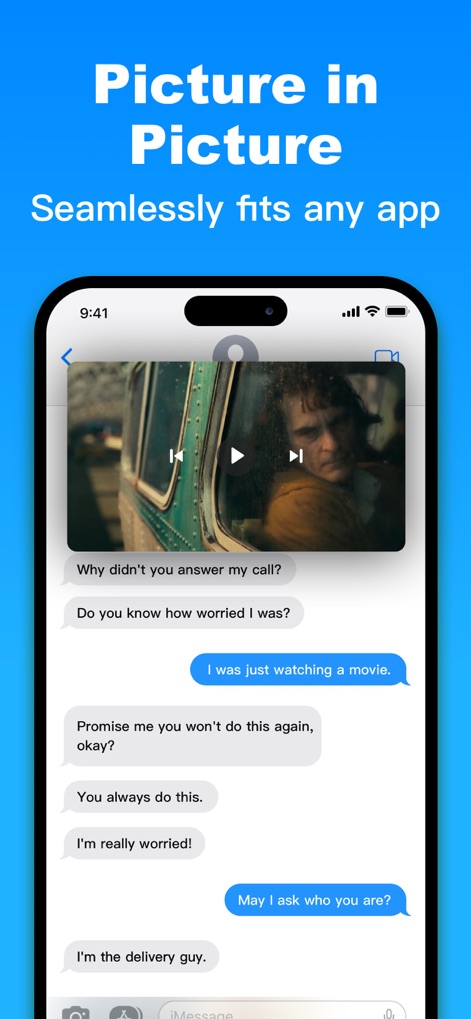
ユーザーは、フローティングウィンドウで映画を視聴しながら、同時にメッセージアプリで友人と会話を続けることができます。PiPモードでの動画再生とメッセージング機能がシームレスに統合されています。
映画とチャット
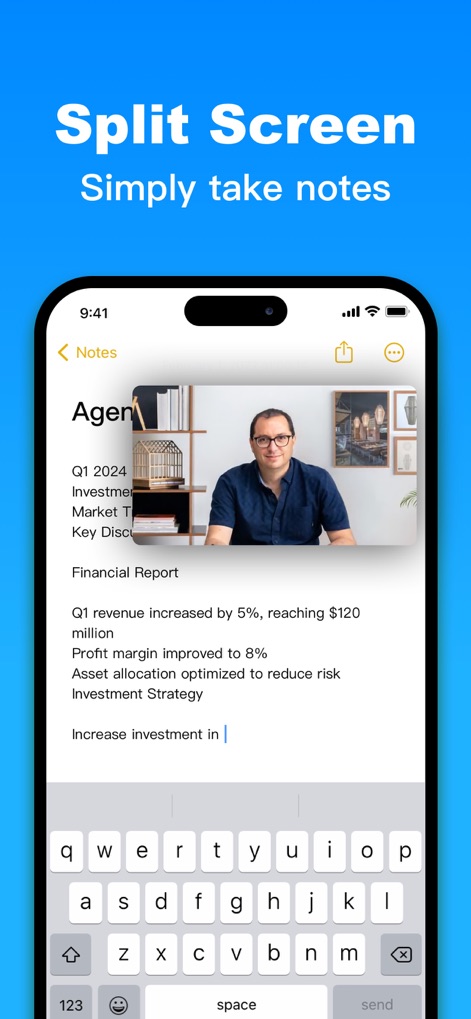
ノートアプリで作業をしながら、フローティングウィンドウで重要な画像や情報を参照できます。この機能により、ノート作成と画像の参照が同時に行え、効率的な情報整理が可能です。
作業効率を向上

ユーザーは、他のアプリの設定画面を確認しながら、ウェブページをフローティングブラウザで表示できます。設定の確認とウェブコンテンツの閲覧が同時に行え、情報収集の利便性が高まります。
ブラウザフローティング
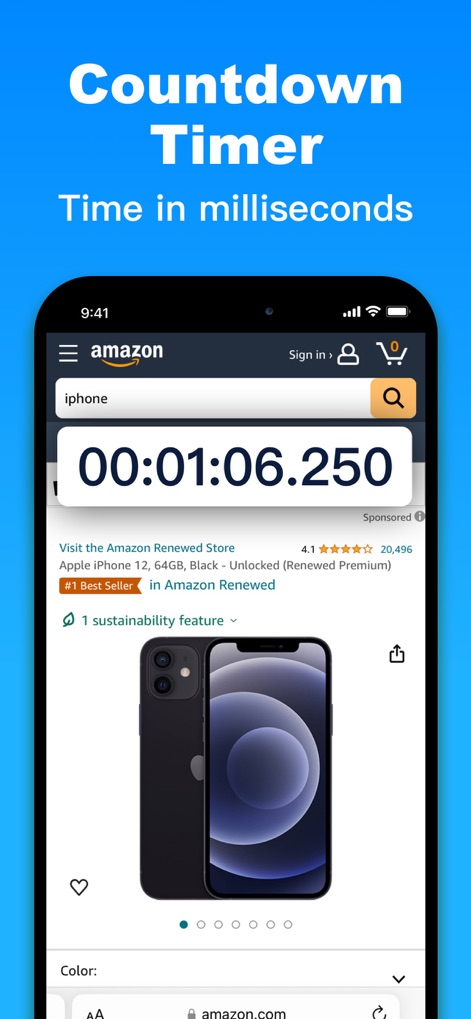
ユーザーはオンラインショッピング中に、精度の高いカウントダウンタイマーをフローティング表示で利用できます。この機能により、商品の検索とミリ秒単位のタイマー確認を同時に行うことが可能です。
タイマーとショッピング
説明
Download

このページはアプリまたはその開発者の公式ページではなく、情報提供および論評を目的として作成された独立した編集出版物です。明示的に別段の記載がない限り、アプリおよびその開発者は、MWM、Apple、Google Play、アプリのパブリッシャー、またはアプリの開発者と提携、承認、後援、認可、またはその他の公式的な関係はなく、このページのいかなる内容も、アプリがMWMのサービスを使用して開発されたことを意味するものではありません。すべての商標、ロゴ、スクリーンショット、その他のコンテンツはそれぞれの所有者の財産です。