
このページはアプリまたはその開発者の公式ページではなく、情報提供および論評を目的として作成された独立した編集出版物です。明示的に別段の記載がない限り、アプリおよびその開発者は、MWM、Apple、Google Play、アプリのパブリッシャー、またはアプリの開発者と提携、承認、後援、認可、またはその他の公式的な関係はなく、このページのいかなる内容も、アプリがMWMのサービスを使用して開発されたことを意味するものではありません。すべての商標、ロゴ、スクリーンショット、その他のコンテンツはそれぞれの所有者の財産です。


ダウンロード
1M+ユーザー評価
評価数
56.1K開発元
カテゴリ
Utilities対応言語
9最新バージョン
2.10サイズ
80.2 MBリリース日
2024年9月1日テックアナリストによる「Status Saver: Download Status」アプリの機能分析
主要機能の評価と利便性
WAステータスの保存
ユーザーはWhatsAppおよびWhatsApp Businessの両方から画像と動画のステータスを簡単に保存できます。
プライバシーを重視したローカル保存
ユーザーの保存データはすべてデバイスにローカルに保存され、アプリがWhatsAppアカウントにアクセスすることなく、高いプライバシーとコントロールを提供します。
動画スプリッター
ユーザーは動画を分割してステータスやソーシャルメディアに即座に投稿でき、プラットフォームの制限に合わせた完璧なサイズのクリップを簡単に作成できます。
ワンクリックで簡単保存
アプリはワンクリックでWhatsAppステータスを保存する機能を提供し、非常にシンプルな操作で迅速なコンテンツ収集を可能にします。
複数ステータスの一括保存
ユーザーは複数の画像や動画ステータスを一度にまとめて保存でき、時間と手間を節約します。
オフラインでのメディアアクセス
ユーザーは保存された動画を内蔵の動画プレーヤーで、画像を内蔵ギャラリーでオフラインで視聴・閲覧できます。
ステータスの再投稿と共有
ユーザーは保存したステータスをアプリから直接再投稿したり、他のソーシャルメディアプラットフォームと共有したりできます。
連絡先への依頼不要
ユーザーは他人にステータスを送信してもらう必要がなく、独立して興味のあるコンテンツを保存できます。
よくある質問
について知っておくべきこと Status Saver: Download Status
What is Status Saver: Download Status?
Status Saver: Download Status is an app that allows users to easily save WhatsApp and WhatsApp Business image and video statuses with one click. It also provides features for reposting, sharing, and offline viewing.
How does Status Saver: Download Status work?
The Status Saver app works by requiring users to scan a QR code to link their WhatsApp Web. After watching a desired status, users click a save button. The status is then stored in the app's Collection.
Can Status Saver: Download Status save videos?
Yes, Status Saver: Download Status can save video statuses. The app includes a built-in video player for offline playback and stores videos in the "Collection" tab.
Can Status Saver: Download Status save images?
Yes, Status Saver: Download Status can save image statuses. The app stores images in the "Collection" tab and includes a built-in gallery for offline viewing.
Is Status Saver: Download Status free to use?
No, the Status Saver app is not entirely free. It offers weekly, yearly, and lifetime subscription options for its features. Payment occurs upon purchase confirmation.
Does Status Saver: Download Status access my WhatsApp account?
No, Status Saver: Download Status does not access your WhatsApp account. All user data is stored locally on the device, providing privacy and control over your account.
What is the price of Status Saver: Download Status?
Status Saver: Download Status offers a weekly subscription for $9.99, a yearly subscription for $29.99, and a lifetime in-app purchase for $49.99.
Does Status Saver: Download Status include a video splitter?
Yes, the Status Saver app includes a Video Splitter feature. This allows users to split long videos into perfectly sized clips for status updates or social media posts without using multiple apps.
How do I manage my subscription for Status Saver: Download Status?
Users manage Status Saver: Download Status subscriptions and disable automatic renewal by going to their user account settings after purchasing.
Is Status Saver: Download Status affiliated with WhatsApp?
No, Status Saver: Download Status is not endorsed by or affiliated with WhatsApp Inc. The app's disclaimer states it is a separate entity.
以下のスクリーンショットと説明は、アプリの公式ストアリスティングから直接取得されたものであり、アプリ開発者の所有物です。
アプリストア
スクリーンショット
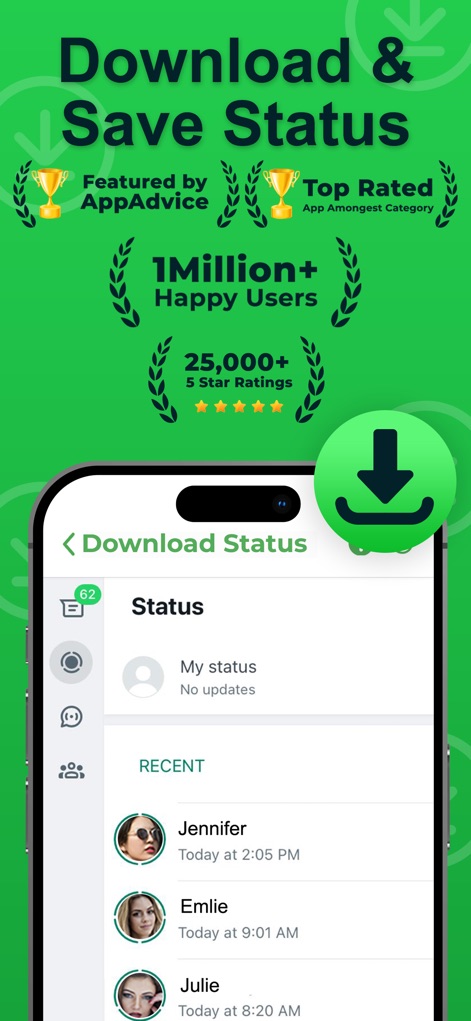
本アプリは「AppAdviceによるフィーチャー」や「100万以上のハッピーユーザー」といった圧倒的な実績を誇ります。ユーザーは友人の「My status」や「最近のステータス」をリスト形式で簡単に確認できます。
高評価と実績

友人「Jennifer」の共有した全画面画像ステータスを見ている際に、下部に表示される「Status Unduhan」ボタンをタップするだけで瞬時に保存が完了します。
ワンクリック保存

保存された全てのステータスは「Collection」画面の「Images」と「Videos」タブに自動的に分類され、グリッド形式で表示される「サムネイル」から内容を簡単に確認できます。
コレクション管理
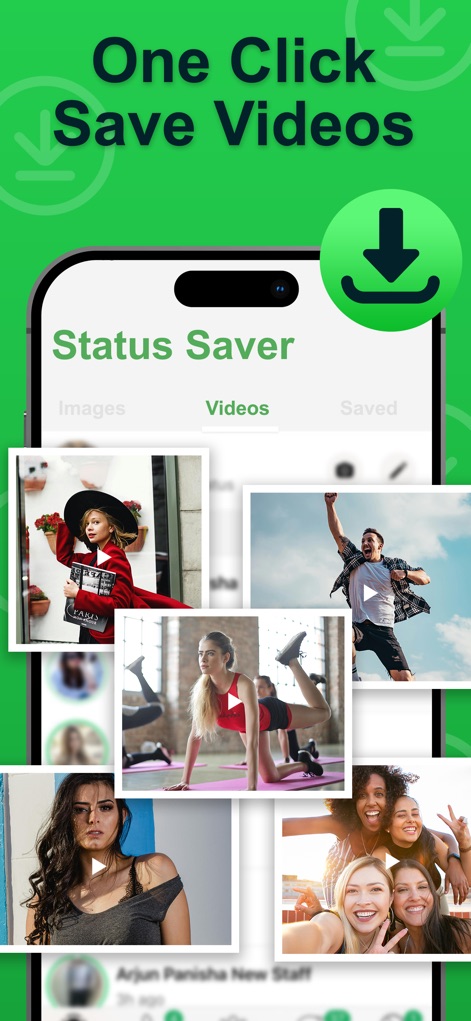
「Videos」タブでは、保存された複数の動画コンテンツがプレビュー画像として一覧表示され、内蔵プレーヤーでオフライン再生が可能です。ユーザーはワンクリックで動画を保存できます。
ビデオも簡単保存
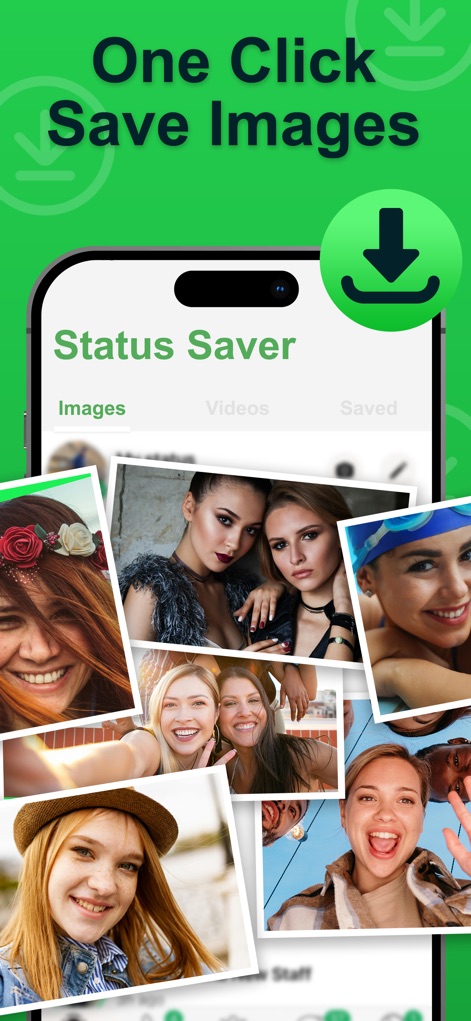
「Images」タブでは、保存された複数の画像コンテンツがプレビューコラージュとして一覧表示され、内蔵ギャラリーでオフライン閲覧が可能です。ユーザーは手軽に写真を保存し、後で楽しむことができます。
画像を一括保存
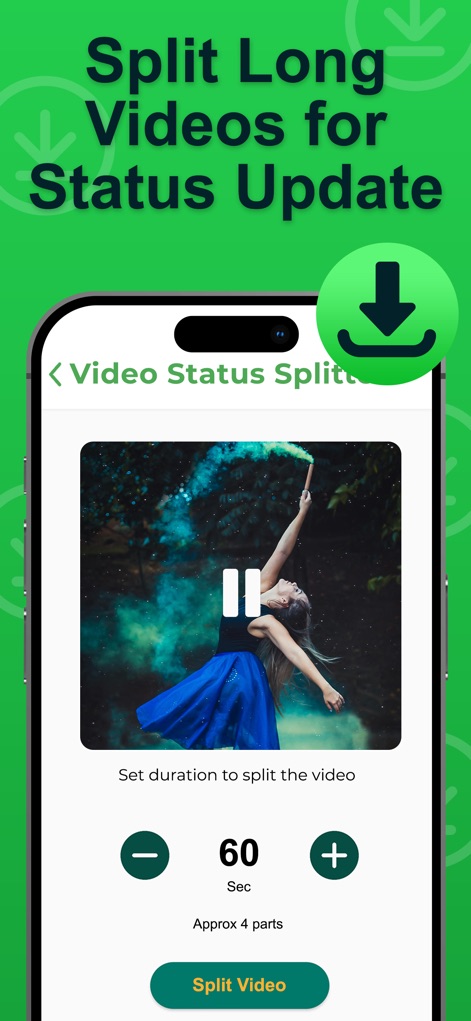
長尺動画をステータスに最適な長さに自動で分割する機能では、「60 Sec」のような分割秒数を指定し、「Split Video」ボタンをタップするだけで簡単に処理が実行されます。
動画分割機能
説明
Download
類似アプリ
似た機能とユーザー体験を持つアプリ

Status Video Saver Reposter
Ketan Kathiriya

Status Saver and Save Story
Ahmed Bastam

Status Saver : Videos
Natalie Stirner

Status Saver: Photo & Video
Kubra Gurler

Status Saver - Videos Saver
NAITIK, RAMESHBHAI VIRANI

Story saver : Video saver
Erasoft

Status Download For Whatsapp +
Pramod Tapaniya
このページはアプリまたはその開発者の公式ページではなく、情報提供および論評を目的として作成された独立した編集出版物です。明示的に別段の記載がない限り、アプリおよびその開発者は、MWM、Apple、Google Play、アプリのパブリッシャー、またはアプリの開発者と提携、承認、後援、認可、またはその他の公式的な関係はなく、このページのいかなる内容も、アプリがMWMのサービスを使用して開発されたことを意味するものではありません。すべての商標、ロゴ、スクリーンショット、その他のコンテンツはそれぞれの所有者の財産です。