
このページはアプリまたはその開発者の公式ページではなく、情報提供および論評を目的として作成された独立した編集出版物です。明示的に別段の記載がない限り、アプリおよびその開発者は、MWM、Apple、Google Play、アプリのパブリッシャー、またはアプリの開発者と提携、承認、後援、認可、またはその他の公式的な関係はなく、このページのいかなる内容も、アプリがMWMのサービスを使用して開発されたことを意味するものではありません。すべての商標、ロゴ、スクリーンショット、その他のコンテンツはそれぞれの所有者の財産です。


Step Tracker · Step Counter
バッテリーを節約する歩数計で、毎日のアクティビティとカロリーを楽に監視。ログイン不要、100%プライベート、Apple HealthとApple Watchと完全に同期します。
ダウンロード
924K+ユーザー評価
評価数
3K+開発元
カテゴリ
Health & Fitness対応言語
30最新バージョン
1.1.9サイズ
133.4 MBリリース日
2019年12月10日毎日のウォーキングを強力にサポート
バッテリーを消費したり、データを侵害したりすることなく、シームレスにライフスタイルにフィットするように設計された、シンプルで高性能なトラッカーでフィットネス目標を達成しましょう。
プライベートですぐに使える
ログイン不要。100%プライベートで個人データ収集なしで、すぐに歩数記録を開始できます。
比類なきバッテリー寿命
内蔵センサー技術がGPSを使用せずにすべての歩数をキャプチャし、最も長い日でも携帯電話の電源を維持します。
よくある質問
について知っておくべきこと Step Tracker · Step Counter
Step Tracker · Step Counterアプリとは何ですか?
Step Tracker · Step Counterは、毎日の歩数、消費カロリー、歩行距離、時間、ペース、健康データを自動的に追跡します。この情報は直感的なグラフで表示され、フィットネスの進捗状況を簡単に監視できます。
Step Tracker · Step Counterは歩数追跡中にバッテリーを節約しますか?
はい、Step Tracker · Step Counterは内蔵センサーを使用して歩数をカウントするため、バッテリーを大幅に節約できます。デバイスの設定によっては、画面がロックされている場合でも正確に歩数を記録できます。
Step Tracker · Step Counterはリアルタイムのマップ追跡を提供しますか?
はい、Step Tracker · Step CounterはGPSモードを使用してフィットネスアクティビティを詳細に追跡します。これには、距離、ペース、時間、カロリーが含まれます。ユーザーのルートをリアルタイムでマップに記録します。
Step Tracker · Step Counterアプリは、すべての機能でプライベートで安全ですか?
Step Tracker · Step Counterは100%のプライバシーを提供し、ログインは不要で、基本的な機能にはロックされた機能はありません。ただし、高度なデータ同期など、すべての機能への無制限のアクセスにはサブスクリプションが必要です。
Step Tracker · Step Counterは無料トライアル期間を提供していますか?
Step Tracker · Step Counterは、週次および年次のサブスクリプションプランで7日間の無料トライアルを提供します。トライアル後、ユーザーはすべての機能への無制限のアクセスを解除するためにサブスクライブすることを選択できます。
Step Tracker · Step Counterアプリ内でフィットネス目標を設定できますか?
はい、Step Tracker · Step Counterでは、ユーザーは毎日の歩数目標を設定できます。また、ユーザーをモチベーションを維持するために、距離、カロリー、時間などの他のフィットネスアクティビティの目標もサポートしています。
Step Tracker · Step CounterはApple HealthおよびApple Watchと統合されていますか?
はい、Step Tracker · Step CounterはApple WatchおよびApple Healthと互換性があります。ユーザーはアクティビティデータを同期およびインポートできるため、iPhoneとApple Watchの両方で追跡できます。
Step Tracker · Step Counterはフィットネスデータをどのように表示しますか?
Step Tracker · Step Counterは、明確なグラフを通じてデータ視覚化を提供し、ユーザーが日次、週次、月次の歩行統計を簡単に確認して、包括的な進捗状況を監視できるようにします。
Step Tracker · Step Counterは異なるテーマやダークモードを提供していますか?
はい、Step Tracker · Step Counterは、ダークモードを含むカラフルなテーマを提供しています。ユーザーエクスペリエンスとインターフェイスのカスタマイズを強化するために、将来のアップデートでさらに多くのテーマが計画されています。
Step Tracker · Step Counterで歩数カウントの精度を向上させるにはどうすればよいですか?
正確な歩数カウントを確保するために、ユーザーは設定ページに正しい情報が入力されていることを確認し、最適なパフォーマンスのために歩数トラッカーの感度レベルを調整する必要があります。
以下のスクリーンショットと説明は、アプリの公式ストアリスティングから直接取得されたものであり、アプリ開発者の所有物です。
アプリストア
スクリーンショット
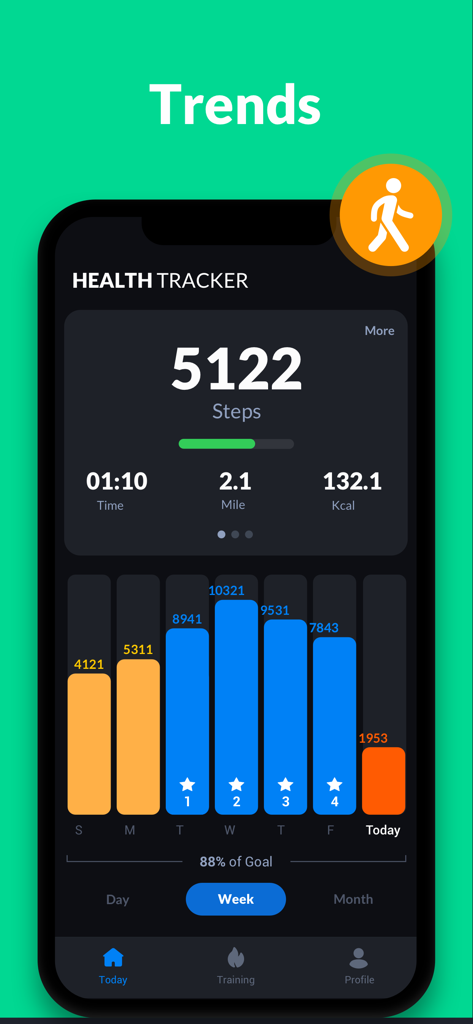
ダークモードのヘルスケアアプリインターフェイスに表示される週次歩数トレンドの棒グラフ
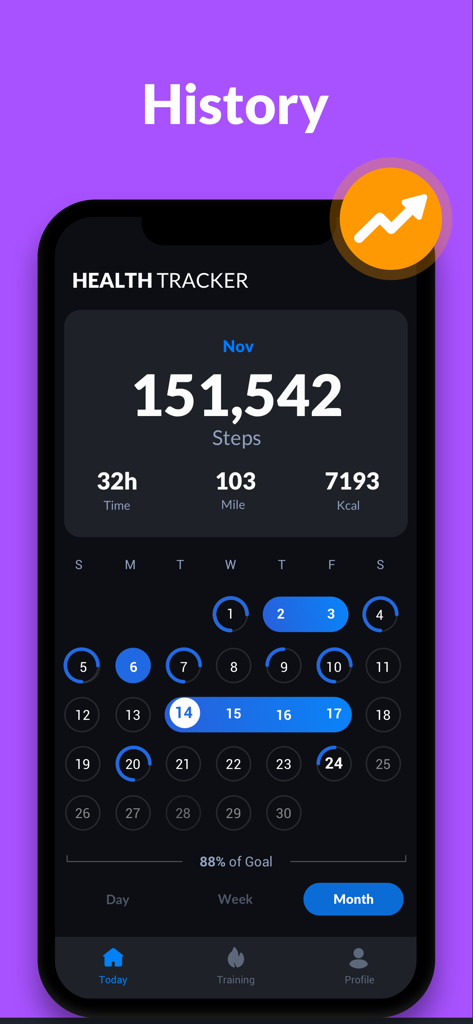
ダークモードのカレンダーインターフェイスに総歩数、時間、距離、消費カロリーが表示されるStep Trackerアプリの月次履歴ビュー
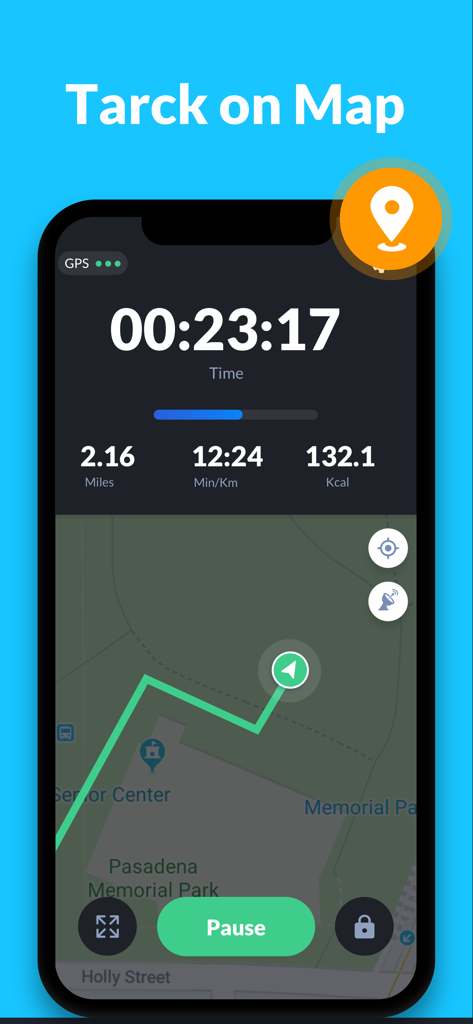
時間、距離、消費カロリーが表示される地図上のGPSウォーキングルートを示すStep Trackerアプリのインターフェイス
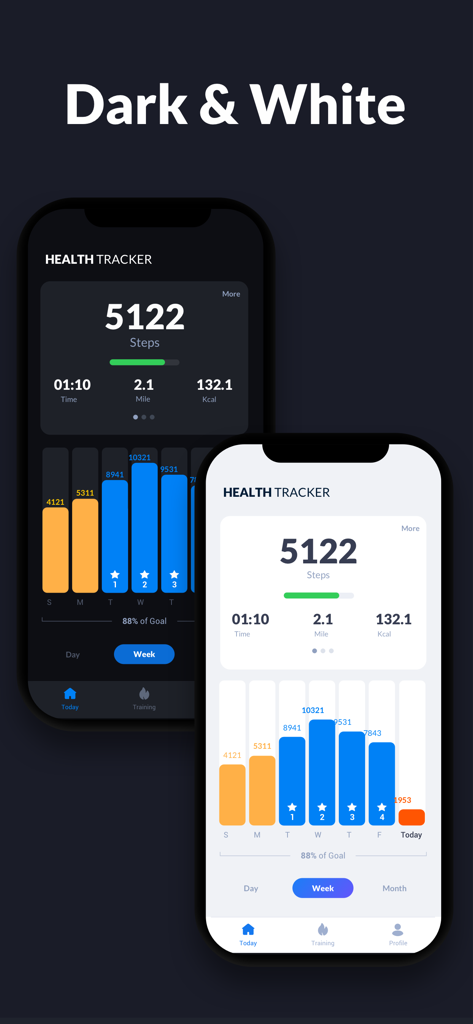
毎日の歩数と週次アクティビティグラフを示す、ダークモードとホワイトモードのStep Trackerアプリインターフェイスの比較
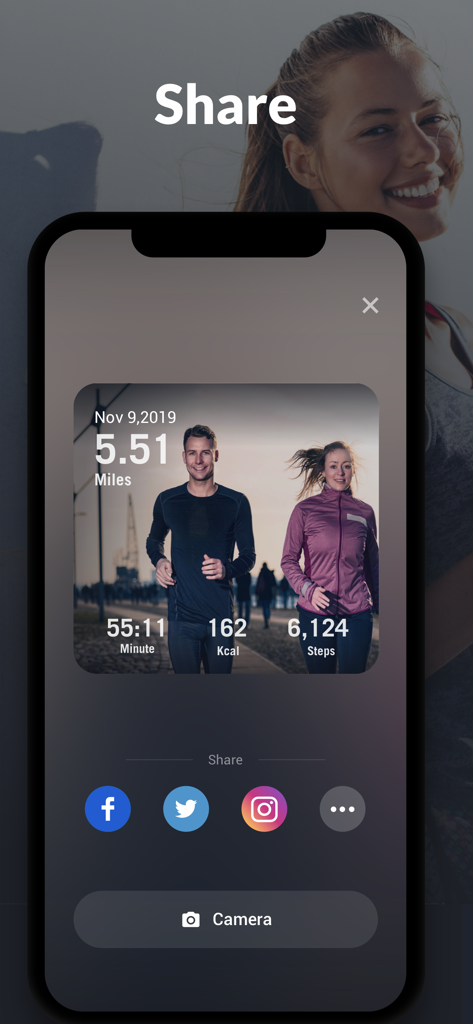
ワークアウト統計とソーシャルメディア共有アイコンを表示するStep Trackerアプリの共有画面
説明
Download
類似アプリ
似た機能とユーザー体験を持つアプリ
Pedometer & Step Counter
Leap Health Fitness Limited
StepsApp Pedometer
StepsApp GmbH
Pedometer α - Step Counter
ITO Technologies Inc.

Pedometer - Run & Step Counter
Appenvision Ltd
MySteps - Step Counter
Company Next Leap

Step Counter Maipo - Pedometer
Shigeru Nakaya

Step Counter Pedometer doSteps
AK Apptuitive GmbH

The Pedometer
MUTLU ISLER TEKNOLOJI VE ILETISIM HIZMETLERI TICARET LTD STI

Steps - Activity Tracker
Year of Code, LLC
このページはアプリまたはその開発者の公式ページではなく、情報提供および論評を目的として作成された独立した編集出版物です。明示的に別段の記載がない限り、アプリおよびその開発者は、MWM、Apple、Google Play、アプリのパブリッシャー、またはアプリの開発者と提携、承認、後援、認可、またはその他の公式的な関係はなく、このページのいかなる内容も、アプリがMWMのサービスを使用して開発されたことを意味するものではありません。すべての商標、ロゴ、スクリーンショット、その他のコンテンツはそれぞれの所有者の財産です。