Sticker Maker Hub - WASticker

Sticker Maker Hub - WASticker

ダウンロード: App Store
ロゴ: Sticker Maker Hub - WASticker

Sticker Maker Hub - WASticker:カスタムステッカーでグループチャットを支配しよう

友人、ペット、お気に入りのミームの写真を、WhatsAppやiMessage用のユニークなステッカーに即座に変えましょう。AI搭載の自動切り抜き機能を使って、数秒であなただけのデジタルアイデンティティを作成、アニメート、共有できます。

開発元

Dream Downloader Infotech Ltd.

カテゴリ

Utilities

ダウンロード

1M+

ユーザー評価

4.8/5

評価数

21K+

対応言語

16

あなたのチャットを再構築

このインターフェースを利用する 1M+ 人のユーザー.

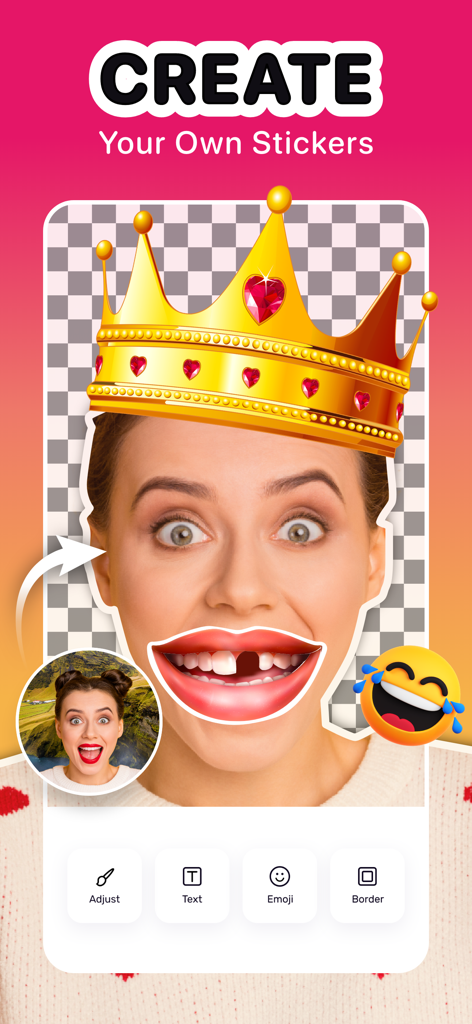
Sticker Maker Hubアプリのインターフェース。王冠と面白い口のオーバーレイでカスタムステッカーを作成している様子が表示されています。
Sticker Maker Hubアプリのインターフェース。王冠と面白い口のオーバーレイでカスタムステッカーを作成している様子が表示されています。

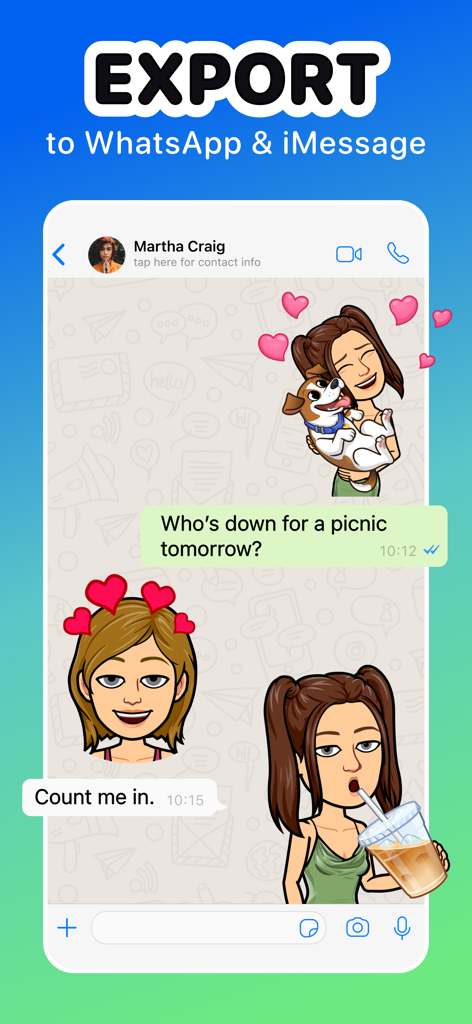
カスタムステッカーをWhatsAppやiMessageのチャットにエクスポート
カスタムステッカーをWhatsAppやiMessageのチャットにエクスポート

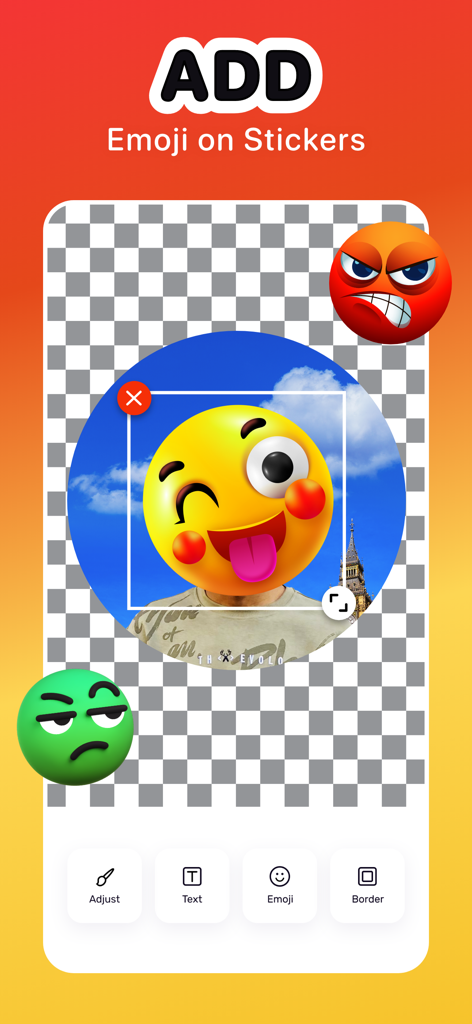
テキストや境界線などの編集ツールを使用して、カスタムステッカーに絵文字を追加するためのモバイルインターフェース
テキストや境界線などの編集ツールを使用して、カスタムステッカーに絵文字を追加するためのモバイルインターフェース

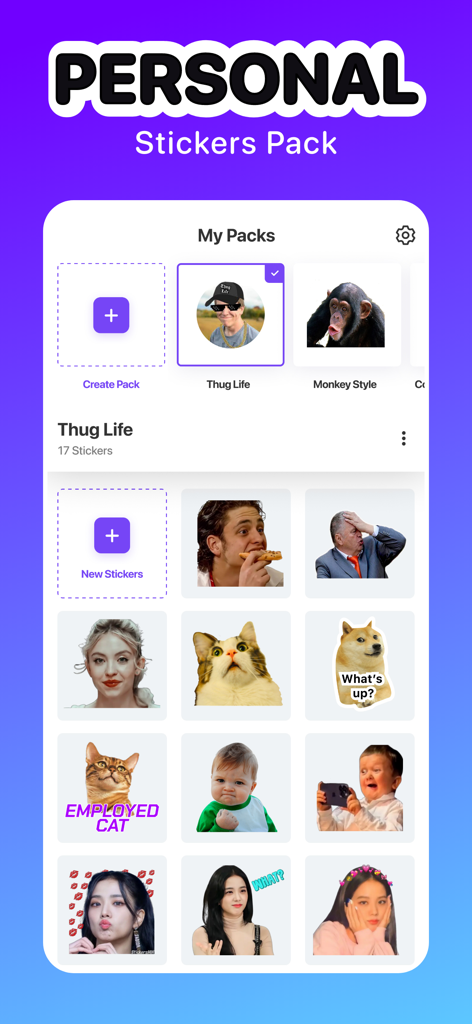
Sticker Maker Hubアプリのインターフェース。カスタムパーソナルステッカーとミームパックのコレクションが表示されています。
Sticker Maker Hubアプリのインターフェース。カスタムパーソナルステッカーとミームパックのコレクションが表示されています。

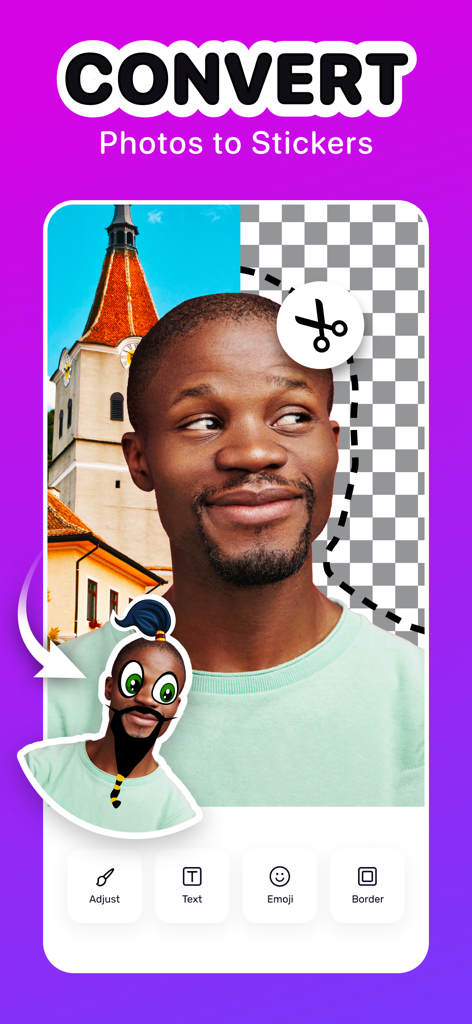
Sticker Maker Hubアプリのインターフェース。ポートレート写真を切り抜きや編集ツールを備えたカスタムデジタルステッカーに変換する様子が表示されています。
Sticker Maker Hubアプリのインターフェース。ポートレート写真を切り抜きや編集ツールを備えたカスタムデジタルステッカーに変換する様子が表示されています。

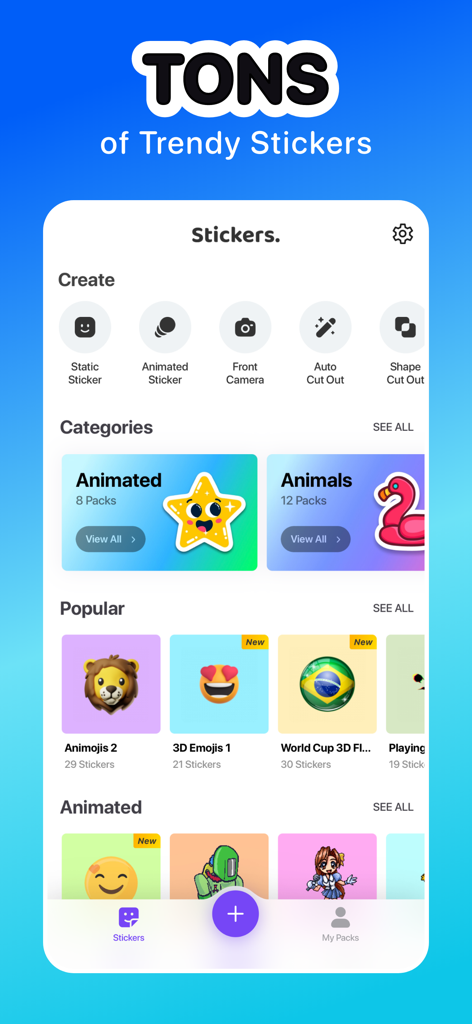
Sticker Maker Hubアプリのモバイルインターフェース。さまざまなトレンドステッカーカテゴリと、自動切り抜きやアニメーションステッカーなどのカスタム作成ツールが表示されています。
Sticker Maker Hubアプリのモバイルインターフェース。さまざまなトレンドステッカーカテゴリと、自動切り抜きやアニメーションステッカーなどのカスタム作成ツールが表示されています。

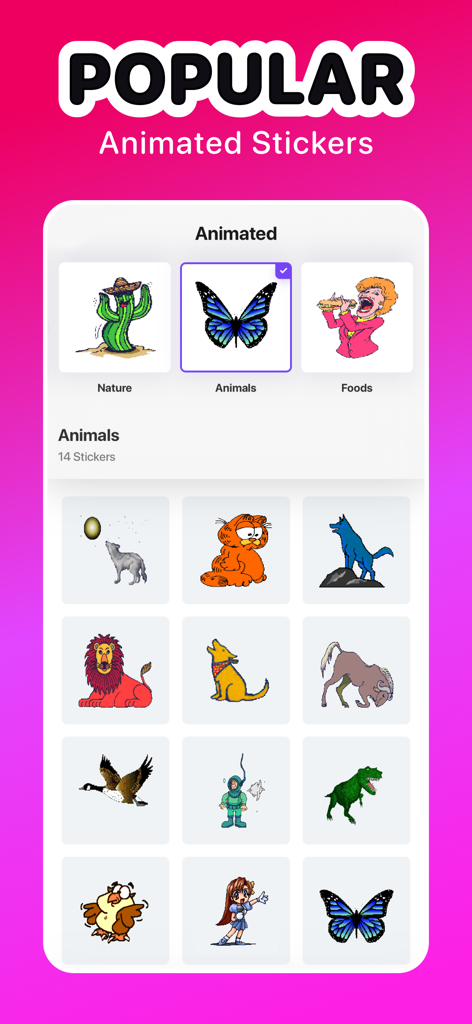
Sticker Maker Hubアプリのインターフェース。蝶や恐竜など、人気のあったアニメーション動物ステッカーのコレクションが表示されています。
Sticker Maker Hubアプリのインターフェース。蝶や恐竜など、人気のあったアニメーション動物ステッカーのコレクションが表示されています。

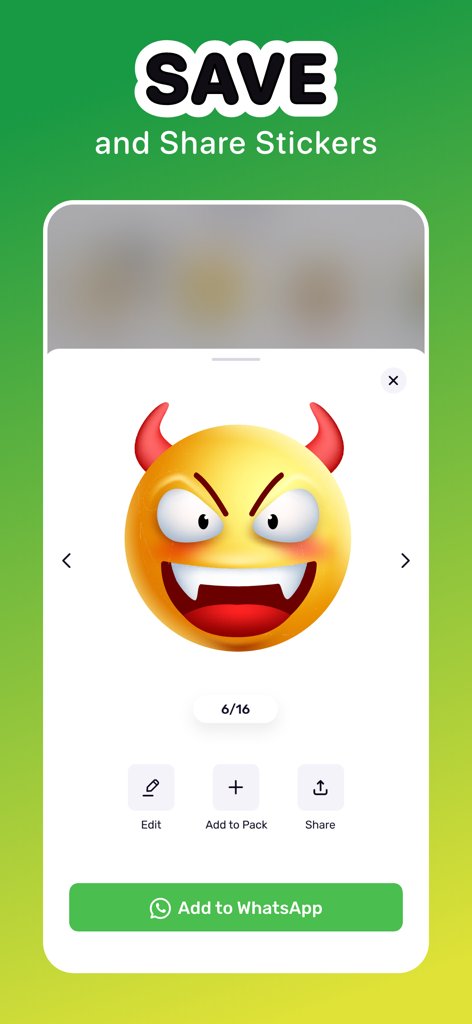
悪魔の絵文字ステッカーが表示され、WhatsAppに保存して共有するオプションが表示されたインターフェース。

悪魔の絵文字ステッカーが表示され、WhatsAppに保存して共有するオプションが表示されたインターフェース。

グループチャットをレベルアップ

このアプリを際立たせるツール、 1M+ 人のユーザーが選択.

✂️

インスタントAIカットアウト

ペット、友人、ミームを魔法のようにステッカーに変えましょう。プロの編集スキルは不要—タップして切り抜くだけで、あなただけのビジュアルスラングを作成できます。

膨大なアニメーションライブラリ

何千ものトレンドの静止画とアニメーションステッカーを閲覧し、アニメから面白い動物まで、あらゆる気分にぴったりのリアクションを見つけましょう。

💬

チャットで使える

カスタムパックをワンタップでWhatsAppやiMessageに直接同期できます。友達と共有して、みんなで楽しむことができます。

アプリについて

について知っておくべきこと Sticker Maker Hub - WASticker.

説明

Discover vast numbers of cool stickers to use or create unlimited custom stickers with this free Sticker Maker app for iPhone. Easily cut pictures, reshape them and add iPhone emojis and texts to make unique sticker packs. You can also add stickers to WhatsApp and iMessage anytime. Key Features of Sticker Maker: • Make your own pack of stickers for WhatsApp and iMessage • Auto and manual cut-out feature for creating custom stickers • Free collection of static & animated stickers from various categories • Create stickers by using the camera, from Photos, or built-in templates • Crop, Rotate and Shape photos to make stickers • Add cool emojis, text, borders, and background to your stickers • Export sticker packs Collection of static and animated iPhone Stickers Make funny conversations with friends by sending stickers from a fancy catalog of sticker packs. Explore hundreds of cute and funny stickers from different categories like animals, food, music, holidays, etc. You can impress everyone using different animated stickers like Cartoons, Anime, Sports, Animals, etc. Sticker Maker, the best free sticker app on iPhone, will make your chatting engrossing and fun. Custom Sticker Maker Take a snap from your camera or turn any photos from your iPhone into stickers within a moment. You can also use the free sticker templates to make something hilarious. This app offers an auto or manual cut-out tool that helps to keep the portion you want. Use different shapes like Cat, Egg, Fire, etc., for making various customization. Show your creativity by adding text, backgrounds, emojis, and borders. iMessage and WhatsApp Stickers Adding existing static or custom sticker packs to WhatsApp and iMessage is as simple as it can get. Select the sticker pack you want to add and export the pack directly to the apps. You can also add the animated sticker packs to WhatsApp and make discussions with friends more fun. Sticker Maker for iPhone helps you spice up the chats between your friends or loved ones and create memorable memories. Share Stickers with Anyone This free Sticker Maker app lets you share stickers with your friends for them to use. Whether it is an integrated sticker pack or stickers that you've created yourself, share with your loved ones to enrich the whole chatting experience. How to make stickers on iPhone using the Sticker Maker app? Sticker Maker is one of the most powerful apps to make stickers in just a few steps. Just go through the following steps to know how to create it. - Open the app and tap on the "+" button - Choose an image from the album, or use pre-loaded templates. You can also click a picture to start with - Cut out, crop, and give shapes to the photo as you see fit and press "Next" - Touch "Text" to type funny captions - Alternatively, press the "Emoji," “Border,” and “Background” sections to make necessary adjustments - After pressing "Save," either choose "Create New Pack" or save to an existing pack Auto-Renewable Subscription Terms: Subscribe to get unrestricted access to all the features outlined above. - Subscription Length: Weekly, Yearly - Subscription with a free trial period will automatically renew to a paid subscription unless it is canceled at least 24 hours before the end of the trial period. - Payment will be charged to iTunes Account at confirmation of purchase. - Your Apple ID account will be charged for renewal within 24 hours before the end of the trial period. - You can manage and cancel your subscriptions by going to your account settings on the App Store. - Any unused portion of a free trial period, if offered, will be forfeited when the user purchases a subscription to that publication, where applicable. - By signing up for this subscription, you agree to our Terms of Use and Privacy Policy. Terms of Use: https://dreamdownloader.net/legal/stickermaker/terms.html Privacy Policy: https://dreamdownloader.net/legal/stickermaker/privacy.html

最新バージョン

1.4.7

サイズ

80.5 MB

リリース日

2022年3月1日

グループチャットを支配する準備はできましたか?

100万人以上のクリエイターに参加して、あなたの写真、ミーム、ペットを数秒でカスタムステッカーに変えましょう。今すぐダウンロードして、iMessageやWhatsAppでの共有を始めましょう。

ダウンロード: App Store
FAQ

よくある質問

について知っておくべきこと Sticker Maker Hub - WASticker

iPhone 用の Sticker Maker Hub - WASticker とは何ですか?

Sticker Maker Hub - WASticker は無料の iPhone アプリです。ユーザーは無制限のカスタムステッカーを作成し、静止画およびアニメーションステッカーの広範なコレクションにアクセスできます。これらのステッカーパックを WhatsApp や iMessage にエクスポートできます。

Sticker Maker Hub アプリを使用してカスタムステッカーを作成するにはどうすればよいですか?

カスタムステッカーを作成するには、Sticker Maker Hub を開き、「+」をタップします。画像を選択し、カット、トリミング、シェイプします。テキスト、絵文字、境界線、背景を追加します。最後に、新しいステッカーパックまたは既存のステッカーパックに保存します。

Sticker Maker Hub は WhatsApp や iMessage にステッカーをエクスポートできますか?

はい、Sticker Maker Hub は WhatsApp および iMessage にステッカーをエクスポートします。ユーザーは、既存の静止画またはカスタムステッカーパックをこれらのメッセージングアプリに直接追加できます。これには、WhatsApp の会話用のアニメーションステッカーパックも含まれます。

Sticker Maker Hub はステッカーのカスタマイズオプションをどの程度提供していますか?

Sticker Maker Hub は、広範なカスタマイズを提供します。ユーザーは写真のトリミング、回転、シェイプができます。また、ステッカーにテキスト、絵文字、境界線、背景を追加することもできます。アプリには、自動および手動の切り抜きツールが含まれています。

Sticker Maker Hub - WASticker には、既製のステッカーコレクションが含まれていますか?

はい、Sticker Maker Hub には、静止画およびアニメーションステッカーの無料コレクションが含まれています。これらは、動物、食べ物、音楽、休日など、さまざまなカテゴリから提供されており、ユーザーは数百のオプションを探索できます。

Sticker Maker Hub - WASticker アプリは無料で使用できますか?

Sticker Maker Hub は無料ダウンロード可能なアプリで、コア機能とステッカーコレクションを提供しています。すべての機能への無制限アクセスにはサブスクリプションが必要です。支払いは iTunes アカウントに請求されます。

Sticker Maker Hub のサブスクリプションを管理またはキャンセルするにはどうすればよいですか?

ユーザーは、App Store のアカウント設定を通じて Sticker Maker Hub のサブスクリプションを管理およびキャンセルできます。更新を避けるためには、トライアルまたはサブスクリプション期間の終了の少なくとも 24 時間前までにキャンセルする必要があります。

Sticker Maker Hub を使用して、作成したステッカーを他の人と共有できますか?

はい、Sticker Maker Hub では、統合されたステッカーパックと自分で作成したカスタムステッカーの両方を友達と共有できます。この機能は、すべての参加者の全体的なチャット体験を豊かにします。

App information, icons, screenshots, and descriptions displayed on this page are sourced from the Apple App Store and are the property of their respective developers. Download estimates and rankings are based on MWM's proprietary models and may not reflect actual figures. This page is provided for informational and analytical purposes only.

Believe this page infringes your intellectual property? File a dispute