Stickyboard 2
Stickyboard 2
ダウンロード: App Store

このページはアプリまたはその開発者の公式ページではなく、情報提供および論評を目的として作成された独立した編集出版物です。明示的に別段の記載がない限り、アプリおよびその開発者は、MWM、Apple、Google Play、アプリのパブリッシャー、またはアプリの開発者と提携、承認、後援、認可、またはその他の公式的な関係はなく、このページのいかなる内容も、アプリがMWMのサービスを使用して開発されたことを意味するものではありません。すべての商標、ロゴ、スクリーンショット、その他のコンテンツはそれぞれの所有者の財産です。

ロゴ: Stickyboard 2
ダウンロード: App Store

Stickyboard 2

紙は捨てて、全体像をマスターしましょう。プロの戦略家のために設計されたマジックアレンジジェスチャーで、数千枚の付箋を即座にスケッチ、ブレインストーミング、整理できます。

主要数値

ダウンロード

130K+

ユーザー評価

4.3/5

評価数

400

開発元

Qrayon, LLC

カテゴリ

Business

対応言語

1

最新バージョン

2.3

サイズ

2.6 MB

リリース日

2011年10月17日
機能

メンタルマップをマスターする

iPadを高出力のウォー・ルームに変えましょう。紙は捨てて、デザイナー、戦略家、全体像思考者向けに設計されたビジュアルワークフローを採用しましょう。

マジックアレンジテクノロジー

手動でノートをドラッグする時間を無駄にするのはやめましょう。直感的な3本指ジェスチャーで、散らかったアイデアを即座に整然としたグリッド、山、または列にスナップします。

無限のクリエイティブキャンバス

リストを超えて考えましょう。広大でズーム可能なスペース全体に、色分けされたノートを自由にスケッチ、書き込み、移動できます。このスペースはあなたのユニークなメンタルモデルに適応します。

以下のスクリーンショットと説明は、アプリの公式ストアリスティングから直接取得されたものであり、アプリ開発者の所有物です。

アプリストア

スクリーンショット
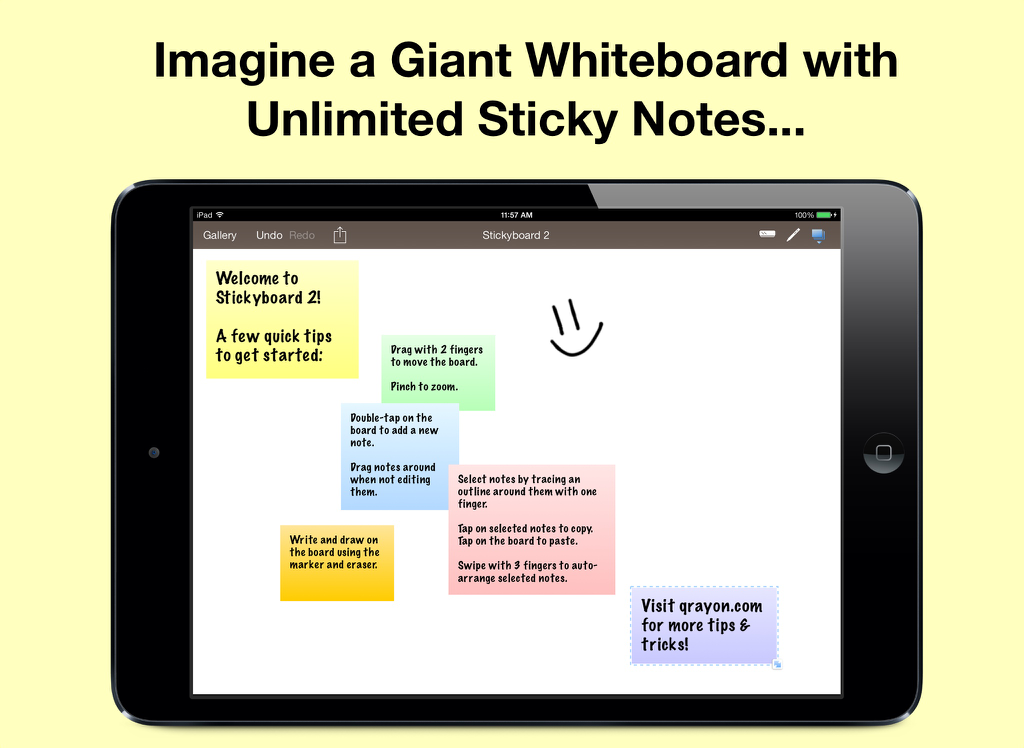
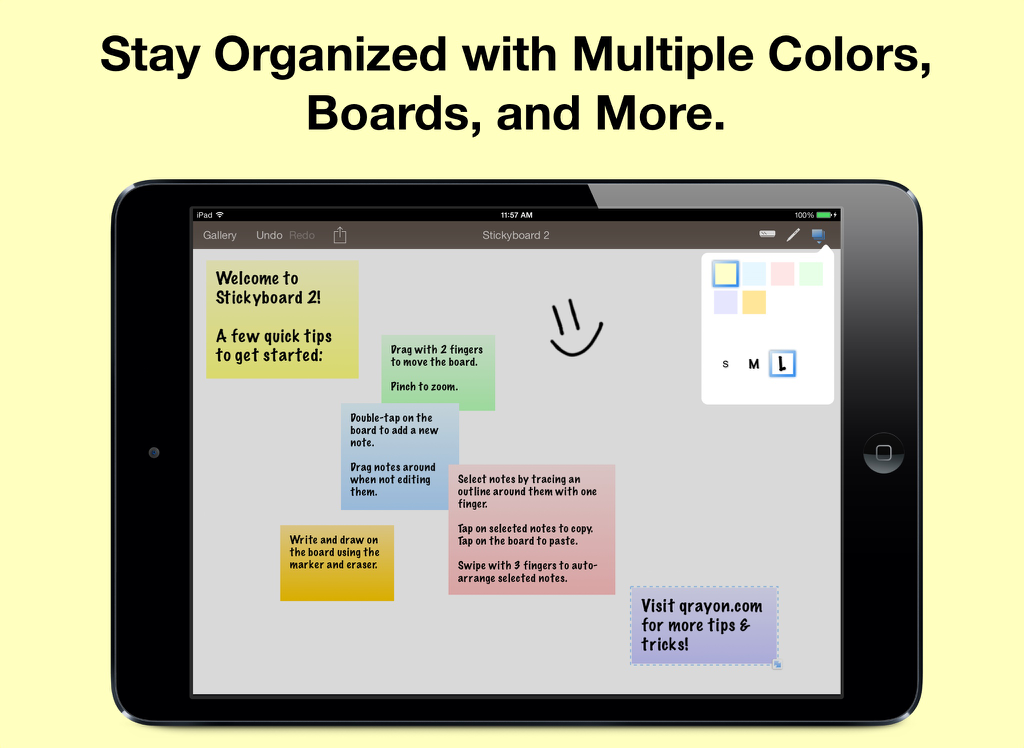
Stickyboard 2 - 仮想ホワイトボード上に様々な色のデジタル付箋と手描きのスマイリーフェイスが表示されたStickyboard 2アプリのiPad画面
仮想ホワイトボード上に様々な色のデジタル付箋と手描きのスマイリーフェイスが表示されたStickyboard 2アプリのiPad画面

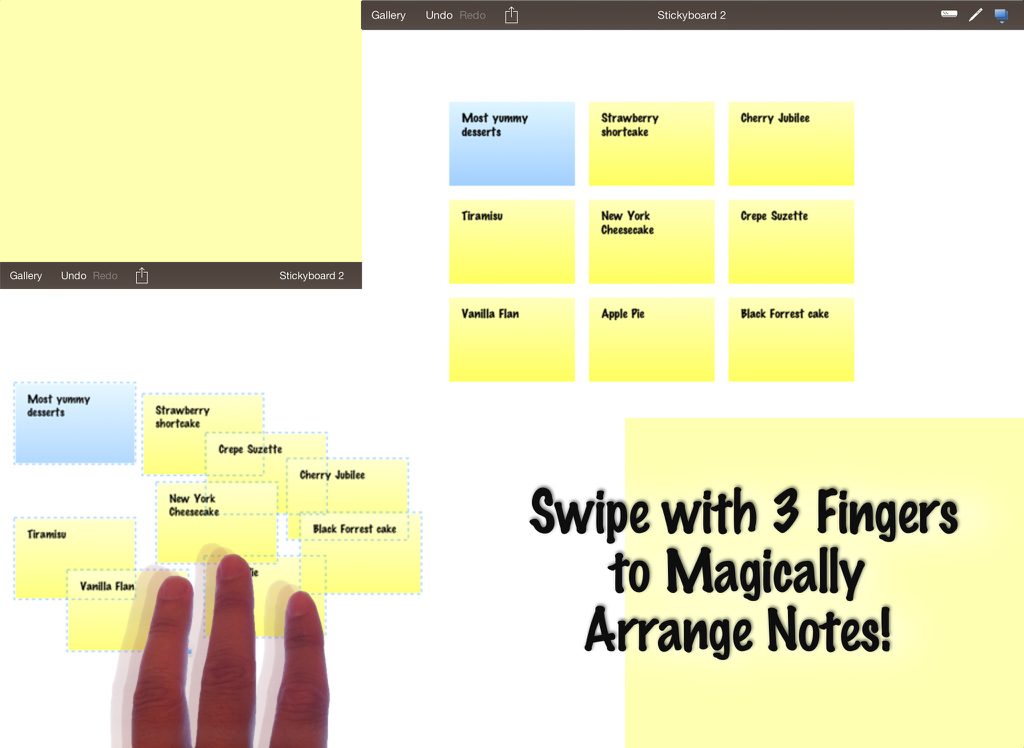
Stickyboard 2 - 仮想ホワイトボード上のデジタル付箋を自動配置するための3本指ジェスチャーが表示されたStickyboard 2アプリのiPadスクリーンショット
仮想ホワイトボード上のデジタル付箋を自動配置するための3本指ジェスチャーが表示されたStickyboard 2アプリのiPadスクリーンショット

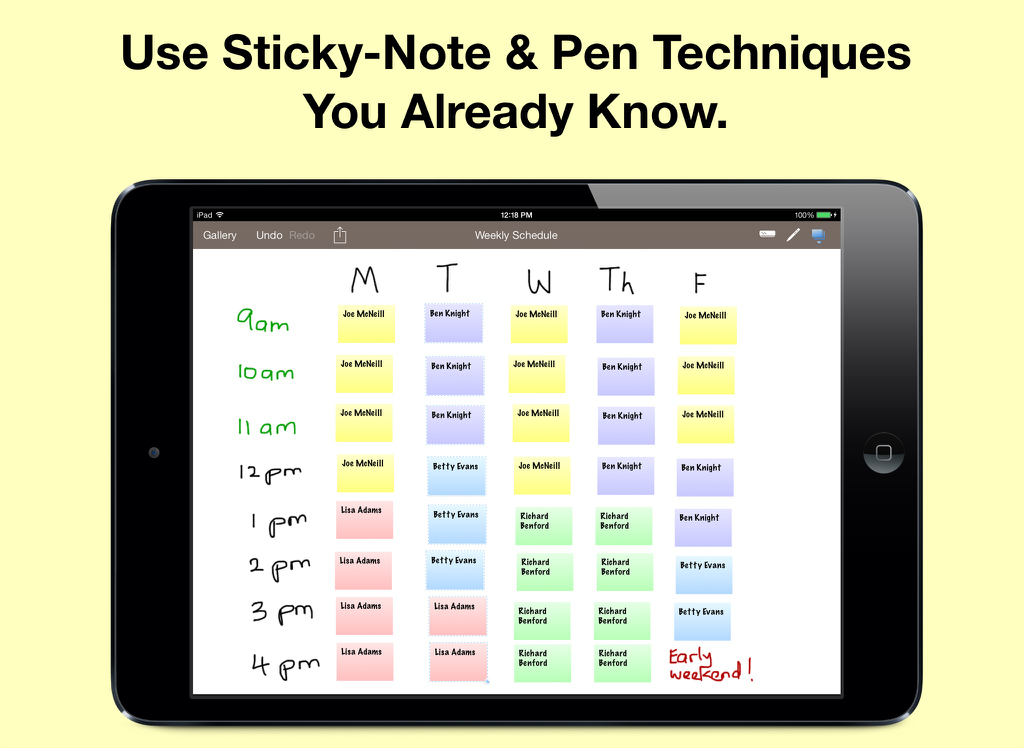
Stickyboard 2 - 色分けされたデジタル付箋を使用したStickyboard 2でのiPad上の週次スケジュール
色分けされたデジタル付箋を使用したStickyboard 2でのiPad上の週次スケジュール

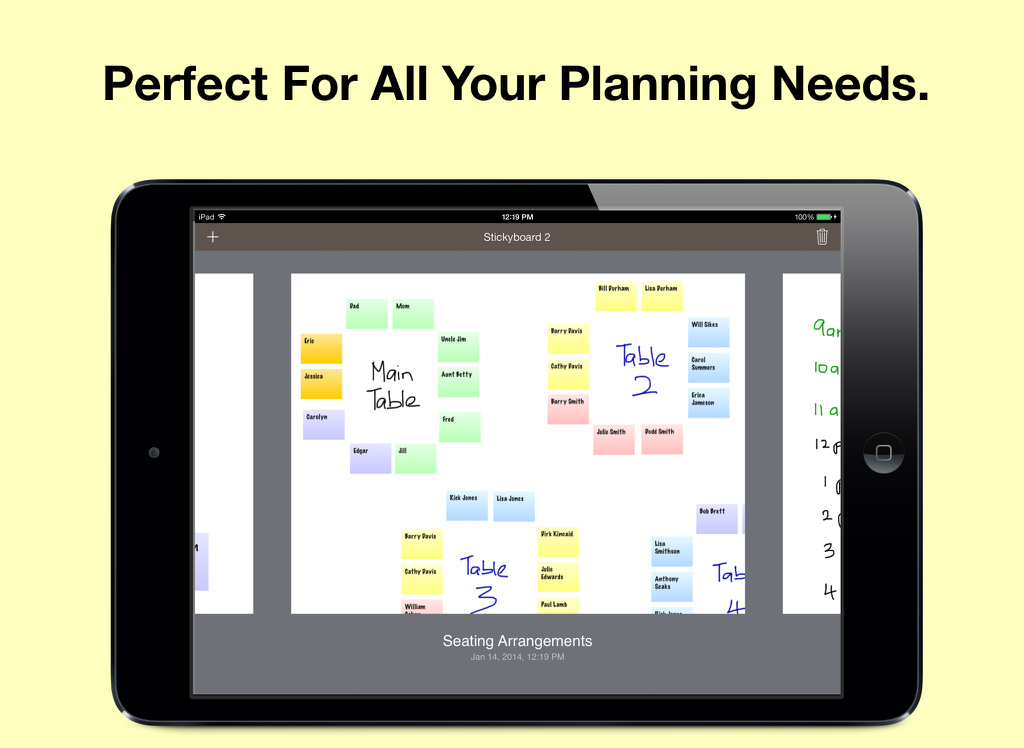
Stickyboard 2 - 仮想ホワイトボード上にカラフルなデジタル付箋で計画された座席表を表示するiPad画面
仮想ホワイトボード上にカラフルなデジタル付箋で計画された座席表を表示するiPad画面

Stickyboard 2 - 白い背景の仮想ホワイトボード上にカラフルなデジタルノートと描画が表示されたStickyboard 2アプリを表示するiPad

白い背景の仮想ホワイトボード上にカラフルなデジタルノートと描画が表示されたStickyboard 2アプリを表示するiPad

説明

Imagine a giant whiteboard with a never-ending stack of sticky notes, now with Magic Arrange! LIKE REAL NOTES, ONLY BETTER Nothing beats a whiteboard and sticky-notes for capturing lots of loose information and seeing the big picture. Stickyboard takes that flexibility and adds the convenience and power of your iPad. Don't worry about losing notes after a meeting again. It's much easier to carry around, and a lot friendlier for the environment. Use any color coding system you like. Effortlessly move and group your notes - unlike paper sticky notes, they don't fall off after too may moves. Think in the way that works best for you, and for the problem at hand. NEATLY ARRANGE NOTES WITH A FLICK OF YOUR FINGERS The most exciting feature of Stickyboard 2 is something we call Magic Arrange. One of the biggest pains of working with lots of sticky notes is having to arrange and rearrange them. Wouldn’t it be nice if you could just wave your hands and have them neatly arrange themselves? Well, with the magic of the iPad and Stickyboard 2, now you can! Just select a bunch of notes, then swipe with 3 fingers to instantly arrange them into neat piles, or fan them out into a grid, columns, or rows. This is going to change the way you work with sticky notes, and you are never going to look at paper notes the same way again! Try it out for yourself. FULL FEATURED NOTES AND DRAWING Thank you for all the great feedback! Stickyboard 2 is a major new release completely rebuilt from the ground up. Key features include: - The Board Gallery: Easily manage multiple boards and quickly switch between them with the gallery view. - Smoother Ink: The ink system in Stickyboard 2 is much improved over its predecessor. It supports multiple colors with stutter-free drawing. - Unlimited undo/redo and Copy/Paste: Undo/redo works with notes and ink, just as you would expect. Tap on selected notes to copy/cut them, even to other boards. Working with large amounts of information is easy with Stickyboard 2. - Email boards as PDF or just text: Whole boards can be easily emailed as PDF files, or opt to just send the text contents instead - very handy for using Stickyboard 2 as an outlining tool. - Lasso Select: Simply run your finger around or through a group of notes to select them. This allows for much more precision than rectangular selection methods, and feels more intuitive on a multi-touch display. SIMPLE YET POWERFUL ▸ Stickyboard 2 sports an elegant and intuitive interface. Double-tap to add a note. Select and drag notes around with your finger. ▸ You have a large, zoomable board to capture all your ideas. Zoom by pinching, and pan with 2 fingers. ▸ It's easy to rearrange ideas, capture their relationships, and discover important patterns. ▸ Use four standard colors (yellow, blue, pink, and green), plus 2 special ones (lavender and sunrise). ▸ Draw free-form with the marker tool. Write, outline, and sketch around your notes. ▸ Stickyboard 2 is infinitely flexible. Use your favorite real-world sticky-note and whiteboarding techniques. Best regards from the Stickyboard team at Qrayon.

Download

ダウンロード: App Store

このページはアプリまたはその開発者の公式ページではなく、情報提供および論評を目的として作成された独立した編集出版物です。明示的に別段の記載がない限り、アプリおよびその開発者は、MWM、Apple、Google Play、アプリのパブリッシャー、またはアプリの開発者と提携、承認、後援、認可、またはその他の公式的な関係はなく、このページのいかなる内容も、アプリがMWMのサービスを使用して開発されたことを意味するものではありません。すべての商標、ロゴ、スクリーンショット、その他のコンテンツはそれぞれの所有者の財産です。








