
このページはアプリまたはその開発者の公式ページではなく、情報提供および論評を目的として作成された独立した編集出版物です。明示的に別段の記載がない限り、アプリおよびその開発者は、MWM、Apple、Google Play、アプリのパブリッシャー、またはアプリの開発者と提携、承認、後援、認可、またはその他の公式的な関係はなく、このページのいかなる内容も、アプリがMWMのサービスを使用して開発されたことを意味するものではありません。すべての商標、ロゴ、スクリーンショット、その他のコンテンツはそれぞれの所有者の財産です。

StoreView: App Screenshot Tool
プロフェッショナルな3Dテンプレート、簡単なローカライゼーション、マルチデバイスフレーミングでアプリのビジュアルを transformasi しましょう。Appleの美学と高いコンバージョン率を重視するインディー開発者向けに設計されています。
ダウンロード
28K+ユーザー評価
評価数
100開発元
カテゴリ
Developer Tools対応言語
1最新バージョン
2.1.03サイズ
123.0 MBリリース日
2023年9月25日アプリのコンバージョンポテンシャルを最大化
基本的なビジュアルでダウンロードを失うのをやめましょう。競合他社から際立ち、成長を促進する、プロフェッショナルでコンバージョン率の高いApp Storeスクリーンショットを作成しましょう。
すぐにプロのようにデザイン
トップクラスの企業にインスパイアされた既製のテンプレートで、デザインの手間を省きましょう。数時間ではなく数分で、プレミアムなApple基準の美学を実現しましょう。
35以上のデバイスと3Dモデル
デバイスの断片化の悩みを解消しましょう。最新の3DモデルとAppleハードウェアでアプリを簡単にフレーミングし、すべてのストア要件に完璧にフィットするサイズにしましょう。
よくある質問
について知っておくべきこと StoreView: App Screenshot Tool
StoreView: App Screenshot Toolとは何ですか?
StoreView: App Screenshot Toolは、目を引くアプリプレビューを作成するための一体型アプリケーションです。App Store向けにアプリの視覚的魅力を変えることで、アプリのダウンロードを増やすのに役立ちます。
1つのサブスクリプションでStoreViewを複数のデバイスで使用できますか?
はい、1つのStoreViewサブスクリプションでMac、iPad、iOSデバイス全体でその全機能を利用できます。ユーザーはこれらのデバイス間でシームレスにエクスポートし、プロジェクトを続行できます。
StoreViewはアプリプレビュー用の既製テンプレートを提供していますか?
はい、StoreViewは、企業インスピレーションのオプションを含む、専門的にデザインされた既製のテンプレートのコレクションを提供しています。ユーザーはワンクリックでこれらのテンプレートにアクセスしてカスタマイズし、即座の結果を得ることができます。
StoreViewはアプリのスクリーンショットのローカライズにどのように役立ちますか?
StoreViewはローカライズを簡素化し、ユーザーが手動でスクリーンショットをローカライズしたり、XCStringsファイルから直接翻訳をインポートしたりできるようにします。この機能は、グローバルオーディエンスにリーチすることをサポートします。
StoreViewはアプリのビジュアル用に3Dデバイスモックアップを作成できますか?
はい、StoreViewは驚くような3Dデバイスビジュアルを生成し、ユーザーがリアルな3D環境でアプリを展示できるようにします。これにより、注目を集め、アプリのスクリーンショットを差別化できます。
StoreViewはアプリのフレーミングにどのデバイスをサポートしていますか?
StoreViewは、iPhone、iPad、Mac、3Dモデルを含む35以上のデバイスをアプリのフレーミングにサポートしています。ピクセルパーフェクトな精度で比類のないフレーミングオプションを提供します。
StoreViewはApp Store Connectへの直接アップロードを許可していますか?
はい、StoreViewはスクリーンショットをApp Store Connectに直接アップロードできます。これにより、さまざまな市場向けにアプリのビジュアルを準備および送信するプロセスが合理化されます。
StoreView Pro Planサブスクリプションの支払い処理はどうなりますか?
StoreView Pro Planの支払いは、購入確認時にiTunesアカウントに請求されます。サブスクリプションは、現在の期間が終了する少なくとも24時間前に自動更新がオフにされていない限り、自動的に更新されます。
アクティブ期間中にStoreViewサブスクリプションをキャンセルできますか?
いいえ、現在のStoreViewサブスクリプションのキャンセルは、アクティブ期間中は許可されていません。ユーザーは購入後いつでもアカウント設定で自動更新を管理またはオフにすることができます。
StoreViewは、レイアウトをより速く構築するためにどのような種類のテンプレートを提供していますか?
StoreViewは、アプリのスクリーンショットをより速く構築するための既製レイアウトを提供します。これらのレイアウトは、テキストとデバイスビジュアルを組み込むための既製構造を提供します。
StoreViewで背景をカスタマイズできますか?
はい、StoreViewを使用すると、数回のクリックでカスタムグラデーションを作成することで、ユーザーはスタイリッシュにデザインできます。また、スクリーンショットにユニークなタッチを加えるためのさまざまなダイナミック背景も提供します。
StoreViewを使用して、アプリがApp Storeでどのように見えるかをプレビューできますか?
はい、StoreViewはApp Storeプレビューとフルプレビューモードの両方を含むStoreプレビューを提供します。これにより、アプリの公開前にアプリのプレゼンテーションが完璧であることを保証します。
StoreViewでサポートされているスクリーンショットのダウンロードサイズは何ですか?
StoreViewでは、iPhone(例:6.7インチ、6.5インチ)およびiPadのさまざまなインチ/ピクセル寸法を含む複数のサイズでスクリーンショットをダウンロードでき、さまざまな言語をサポートしています。
StoreViewはサブスクリプションの無料トライアルを提供していますか?
StoreViewによると、無料トライアル期間(提供されている場合)の未使用部分は、ユーザーがその出版物のサブスクリプションを購入したときに失効します(該当する場合)。
以下のスクリーンショットと説明は、アプリの公式ストアリスティングから直接取得されたものであり、アプリ開発者の所有物です。
アプリストア
スクリーンショット
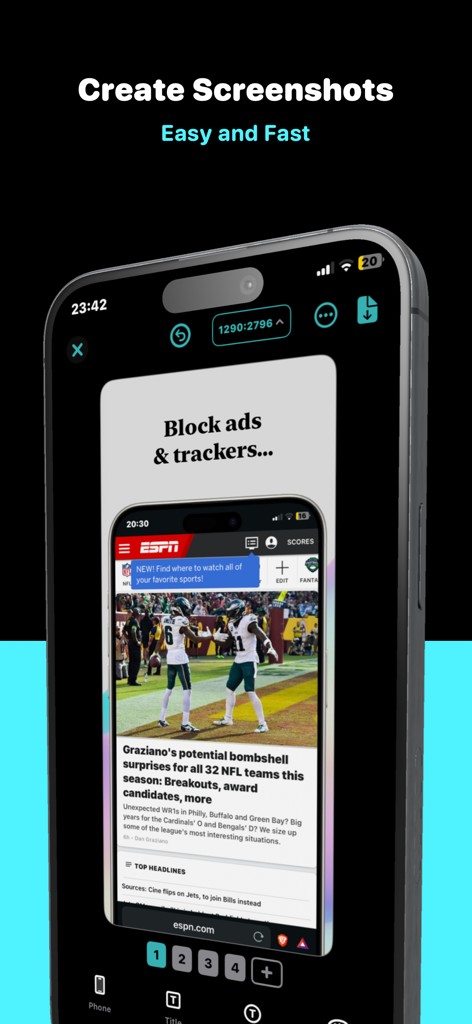
StoreViewアプリのインターフェイス。プロフェッショナルなApp Storeスクリーンショットを迅速かつ簡単に作成するための3D iPhoneフレームが表示されています。
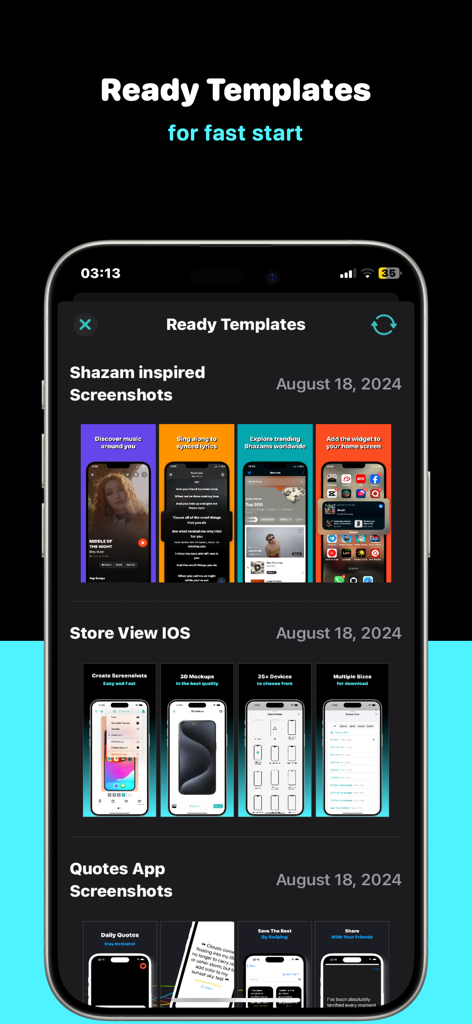
StoreViewアプリのインターフェイス。さまざまなアプリカテゴリ向けの既製のスクリーンショットテンプレートのセレクションが表示されています。
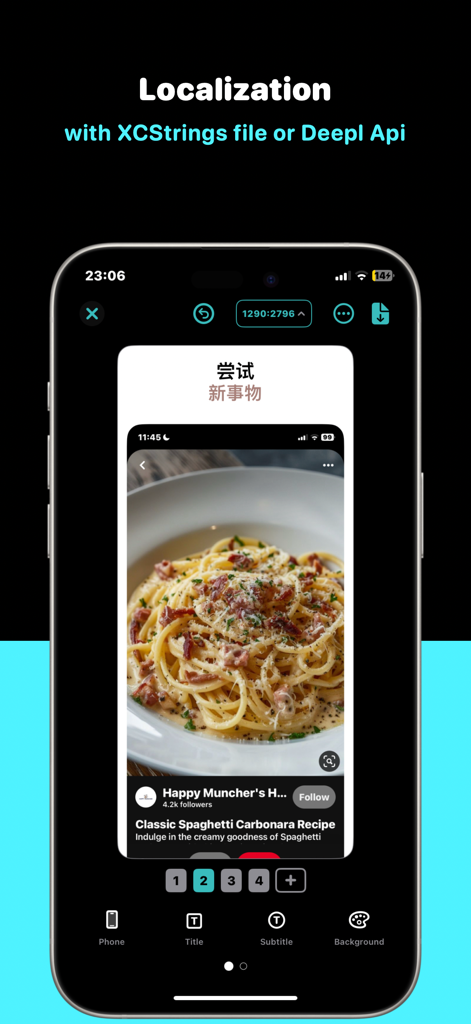
StoreViewアプリのインターフェイス。XCStringsとDeepL APIを使用したスクリーンショットのローカライゼーションが表示されています。
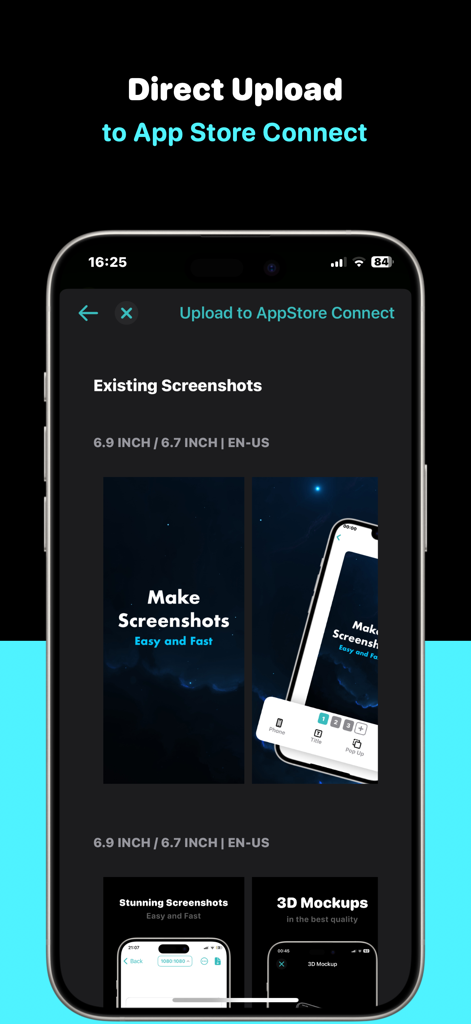
StoreViewアプリのインターフェイス。App Store Connectへのスクリーンショットの直接アップロードが表示されています。
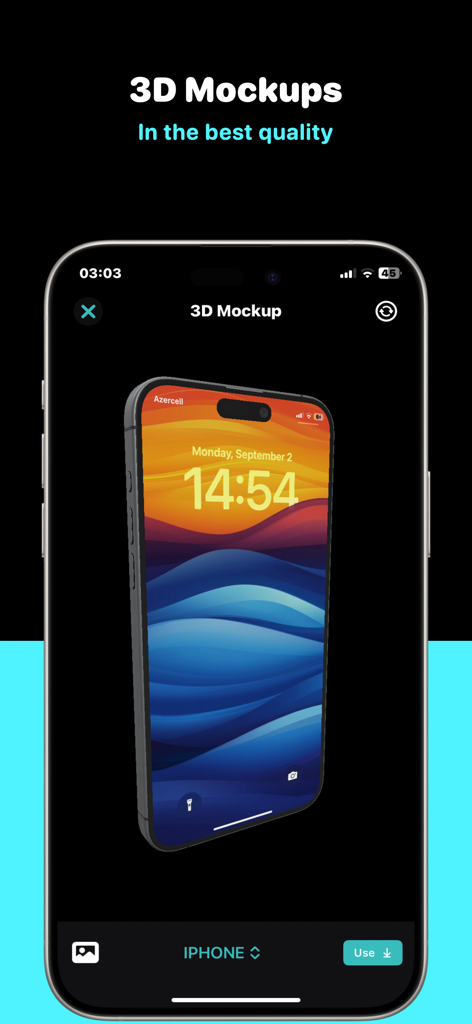
StoreViewアプリのスクリーンショットツールインターフェイスで作成中の3D iPhoneモックアップ。
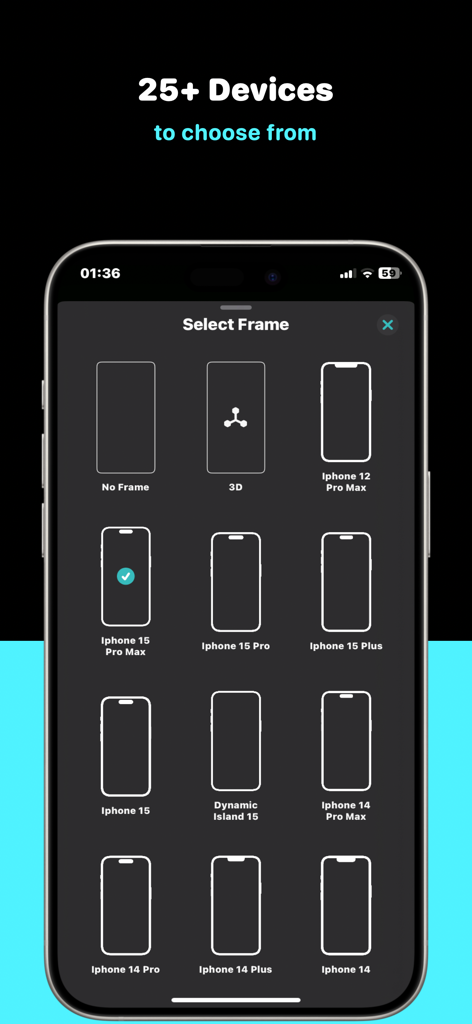
StoreViewのアプリスクリーンショット用の複数のiPhoneデバイスフレームオプションを表示するインターフェイス。
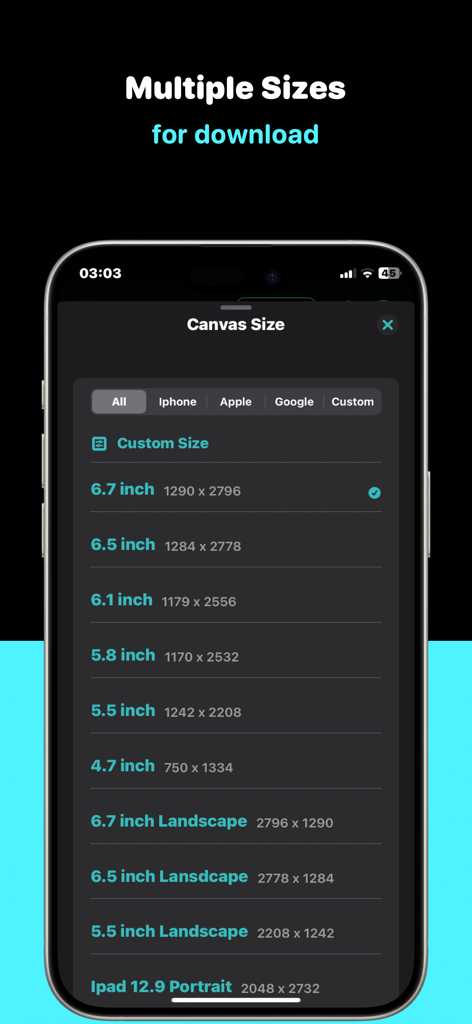
複数のデバイススクリーンショット用のStoreViewキャンバスサイズ選択。
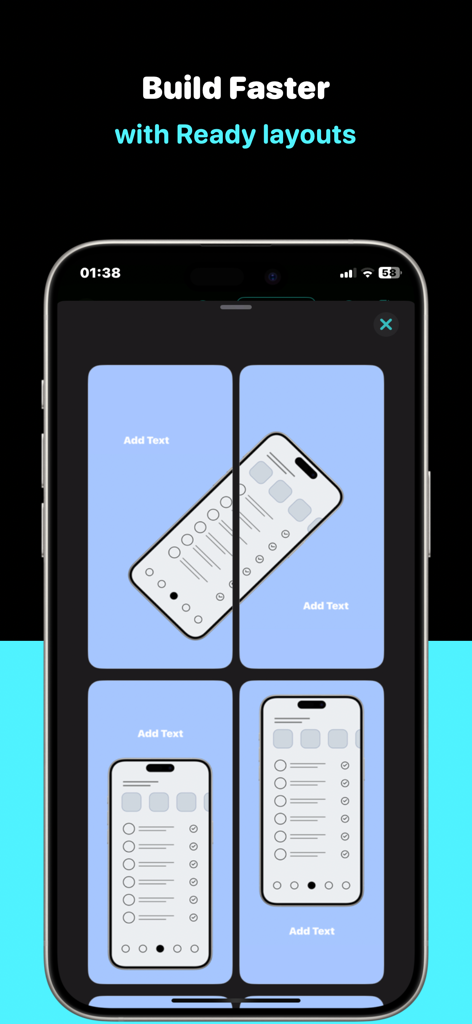
アプリ開発者向けの既製のスクリーンショットテンプレートを表示するインターフェイス。
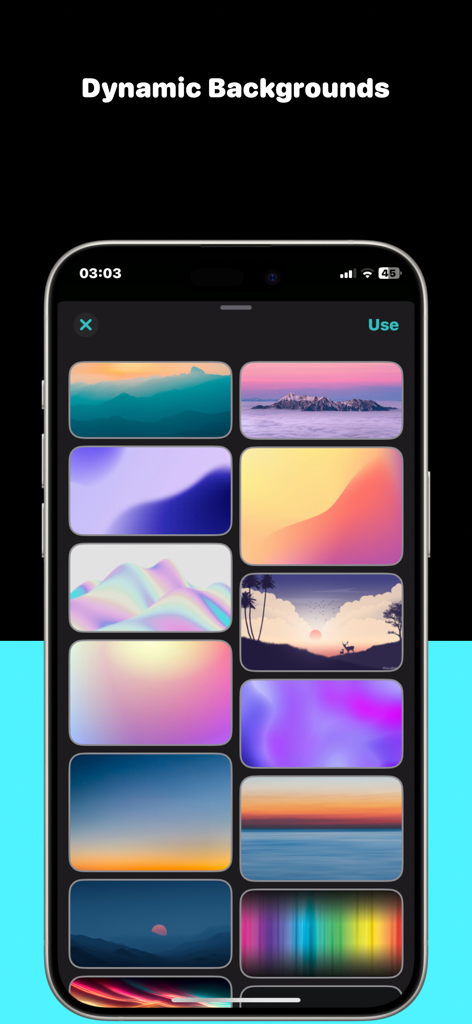
iPhoneに表示されたアプリスクリーンショット用の動的な背景テンプレートのコレクション。
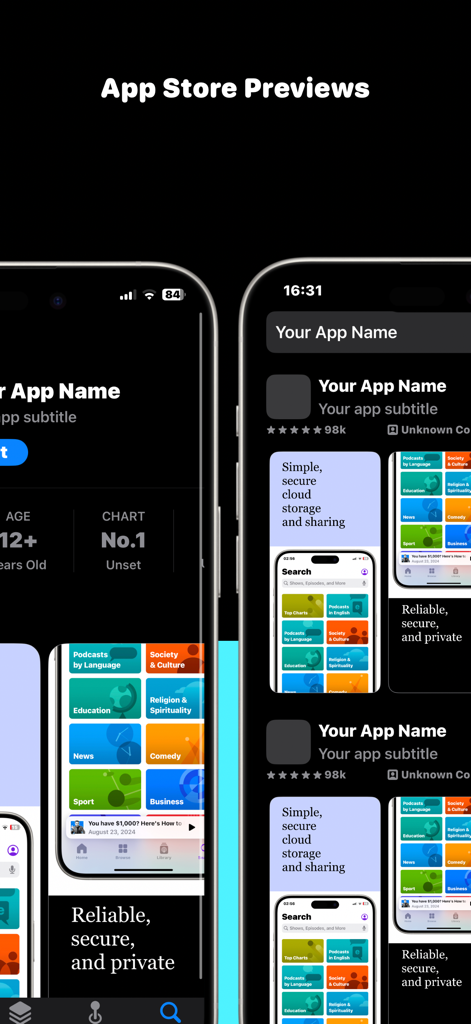
iPhoneデバイスのApp Storeに表示されたアプリスクリーンショットのモックアップ。
説明
Download
類似アプリ
同じカテゴリのトップランクアプリ

TestFlight
Apple Inc.

Replit: Vibe Code Apps
Replit, Inc

GitHub
GitHub

O-KAM Pro
Shenzhen VeePai IoT Intelligent Technology LLC

Apple Developer
Apple Inc.

Expo Go
650 Industries, Inc.

Scriptable
Simon Stovring

App Store Connect
Apple Inc.

Sekai: Create · Remix · Play
Versa AI, Inc.
このページはアプリまたはその開発者の公式ページではなく、情報提供および論評を目的として作成された独立した編集出版物です。明示的に別段の記載がない限り、アプリおよびその開発者は、MWM、Apple、Google Play、アプリのパブリッシャー、またはアプリの開発者と提携、承認、後援、認可、またはその他の公式的な関係はなく、このページのいかなる内容も、アプリがMWMのサービスを使用して開発されたことを意味するものではありません。すべての商標、ロゴ、スクリーンショット、その他のコンテンツはそれぞれの所有者の財産です。