SubX Player – Dual Subtitles
ダウンロード: App Store

このページはアプリまたはその開発者の公式ページではなく、情報提供および論評を目的として作成された独立した編集出版物です。明示的に別段の記載がない限り、アプリおよびその開発者は、MWM、Apple、Google Play、アプリのパブリッシャー、またはアプリの開発者と提携、承認、後援、認可、またはその他の公式的な関係はなく、このページのいかなる内容も、アプリがMWMのサービスを使用して開発されたことを意味するものではありません。すべての商標、ロゴ、スクリーンショット、その他のコンテンツはそれぞれの所有者の財産です。


ロゴ: SubX Player – Dual Subtitles
ダウンロード: App Store

SubX Player – Dual Subtitles

没入型学習のための究極のメディアプレーヤー。フラッシュカードは捨てて、デュアル字幕、インスタント翻訳、YouTubeや個人の動画ライブラリ向けの強力なシャドーイングツールで自然に学びましょう。

主要数値

ダウンロード

100

ユーザー評価

1.0/5

評価数

0

開発元

Abd alhameed Alhinbazly

カテゴリ

Education

対応言語

1

最新バージョン

1.8.0

サイズ

118.6 MB

リリース日

2025年8月7日
機能

すべての動画を語学レッスンに変えよう

退屈な教科書から離れて、大好きなコンテンツを観ることで目標言語をマスターしましょう。SubX Playerは、お気に入りの映画、シリーズ、YouTube動画をプロレベルの学習環境に変えます。

デュアル字幕とインスタント翻訳

一度に2つの字幕トラックを表示して、流暢さへのギャップを埋めましょう。学習の流れを止めずに、単語をタップして60以上の言語に即座に翻訳しましょう。

内蔵シャドーイングモード

自動一時停止や字幕繰り返しなどの特殊ツールで、ネイティブレベルの発音をマスターしましょう。特定のラインをループし、無音部分をスキップして、練習時間を最大限に活用しましょう。

シームレスなストリームとキャスト

独自のMKV/MP4ファイルをインポートしたり、厳選されたYouTubeコンテンツで練習したりできます。映画のような没入体験のために、デュアル字幕を完全にサポートして、動画を大画面にキャストしましょう。

以下のスクリーンショットと説明は、アプリの公式ストアリスティングから直接取得されたものであり、アプリ開発者の所有物です。

アプリストア

スクリーンショット
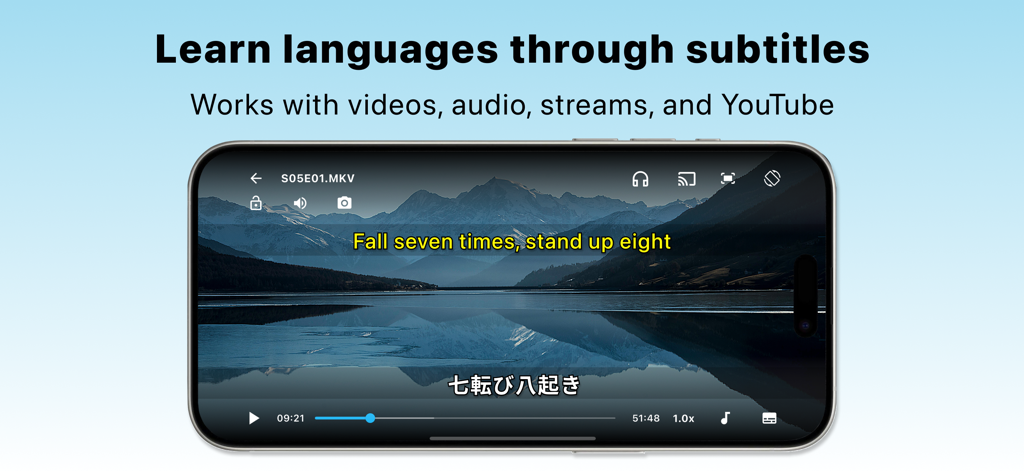
SubX Player – Dual Subtitles - 山の風景の動画の上に、英語と日本語のデュアル字幕が表示されたSubX Playerアプリが表示されたスマートフォン。
山の風景の動画の上に、英語と日本語のデュアル字幕が表示されたSubX Playerアプリが表示されたスマートフォン。

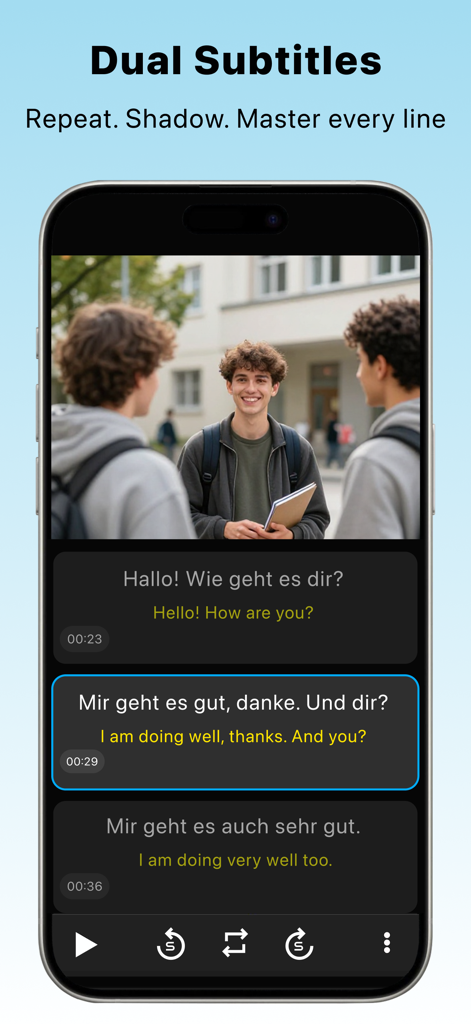
SubX Player – Dual Subtitles - 語学学習とシャドーイング練習のためのデュアルドイツ語と英語の字幕が表示された動画を再生するSubX Playerのモバイルインターフェース。
語学学習とシャドーイング練習のためのデュアルドイツ語と英語の字幕が表示された動画を再生するSubX Playerのモバイルインターフェース。

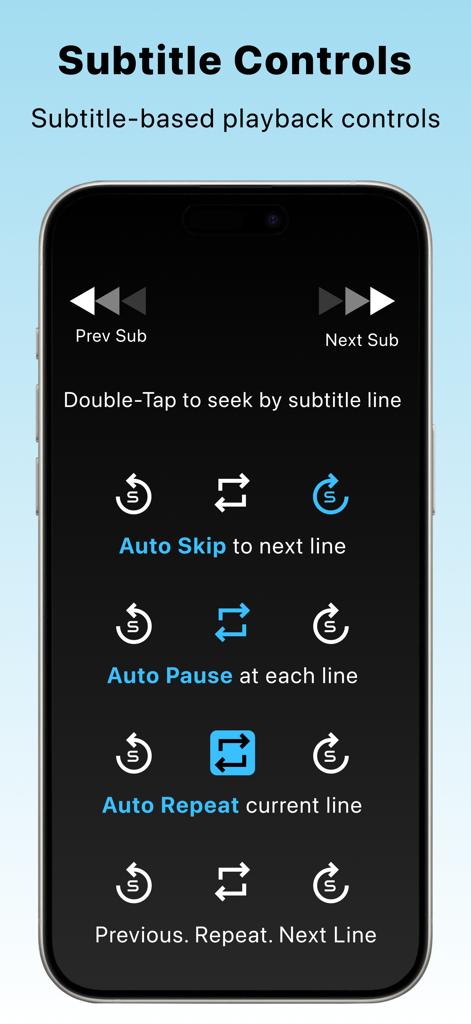
SubX Player – Dual Subtitles - 語学学習のための自動一時停止、自動スキップ、自動繰り返し機能を含む字幕ベースの再生コントロールを表示するSubX Playerインターフェース。
語学学習のための自動一時停止、自動スキップ、自動繰り返し機能を含む字幕ベースの再生コントロールを表示するSubX Playerインターフェース。

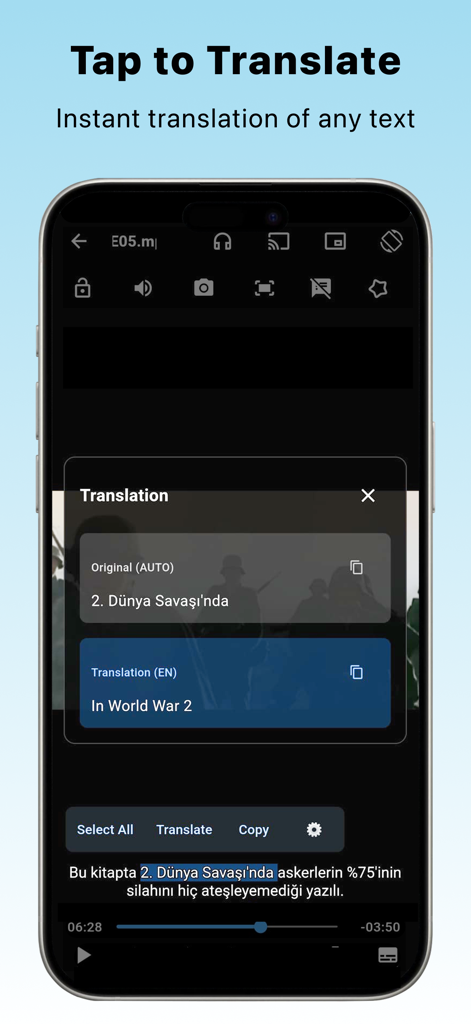
SubX Player – Dual Subtitles - トルコ語の字幕行のインスタント翻訳を英語で表示するSubX Playerモバイルインターフェース
トルコ語の字幕行のインスタント翻訳を英語で表示するSubX Playerモバイルインターフェース

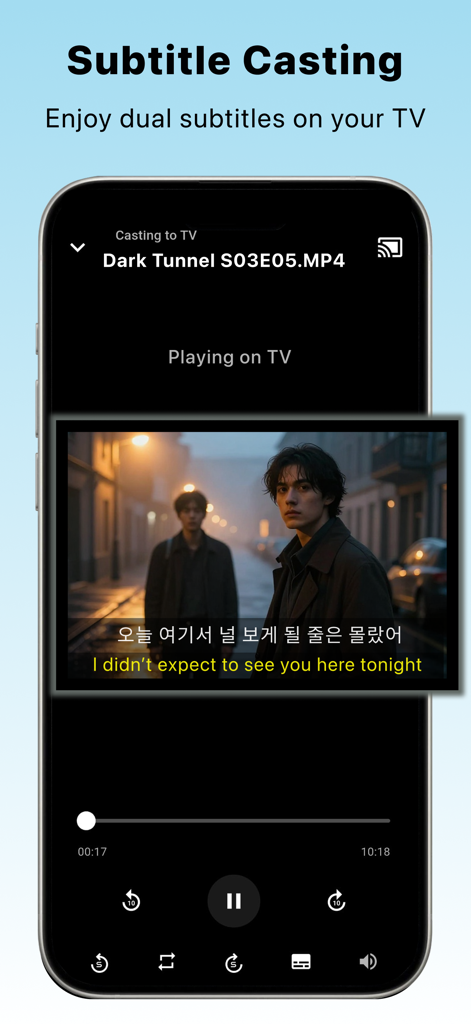
SubX Player – Dual Subtitles - テレビでデュアル字幕を楽しむための字幕キャスト機能を示すスマートフォンのインターフェース。
テレビでデュアル字幕を楽しむための字幕キャスト機能を示すスマートフォンのインターフェース。

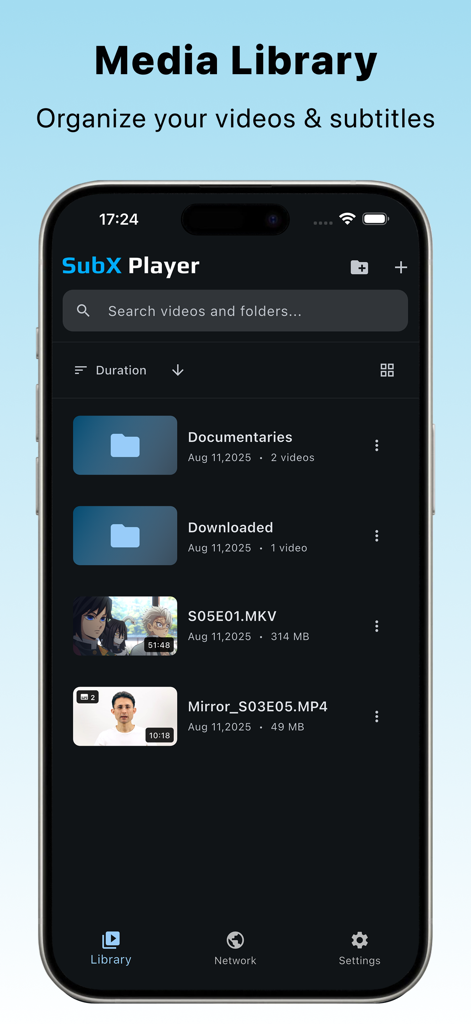
SubX Player – Dual Subtitles - 整理された動画フォルダとファイルを表示するSubX Playerメディアライブラリ画面
整理された動画フォルダとファイルを表示するSubX Playerメディアライブラリ画面

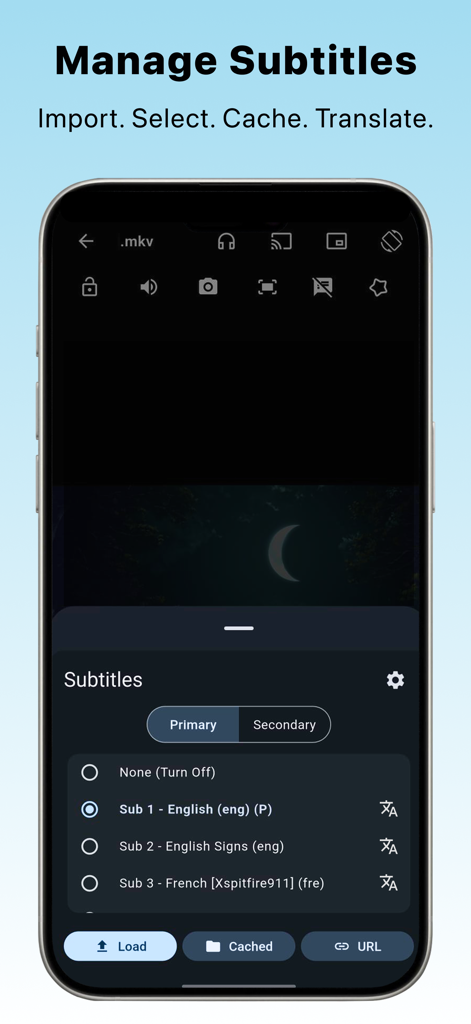
SubX Player – Dual Subtitles - 英語とフランス語のプライマリおよびセカンダリ字幕を選択するオプションを含む、字幕管理インターフェースを表示するSubX Playerアプリのスクリーンショット。
英語とフランス語のプライマリおよびセカンダリ字幕を選択するオプションを含む、字幕管理インターフェースを表示するSubX Playerアプリのスクリーンショット。

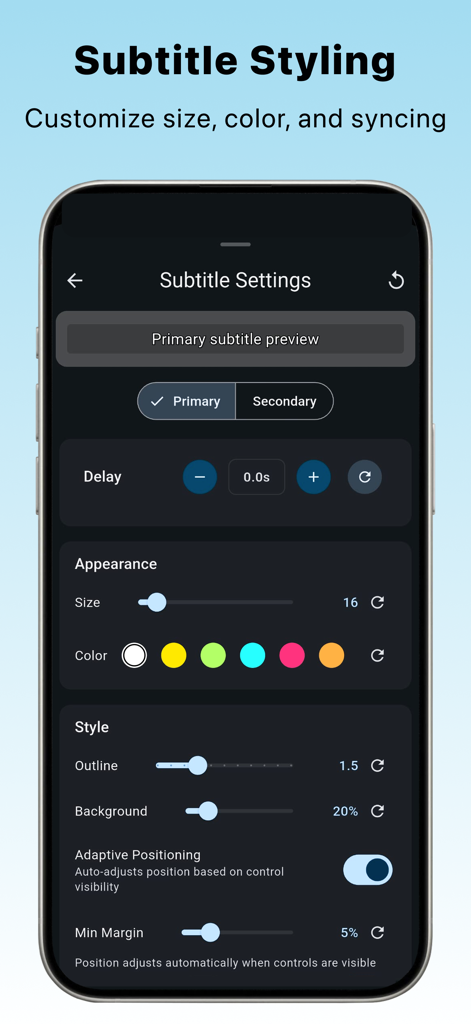
SubX Player – Dual Subtitles - サイズ、色、同期の字幕カスタマイズ設定を表示するSubX Playerモバイルアプリインターフェース
サイズ、色、同期の字幕カスタマイズ設定を表示するSubX Playerモバイルアプリインターフェース

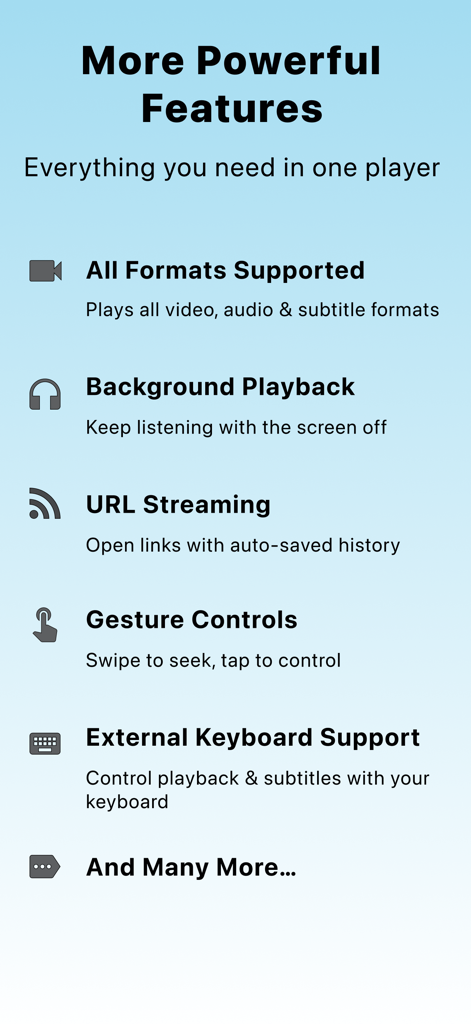
SubX Player – Dual Subtitles - すべてのフォーマットのサポート、バックグラウンド再生、ジェスチャーコントロールを含むSubX Playerの機能リスト

すべてのフォーマットのサポート、バックグラウンド再生、ジェスチャーコントロールを含むSubX Playerの機能リスト

説明

SubX is a powerful video player for language learning and practice through subtitles. Play videos and audio offline, stream online, or cast to your TV using subtitles as your primary learning tool. Core Features • Play Any Format: Supports nearly all video and audio formats, including MKV, MP4, MP3, and AVI. • Subtitle Format Support: Supports SRT, WebVTT (VTT), and LRC subtitle/lyrics files, with full compatibility across video and audio playback. • Dual Subtitles: View and compare two subtitle tracks for deeper understanding. • Subtitle List: View all subtitle lines in a clean, scrollable list for easier navigation and focused study. • Subtitle Styling: Customize font, size, color, and timing for perfect readability. • Stream Online Videos: Stream from URLs with history, favorites, and rename options. • Media Library: Search, sort, rename, and organize your local videos easily. • Gesture Controls: Swipe to seek or adjust brightness and volume. • Background Mode: Keep listening even when the screen is off. • Customizable UI & Settings: Personalize your playback experience fully. • Casting Support: Cast local and online videos to your TV with full subtitle control, including dual-subtitle support. • Subtitle Gestures: Use pinch gestures to resize subtitles and vertical drag to reposition them on screen. • Practice Mode (YouTube): Learn through curated YouTube videos with dual subtitles for listening and shadowing, organized by level and topic. SubX+ Premium Features • Subtitle Translation: Translate any subtitle instantly into 60+ languages. • Seek by Subtitle: Jump between subtitle lines or repeat them for better listening practice. • Auto Pause: Practice shadowing effortlessly with automatic pauses at each subtitle line. • Auto Skip: Skip silent or empty subtitle lines for smoother, focused practice. • Auto Repeat: Repeat subtitles with adjustable delay and repetitions to improve comprehension. • Selectable Text: Tap to copy or translate any subtitle line instantly. • Share Subtitle Text & Audio: Share individual subtitle lines or audio clips extracted from the corresponding segment of the video. Why SubX? SubX combines a powerful media player with smart learning tools. Any video with subtitles becomes a language lesson, watch, repeat, and absorb languages naturally while enjoying your favorite shows and movies. SubX is built for motivated language learners and polyglots who learn through real content and subtitles.

Download

ダウンロード: App Store

このページはアプリまたはその開発者の公式ページではなく、情報提供および論評を目的として作成された独立した編集出版物です。明示的に別段の記載がない限り、アプリおよびその開発者は、MWM、Apple、Google Play、アプリのパブリッシャー、またはアプリの開発者と提携、承認、後援、認可、またはその他の公式的な関係はなく、このページのいかなる内容も、アプリがMWMのサービスを使用して開発されたことを意味するものではありません。すべての商標、ロゴ、スクリーンショット、その他のコンテンツはそれぞれの所有者の財産です。








