Sun Surveyor (Sun & Moon)
ダウンロード: App Store

このページはアプリまたはその開発者の公式ページではなく、情報提供および論評を目的として作成された独立した編集出版物です。明示的に別段の記載がない限り、アプリおよびその開発者は、MWM、Apple、Google Play、アプリのパブリッシャー、またはアプリの開発者と提携、承認、後援、認可、またはその他の公式的な関係はなく、このページのいかなる内容も、アプリがMWMのサービスを使用して開発されたことを意味するものではありません。すべての商標、ロゴ、スクリーンショット、その他のコンテンツはそれぞれの所有者の財産です。

ロゴ: Sun Surveyor (Sun & Moon)
ダウンロード: App Store

Sun Surveyor (Sun & Moon)

ゴールデンアワーを予測し、天体の軌道を追跡し、ARの精度で影を視覚化することで、写真家やプロフェッショナルに力を与えます。

主要数値

ダウンロード

482K+

ユーザー評価

4.6/5

評価数

1K+

開発元

Adam Ratana

カテゴリ

Photo & Video

対応言語

21

最新バージョン

2.9.1

サイズ

66.1 MB

リリース日

2012年5月11日
機能

あらゆる光条件をマスターする

ゴールデンアワーの撮影からソーラーパネルの設置まで、高精度ARとインタラクティブデータを利用して、いつでもどこでも太陽と月の軌道を視覚化できます。

ライブAR投影

カメラを通して太陽と月の軌道を直接視覚化し、完璧なショットやソーラーサイトを正確に配置します。

ビジュアルタイムマシン

時間をスクラブして、将来の任意の日付の影の長さ、ゴールデンアワーのタイミング、天体の位置をプレビューします。

以下のスクリーンショットと説明は、アプリの公式ストアリスティングから直接取得されたものであり、アプリ開発者の所有物です。

アプリストア

スクリーンショット
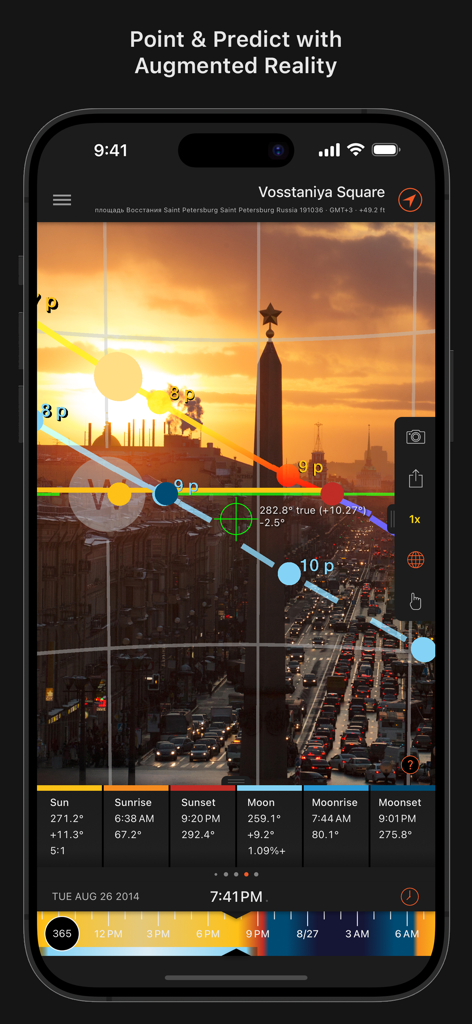
Sun Surveyor (Sun & Moon) - 街並みの上に太陽と月の軌道を示す拡張現実ビュー

街並みの上に太陽と月の軌道を示す拡張現実ビュー

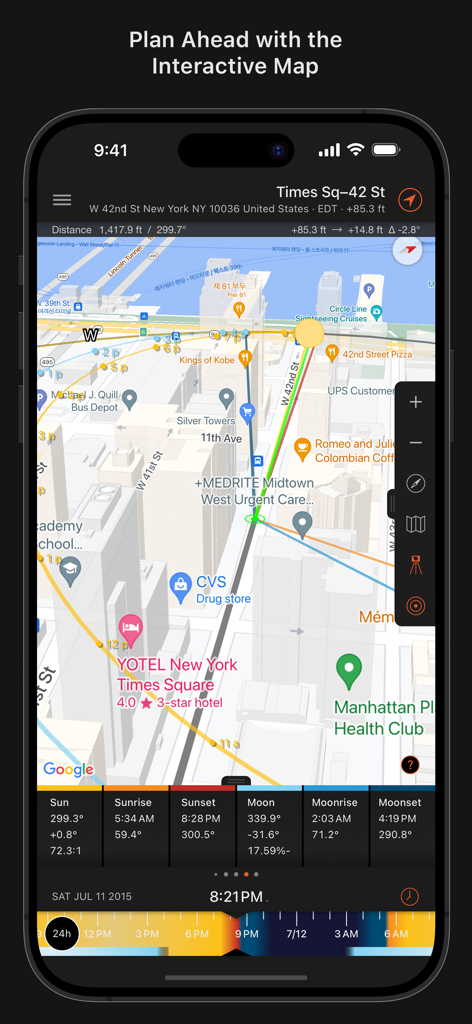
Sun Surveyor (Sun & Moon) - ニューヨークの太陽と月の軌道を示すSun Surveyorアプリのインタラクティブマップ
ニューヨークの太陽と月の軌道を示すSun Surveyorアプリのインタラクティブマップ

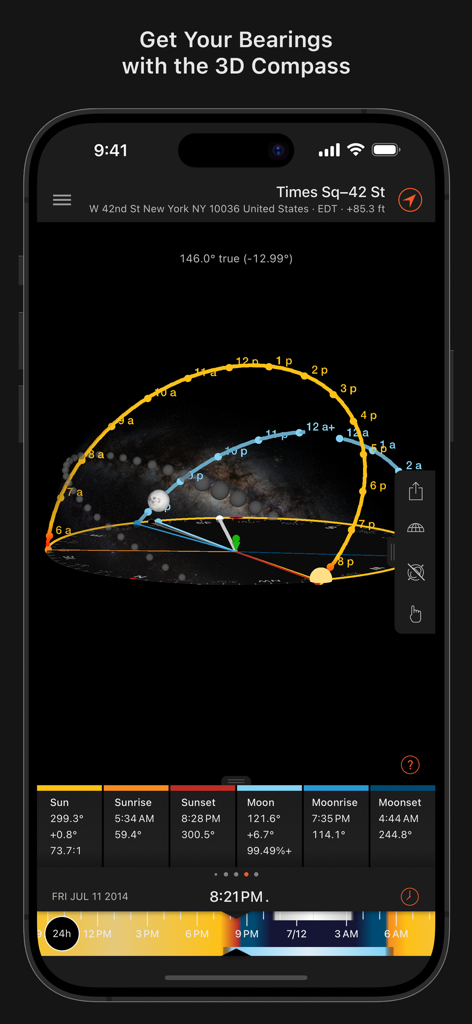
Sun Surveyor (Sun & Moon) - ニューヨーク市の上空の太陽と月の軌道を示すSun Surveyorアプリの3Dコンパスインターフェース
ニューヨーク市の上空の太陽と月の軌道を示すSun Surveyorアプリの3Dコンパスインターフェース

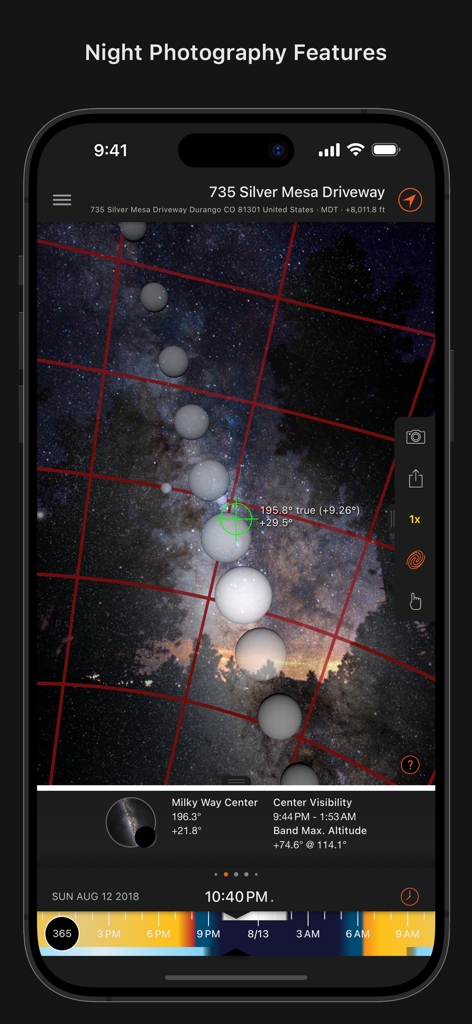
Sun Surveyor (Sun & Moon) - 可視性データと天体オーバーレイを使用して天の川のショットを計画するための夜間撮影機能を示すSun Surveyorアプリのスクリーンショット
可視性データと天体オーバーレイを使用して天の川のショットを計画するための夜間撮影機能を示すSun Surveyorアプリのスクリーンショット

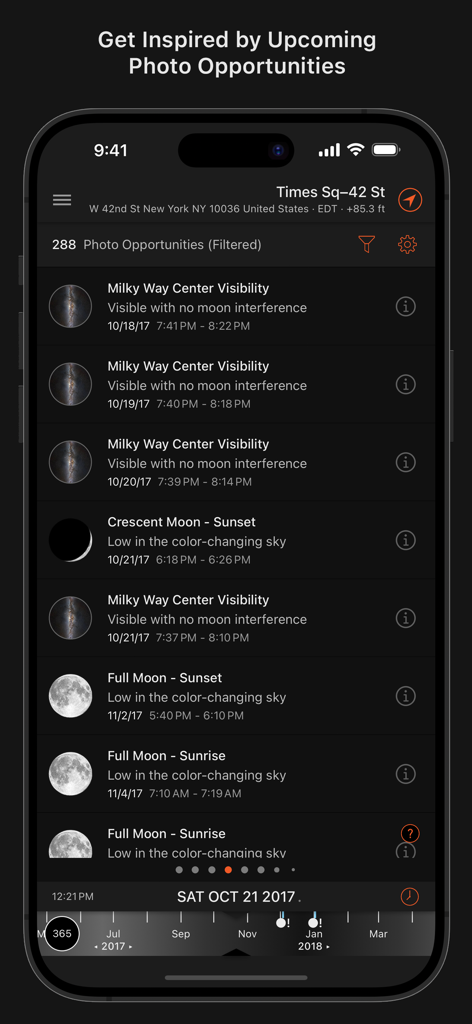
Sun Surveyor (Sun & Moon) - 天の川の可視性や月の満ち欠けなどの今後の天体写真の機会をリストするアプリ画面
天の川の可視性や月の満ち欠けなどの今後の天体写真の機会をリストするアプリ画面

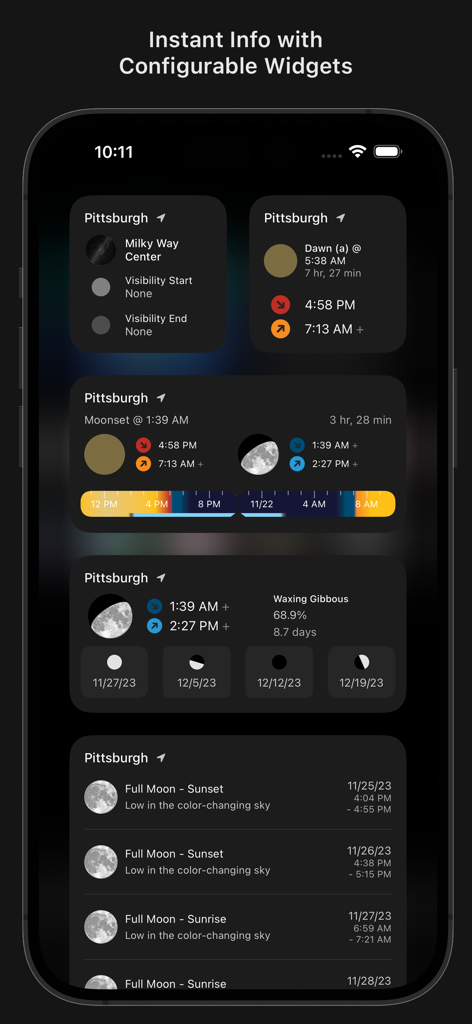
Sun Surveyor (Sun & Moon) - iPhoneで太陽、月、天の川の可視性データを表示するSun Surveyorアプリのウィジェット
iPhoneで太陽、月、天の川の可視性データを表示するSun Surveyorアプリのウィジェット

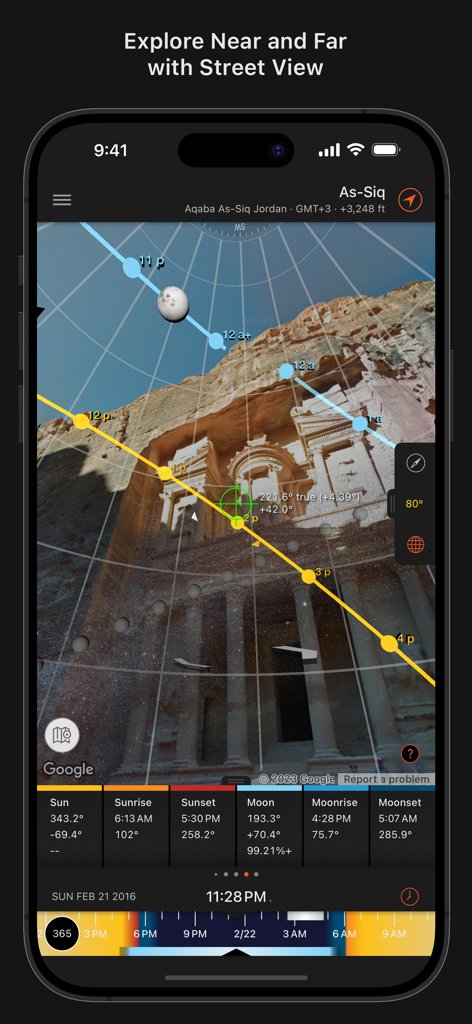
Sun Surveyor (Sun & Moon) - プロの写真撮影計画のために、史跡のストリートビューに太陽と月の軌道オーバーレイを表示するSun Surveyorアプリ
プロの写真撮影計画のために、史跡のストリートビューに太陽と月の軌道オーバーレイを表示するSun Surveyorアプリ

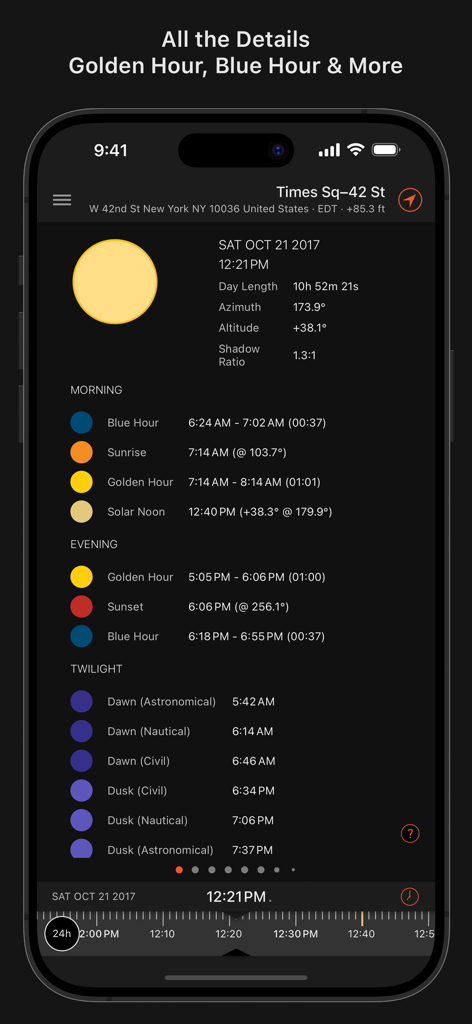
Sun Surveyor (Sun & Moon) - ニューヨーク市の詳細な朝、夕方、夕暮れ時のタイミングを表示するSun Surveyorアプリのインターフェース
ニューヨーク市の詳細な朝、夕方、夕暮れ時のタイミングを表示するSun Surveyorアプリのインターフェース

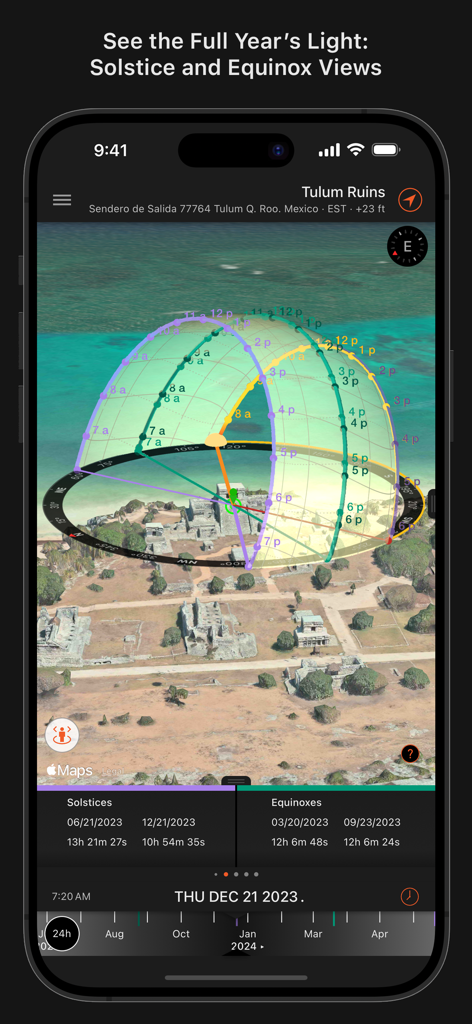
Sun Surveyor (Sun & Moon) - 3D航空写真マップに夏至と冬至の太陽軌道投影を表示するSun Surveyorアプリのインターフェース
3D航空写真マップに夏至と冬至の太陽軌道投影を表示するSun Surveyorアプリのインターフェース

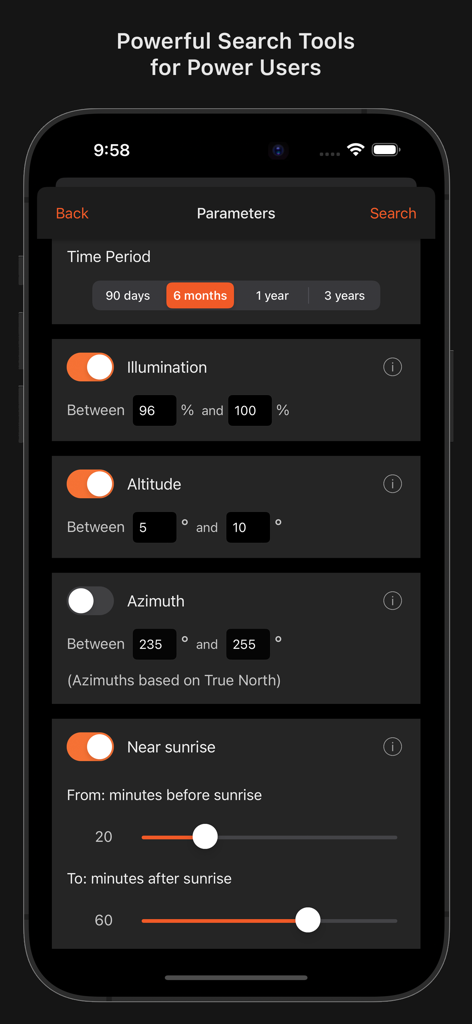
Sun Surveyor (Sun & Moon) - 照明、高度、方位角の設定を示すSun Surveyorの高度な検索パラメータインターフェース

照明、高度、方位角の設定を示すSun Surveyorの高度な検索パラメータインターフェース

説明

Sun Surveyor takes the mystery out of the sunrise, sunset, and moon phases, allowing photographers and filmmakers to scout the best locations, plan effectively, and get the perfect shot. The Live Camera View, Interactive Map (with Street View), 3D Compass, and detailed Ephemeris provide a wealth of information about the largest natural light source in the galaxy, as well as the moon, and milky way: - View augmented reality projections of the sun and moon paths, pinpoint the time the sun or moon will be at a particular location in the sky - Predict and plan for the golden hour, blue hour and every sunrise, sunset, moonrise and moonset - Prepare night photography shots with the Milky Way & star trail features Solar Industry (PV) Professionals, architects, real estate agents, and gardeners will also find a wealth of empowering interactive features: - Show clients the quality and quantity of seasonal sunlight at a given location - Understand potential shade of surroundings and discover any obstructions - Create images of the summer and winter Solstice & Equinox paths for a site Additional features: - Photo Opportunities - an interactive listing of critical times to help inspire and generate shot ideas; including the full moon looming low in the sky during magic hour, total darkness for stargazing, and more - Position Search - an extremely powerful tool to search for sun, moon and milky way center positions within various constraints, for the perfectionist planner - Widgets - plenty of configurable widgets for your home screen and today view (iOS 14+) - Visual time machine - take a quick glance at the light for a day, or dial in desired compositions easily - Moon distance, age, apogee, perigee, super moon predictions - Sun shadow information - calculate the length of shadows cast by objects - Helpful video tutorials show how to use all of the app's modules and how to shoot specific types of scenes - Share details and locations with clients and colleagues - Offline usage (excludes Map View, Street View) - enter coordinates, save & load locations with no data connection or GPS available - Measure distance, and difference between elevations, and vertical angle differentials with the Map view - Import and export Google Earth .kmz/.kml locations - Magnetic declination compensation - "Today" Widget - (for the pull-down notification center) shows rise and set times for the current location and the next upcoming sun event - Languages: English, Deutsch, Français, 日本語, Italiano, Español, Català, русский, Norsk (Bokmål), Dansk, Nederlands, 中文 (繁體), 中文 (简体), 한국어, čeština, Türkçe, Português (Portugal & Brasil), Polski

Download

ダウンロード: App Store

このページはアプリまたはその開発者の公式ページではなく、情報提供および論評を目的として作成された独立した編集出版物です。明示的に別段の記載がない限り、アプリおよびその開発者は、MWM、Apple、Google Play、アプリのパブリッシャー、またはアプリの開発者と提携、承認、後援、認可、またはその他の公式的な関係はなく、このページのいかなる内容も、アプリがMWMのサービスを使用して開発されたことを意味するものではありません。すべての商標、ロゴ、スクリーンショット、その他のコンテンツはそれぞれの所有者の財産です。