Superimpose X

Superimpose X

ダウンロード: App Store
ロゴ: Superimpose X

Superimpose X: プロレベルの合成があなたの指先に

モバイルのための究極のレイヤーベースエディターで創造性を解き放ちましょう。AI駆動のマスキングから24レイヤー、PSDエクスポートまで、デスクトップソフトウェアのパワーで、いつでもどこでも驚くべきデジタルアートとシュールな構成を作成できます。

開発元

Pankaj Goswami

カテゴリ

Photo & Video

ダウンロード

549K+

ユーザー評価

4.7/5

評価数

4K+

対応言語

9

プロフェッショナルなパワーを、視覚的に

このインターフェースを利用する 549K+ 人のユーザー.

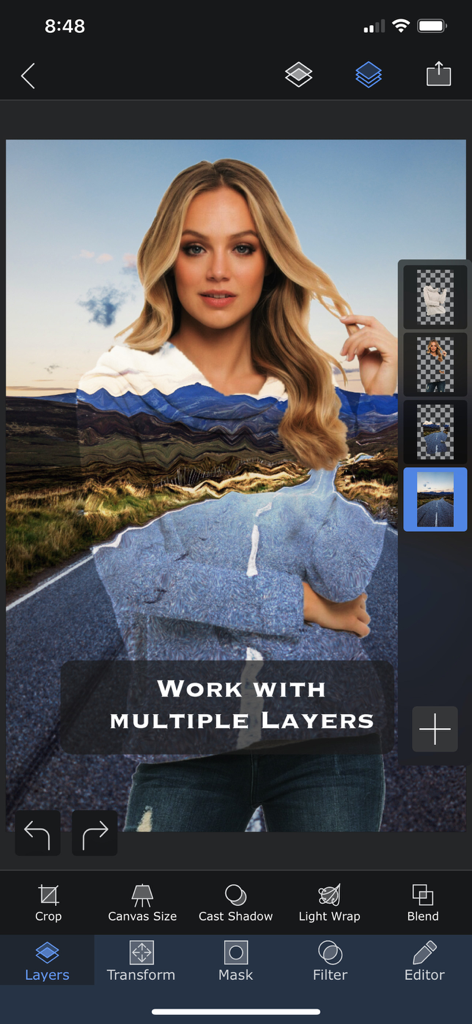
Superimpose Xアプリのインターフェース、複数のレイヤーとブレンドツールで写真が編集されている様子を表示
Superimpose Xアプリのインターフェース、複数のレイヤーとブレンドツールで写真が編集されている様子を表示

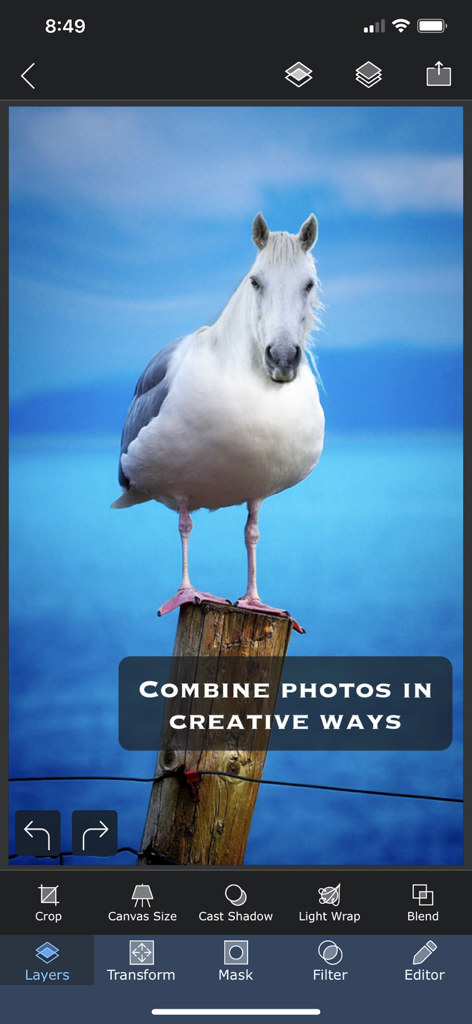
Superimpose Xモバイルアプリのインターフェースにある、鳥の体に馬の頭が乗ったシュールな写真合成
Superimpose Xモバイルアプリのインターフェースにある、鳥の体に馬の頭が乗ったシュールな写真合成

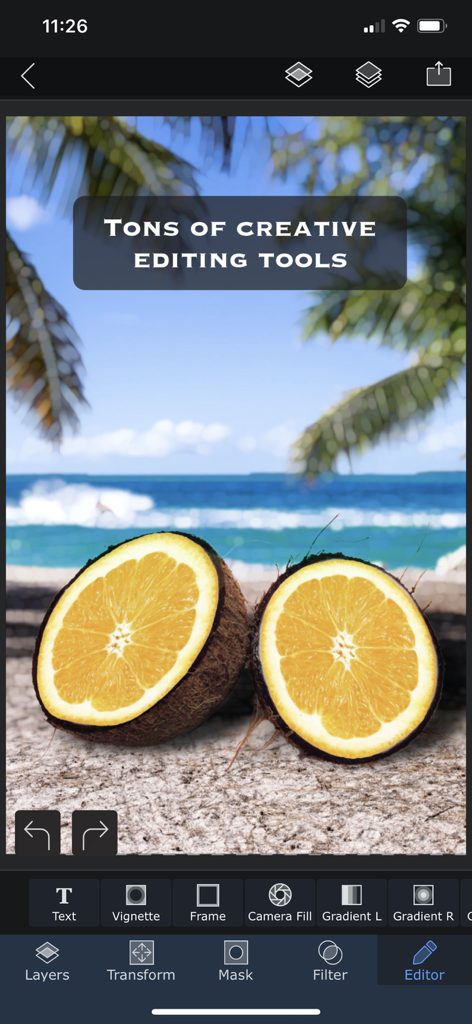
Superimpose Xアプリのインターフェース、クリエイティブな写真編集ツールと、ココナッツオレンジのハイブリッドのシュールなビーチ構成を表示
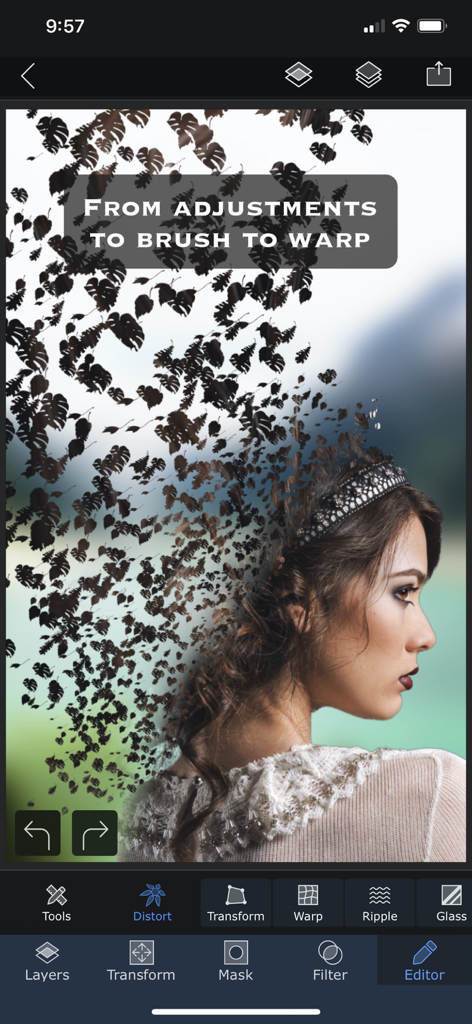
Superimpose Xアプリのインターフェース、クリエイティブな写真編集ツールと、ココナッツオレンジのハイブリッドのシュールなビーチ構成を表示

Superimpose Xのワープおよび歪みツールを使用した、葉の形に溶け込む女性の横顔のシュールな写真編集
Superimpose Xのワープおよび歪みツールを使用した、葉の形に溶け込む女性の横顔のシュールな写真編集

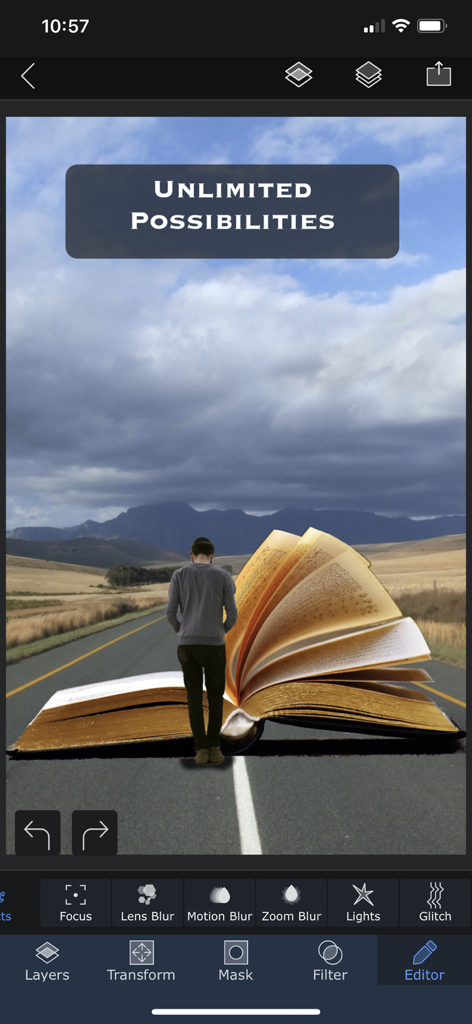
Superimpose Xのクリエイティブ編集機能を、山道にある巨大な開いた本に向かって歩く人物のシュールなデジタルアートで紹介
Superimpose Xのクリエイティブ編集機能を、山道にある巨大な開いた本に向かって歩く人物のシュールなデジタルアートで紹介

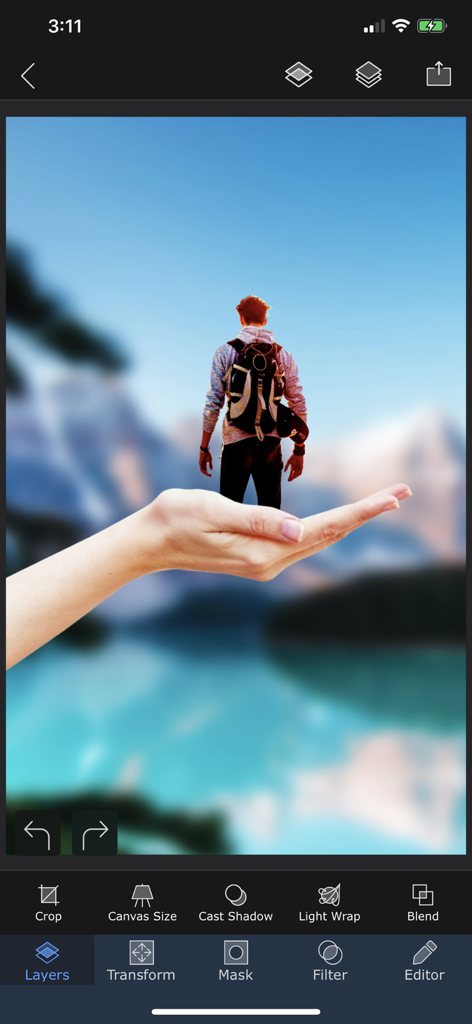
Superimpose Xアプリのインターフェース、ミニチュアの人物が手に立っているレイヤーを使ったシュールな写真合成を表示
Superimpose Xアプリのインターフェース、ミニチュアの人物が手に立っているレイヤーを使ったシュールな写真合成を表示

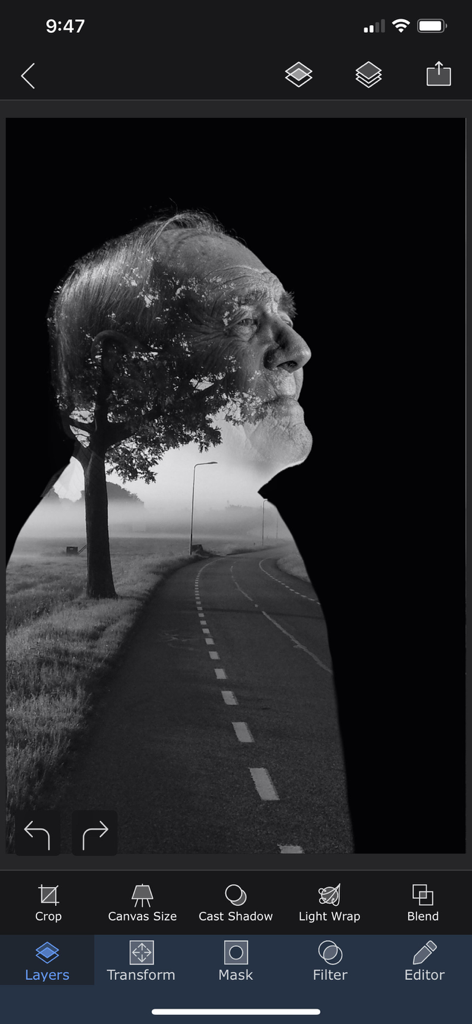
Superimpose Xアプリで編集されている、霧のかかった道路の風景と組み合わされた高齢男性の横顔の白黒二重露光効果
Superimpose Xアプリで編集されている、霧のかかった道路の風景と組み合わされた高齢男性の横顔の白黒二重露光効果

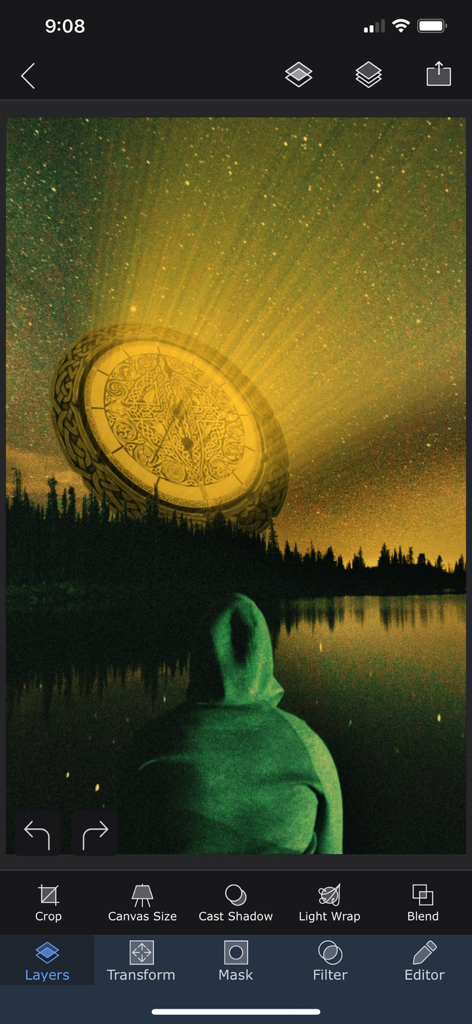
Superimpose Xアプリで編集されている、湖上の星空に輝く黄金の円盤を示すシュールな写真合成
Superimpose Xアプリで編集されている、湖上の星空に輝く黄金の円盤を示すシュールな写真合成

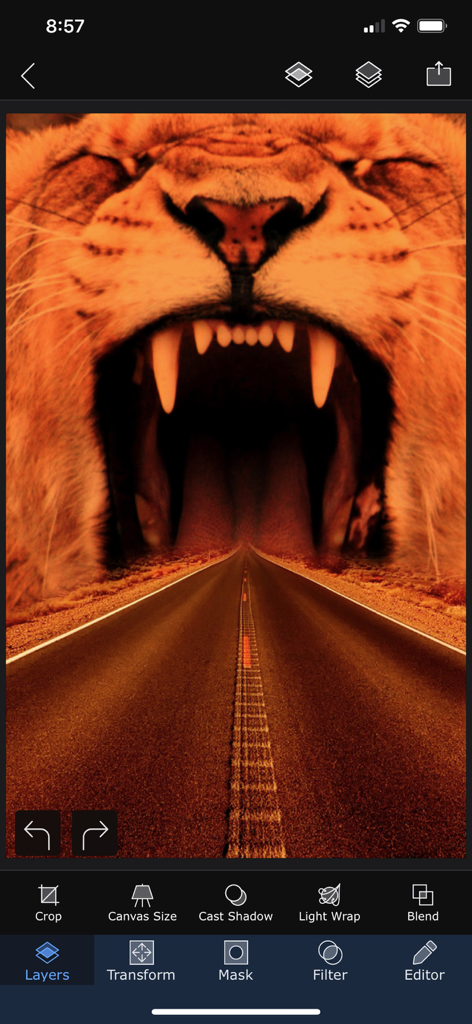
Superimpose Xアプリでのシュールな写真編集、吠えるライオンの口に向かって続く高速道路を表示
Superimpose Xアプリでのシュールな写真編集、吠えるライオンの口に向かって続く高速道路を表示

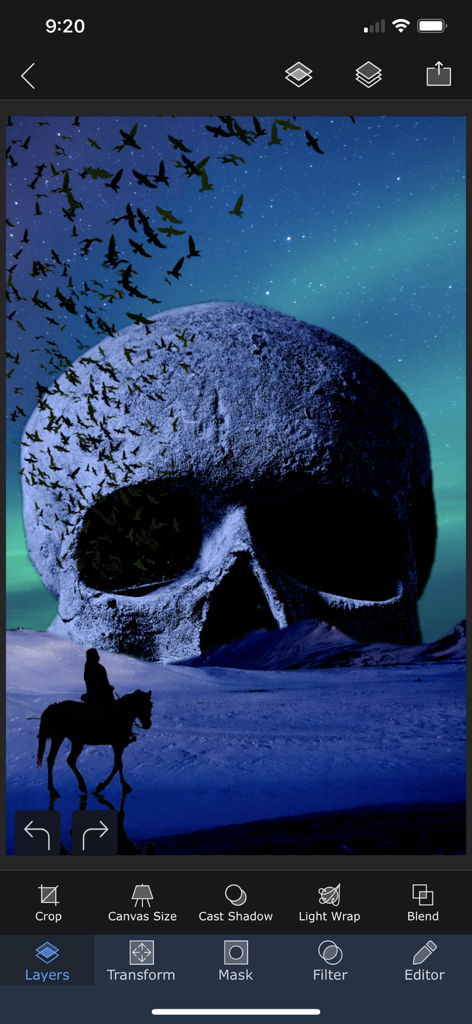
Superimpose Xモバイルアプリのインターフェース、巨大な頭蓋骨とプロフェッショナルな編集ツールを備えたシュルレアリスムの写真構成を表示

Superimpose Xモバイルアプリのインターフェース、巨大な頭蓋骨とプロフェッショナルな編集ツールを備えたシュルレアリスムの写真構成を表示

無限の創造に必要なすべて

このアプリを際立たせるツール、 549K+ 人のユーザーが選択.

AI搭載の高精度マスキング

面倒な作業はスキップ。AIで人物を自動で分離するか、Magic Lassoのような高度なツールを使用して、数秒でピクセルパーフェクトな切り抜きを作成します。

🎨

デスクトップクラスのマルチレイヤリング

最大24レイヤーを18種類のブレンドモードと非破壊調整で積み重ね、移動中に複雑でプロフェッショナルな構成を作成します。

📲

プログレードのワークフローとエクスポート

どこでもあなたのクリエイティブスタジオ。プロジェクトをセッションライブラリに保存し、レイヤー化されたPSDをエクスポートして、Photoshopへのシームレスな移行を実現します。

アプリについて

について知っておくべきこと Superimpose X.

説明

Turn your ideas into beautiful works of art using Superimpose X, the new version of the Superimpose app. If you can imagine it, Superimpose X will provide the tools to do it. Packed with wide range of editing capabilities from multiple layers, blending modes, masking, adjustment layers, brushes, smudge, warp, effects, clarity to casting shadows, Superimpose X is a modern tool for creating your photo contents. Whether you are a professional or an amateur, you will be amazed by the power Superimpose X gives to your fingertips. Composing images with multiple layers, double exposure, superimposing is easier than ever. All your projects are saved in beautifully designed session area. So, you do not have to lose your current project if you want to move to another one in the middle. And of course Superimpose X comes with Masking Library, where you can save all your masked images, like stickers for later use. And all of this, packed in a beautifully designed interface that does not intimidate you, despite the amount of capabilities it comes with. To list out a few features... • Multiple layers (up to 24). • 16 different adjustment layers. • Blending modes, 18 of them. • Opacity control. • Numerous masking tools. From Magic Wand to Magic Lasso to predefined shapes. • Automatically mask out people from photos using AI. • Filling of a layer directly from camera, with real time rendering with its mask and blending modes. • Built-in shadow creation tool. • Built-in Light Wrap tool. • Masking Library to store your masked images. • Session Library, that automatically stores all your projects. • Non destructive adjustments and layer blur. • Non destructive beautiful photo effects (63 of them). • An amazing Clarity tool. • Advanced adjustment tools. • Tools like Text, Curved Text, Selective Blur, Motion, Zoom and Spin Blur, Lens Blur, Gradient and more. • Number of distorting tools like Warp, Perspective transform and more. • Numerous paint and effect brushes and option to customize them. • Smudge brush • Clone stamp brush • Brush for Darkening, Lightening, Desaturating etc. • Option to export PSD with layers. • Access to more than a million royalty free stock photos. ...and more. And if you are already using the classic Superimpose app, you can seamlessly transfer all your masks into the new Superimpose X. This is how you could transfer the masks... 1. Open the original Superimpose app. 2. Press the "?" button on the top right corner of the "Home" screen. 3. There you should see an option called "Transfer masks to Superimpose X". 4. Press that and your masks should be available in Superimpose X. Terms of use: https://www.superimposeapp.com/superimposex_terms_of_use.html Privacy Policy: https://www.superimposeapp.com/privacy2.html

最新バージョン

5.3.1

サイズ

351.8 MB

リリース日

2017年12月16日

あなたのモバイルスタジオが待っています

デスクトップを捨て、プロレベルのレイヤリング、AIマスキング、そして移動中の完全なクリエイティブの自由を手に入れた50万人以上のデジタルクリエイターに加わりましょう。

ダウンロード: App Store

App information, icons, screenshots, and descriptions displayed on this page are sourced from the Apple App Store and are the property of their respective developers. Download estimates and rankings are based on MWM's proprietary models and may not reflect actual figures. This page is provided for informational and analytical purposes only.

Believe this page infringes your intellectual property? File a dispute