ストアイメージ作成 | モックアップ画像 | フレーム合成

このページはアプリまたはその開発者の公式ページではなく、情報提供および論評を目的として作成された独立した編集出版物です。明示的に別段の記載がない限り、アプリおよびその開発者は、MWM、Apple、Google Play、アプリのパブリッシャー、またはアプリの開発者と提携、承認、後援、認可、またはその他の公式的な関係はなく、このページのいかなる内容も、アプリがMWMのサービスを使用して開発されたことを意味するものではありません。すべての商標、ロゴ、スクリーンショット、その他のコンテンツはそれぞれの所有者の財産です。

ロゴ: ストアイメージ作成 | モックアップ画像 | フレーム合成

ストアイメージ作成 | モックアップ画像 | フレーム合成

複雑なデザインツールは不要です。プロ仕様のデバイスフレーム、グラデーション、ライブプレビューで、コンバージョン率の高いストアアセットを簡単に作成できます。インディー開発者やASOのプロ向けに設計されています。

主要数値

ダウンロード

100+

ユーザー評価

1.0/5

評価数

0

開発元

YUSUKE SUZUKI

カテゴリ

Developer Tools

対応言語

1

最新バージョン

1.0.1

サイズ

28.9 MB

リリース日

2026年2月23日
機能

数分でプロ級のストア画像を作成

プロのデザインソフトウェアの複雑さを伴わずに、コンバージョン率が高く、規約に準拠したスクリーンショットを作成するための、インディー開発者およびASOスペシャリスト向けの合理化されたワークフロー。

インスタントモックアップ合成

生のスクリーンショットをアップロードするだけで、プロ仕様のデバイスフレームに自動的にラップされます。手動での位置合わせやレイヤーは不要です。

リアルタイムライブプレビュー

背景、グラデーション、タイポグラフィを瞬時に視覚的なフィードバックで微調整します。作業中に最終的なアセットがどのように見えるかを正確に確認できます。

以下のスクリーンショットと説明は、アプリの公式ストアリスティングから直接取得されたものであり、アプリ開発者の所有物です。

アプリストア

スクリーンショット
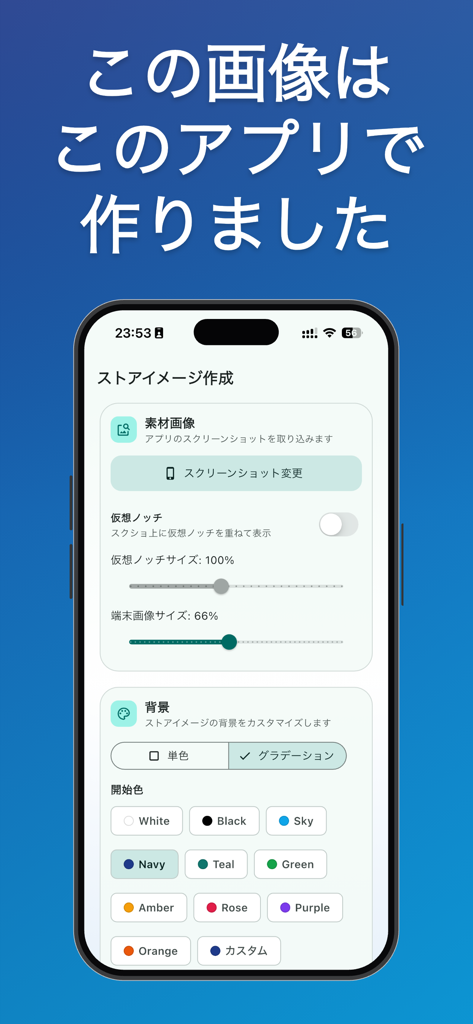
ストアイメージ作成 | モックアップ画像 | フレーム合成 - ストア画像クリエイターアプリのインターフェース。デバイスモックアップと背景のカスタマイズオプションが表示されています。
ストア画像クリエイターアプリのインターフェース。デバイスモックアップと背景のカスタマイズオプションが表示されています。

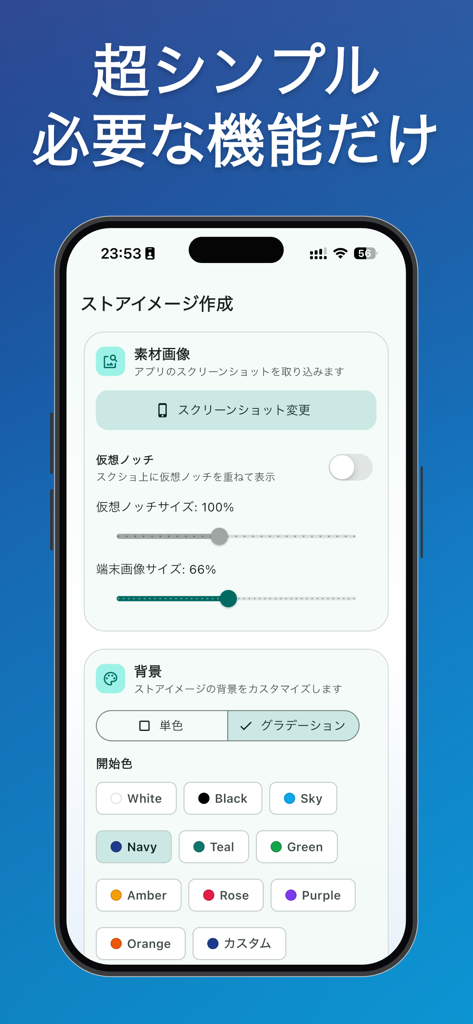
ストアイメージ作成 | モックアップ画像 | フレーム合成 - ストア画像クリエイターアプリのインターフェース。背景とモックアップの設定が表示されています。
ストア画像クリエイターアプリのインターフェース。背景とモックアップの設定が表示されています。

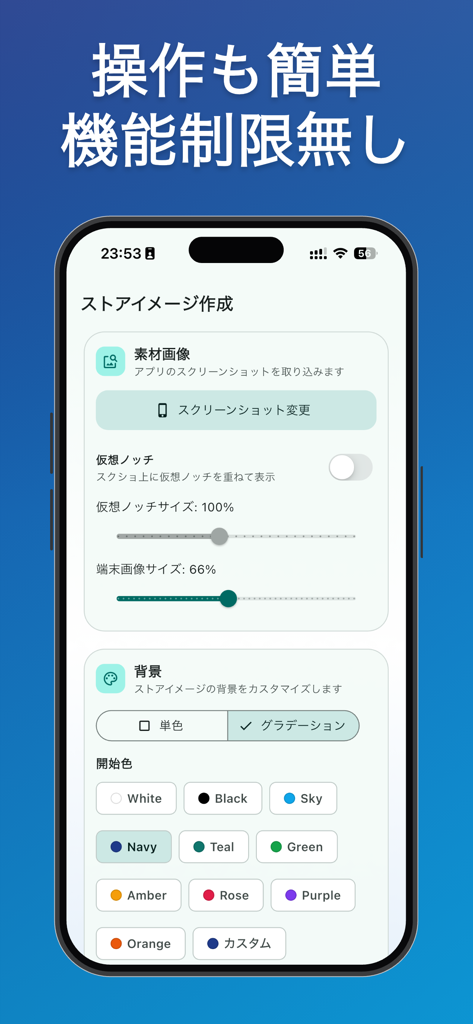
ストアイメージ作成 | モックアップ画像 | フレーム合成 - Store Image Creatorアプリのインターフェース。スクリーンショットモックアップと背景色のカスタマイズ設定が表示されています。

Store Image Creatorアプリのインターフェース。スクリーンショットモックアップと背景色のカスタマイズ設定が表示されています。

説明

This app is a creation tool for making attractive App Store "feature graphics" in the shortest possible time. You can complete everything from importing screenshots, automatically composing them into mockups, adjusting backgrounds, text, and placement, to saving the final graphic for your listing, all on a single screen. No complex operations like those in image editing software are required, and only the necessary settings are provided, so even beginners can use it without getting lost. It's also useful when you need to quickly create variations with different selling points to match daily updates or campaigns. The main workflow is simple. First, select a screenshot of your app screen, then choose a background style from solid colors or gradients. Next, enter your catchphrase and adjust the text color, size, and alignment, and check the overall balance with a live preview. The preview updates instantly as you change settings, allowing you to refine your design without slowing down your trial-and-error process. Finally, save it as a PNG, and you can use it as-is for your store submission. The visual adjustment features are designed around the points frequently used in practical applications. You can significantly change the impression with minimal operations, such as matching the app's world view with background color selection, guiding the viewer's eye with gradients, or organizing information priority by switching the title position between top and bottom. Font size and alignment can also be finely adjusted, making it easier to create a layout that highlights the appeal of your screenshots and prevents even short promotional text from getting buried. We also focus on reducing stress during the creation process. The consolidated settings make it easy to understand what changes when you adjust something, and you can quickly make detailed edits. Even when you want to create multiple patterns for comparison, you can save time by reducing the effort of recreating the original data. This app is practical not only for individual developers preparing for release but also for operations staff who need to frequently update their graphics. This app is the perfect choice for those who feel that "I want to convey my app's features, but image creation takes too long" or "Design tools are too complex and I get lost every time." It reduces the burden of creating listing creatives with its sufficient editing functions, easy-to-understand live preview, and short workflow to saving. It's a recommended app for those who want to make store image creation faster and clearer.

Download

このページはアプリまたはその開発者の公式ページではなく、情報提供および論評を目的として作成された独立した編集出版物です。明示的に別段の記載がない限り、アプリおよびその開発者は、MWM、Apple、Google Play、アプリのパブリッシャー、またはアプリの開発者と提携、承認、後援、認可、またはその他の公式的な関係はなく、このページのいかなる内容も、アプリがMWMのサービスを使用して開発されたことを意味するものではありません。すべての商標、ロゴ、スクリーンショット、その他のコンテンツはそれぞれの所有者の財産です。