Symmetry Drawing App
ダウンロード: App Store

このページはアプリまたはその開発者の公式ページではなく、情報提供および論評を目的として作成された独立した編集出版物です。明示的に別段の記載がない限り、アプリおよびその開発者は、MWM、Apple、Google Play、アプリのパブリッシャー、またはアプリの開発者と提携、承認、後援、認可、またはその他の公式的な関係はなく、このページのいかなる内容も、アプリがMWMのサービスを使用して開発されたことを意味するものではありません。すべての商標、ロゴ、スクリーンショット、その他のコンテンツはそれぞれの所有者の財産です。


ロゴ: Symmetry Drawing App
ダウンロード: App Store

Symmetry Drawing App

リアルタイムミラーリングの魔法で、あなたの内なるアーティストを解き放ちましょう。シンプルな線が、あっという間に魅惑的な曼荼羅やプロフェッショナルなデザインに変わります。ストレス解消と楽な創造性のための完璧なツールです。

主要数値

ダウンロード

100

ユーザー評価

1.0/5

評価数

0

開発元

Beanca Lian Anyayahan

カテゴリ

Utilities

対応言語

1

最新バージョン

1.0

サイズ

2.6 MB

リリース日

2024年12月18日
機能

無限の創造性

瞑想的な曼荼羅からSNS映えするパターンまで、あなたのiPadをプロフェッショナルなシンメトリースタジオに変え、すべてのストロークを傑作にしましょう。

瞬時のミラーマジック

最大6軸のリアルタイムシンメトリーで、あなたのアイデアが瞬時に増殖するのを目の当たりにしましょう。一筆で複雑でプロフェッショナルなデザインを作成できます。

ストレスフリーな創造性

究極のデジタル禅ツール。完璧なバランスと視覚的な調和を達成し、リラックスしてフローを見つけるのを助けるために特別に設計されています。

以下のスクリーンショットと説明は、アプリの公式ストアリスティングから直接取得されたものであり、アプリ開発者の所有物です。

アプリストア

スクリーンショット
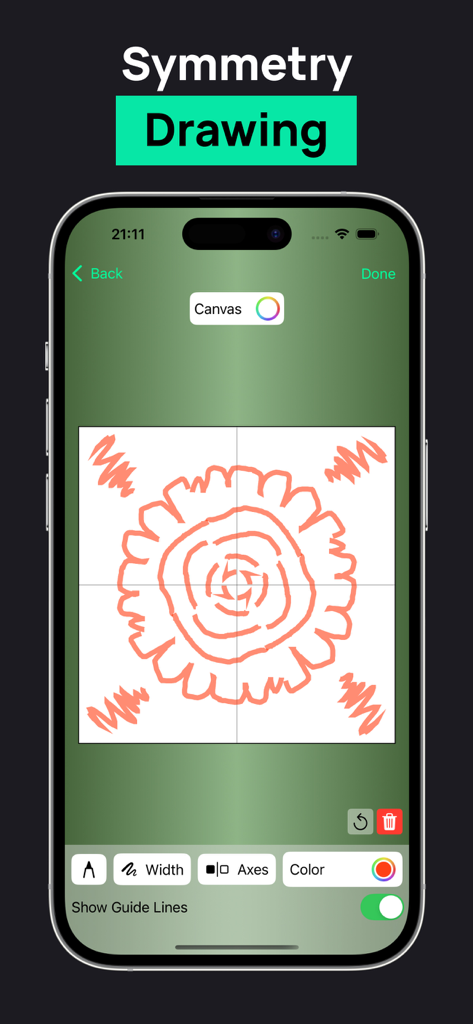
Symmetry Drawing App - iPhone画面に、キャンバス上に4方向でミラーリングされたオレンジの花柄が表示されたSymmetry Drawing Appのインターフェースが表示されている。
iPhone画面に、キャンバス上に4方向でミラーリングされたオレンジの花柄が表示されたSymmetry Drawing Appのインターフェースが表示されている。

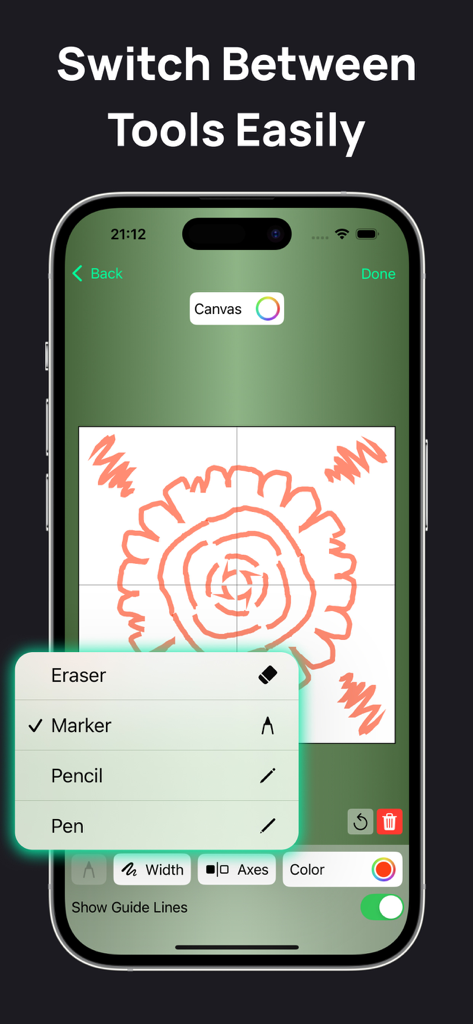
Symmetry Drawing App - Symmetry Drawing Appのインターフェースに、マーカー、鉛筆、ペンなどのオプションが表示されたブラシ選択メニューが表示されている。
Symmetry Drawing Appのインターフェースに、マーカー、鉛筆、ペンなどのオプションが表示されたブラシ選択メニューが表示されている。

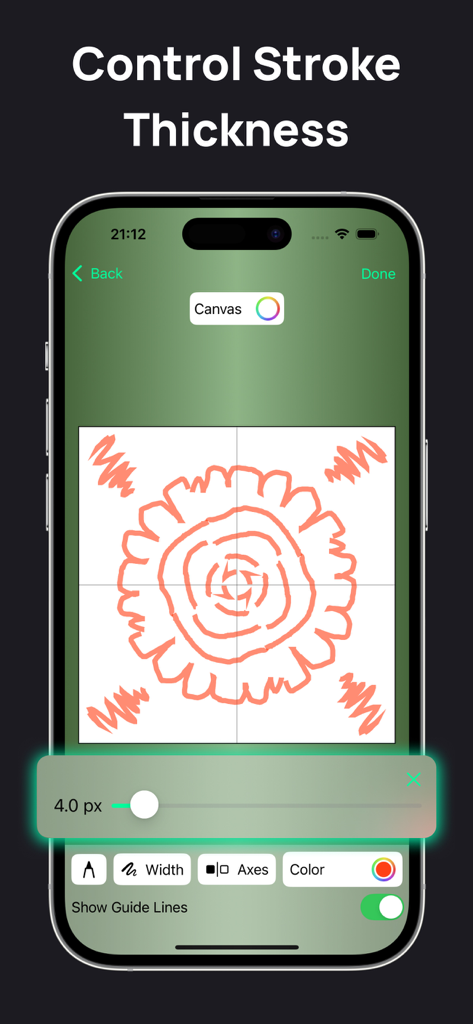
Symmetry Drawing App - Symmetry Drawing Appのストローク太さコントロールが表示されているユーザーインターフェース。
Symmetry Drawing Appのストローク太さコントロールが表示されているユーザーインターフェース。

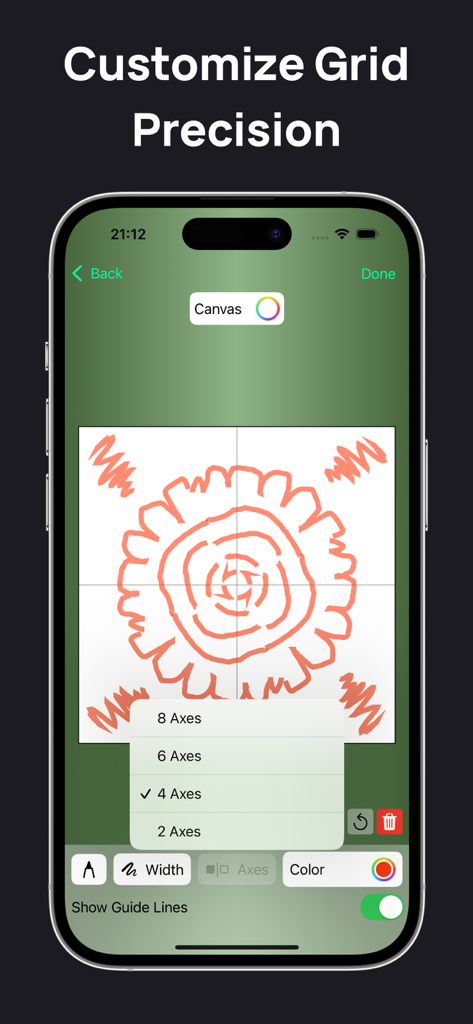
Symmetry Drawing App - Symmetry Drawing Appのインターフェースに、シンメトリー軸の選択メニューが表示された曼荼羅パターンが表示されている。
Symmetry Drawing Appのインターフェースに、シンメトリー軸の選択メニューが表示された曼荼羅パターンが表示されている。

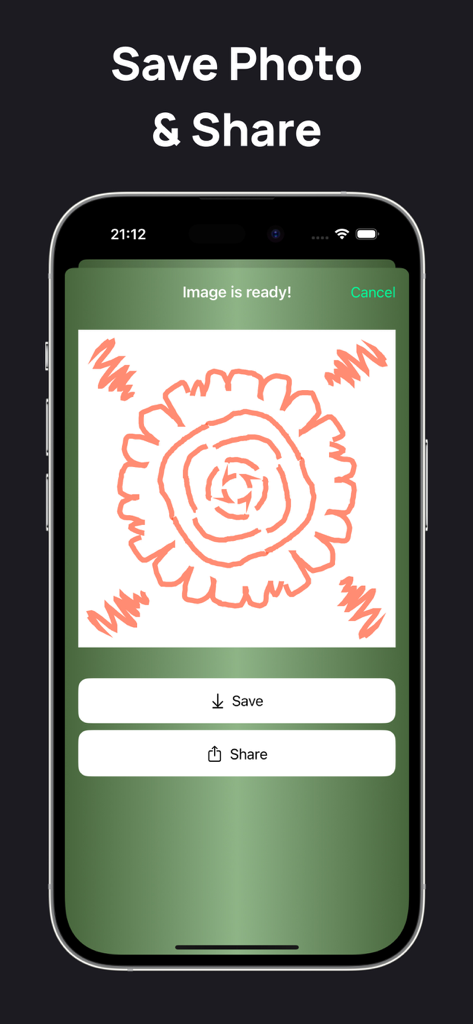
Symmetry Drawing App - スマートフォン画面に、シンメトリーな曼荼羅の描画を保存および共有するオプションが表示されている。

スマートフォン画面に、シンメトリーな曼荼羅の描画を保存および共有するオプションが表示されている。

説明

Symmetry Drawing is a fun and easy-to-use iOS app for creating beautiful symmetrical designs. Just draw one part of the figure, and the app instantly mirrors it to create intricate patterns. Key Features 1. Real-Time Symmetry Drawing ◦ Draw one side of a figure, and the app mirrors it instantly to create a complete symmetrical design. ◦ Choose the number of symmetry axes: single, double, or multiple (e.g., six axes). 2. Customizable Brushes ◦ Adjust brush size, color, and style to match your creative vision. ◦ Choose from various brush types like pencil, marker, or calligraphy pen. 3. Drawing History ◦ Automatically save all your designs in the History section for easy access. ◦ Reopen and edit any saved drawings anytime. 4. Helpful Tips ◦ Learn to enhance your designs with 10 simple and effective tips: 1. What is a symmetry axis? A line that creates mirrored patterns on both sides. 2. How to choose symmetry axes? More axes create more detailed patterns. 3. Can I use multiple colors? Yes, select different brush colors for each stroke. 4. How to create complex designs? Use thicker brushes and more symmetry axes. 5. How to erase part of a drawing? Use the eraser tool to remove specific areas. 6. How are drawings saved? The app saves them automatically in History. 7. Can I combine different brush styles? Yes, mix and match brushes for unique effects. 8. How to start with complex patterns? Begin with simple shapes and build up details. 9. How does mirroring work? The app reflects your strokes in real time. 10. What is layered drawing? Use layers to add depth and switch elements on or off. Symmetry Drawing makes creating mesmerizing designs easy, whether you're a beginner or a professional. Let your creativity shine! Subscribe to get full access: $4.99 per week, cancel anytime Terms of Use: https://www.apple.com/legal/internet-services/itunes/dev/stdeula/ Privacy Policy: https://sites.google.com/view/kloos2010202-policy/?v=1

Download

ダウンロード: App Store

このページはアプリまたはその開発者の公式ページではなく、情報提供および論評を目的として作成された独立した編集出版物です。明示的に別段の記載がない限り、アプリおよびその開発者は、MWM、Apple、Google Play、アプリのパブリッシャー、またはアプリの開発者と提携、承認、後援、認可、またはその他の公式的な関係はなく、このページのいかなる内容も、アプリがMWMのサービスを使用して開発されたことを意味するものではありません。すべての商標、ロゴ、スクリーンショット、その他のコンテンツはそれぞれの所有者の財産です。








