SynthMaster 2
SynthMaster 2
ダウンロード: App Store

このページはアプリまたはその開発者の公式ページではなく、情報提供および論評を目的として作成された独立した編集出版物です。明示的に別段の記載がない限り、アプリおよびその開発者は、MWM、Apple、Google Play、アプリのパブリッシャー、またはアプリの開発者と提携、承認、後援、認可、またはその他の公式的な関係はなく、このページのいかなる内容も、アプリがMWMのサービスを使用して開発されたことを意味するものではありません。すべての商標、ロゴ、スクリーンショット、その他のコンテンツはそれぞれの所有者の財産です。

ロゴ: SynthMaster 2
ダウンロード: App Store

SynthMaster 2

1000以上のファクトリープリセット、高度なAUv3統合、現代のiPadプロデューサーのために作られた伝説的なマルチエンジンアーキテクチャで、プロフェッショナルなサウンドデザインを解き放ちましょう。

主要数値

ダウンロード

51K+

ユーザー評価

4.7/5

評価数

1K+

開発元

KV331 YAZILIM LTD STI

カテゴリ

Music

対応言語

1

最新バージョン

1.0.22

サイズ

979.9 MB

リリース日

2021年6月22日
機能

iPadでデスクトップクラスのパワーを

受賞歴のあるSynthMaster 2エンジンを使用する何千人ものプロデューサーの仲間に加わりましょう。ゼロからサウンドデザインする場合でも、1000以上のワールドクラスのプリセットをブラウズする場合でも、プロフェッショナルなモバイルプロダクションに必要なすべてがここにあります。

4つのハイブリッドエンジン

Basic、Additive、Wavetable、Vectorシンセシスを組み合わせて、ヴィンテージアナログリードから複雑なモダンテクスチャまで、あらゆるものを創造しましょう。

ビジュアルモジュレーションマトリックス

ドラッグアンドドロップコントロールとリアルタイムのビジュアルフィードバックでLFOとエンベロープを簡単にマッピングし、複雑なサウンドデザインを直感的に行えます。

以下のスクリーンショットと説明は、アプリの公式ストアリスティングから直接取得されたものであり、アプリ開発者の所有物です。

アプリストア

スクリーンショット
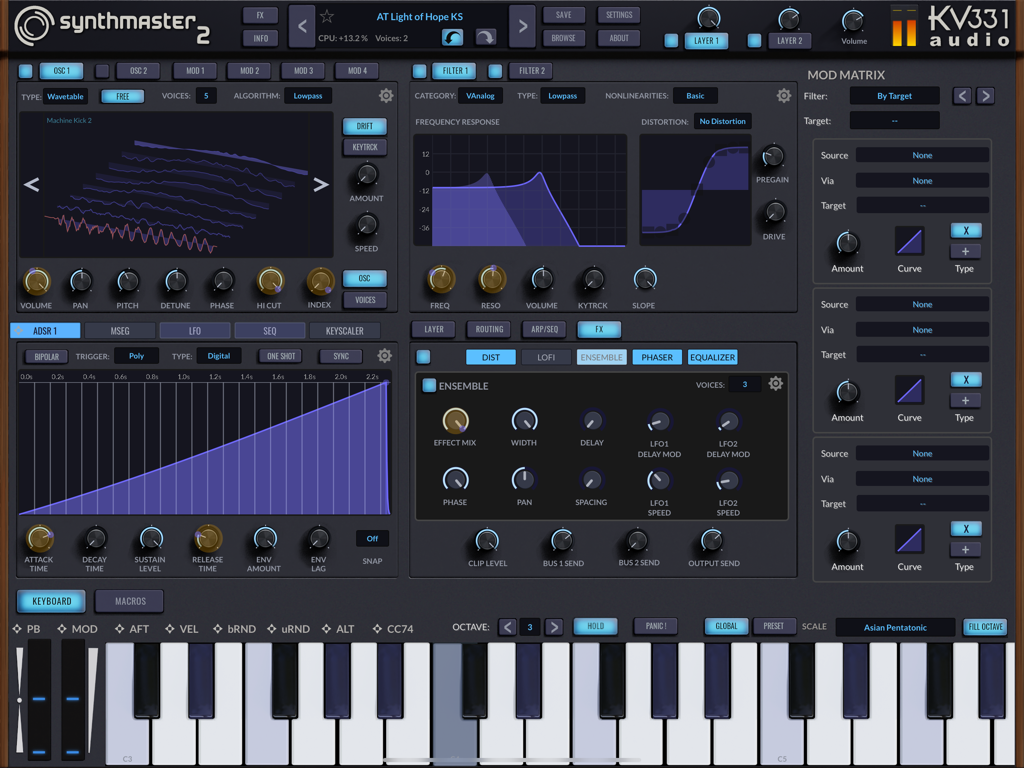
SynthMaster 2 - iPad上のSynthMaster 2プロシンセサイザーインターフェイス。Wavetableオシレーターとモジュレーションマトリックスを特徴としています。
iPad上のSynthMaster 2プロシンセサイザーインターフェイス。Wavetableオシレーターとモジュレーションマトリックスを特徴としています。

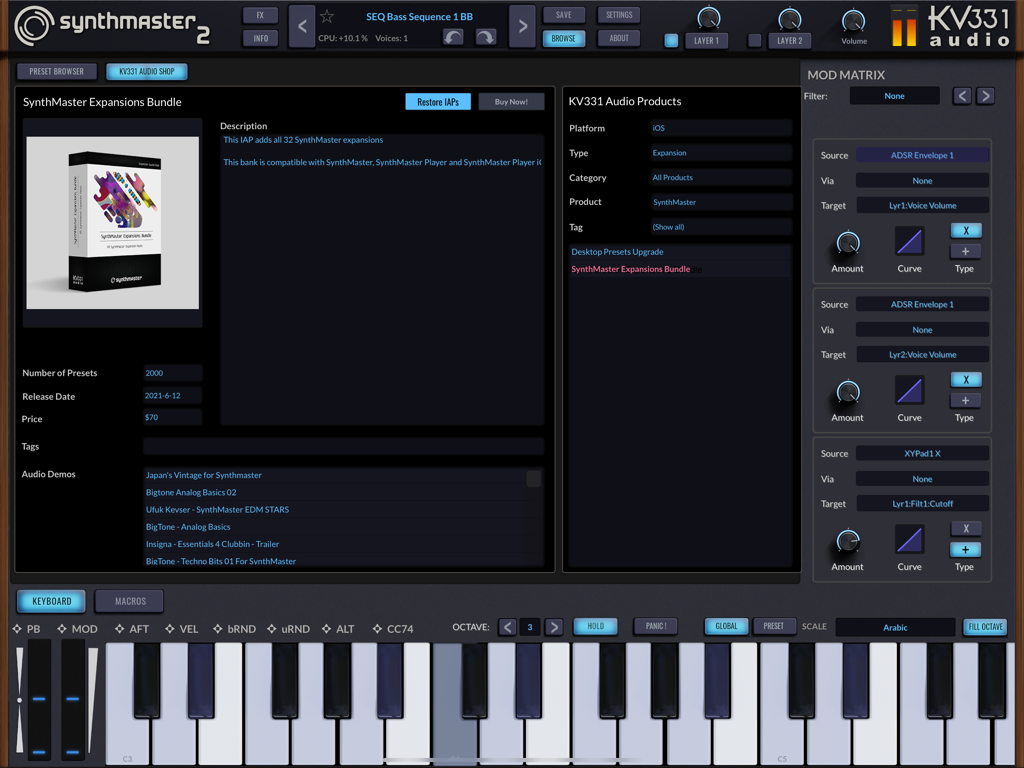
SynthMaster 2 - SynthMaster 2のアプリ内ショップインターフェイス。拡張機能バンドルとモジュレーションマトリックスを表示しています。
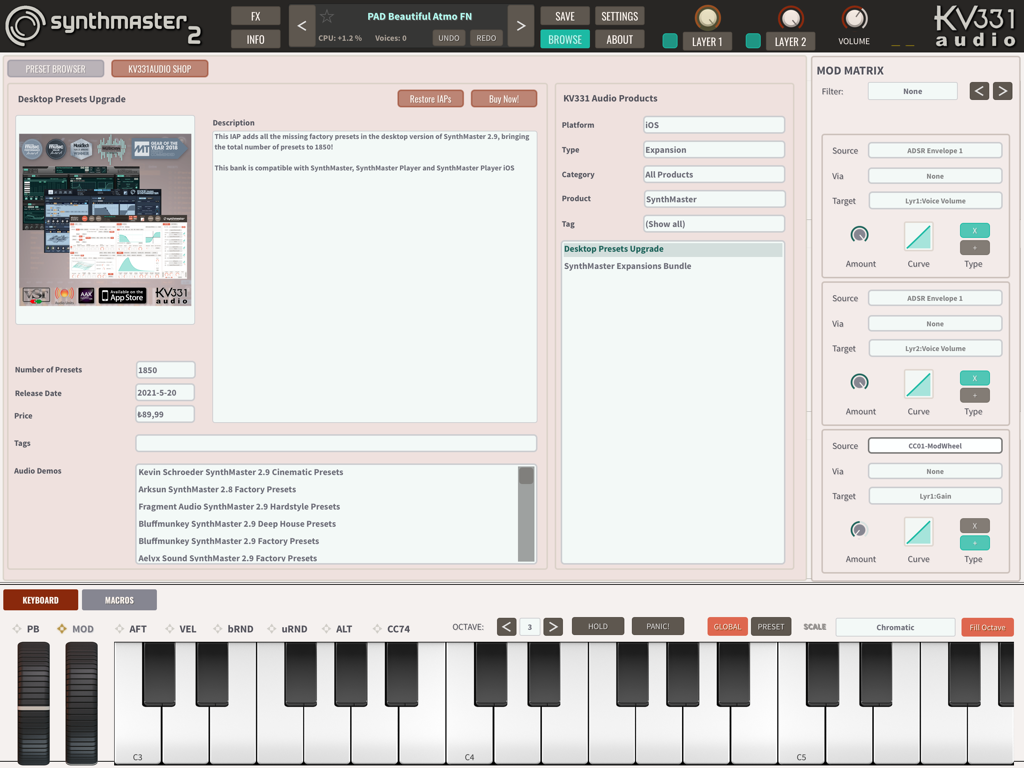
SynthMaster 2のアプリ内ショップインターフェイス。拡張機能バンドルとモジュレーションマトリックスを表示しています。

SynthMaster 2 - SynthMaster 2モバイルアプリインターフェイス。オシレーター、フィルター、モジュレーションマトリックス、仮想キーボードを表示しています。
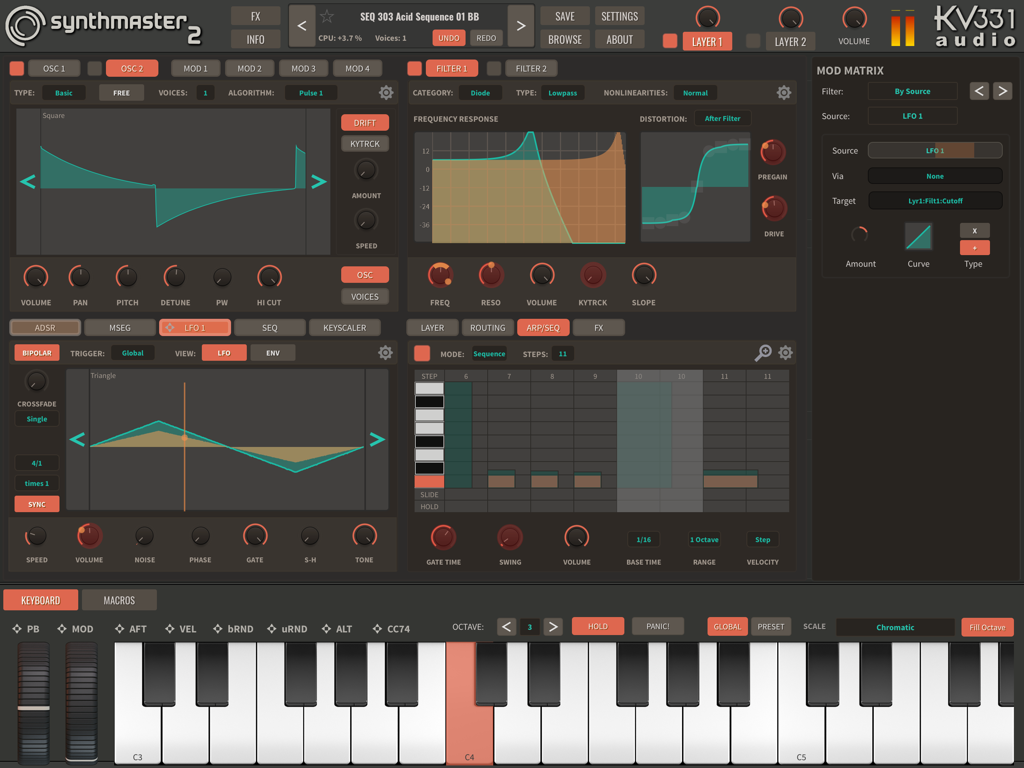
SynthMaster 2モバイルアプリインターフェイス。オシレーター、フィルター、モジュレーションマトリックス、仮想キーボードを表示しています。

SynthMaster 2 - SynthMaster 2プリセットブラウザとモジュレーションマトリックスインターフェイス。
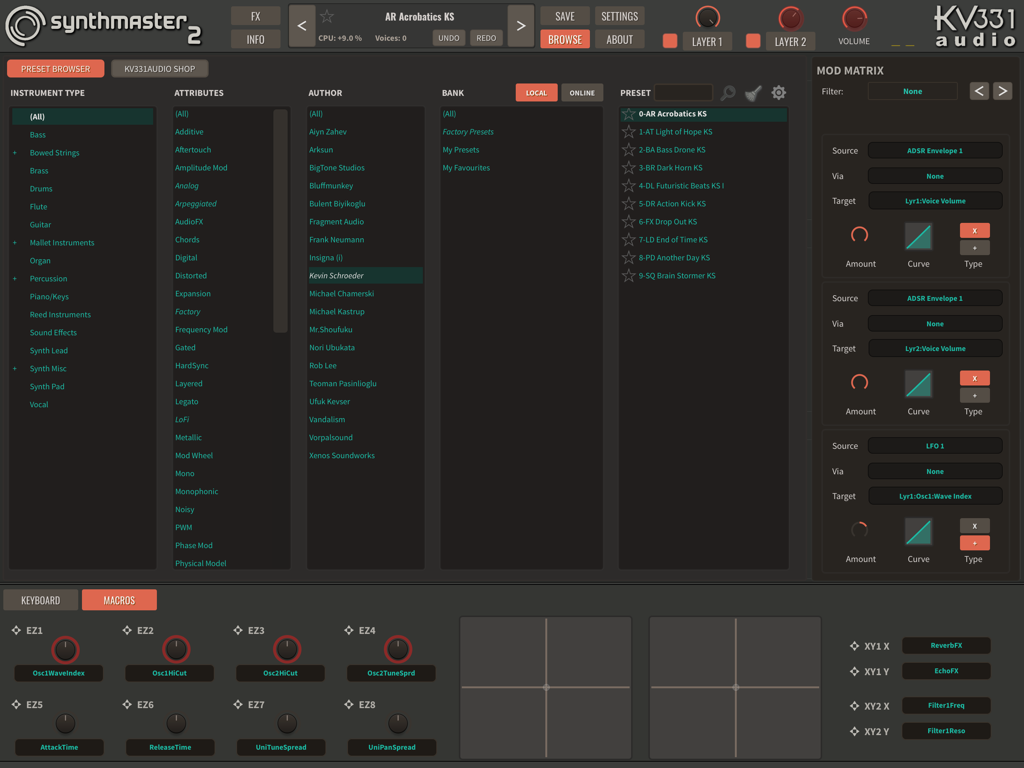
SynthMaster 2プリセットブラウザとモジュレーションマトリックスインターフェイス。

SynthMaster 2 - iPad上のSynthMaster 2シンセサイザーアプリのインターフェイス。オシレーターとフィルターを表示しています。
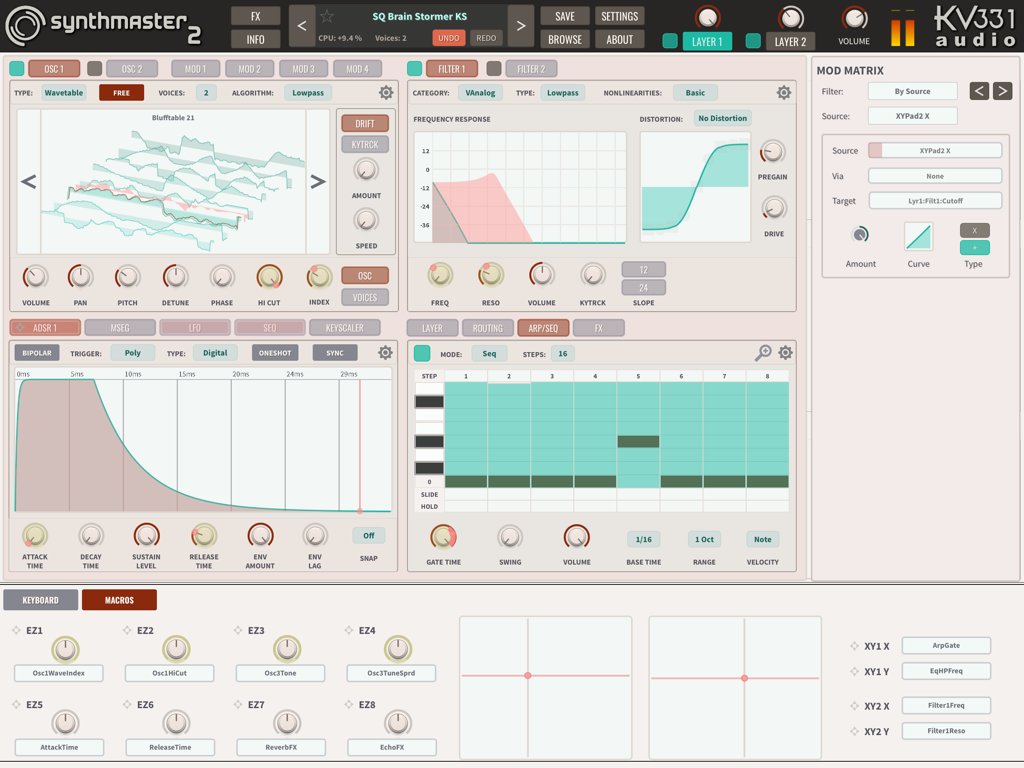
iPad上のSynthMaster 2シンセサイザーアプリのインターフェイス。オシレーターとフィルターを表示しています。

SynthMaster 2 - SynthMaster 2アプリインターフェイス。プリセットショップとモジュレーションマトリックスを表示しています。
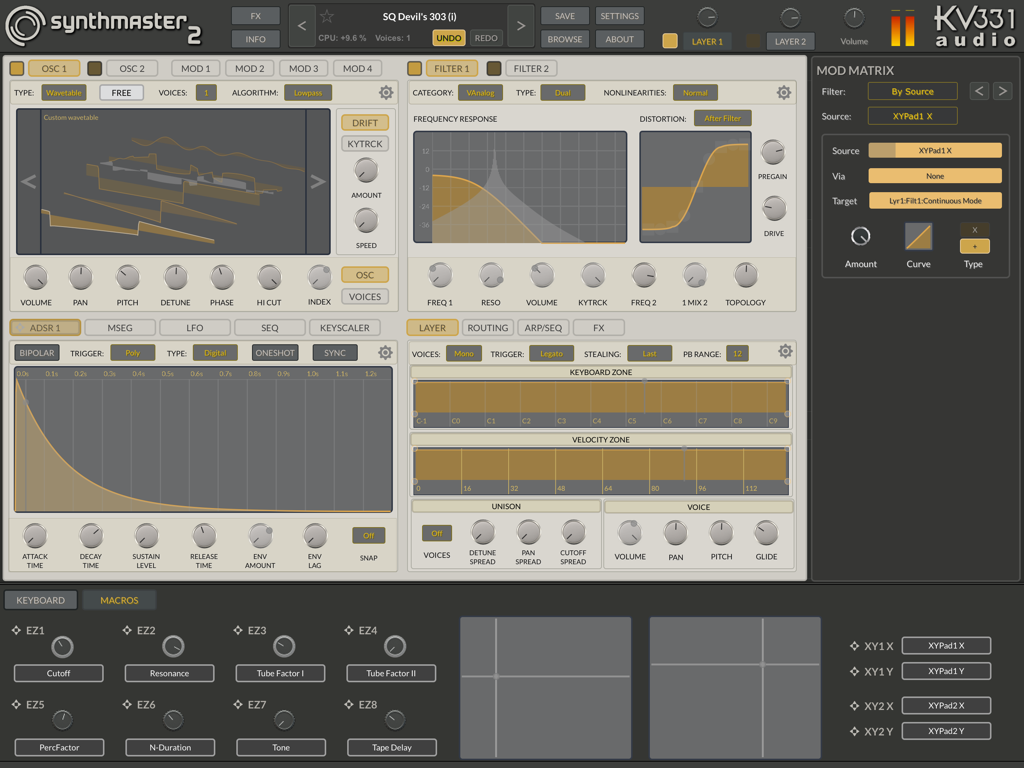
SynthMaster 2アプリインターフェイス。プリセットショップとモジュレーションマトリックスを表示しています。

SynthMaster 2 - iPad用SynthMaster 2アプリのインターフェイス。プロの音楽制作のためのオシレーター、フィルター、モジュレーション設定を表示しています。
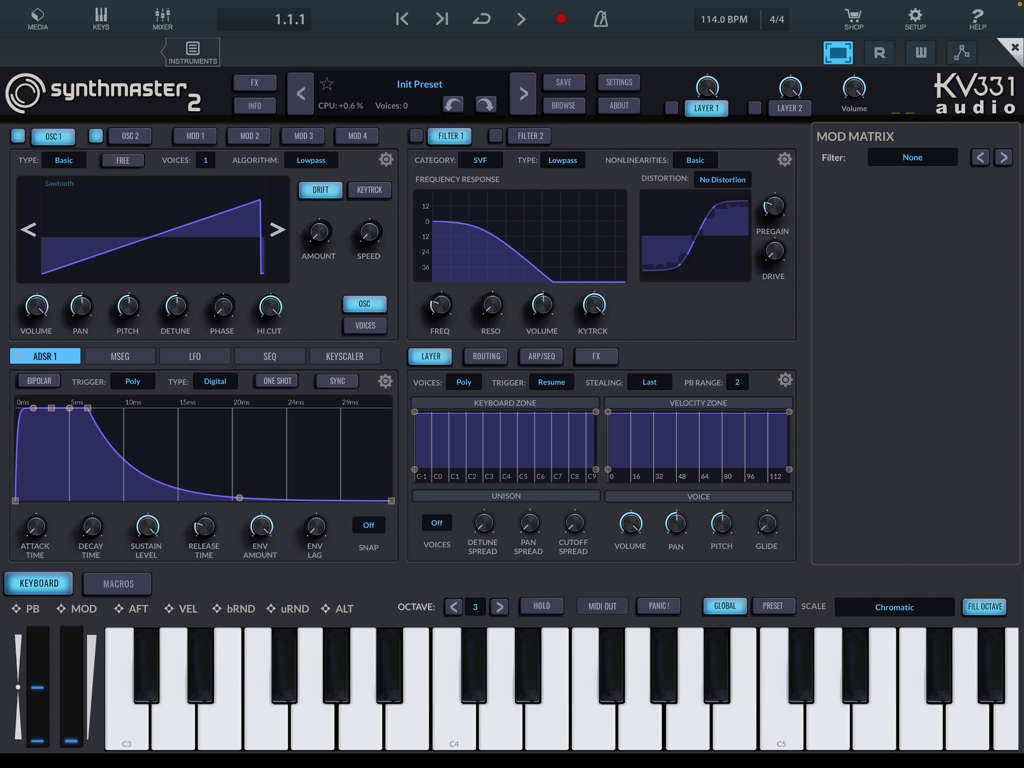
iPad用SynthMaster 2アプリのインターフェイス。プロの音楽制作のためのオシレーター、フィルター、モジュレーション設定を表示しています。

SynthMaster 2 - SynthMaster 2 iPadアプリのプリセットブラウザとモジュレーションマトリックスインターフェイス。
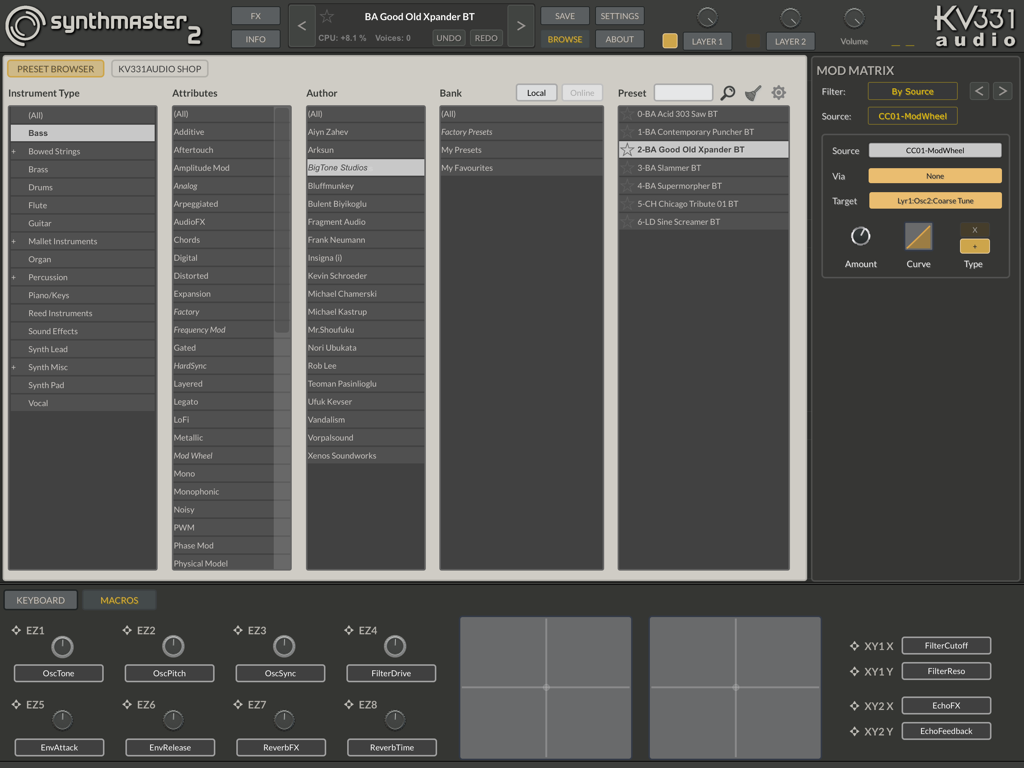
SynthMaster 2 iPadアプリのプリセットブラウザとモジュレーションマトリックスインターフェイス。

SynthMaster 2 - iPad用SynthMaster 2プロシンセサイザーインターフェイス。オシレーター設定、フィルターカーブ、ADSRエンベロープを表示しています。

iPad用SynthMaster 2プロシンセサイザーインターフェイス。オシレーター設定、フィルターカーブ、ADSRエンベロープを表示しています。

説明

KV331 Audio is proud to announce the availability of their award winning software synthesizer SynthMaster 2.9 on iOS platform. As being the first app developed using KV331 Audio’s new cross-platform UI framework, SynthMaster 2 runs as a standalone app or AUv3 plugin on iPads with iOS 11 and above. SynthMaster 2 supports native resolutions of various iPad devices. User interfaces are provided for 9.7, 11 and 12.9 inch iPads in 4 different skins (Blue, White, Dark, Proto). Separate interfaces are provided for the AudioUnit plugin as well. SynthMaster 2 comes with 1000 factory presets designed by world class sound designers such as BigTone, Nori Ubukata, NatLife and Yuli Yolo. Thanks to the comprehensive preset browsing features, users can easily filter presets by author name, bank name, instrument type or preset name and find the sounds that they are looking for. There’s also an IAP Shop, which lets users purchase additional sounds: 1. "Desktop Presets Upgrade": This IAP adds all factory presets in SynthMaster 2.9, increasing the total preset count to 2000. 2. "All Expansions Bundle": This IAP adds all current 38 SynthMaster preset expansion banks. Sound Engine: At the heart of SynthMaster 2’s powerful sound engine lies its oscillators, modulators, and filters. Oscillators: The oscillators can operate in 4 different modes to generate sound: 1. In Basic mode, the oscillator plays single cycle waveforms or samples. With the Oscillator Unison turned on, up to 8 voices per oscillator can be played. 2. In Additive mode, 8 Basic oscillators can be stacked up to create richer tones. 3. In Wavetable mode, the oscillator can play wavetables with up to 256 frames. 4. In Vector mode, 4 Basic oscillators are mixed in 2 dimensions. Modulators: Modulators are simply basic oscillators that can be added to other oscillators or modulate other oscillators’ or modulators’ phases. By connecting modulators to other oscillators or modulators, complex FM tones can be synthesized. Importing Wave Files into SynthMaster: While designing sounds, users can easily import wave files into SynthMaster 2. SynthMaster 2 can categorize those files into waveforms, wavetables or multi samples and import them accordingly. Filters: Once the sound is generated by the oscillators it goes through SynthMaster’s filters, which can operate in 6 different categories: Digital, VAnalog, Ladder, Diode Ladder, State Variable and Bite. Custom distortion can be applied before or after the filters as well. Modulation Architecture: SynthMaster 2 features a comprehensive modulation architecture with a wide range of modulation sources: 1. MIDI controls 2. Macros controls 3. 4 ADSR envelopes per layer 4. 4 Multisegmented envelopes per payer 5. 4 LFOs per layer 6. 4 Sequencers per layer 7. 4 Keyscalers per layer There’s real-time visual feedback that lets users see how modulation sources and targets are changing when a note is being played. This is extremely helpful when designing sounds with SynthMaster 2. New modulations can be created easily by dragging and dropping a modulation source onto a knob or slider control. Users can easily see which controls are modulated by a modulation source by clicking on that source. Controls that are being modulated by that source will display modulation amounts. By long pressing a control, the modulation amount can be edited without the need to go through the mod matrix. Arp/Sequencer: SynthMaster features a comprehensive arpeggiator / sequencer with 32 steps. Users can easily create sequences by recording steps one by one. Effects: Each of the 2 layers in SynthMaster has 5 insert effect slots. 13 different types of effects can be instantiated in any of those slots. There are also 2 global effect send busses which can be used to create more complex effect routings.

Download

ダウンロード: App Store

このページはアプリまたはその開発者の公式ページではなく、情報提供および論評を目的として作成された独立した編集出版物です。明示的に別段の記載がない限り、アプリおよびその開発者は、MWM、Apple、Google Play、アプリのパブリッシャー、またはアプリの開発者と提携、承認、後援、認可、またはその他の公式的な関係はなく、このページのいかなる内容も、アプリがMWMのサービスを使用して開発されたことを意味するものではありません。すべての商標、ロゴ、スクリーンショット、その他のコンテンツはそれぞれの所有者の財産です。