
このページはアプリまたはその開発者の公式ページではなく、情報提供および論評を目的として作成された独立した編集出版物です。明示的に別段の記載がない限り、アプリおよびその開発者は、MWM、Apple、Google Play、アプリのパブリッシャー、またはアプリの開発者と提携、承認、後援、認可、またはその他の公式的な関係はなく、このページのいかなる内容も、アプリがMWMのサービスを使用して開発されたことを意味するものではありません。すべての商標、ロゴ、スクリーンショット、その他のコンテンツはそれぞれの所有者の財産です。


Table Notes Spreadsheet maker
退屈な表計算ソフトを忘れろ。このアプリは、情報を視覚的に操る力をユーザーに与える。
ダウンロード
1M+ユーザー評価
評価数
12.2K開発元
カテゴリ
Business対応言語
30最新バージョン
4.0.4サイズ
17.2 MBリリース日
2021年6月3日モバイル環境でのデータ整理と視覚化に特化した主要機能の評価
「Table Notes Spreadsheet maker」アプリケーション分析
柔軟な表形式データ管理
本アプリは直感的な表形式でデータを整理・保存することを可能にし、個人情報、レシピ、スケジュール、シフト管理など、多様なニーズに対応します。無制限の行と列の追加に対応しており、ユーザーは柔軟なデータ構造を構築できます。
豊富な視覚的カスタマイズオプション
各セルのテキストの色、背景色、テキストサイズ、配置、セルの高さと幅を自由に調整できます。これにより、ユーザーは視覚的に分かりやすく、パーソナライズされたデータ表現を実現できます。
複数のファイル形式でのデータ入出力
CSV、PDF、XLSX形式でのデータ入出力に対応しており、他のアプリケーションとの連携やデータ共有、印刷が容易に行えます。これにより、ユーザーはデータのポータビリティを確保し、様々な用途で活用できます。
画像挿入機能
セル内に画像を直接挿入できるため、レシピの画像や資料の写真など、視覚情報をデータと関連付けて管理できます。これは、特に視覚的な情報の整理を重視するユーザーにとって非常に有用です。
iCloud Drive連携によるマルチデバイス同期
iCloud Driveとの連携により、複数のAppleデバイス間で共通のデータを利用できます。これにより、ユーザーはどこからでも最新のデータにアクセスし、作業を継続できるため、利便性と生産性が向上します。
シンプルなセル内計算機能
各セル内で四則演算(+ - * /)を直接実行し、結果を表示できます。複雑な関数を学ぶ必要がなく、ユーザーは基本的な数値計算を迅速に行えるため、タスク管理や簡単な予算編成に役立ちます。
誤削除防止のためのゴミ箱機能
誤ってファイルを削除した場合でも、ゴミ箱機能によってデータを復元できます。これにより、ユーザーは大切なデータを失う心配なく、安心してアプリケーションを利用できます。
列設定の柔軟な管理
各列の項目名を設定・変更できるだけでなく、列幅も個別に調整できます。これにより、ユーザーはデータの種類に応じて最適なレイアウトを構築し、視認性を高めることができます。
よくある質問
について知っておくべきこと Table Notes Spreadsheet maker
What is Table Notes Spreadsheet maker?
Table Notes Spreadsheet maker is a memo application that organizes information in a table format. Users can save names, phone numbers, addresses, and recipes within its structured rows and columns.
Can I use Table Notes Spreadsheet maker to create schedules?
Yes, Table Notes Spreadsheet maker allows users to create schedules, recipes, tables, timetables, and shifts. It serves as a versatile tool for organizing various types of tabular data.
How do I customize item names and column widths in Table Notes?
Users customize item names and column widths in Table Notes Spreadsheet maker by tapping an item. This action displays a settings screen where direct adjustments can be made.
Does Table Notes Spreadsheet maker support cell customization?
Yes, Table Notes Spreadsheet maker supports cell customization. Users can set distinct text and background colors for individual cells within their tables.
Can I adjust text size and position in Table Notes cells?
Yes, Table Notes Spreadsheet maker allows users to adjust text size to any dimension. Text position within cells can also be changed to left, center, or right alignment.
Is it possible to insert images into cells in Table Notes?
Yes, Table Notes Spreadsheet maker allows users to insert images directly into cells. This feature enhances visual data representation within the tables.
How do I change the size of cells in Table Notes?
Users can adjust cell size in Table Notes Spreadsheet maker. Both the height and width of individual cells can be modified to suit content display requirements.
Does Table Notes Spreadsheet maker limit the number of rows or columns?
No, Table Notes Spreadsheet maker does not limit the number of rows or columns. Users can add an unlimited quantity of both rows and columns to their tables.
Can Table Notes Spreadsheet maker perform calculations?
Yes, Table Notes Spreadsheet maker performs simple arithmetic calculations within cells. It supports four operations (+, -, *, /) and displays the results directly.
Can Table Notes Spreadsheet maker import CSV files?
Yes, Table Notes Spreadsheet maker imports CSV files. It can receive and display CSV data shared from other applications, facilitating data integration.
How do I export data from Table Notes as a CSV file?
Table Notes Spreadsheet maker outputs data in CSV format. However, cell formatting like text color and background color is not included in the CSV export.
Can I export my Table Notes data as a PDF?
Yes, Table Notes Spreadsheet maker outputs data in PDF format. This allows users to print or share their tables easily with others.
Does Table Notes Spreadsheet maker support XLSX export?
Yes, Table Notes Spreadsheet maker supports XLSX output. When exporting files that contain images, display variations may occur in the XLSX format.
Does Table Notes Spreadsheet maker support iCloud Drive synchronization?
Yes, Table Notes Spreadsheet maker supports iCloud Drive. Using iCloud Drive enables common data access and synchronization across multiple devices.
Does Table Notes Spreadsheet maker have a recovery option for deleted files?
Yes, Table Notes Spreadsheet maker includes a Trash Box feature. This allows users to recover accidentally deleted files, providing data security.
以下のスクリーンショットと説明は、アプリの公式ストアリスティングから直接取得されたものであり、アプリ開発者の所有物です。
アプリストア
スクリーンショット
アプリの象徴的なロゴと「TableNote」という名称が、柔軟なデータ整理の可能性と洗練されたインターフェースを視覚的に伝えています。
TableNoteへようこそ
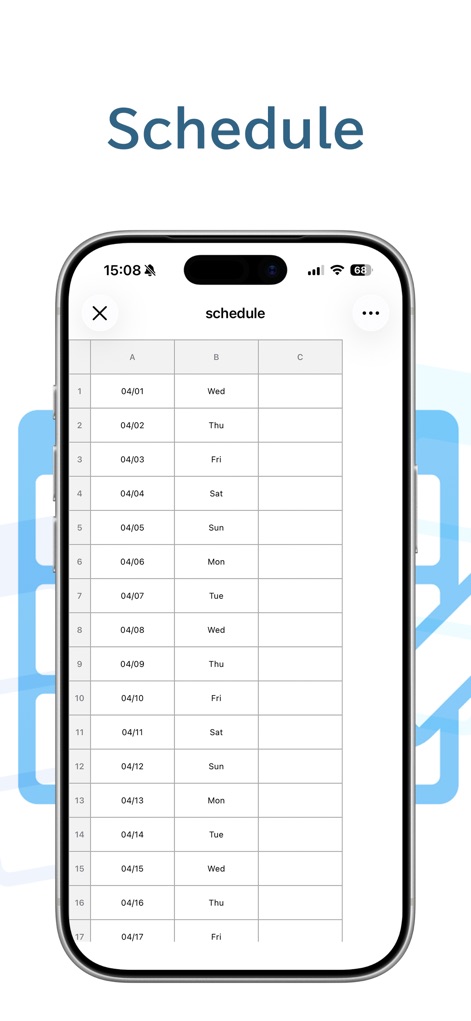
ユーザーは日付と曜日を整理した表形式で視覚的に確認でき、一目で予定を把握できるシンプルなインターフェースを特徴としています。
直感的な日程管理
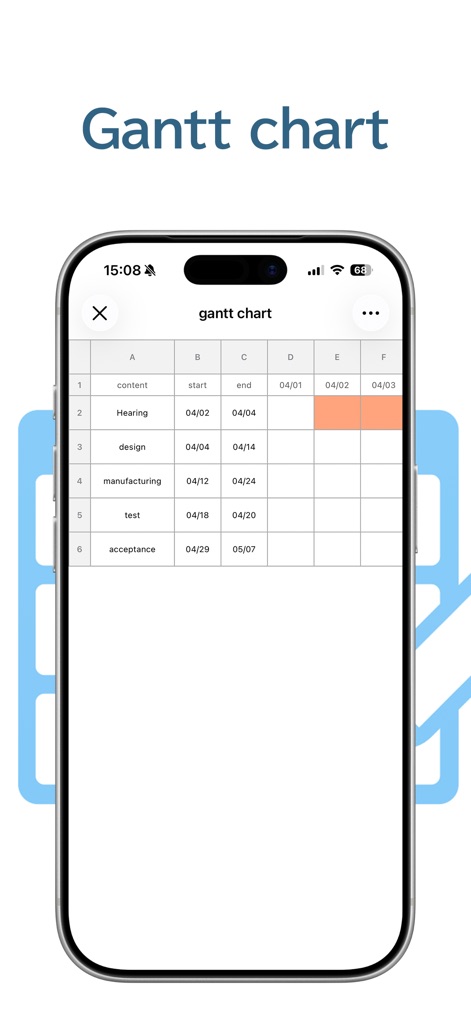
プロジェクトの開始日と終了日を明確に示す日付列と、進行状況を色分けされたセルで直感的に表示するガントチャート機能により、視覚的な進捗管理が可能です。
進捗を視覚化
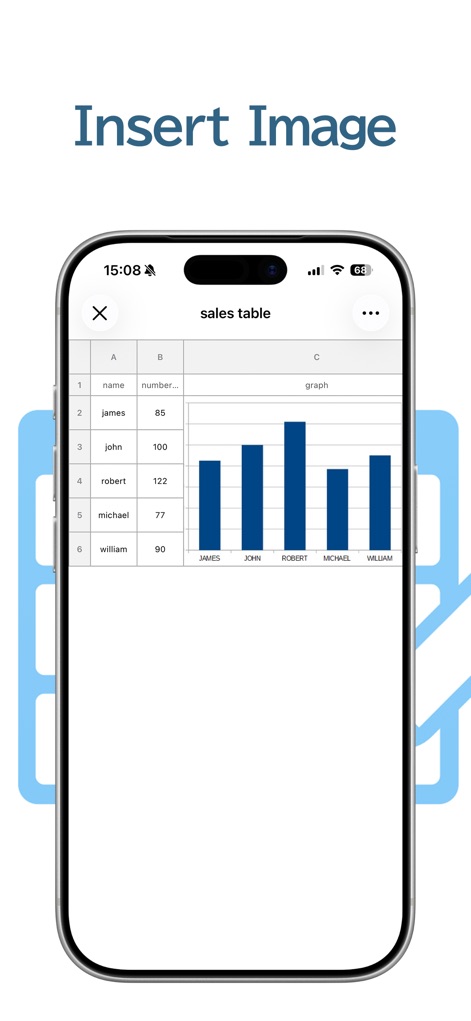
数値データを伴う「売上表」にグラフ画像を直接挿入することで、視覚的な分析と情報伝達を向上させ、データの内容をより直感的に理解できるようになります。
データに画像を
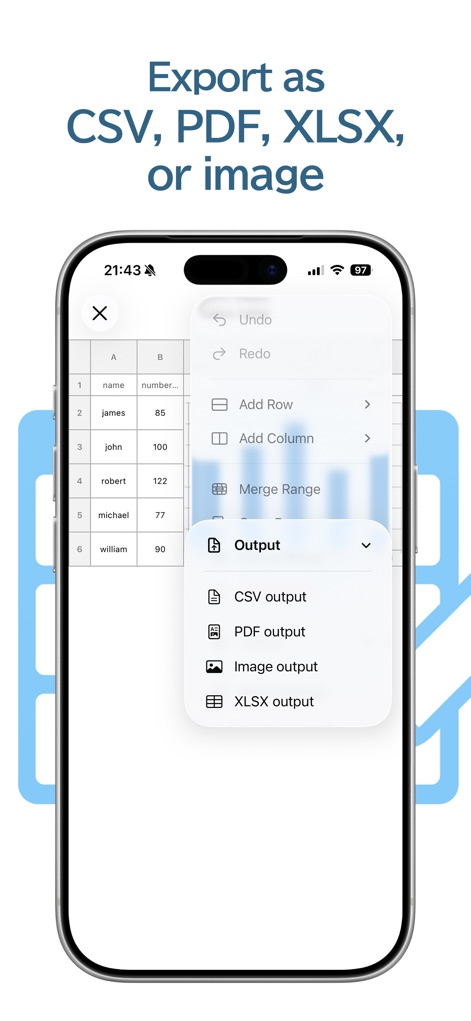
アプリ内のデータを「CSV出力」や「PDF出力」などの複数のファイル形式で手軽にエクスポートでき、他のアプリケーションとの連携や共有をスムーズに行えます。
多彩な出力形式
説明
Download
類似アプリ
似た機能とユーザー体験を持つアプリ

Planit - To-Do List & Calendar
BeomJoon Kim

Smile Todo - Time Management
EMMO Corp.

That Shopping List
Markus Liebschner

Lists To do
Thomas Tsopanakis

To Do List Widget
TAPUNIVERSE LLC

Daily Planner & Task Manager
Konstantin Bolgar

DailyTodo - To-Do List & Tasks
SEOLHEE LEE

Minimal Tabbed ToDo List
App Palette LLC

Do! - Simple To Do List
SIMPLERION Co., Ltd
このページはアプリまたはその開発者の公式ページではなく、情報提供および論評を目的として作成された独立した編集出版物です。明示的に別段の記載がない限り、アプリおよびその開発者は、MWM、Apple、Google Play、アプリのパブリッシャー、またはアプリの開発者と提携、承認、後援、認可、またはその他の公式的な関係はなく、このページのいかなる内容も、アプリがMWMのサービスを使用して開発されたことを意味するものではありません。すべての商標、ロゴ、スクリーンショット、その他のコンテンツはそれぞれの所有者の財産です。