
このページはアプリまたはその開発者の公式ページではなく、情報提供および論評を目的として作成された独立した編集出版物です。明示的に別段の記載がない限り、アプリおよびその開発者は、MWM、Apple、Google Play、アプリのパブリッシャー、またはアプリの開発者と提携、承認、後援、認可、またはその他の公式的な関係はなく、このページのいかなる内容も、アプリがMWMのサービスを使用して開発されたことを意味するものではありません。すべての商標、ロゴ、スクリーンショット、その他のコンテンツはそれぞれの所有者の財産です。

Talk For Me - Text to Speech
人間らしい表現力豊かなAIで、尊厳を持ってコミュニケーション。電話で直接話したり、自分の声のクローンを使ったり、いつでもどこでも大切な人とつながり続けましょう。
ダウンロード
15K+ユーザー評価
評価数
200開発元
カテゴリ
Utilities対応言語
1最新バージョン
1.17サイズ
5.7 MBリリース日
2015年3月23日声と自立を取り戻す
音声喪失を身をもって理解する開発者によって設計されたTalk For Meは、対面でも電話でも、自然で表現力豊かで、品位のあるコミュニケーション方法を提供します。
電話で直接話す
FaceTimeや電話で沈黙を破りましょう。当社のSpeech to Callテクノロジーは、あなたの音声を直接回線に送信するため、自分で予約を管理し、つながりを保つことができます。
あなたの声、あなたのアイデンティティ
iOS 17パーソナルボイス対応と表現力豊かなAIエンジンで、あなたの個性を維持しましょう。あなたの質問や感嘆が、ロボットではなく人間らしく聞こえることを保証します。
よくある質問
について知っておくべきこと Talk For Me - Text to Speech
Talk For Me - Text to Speechとは何ですか?
Talk For Meは、病気などで声を失った方や、電話でのコミュニケーションが必要な方のためのアプリです。テキストを音声に変換します。
Talk For Meは電話で使用できますか?
はい、Talk For Meはテキスト読み上げ音声を電話やFaceTime通話に直接送信できます。相手には、まるであなたが話しているかのようにクリアに聞こえます。
Talk For Me - Text to Speechはインターネットなしで動作しますか?
はい、Talk For Meは完全にオフラインで動作します。機能するためにインターネット接続は必要ありません。
Talk For Me - Text to Speechはパーソナルボイスをサポートしていますか?
はい、Talk For Meはパーソナルボイス(iOS 17以降)をサポートしています。ユーザーは自分の声のデジタルコピーを作成し、アプリ内でパーソナライズされたコミュニケーションに使用できます。
Talk For Meアプリの主な機能は何ですか?
主な機能は、スピーチ・トゥ・コール、パーソナルボイスサポート、ビジュアル「カラオケ」トラッキング、エクスプレッシブAI、カスタマイズ可能なクイックボタン、フレーズ保存のためのアーカイブデータベースです。
Talk For Meでよく使うフレーズを保存できますか?
はい、Talk For Meにはアーカイブデータベースがあり、無制限のフレーズや部分的な文章を保存できます。左にスワイプすると、保存された文章にすぐにアクセスできます。
Talk For Me - Text to Speechは音声品質をどのように向上させますか?
Talk For Meは、改良されたエクスプレッシブAIエンジンを搭載しています。句読点に基づいてピッチと速度を自動的に調整し、より人間らしく、ロボット的でない音声にします。
Talk For Me - Text to Speechには広告がありますか?
いいえ、Talk For Meは完全に広告なしで、ユーザーにクリーンで邪魔されないインターフェースを提供します。
Talk For Meアプリでクイックボタンをカスタマイズするにはどうすればよいですか?
Talk For Meでは、クイックボタンをカスタマイズできます。ボタンを長押しして、特定のテキスト、タイトル、異なるボイスを割り当てます。上にスワイプすると、追加のカスタムボタンページにアクセスできます。
Talk For Me - Text to Speechはどの言語をサポートしていますか?
Talk For Meは、英語(米国、英国、オーストラリア、アイルランド、南アフリカ)、アラビア語、中国語、チェコ語、デンマーク語、オランダ語、フランス語、ドイツ語、ヒンディー語、イタリア語、日本語、韓国語、ポルトガル語、スペイン語、スウェーデン語など、多数の言語をサポートしています。
以下のスクリーンショットと説明は、アプリの公式ストアリスティングから直接取得されたものであり、アプリ開発者の所有物です。
アプリストア
スクリーンショット
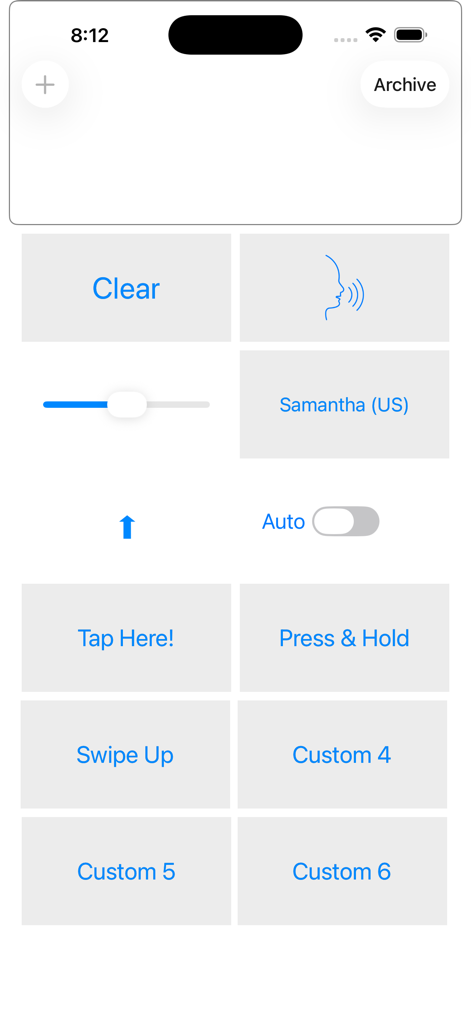
Talk For Meアプリのメインダッシュボード。カスタマイズ可能な大きなボタンが、迅速なテキスト読み上げコミュニケーションのために配置されている。
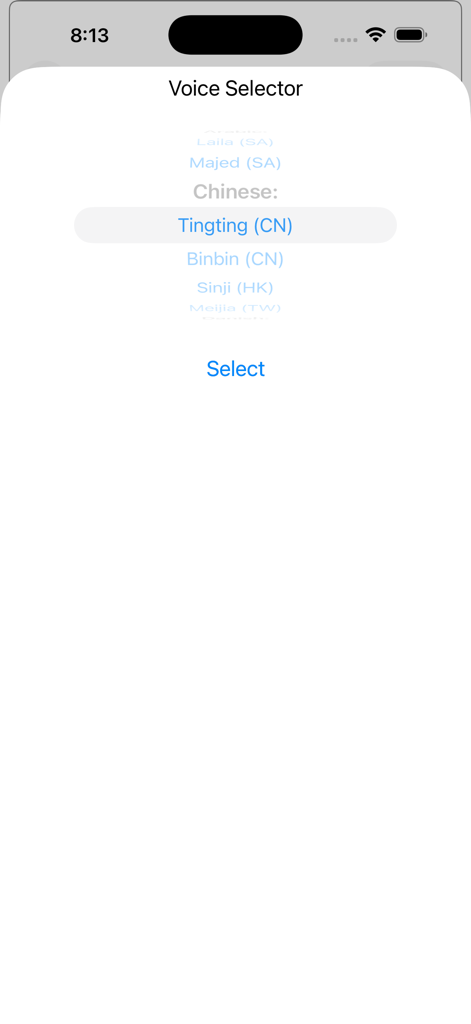
Talk For Meアプリのボイスセレクタ画面。中国語のような多言語音声オプションが表示されている。
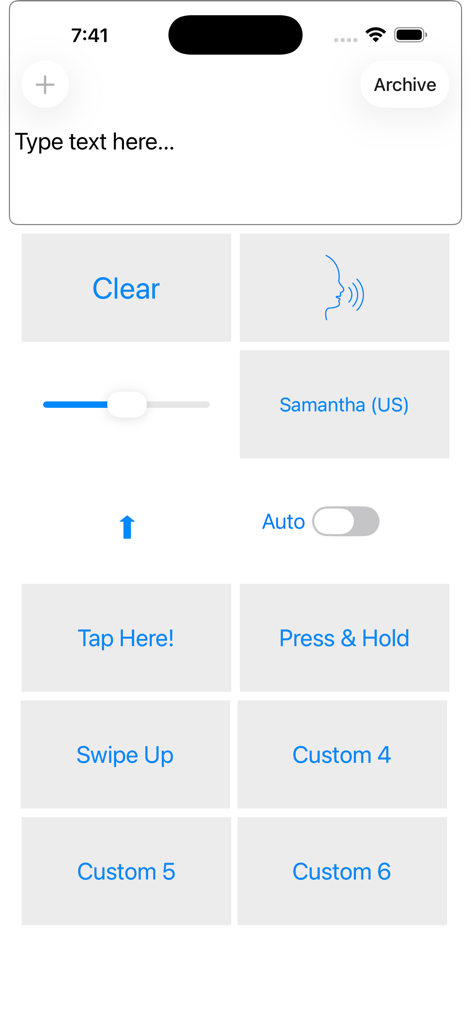
Talk For Meアプリのメイン画面。テキスト入力エリア、Samanthaの声の選択、カスタマイズ可能なクイックフレーズボタンが表示されている。
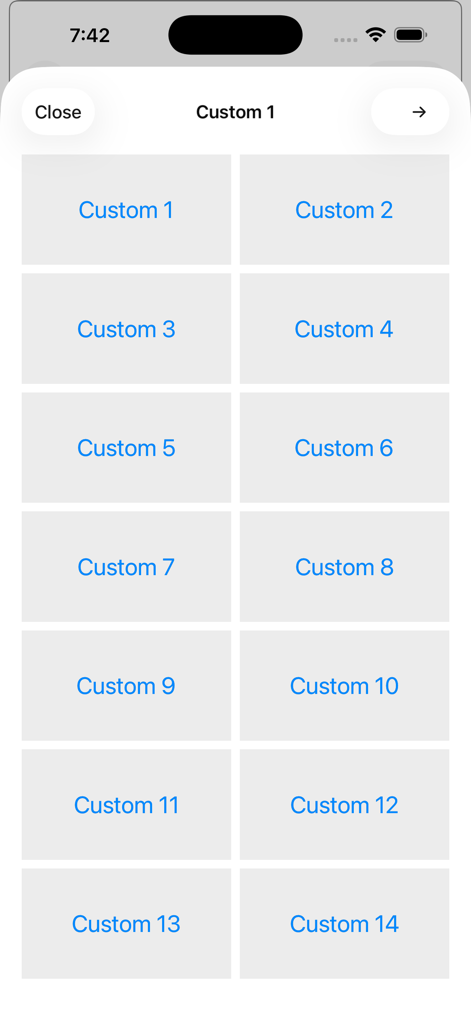
Talk For Meアプリのインターフェース内に、14個のカスタマイズ可能なクイックフレーズボタンのグリッド。
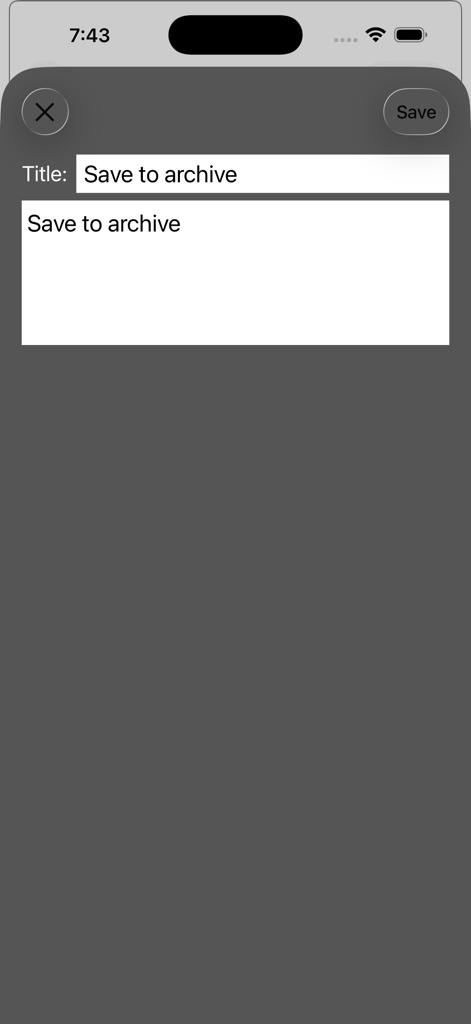
Talk For Meアプリのアーカイブ保存画面のスクリーンショット。
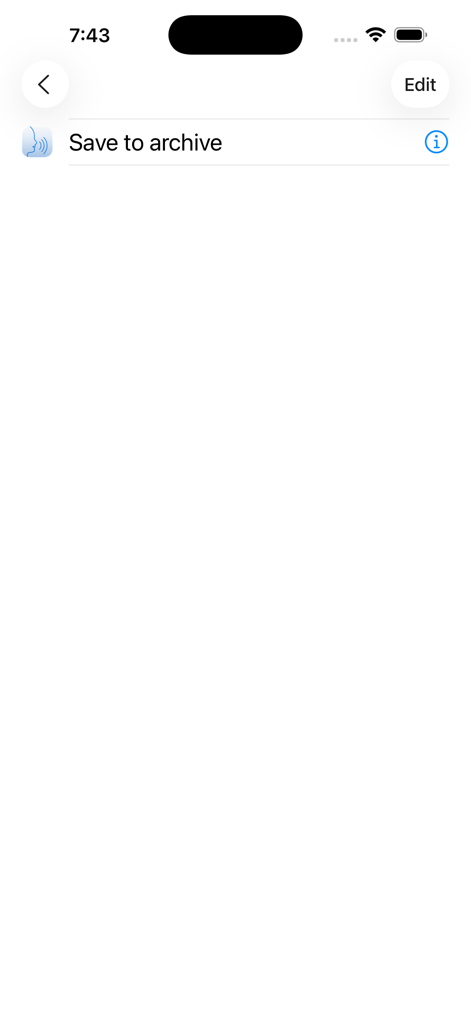
Talk For Meアプリのインターフェース。保存されたフレーズを管理するためのアーカイブへの保存メニューオプションが表示されている。
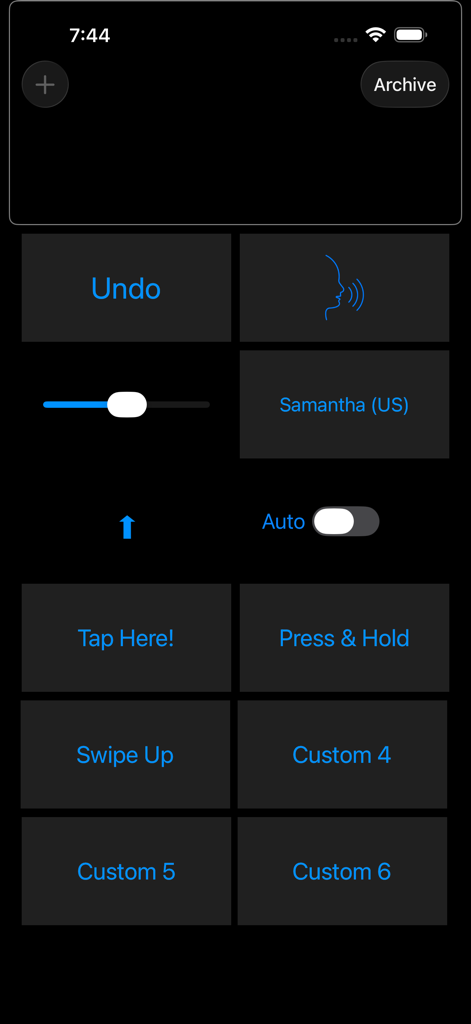
Talk For Meアプリのメインダッシュボード。カスタマイズ可能なクイックコミュニケーションボタンと音声設定が配置されている。
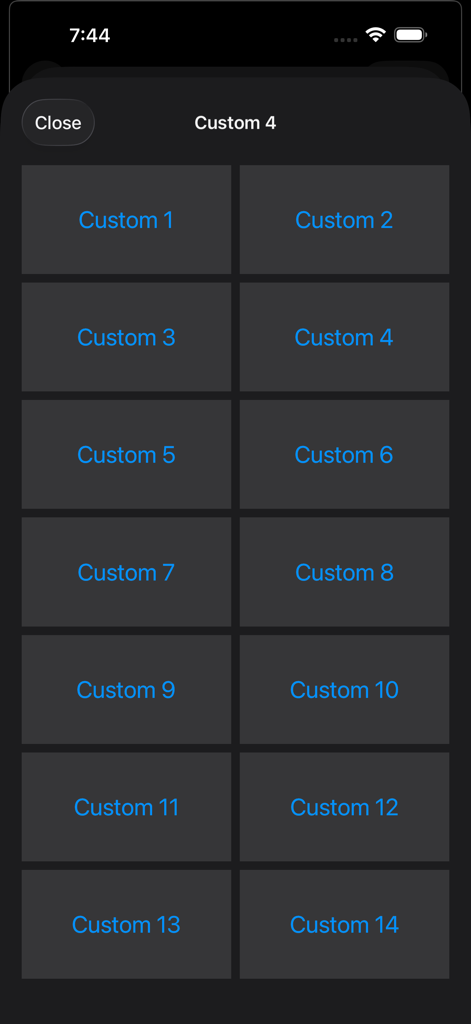
音声フレーズのためのカスタマイズ可能なボタンのグリッドが表示されたインターフェース。。
説明
Download
類似アプリ
同じカテゴリのトップランクアプリ

Google LLC

Google Chrome
Google LLC

中国移动(手机营业厅)
China Mobile Online Services Co., Ltd.

Google Authenticator
Google LLC

CNH do Brasil
Servicos e Informacoes do Brasil

Cleanup: Phone Storage Cleaner
DEEP FLOW SOFTWARE SERVICES - FZCO

gov.br
Servicos e Informacoes do Brasil

中国电信-全国统一官方服务平台
CHINA TELECOM Corporation Ltd.

Microsoft Edge: AI Browser
Microsoft Corporation
このページはアプリまたはその開発者の公式ページではなく、情報提供および論評を目的として作成された独立した編集出版物です。明示的に別段の記載がない限り、アプリおよびその開発者は、MWM、Apple、Google Play、アプリのパブリッシャー、またはアプリの開発者と提携、承認、後援、認可、またはその他の公式的な関係はなく、このページのいかなる内容も、アプリがMWMのサービスを使用して開発されたことを意味するものではありません。すべての商標、ロゴ、スクリーンショット、その他のコンテンツはそれぞれの所有者の財産です。